How to Join an Array into Text in Power Automate

join() turns an array into one piece of text, with a separator of your choice between the items. join(body('...'), ';') makes a list of email addresses into the semicolon-separated text that an approval's Assigned to field takes.
Microsoft's functions reference says join() will Return a string that has all the items from an array and has each character separated by a delimiter. Its example: join(createArray('a', 'b', 'c'), '.') returns "a.b.c".
The example is the approval flow of the Overtime Timesheet app. Its Filter array action leaves a department's approvers as an array of emails, and the approval needs them as one line.
Prerequisites
- An array of text. Here, the body of Approvers other than the employee (How to Filter an Array in Power Automate).
Step 1: Choose the Separator
Use the separator the next action expects. For approvals, Microsoft's approval scenarios say: In the Assigned to field, define the list of persons to whom the approval request should be sent. Separate each person with a semicolon (;).
Step 2: Write the Expression
Where the text is needed, insert the expression (How to Add an Expression in Power Automate). Here, it's the value of the Set variable action Ask the other approvers:
join(body('Approvers_other_than_the_employee'), ';')
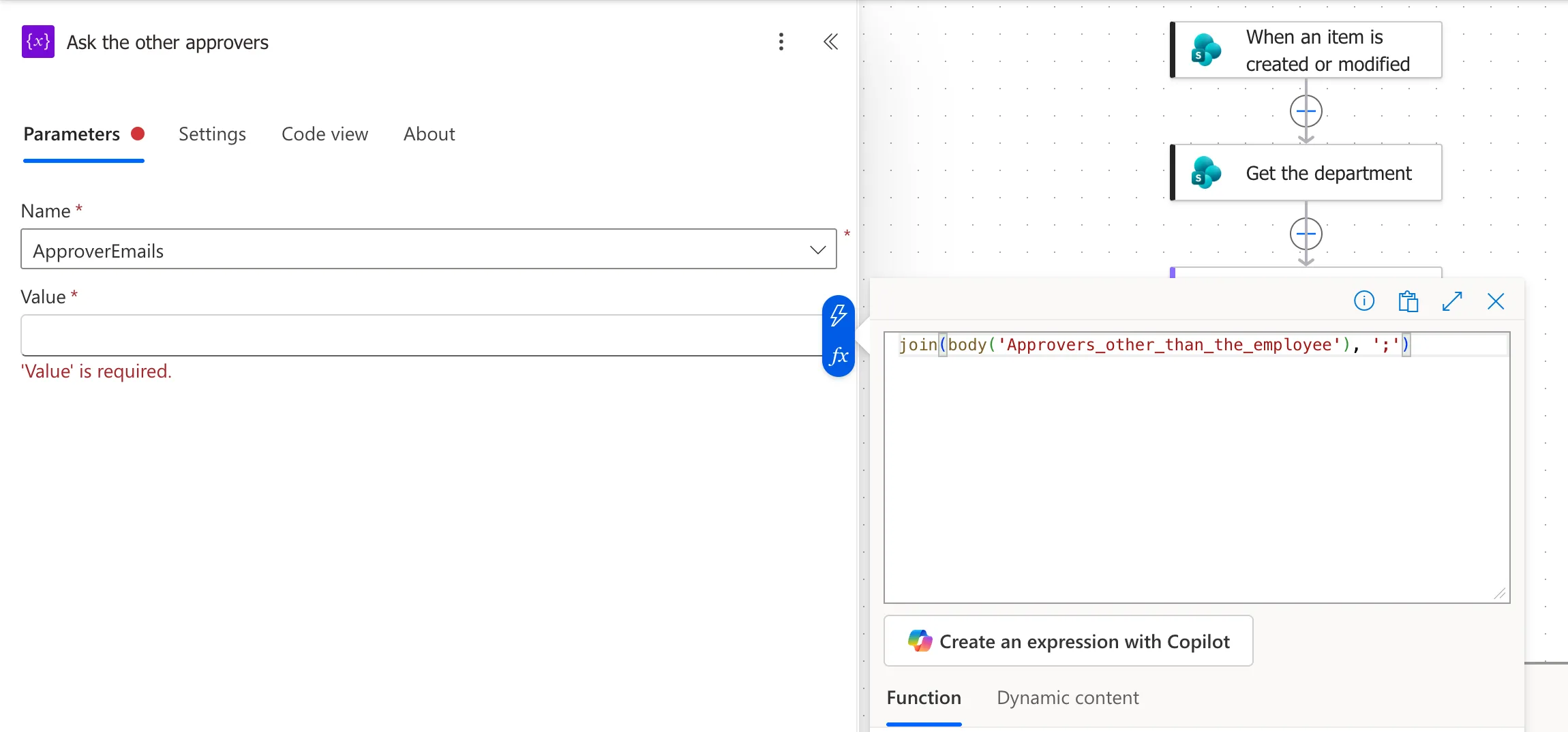
body('Approvers_other_than_the_employee')is the array, read from the action by its name with underscores for spaces.';'is the separator, in single quotes like any text in an expression.
The Result
In a run for the Radiology department, whose one approver other than the person was Daniel Brooks, the variable got his email on its own, with no separator:
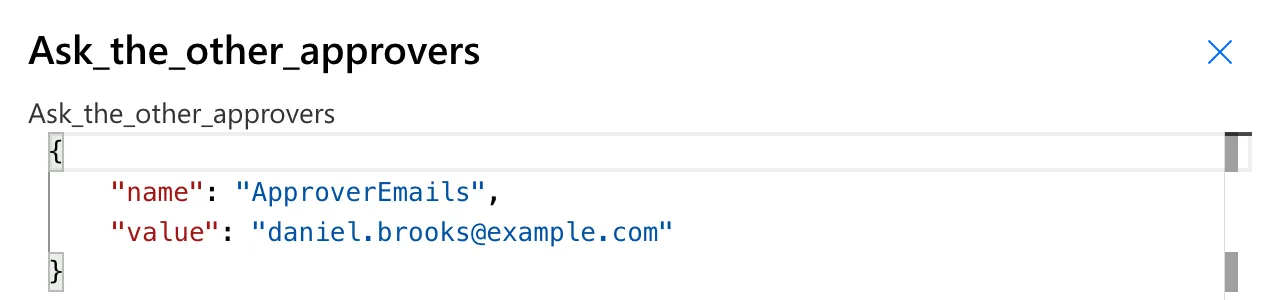
A separator goes only between items, so an array of one gives just that item, and two give first;second, as in Microsoft's a.b.c example. Every department in the example has one approver, so the runs show one address.
Common Mistakes
| Mistake | What happens | Do this instead |
|---|---|---|
| A comma between approvers | Assigned to expects semicolons | ';' |
join() on an array of objects | Each item is an object, not an address | Select the field first |
concat() for an array | concat() combines separate strings | join() for an array |
Troubleshooting
| Symptom | Likely cause | Fix |
|---|---|---|
| Approvers are missing from the request | The separator isn't the one Assigned to takes | Use ';' |
Text like {"Email":...} in the result | The array holds objects | Use Select with item()?['Email'] first |
| An empty result | The array was empty | Check it with length() first |
FAQ
What does join() return for an empty array?
There are no items to put between separators. The example flow checks the array with length() first, so an empty one never reaches join() (How to Count the Items in an Array in Power Automate with length()).
Can the separator be more than one character?
The separator is any text: ', ' puts a comma and a space between the items.
Conclusion
join(array, ';') turns an array into one line with a semicolon between the items, the form an approval's Assigned to field takes for several people.
Additional Resources
- Reference guide to functions in expressions: join: the function and its example.
- Top scenarios with approval flows: send an approval to multiple people: semicolons in Assigned to.
