How to Insert Values into a String with String Interpolation in C#

Building a sentence out of values, such as a greeting with a name and a count, is one of the most common things a program does. In C#, a $ before a string lets you write the values straight into it, between curly braces.
Syntax
$"<text>{<expression>}<text>"
$"<text>{<expression>,<width>:<format>}<text>"
| Part | What it does |
|---|---|
$ | Marks the string as an interpolated string. It goes right before the opening quote. |
{<expression>} | Replaced by the expression's value as text. The expression can be a variable, a calculation such as count * 2, or a method call. |
,<width> | Optional. The minimum number of characters: a positive width right-aligns the value, a negative one left-aligns it. |
:<format> | Optional. A format string for the value's type, such as N2 for a number with two decimals. |
{{ and }} | A literal { or } in the text. |
Microsoft's string interpolation reference: "Use the $ character to identify a string literal as an interpolated string. An interpolated string is a string literal that might contain interpolation expressions."
The Example
The example greets Leo, who has three new messages, works out double that number inside the string, and prints a line that contains literal braces.
Prerequisites
- The .NET 10 SDK or newer, which runs a single
.csfile withdotnet run. This guide uses .NET SDK 10.0.404.
Step 1: Write the Code
Create a file named main.cs in an empty folder:
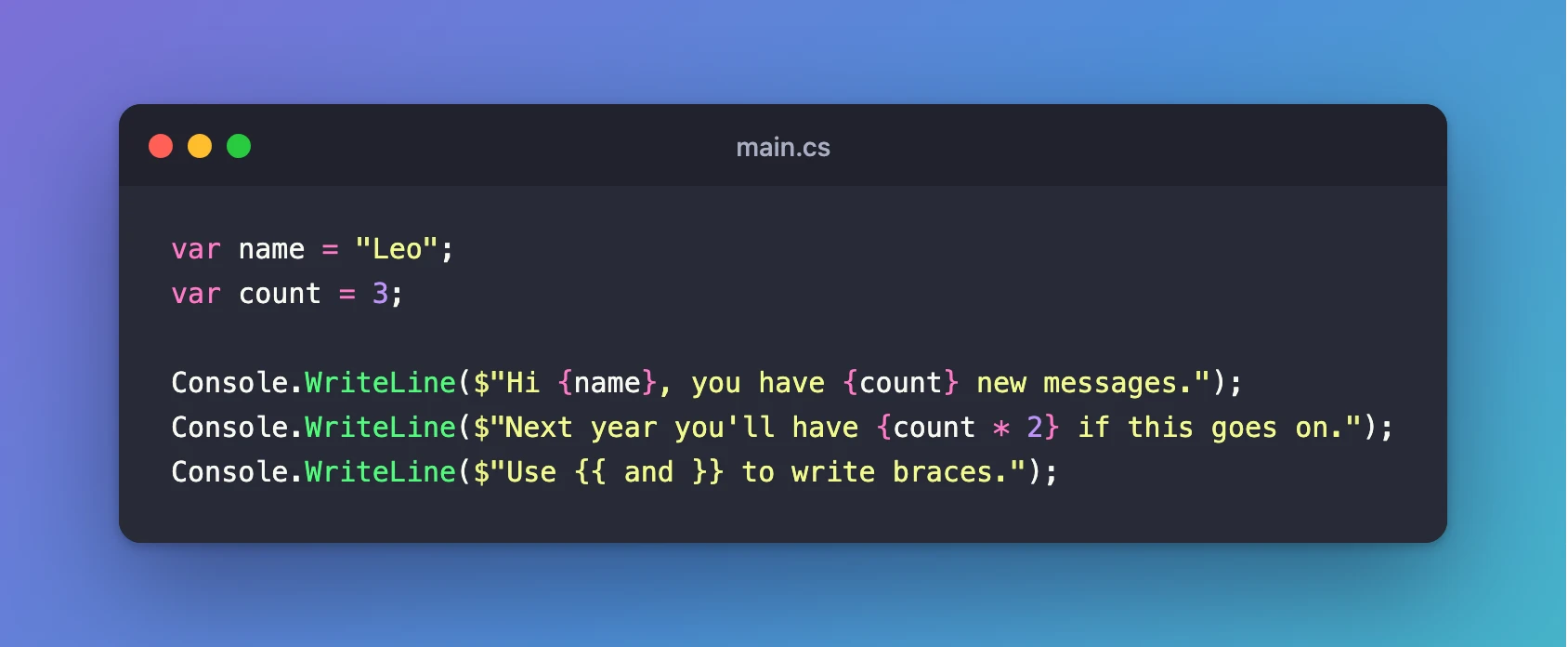
var name = "Leo";
var count = 3;

Console.WriteLine($"Hi {name}, you have {count} new messages.");
Console.WriteLine($"Next year you'll have {count * 2} if this goes on.");
Console.WriteLine($"Use {{ and }} to write braces.");
Step 2: Run It
dotnet run main.cs
Hi Leo, you have 3 new messages.
Next year you'll have 6 if this goes on.
Use { and } to write braces.
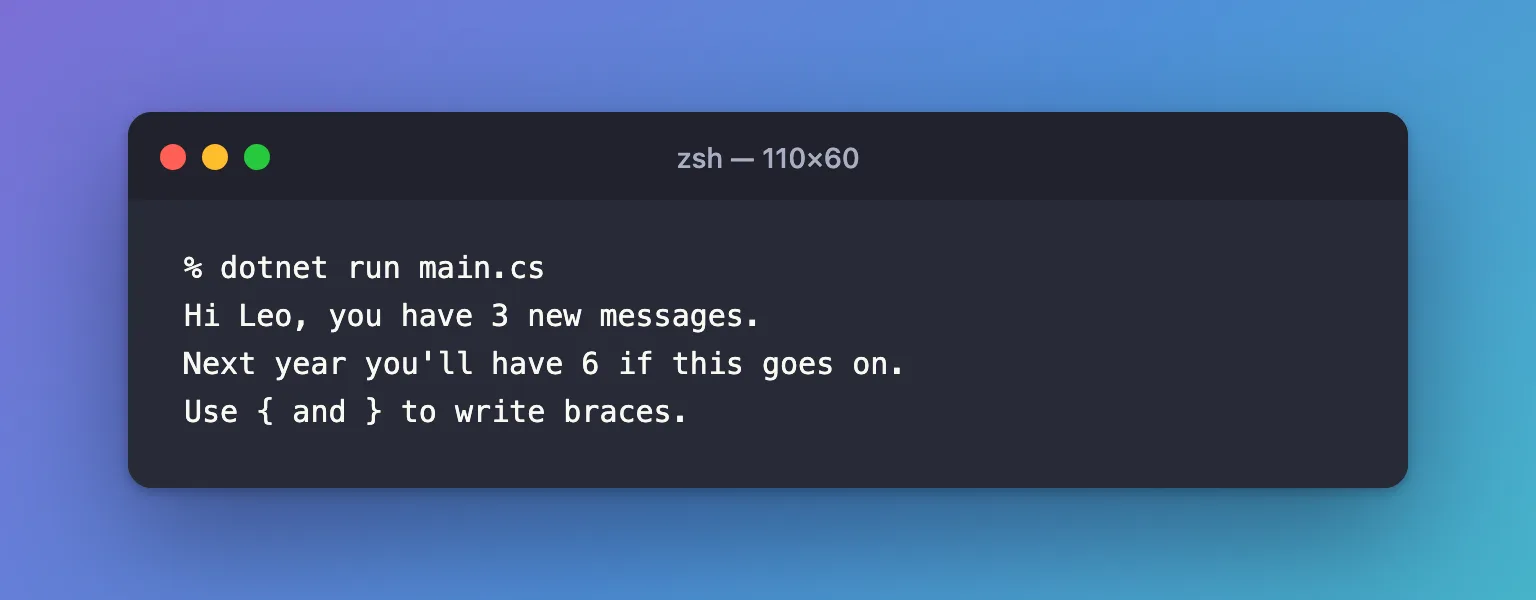
Each {...} was replaced by its value: Leo, 3, and 6, which C# calculated from count * 2. The doubled braces came out as single ones. The command is the same in zsh, bash and PowerShell.
What Happens Without the $
Leave out the $ and the braces are just text:
var name = "Leo";
Console.WriteLine("Hi {name}!");
/Users/you/demo/main.cs(1,5): warning CS0219: The variable 'name' is assigned but its value is never used
Hi {name}!
The program still runs, but it prints {name} as typed. The warning is the clue: the compiler noticed that name is never read, because the string no longer refers to it.
What Happens with a Single Brace
A single { inside an interpolated string always starts an expression. $"Use { and } to write braces." makes C# look for something called and:
/Users/you/demo/main.cs(1,27): error CS0103: The name 'and' does not exist in the current context

The build failed. Fix the build errors and run again.
Double the braces, {{ and }}, to print them.
Common Mistakes
| Mistake | What happens | Do this instead |
|---|---|---|
Forgetting the $ | The braces print as typed, and warning CS0219 says the variable is never used | Put $ right before the opening quote |
Writing a single { or } for a literal brace | The text inside is read as an expression, such as error CS0103: The name 'and' does not exist in the current context | Write {{ or }} |
| Putting a conditional operator straight inside the braces | The colon is read as the start of a format string | Wrap the expression in parentheses, as in {(count > 1 ? "messages" : "message")} |
Troubleshooting
| Symptom | Likely cause | Fix |
|---|---|---|
The output shows {name} literally | The $ is missing | Add $ before the string |
CS0103 for a word inside a string | A single brace turned the text into an expression | Double the brace |
FAQ
What does a null value print?
Nothing. The reference: "When the expression is null, the output is the empty string".
Can I put a conditional operator inside the braces?
Yes, in parentheses. The reference: "To use a conditional operator in an interpolation expression, enclose that expression in parentheses." The colon in a ? b : c would otherwise start the format part.
Conclusion
Put $ before a string and write each value in curly braces: $"Hi {name}, you have {count} new messages.". Any expression works inside the braces, {{ and }} print literal braces, and the CS0219 warning is a hint that the $ is missing.
Additional Resources
- String interpolation using $, on Microsoft Learn.
