How to Insert a Row with EF Core and Get the Generated ID in MySQL

To insert a row with EF Core, add an object to its DbSet and call SaveChangesAsync. When that returns, the object's Id holds the number MySQL gave it, so you never have to query for it. This guide shows the two lines, the SQL they send, and how that new ID finds its way back.
Prerequisites
- A .NET C# project with EF Core and a MySQL table with an
AUTO_INCREMENTkey. The examples use EF Core 10, Oracle'sMySql.EntityFrameworkCoreand MySQL 9.7, with this entity:
public int Id { get; set; }

public required string Name { get; set; }

public DateTime CreatedAtUtc { get; set; }
- SQL logging on, to read the statements: How to See the SQL That EF Core Sends.
Step 1: Add the Object and Save
var category = new Category
{
    Name = request.Name.Trim(),
    CreatedAtUtc = clock.GetUtcNow().UtcDateTime,
};

db.Categories.Add(category);
await db.SaveChangesAsync(cancellationToken);
The two calls do different things. EF Core's Basic SaveChanges page says of Add: "The data will be inserted into the database when you call DbContext.SaveChanges()". So Add sends nothing, and only registers the object with the change tracker. SaveChangesAsync sends the SQL.
Step 2: Read the SQL
info: Microsoft.EntityFrameworkCore.Database.Command[20101]
      Executed DbCommand (5ms) [Parameters=[@p0='?' (DbType = DateTime), @p1='?' (Size = 100)], CommandType='Text', CommandTimeout='30']
      INSERT INTO `categories` (`CreatedAtUtc`, `Name`)
      VALUES (@p0, @p1);
      SELECT `Id`
      FROM `categories`
      WHERE ROW_COUNT() = 1 AND `Id` = LAST_INSERT_ID();
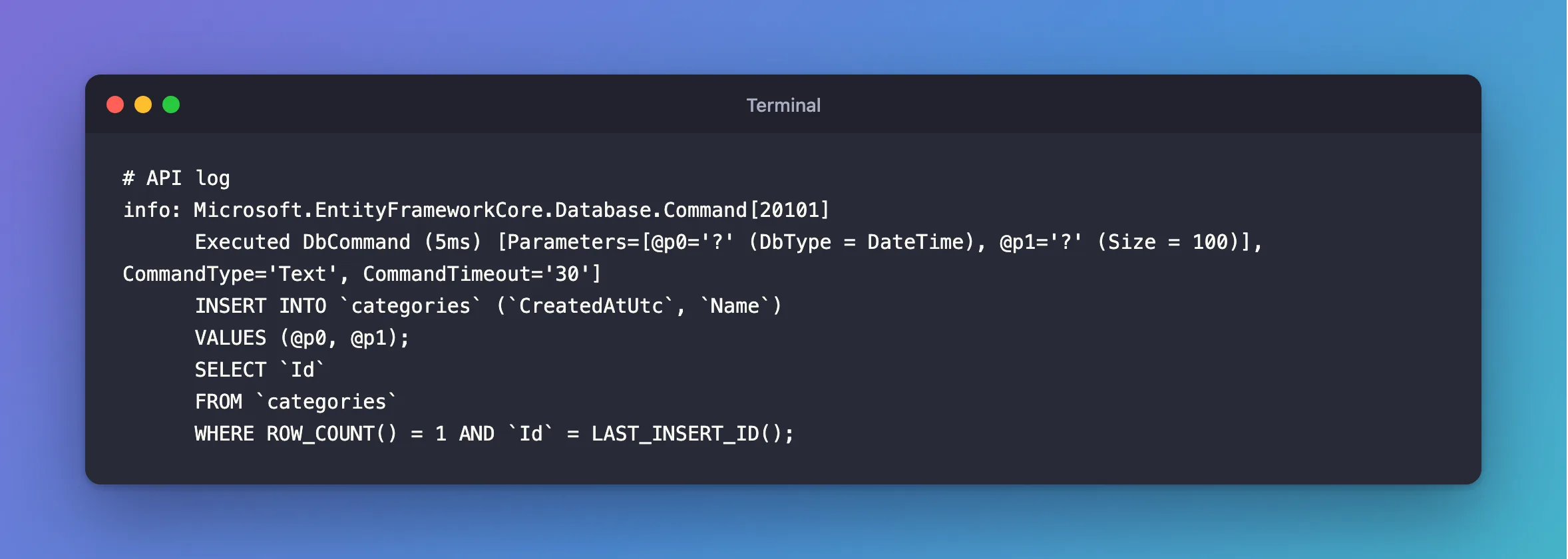
One command, with two statements in it:
INSERTlists onlyCreatedAtUtcandName.Idisn't there, because the column isAUTO_INCREMENT: MySQL picks the number.SELECT Id … WHERE ROW_COUNT() = 1 AND Id = LAST_INSERT_ID()reads that number straight back. The MySQL manual's information functions page saysLAST_INSERT_ID()returns "the first automatically generated value successfully inserted for anAUTO_INCREMENTcolumn as a result of the most recently executedINSERTstatement".ROW_COUNT() = 1makes sure the insert really happened.
@p0='?' are parameters, sent apart from the SQL, and hidden in the log by default.
Step 3: Use the New ID
EF Core puts the number from that SELECT into your object. I printed the object's state and Id around each step:
new object: Detached
after Add: Added, Id=0
after SaveChanges: Unchanged, Id=57
So Id is 0 until SaveChangesAsync finishes, and the real number afterwards. A Web API can use it right away, as in a Location header:
var response = new CategoryResponse(category.Id, category.Name, category.CreatedAtUtc);
return TypedResults.Created($"/api/v1/categories/{category.Id}", response);
HTTP/1.1 201 Created
Content-Type: application/json; charset=utf-8
Location: /api/v1/categories/1

{
  "id": 1,
  "name": "Cables",
  "createdAtUtc": "2026-11-04T10:48:37.000261Z"
}
Step 4: Check It in MySQL
SELECT * FROM categories;
+----+--------+----------------------------+
| Id | Name   | CreatedAtUtc               |
+----+--------+----------------------------+
|  1 | Cables | 2026-11-04 10:48:37.000261 |
+----+--------+----------------------------+
1 row in set (0.000 sec)
What Happens If You Set the ID Yourself
Set Id to anything but 0, and EF Core sends it. An endpoint that let a client send "id": 500 produced this:
info: Microsoft.EntityFrameworkCore.Database.Command[20101]
      Executed DbCommand (4ms) [Parameters=[@p0='?' (DbType = Int32), @p1='?' (DbType = DateTime), @p2='?' (Size = 100)], CommandType='Text', CommandTimeout='30']
      INSERT INTO `categories` (`Id`, `CreatedAtUtc`, `Name`)
      VALUES (@p0, @p1, @p2);
      SELECT ROW_COUNT();
Id is in the INSERT, and the SELECT is just SELECT ROW_COUNT(), since there's nothing to read back. MySQL stored 500, and then the next normal insert continued from there:
HTTP/1.1 201 Created
Content-Type: application/json; charset=utf-8
Location: /api/v1/categories/501

{
  "id": 501,
  "name": "After chosen id",
  "createdAtUtc": "2026-11-04T11:43:34.324001Z"
}
That's why clients shouldn't be able to set Id: Why You Shouldn't Return EF Core Entities from a Web API covers that.
Common Mistakes
| Mistake | What happens | Do this instead |
|---|---|---|
Reading category.Id before saving | It's 0 | Read it after SaveChangesAsync |
Forgetting SaveChangesAsync | Nothing is stored, with no error | Always call it |
| Querying for the row to get its ID | An extra query, and it could find the wrong row | Use the object's Id |
| Expecting IDs with no gaps | A refused insert still uses up a number | See why IDs have gaps |
Calling Add on an object from a query | EF Core tries to insert it again | Use it only on new objects |
FAQ
Does this work with several rows?
Yes: every added object gets its ID. How to Add Several Rows at Once shows the SQL.
Do I need a transaction?
Not for one SaveChangesAsync call. EF Core's transactions page says that by default, "if the database provider supports transactions, all changes in a single call to SaveChanges are applied in a transaction."
Conclusion
db.Categories.Add(category) registers the new object, and await db.SaveChangesAsync() sends one INSERT, plus a SELECT that uses LAST_INSERT_ID() to read the new key. EF Core puts it in category.Id, so it's there when the call returns. Don't set Id yourself unless you mean to.
Additional Resources
- Basic SaveChanges — adding, updating and deleting.
- Information Functions —
LAST_INSERT_ID()andROW_COUNT().
