How to Include Deleted Runs in an MLflow Search in Python

A deleted MLflow run isn't gone: it's in the deleted stage, and mlflow.search_runs() simply leaves it out by default. To find deleted runs, to restore one or to check what a cleanup removed, tell the search which runs to look at with run_view_type. This guide searches three runs, one of them deleted, in all three views, with real output from MLflow 3.18.0.
Syntax
from mlflow.entities import ViewType

mlflow.search_runs(experiment_names=["<experiment name>"], run_view_type=ViewType.<VIEW>)
ViewType.<VIEW> | Which runs |
|---|---|
ViewType.ACTIVE_ONLY | Runs that aren't deleted. The default |
ViewType.DELETED_ONLY | Only deleted runs |
ViewType.ALL | Both |
MlflowClient().search_runs() takes the same run_view_type argument.
Prerequisites
- An MLflow tracking server at
http://127.0.0.1:8080. MLflow's tracking server guide shows how to start one.
Step 1: Create Three Runs and Delete One
The example is three runs, alpha, beta and gamma, with beta deleted. Create greek_runs.py:
import mlflow

mlflow.set_tracking_uri("http://127.0.0.1:8080")
mlflow.set_experiment("deleted-search-demo")

for name in ["alpha", "beta", "gamma"]:
    with mlflow.start_run(run_name=name) as run:
        mlflow.log_metric("score", 1.0)
    if name == "beta":
        mlflow.delete_run(run.info.run_id)
uv run python greek_runs.py
It prints a View run link for each run.
Step 2: Search in All Three Views
Create view_types.py, which runs the same search once per view:
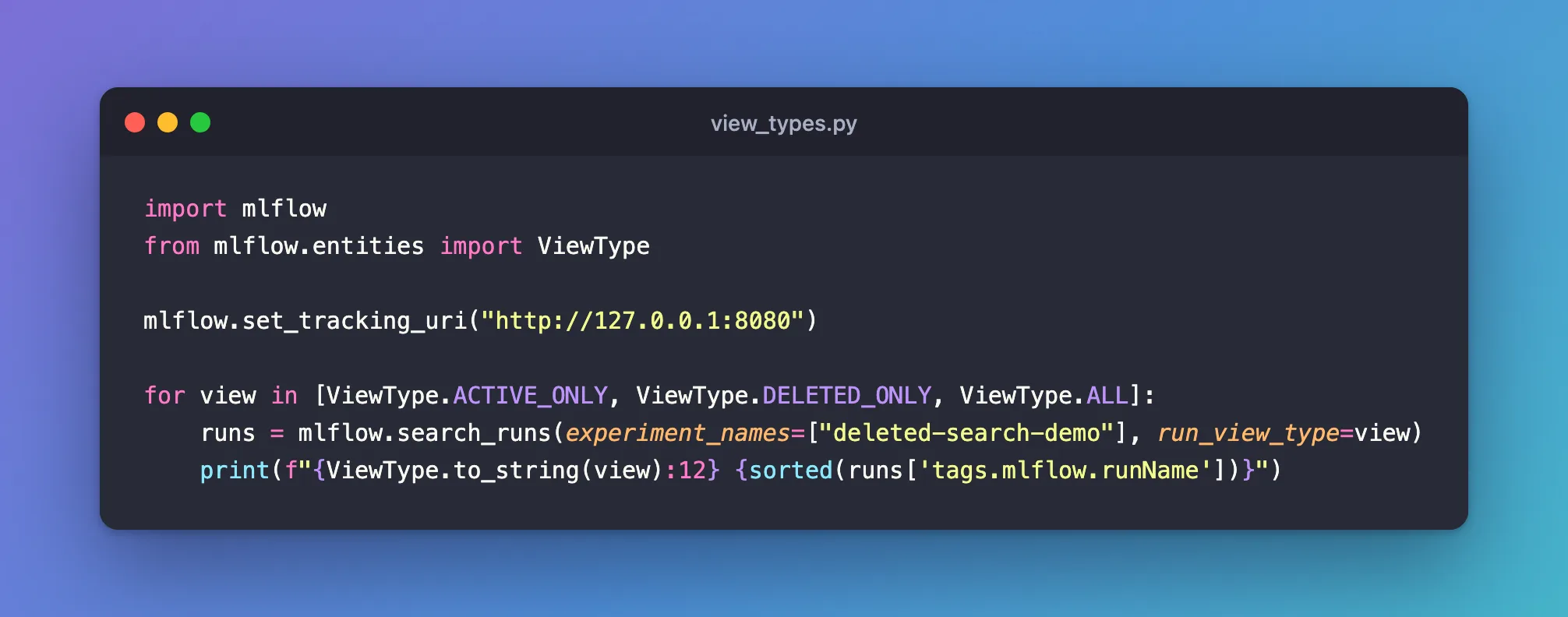
import mlflow
from mlflow.entities import ViewType

mlflow.set_tracking_uri("http://127.0.0.1:8080")

for view in [ViewType.ACTIVE_ONLY, ViewType.DELETED_ONLY, ViewType.ALL]:
    runs = mlflow.search_runs(experiment_names=["deleted-search-demo"], run_view_type=view)
    print(f"{ViewType.to_string(view):12} {sorted(runs['tags.mlflow.runName'])}")
uv run python view_types.py
active_only  ['alpha', 'gamma']
deleted_only ['beta']
all          ['alpha', 'beta', 'gamma']
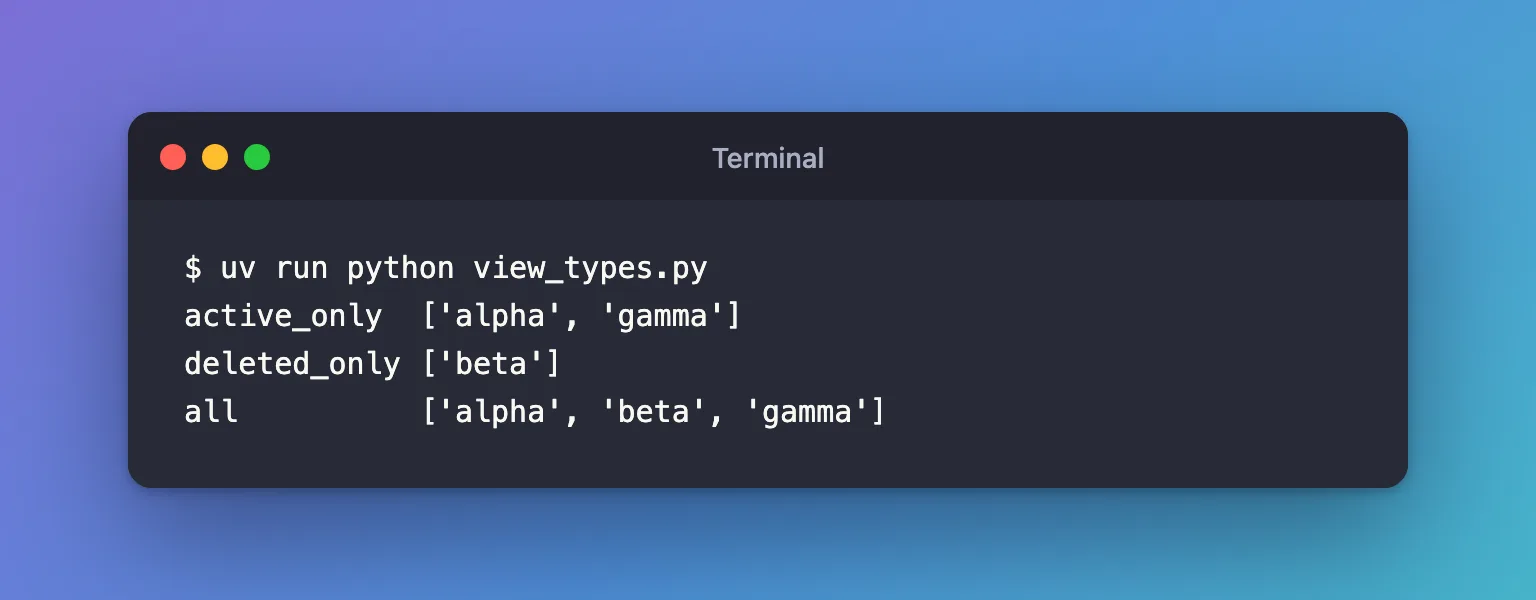
The default search, the first line, doesn't see beta at all. ViewType.to_string() turns each view into its name.
Step 3: Tell Deleted Runs Apart
The DataFrame search_runs() returns has no column for whether a run is deleted. Ask for Run objects instead, and read run.info.lifecycle_stage. Create which_deleted.py:
import mlflow
from mlflow.entities import ViewType

mlflow.set_tracking_uri("http://127.0.0.1:8080")

runs = mlflow.search_runs(
    experiment_names=["deleted-search-demo"],
    run_view_type=ViewType.ALL,
    output_format="list",
)
for run in runs:
    print(f"{run.info.run_name:6} {run.info.lifecycle_stage}")
uv run python which_deleted.py
gamma  active
beta   deleted
alpha  active
lifecycle_stage is active or deleted. It's separate from a run's status, such as FINISHED or FAILED: a finished run can be deleted.
Common Mistakes
| Mistake | What happens | Do this instead |
|---|---|---|
Passing the view as text, run_view_type="all" | ValueError: Unexpected view_type: all | Use ViewType.ALL from mlflow.entities |
| Expecting the default search to find a deleted run | It's not in the results | Add run_view_type=ViewType.DELETED_ONLY or ViewType.ALL |
| Looking for a deleted flag in the DataFrame | There's no such column | Use output_format="list" and run.info.lifecycle_stage |
Troubleshooting
| Symptom | Likely cause | Fix |
|---|---|---|
| A run is missing from every view | It was permanently deleted with mlflow gc, or it's in another experiment | Check the experiment name; a run removed by gc can't come back |
NameError: name 'ViewType' is not defined | The import is missing | Add from mlflow.entities import ViewType |
| Deleted runs show up where you didn't expect them | The search uses ViewType.ALL | Use the default, ViewType.ACTIVE_ONLY |
FAQ
What are the ViewType values?
Numbers: ACTIVE_ONLY is 1, DELETED_ONLY 2 and ALL 3. Use the names; they're clearer.
Is there the same switch in the UI?
Yes: the State filter next to the runs table's search box, with Active and Deleted.
How do I restore a run I found this way?
Pass its run ID to mlflow.restore_run(): How to Restore a Deleted Run in MLflow.
Conclusion
mlflow.search_runs() searches active runs by default. run_view_type=ViewType.DELETED_ONLY found only the deleted run, ViewType.ALL found all three, and run.info.lifecycle_stage from a list of Run objects told which ones were deleted.
Additional Resources
- mlflow.search_runs — the function's reference, including
run_view_type. - mlflow.entities.ViewType — the view types.
