How to Import a Module in Python with import and from

Python ships with hundreds of modules, such as math, datetime and os, and you can install thousands more. A program uses one by importing it: import math brings in the whole module, and from math import pi brings in just one name from it.
Syntax
import <module>
from <module> import <name>
| Part | What it does |
|---|---|
import <module> | Loads the module and gives you its name. Use its contents as <module>.<name>. |
from <module> import <name> | Loads the module and gives you only <name>, used on its own. |
<module> | The module's name, such as math. |
<name> | A function, class or value inside the module, such as pi. |
The Python language reference says the basic import statement runs in two steps: "find a module, loading and initializing it if necessary" and "define a name or names in the current namespace for the scope where the import statement occurs".
The Example
The example imports the math module both ways: once whole, to call math.sqrt, and once for the single constant pi.
Prerequisites
- uv and Python. This guide uses uv 0.13.10 with Python 3.15.2.
Step 1: Write the Imports
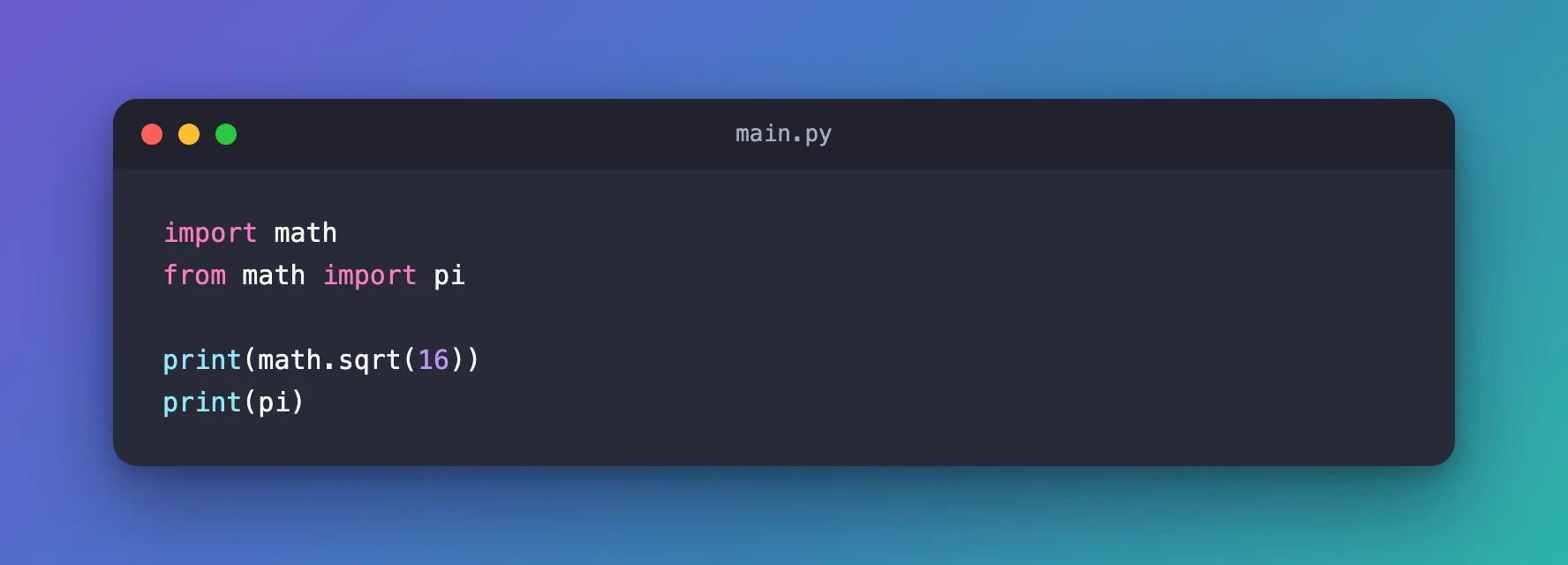
Create a file named main.py:
import math
from math import pi

print(math.sqrt(16))
print(pi)
import mathmakes the namemathavailable, so the square root function ismath.sqrt.from math import pimakespiitself available, without themath.in front.
Step 2: Run It
uv run python main.py
4.0
3.141592653589793
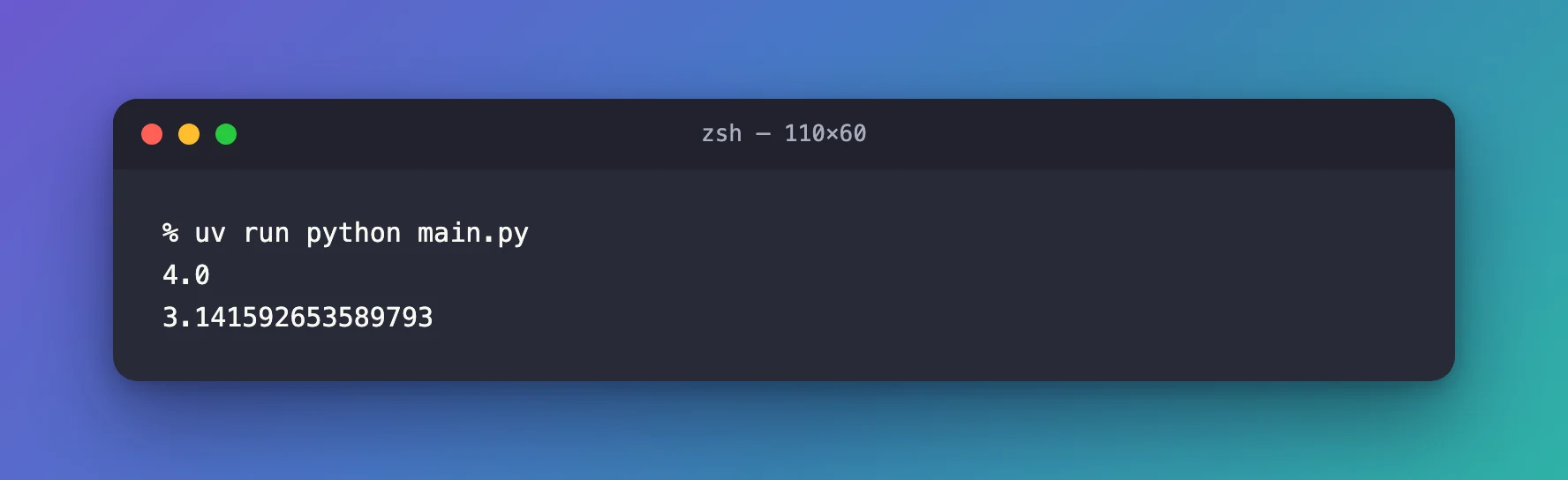
The command is the same in zsh, bash and PowerShell.
Which Form to Use
import math keeps the module's name in front of everything, so readers always see where sqrt came from. from math import pi is shorter, which suits a name you use often. Both load the same module.
Common Mistakes
| Mistake | What happens | Do this instead |
|---|---|---|
import math, then calling sqrt(16) | NameError: name 'sqrt' is not defined | Write math.sqrt(16), or from math import sqrt |
| Importing a package you haven't installed | ModuleNotFoundError: No module named 'requests' | Install it first; in a uv project, uv add requests does that |
Naming your own file like a standard module, such as random.py | import random loads your file, and Python 3.15 says to consider renaming it | Rename your file |
Troubleshooting
| Symptom | Likely cause | Fix |
|---|---|---|
NameError: name '…' is not defined after an import | The name lives inside the module | Prefix it with the module name, or import it with from |
AttributeError: module 'random' has no attribute 'randint' (consider renaming '…/random.py' …) | A file of yours has the same name as the standard module | Rename the file, as the message suggests |
FAQ
Where should imports go?
At the top of the file, before any other code, so readers see every module the file depends on at a glance.
Can I import several names at once?
Yes: from math import pi, sqrt imports both.
Conclusion
import module gives you the whole module behind its name, and from module import name gives you one name directly. Both load the module once; pick the form that keeps your code clearest.
Additional Resources
- The import statement, in the Python language reference.
- Modules, in the Python tutorial.
