How to Hide the Title Column of a SharePoint List with the REST API

Every SharePoint list has a Title column, and you can't delete it. When a list uses its own columns instead, the usual answer is to make Title optional and hide it from the forms and the view. This guide does that with five REST requests from Power Automate, and checks the view before changing it, so the flow can run again safely.
Why Not Rename It
A list's Title keeps the internal name Title even if you change its display name, which is confusing for anyone who reads the list later. The Career Development Plan lists use their own Competency column and hide Title instead, as Part 2 explains.
Prerequisites
- Send an HTTP request to SharePoint: see How to Use Send an HTTP Request to SharePoint.
- A list. A list created with the REST API starts with Title required and as the only column in its view (How to Create a SharePoint List with the REST API).
The example is the setup flow from Part 11 of the Career Development Plan series. Every Uri below starts with the list, from the loop's current item:
_api/web/lists/getbytitle('@{items('For_each_list')?['title']}')
Step 1: Make Title Optional
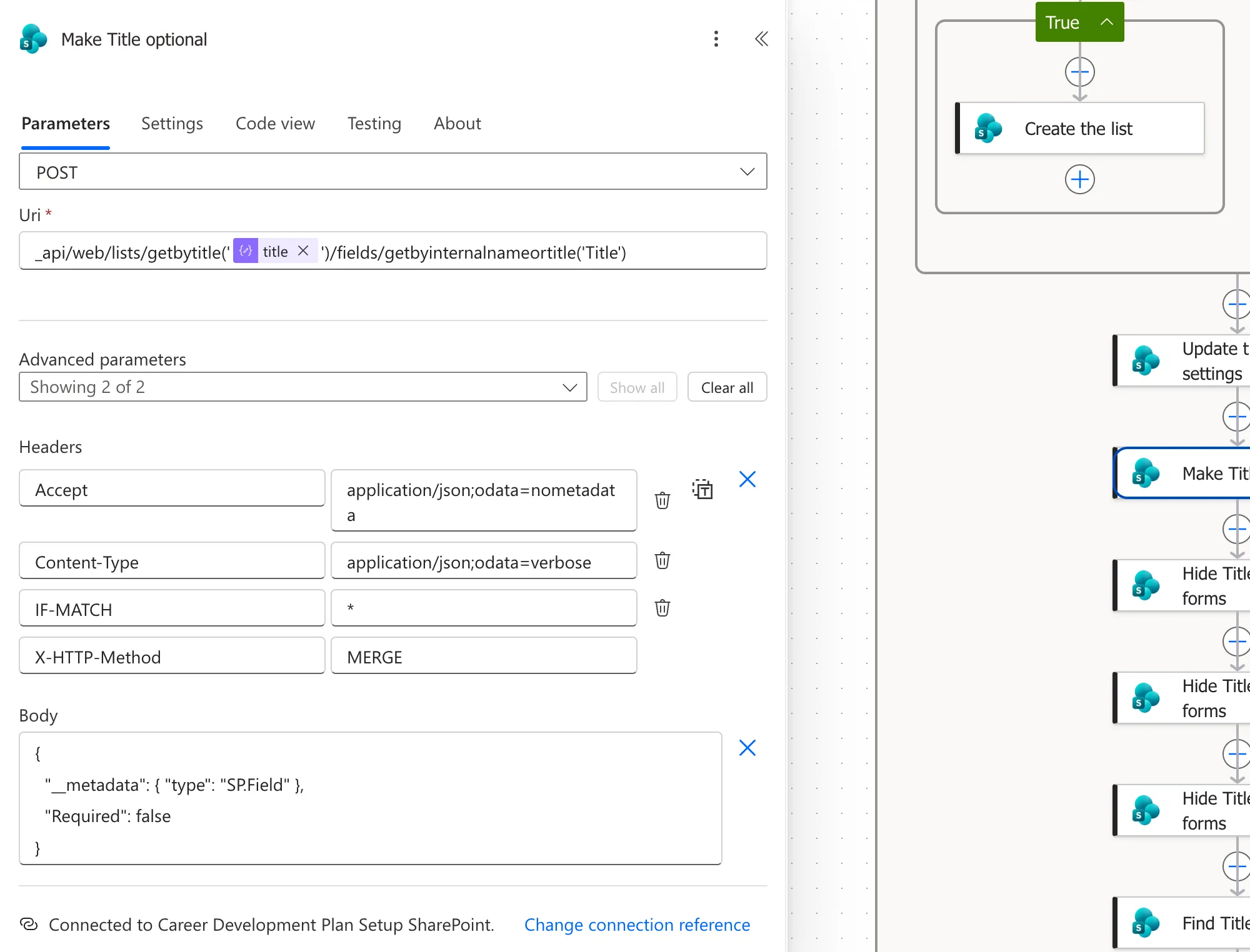
Make Title optional is a MERGE on the field (How to Change SharePoint List Settings with the REST API explains MERGE):
| Field | Value |
|---|---|
| Method | POST |
| Uri | the list + /fields/getbyinternalnameortitle('Title') |
| Headers | Accept, Content-Type: application/json;odata=verbose, IF-MATCH: *, X-HTTP-Method: MERGE |
{
  "__metadata": { "type": "SP.Field" },
  "Required": false
}
Step 2: Hide It from the Forms
Three requests, one per form, each a POST with only the Accept header and no body:
| Action | Uri ends with |
|---|---|
| Hide Title in new forms | /fields/getbyinternalnameortitle('Title')/setshowinnewform(false) |
| Hide Title in edit forms | /fields/getbyinternalnameortitle('Title')/setshowineditform(false) |
| Hide Title in display forms | /fields/getbyinternalnameortitle('Title')/setshowindisplayform(false) |
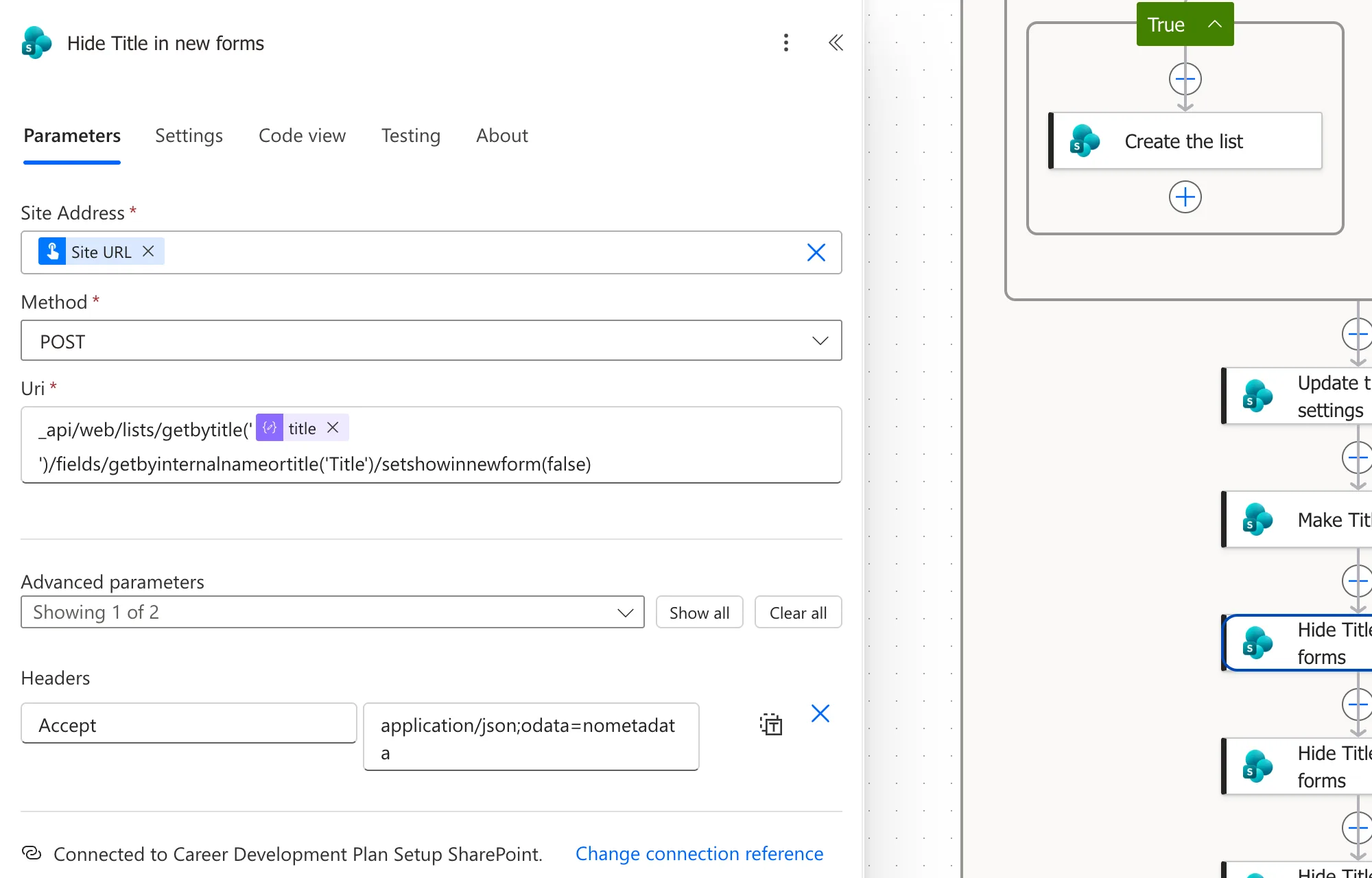
They match the field methods SetShowInNewForm, SetShowInEditForm and SetShowInDisplayForm in Microsoft's SharePoint client reference. I built one and copied it for the other two (How to Copy and Paste an Action).
Step 3: Check Whether the View Shows It
In a view, Title appears as LinkTitle. Find Title in the view reads the default view's columns:
| Field | Value |
|---|---|
| Method | GET |
| Uri | the list + /defaultview/viewfields |
| Headers | Accept: application/json;odata=nometadata |
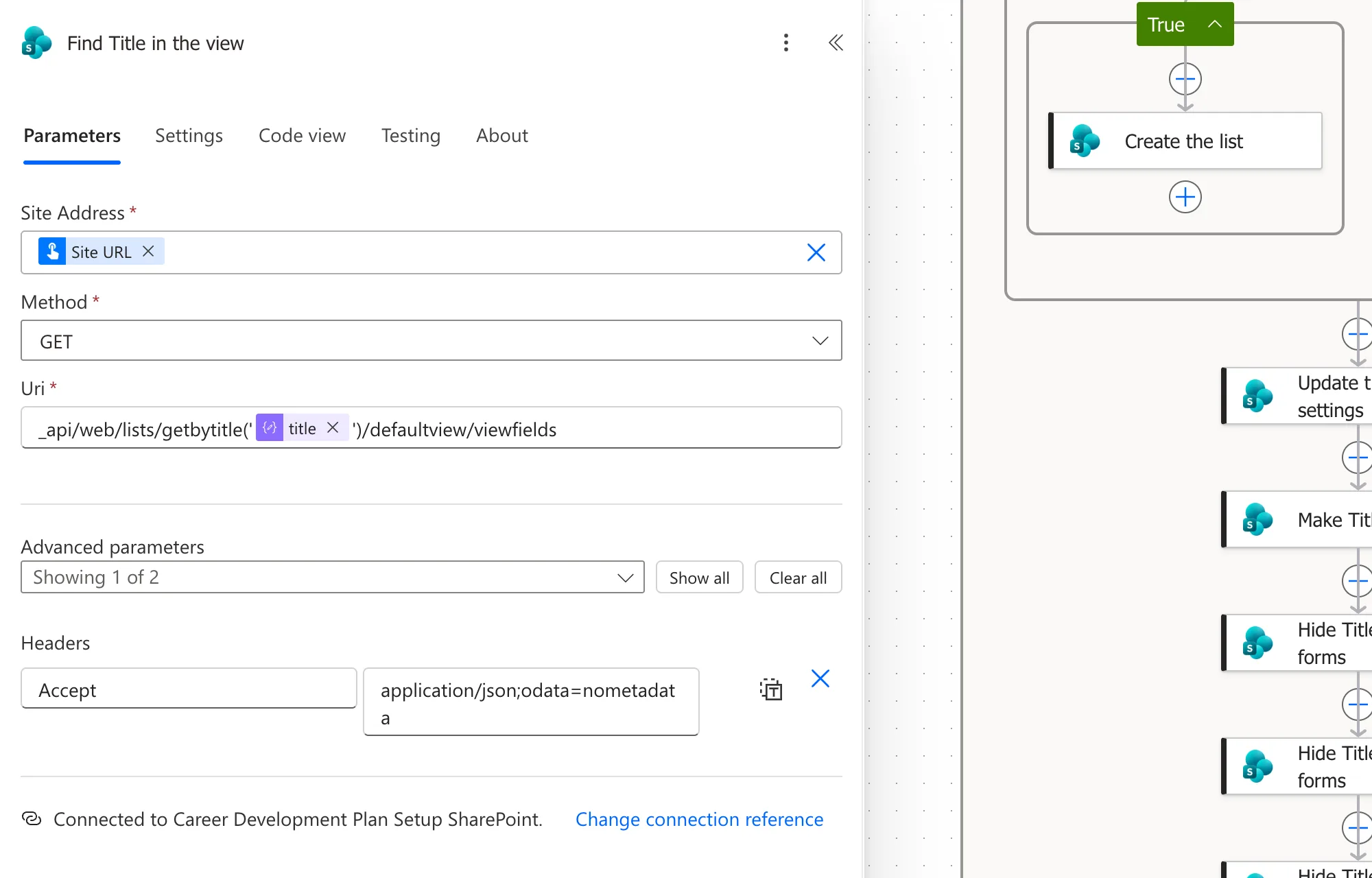
The response lists them in Items, such as ["LinkTitle"] on a new list. A Condition called If Title is in the view compares this with true (How to Check Whether an Array Contains a Value):
contains(body('Find_Title_in_the_view')?['Items'], 'LinkTitle')
Step 4: Remove It from the View
In the condition's True branch, Remove Title from the view is a POST with only the Accept header:
_api/web/lists/getbytitle('@{items('For_each_list')?['title']}')/defaultview/viewfields/removeviewfield('LinkTitle')
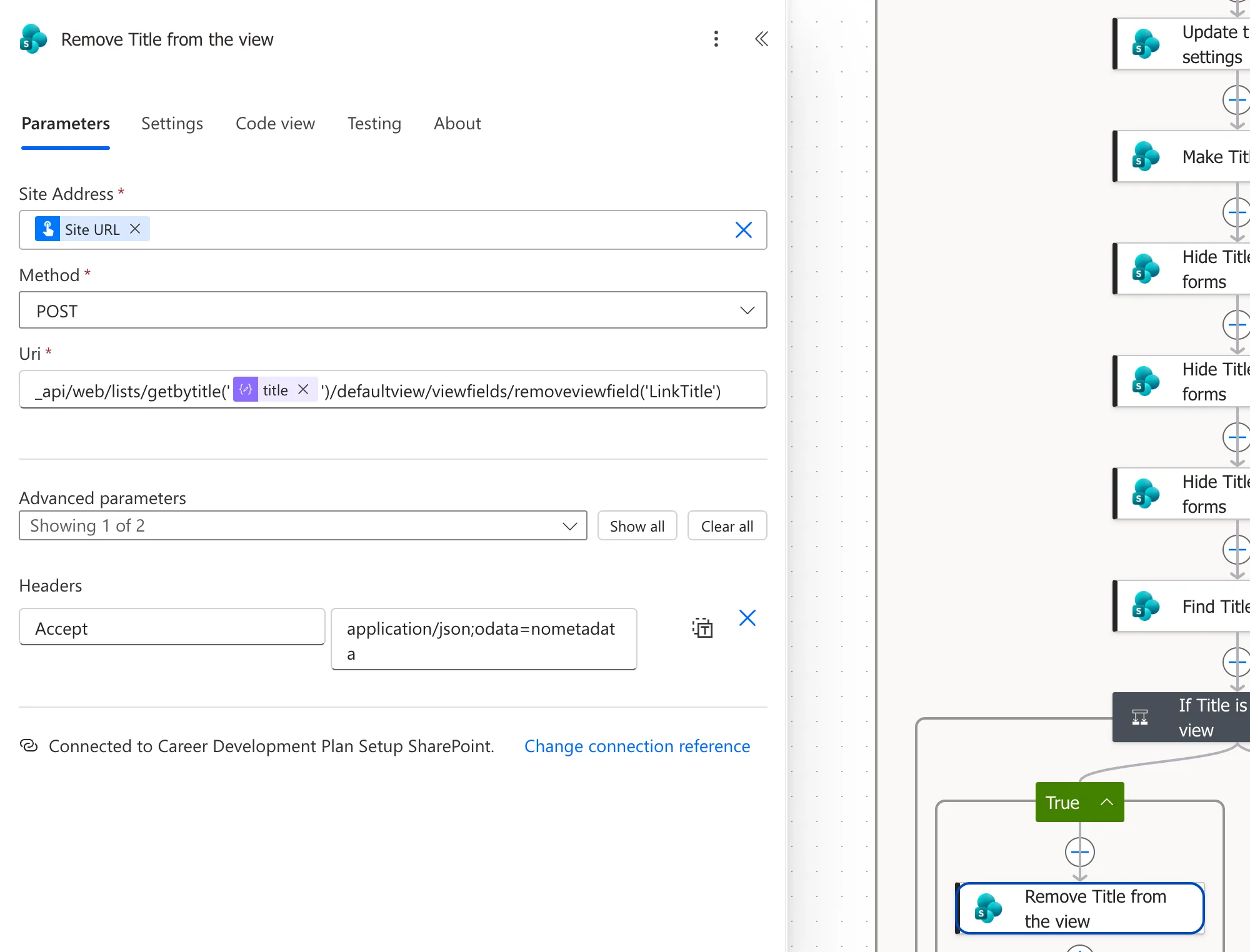
Don't skip the check. Removing a column that isn't in the view fails with Invalid field name., and Power Automate retries the failure for minutes (Fixed: "Invalid Field Name" BadGateway). The other four requests set values, so they can run any number of times.
The Result
The list's view shows its own columns, and the New item form doesn't ask for Title:

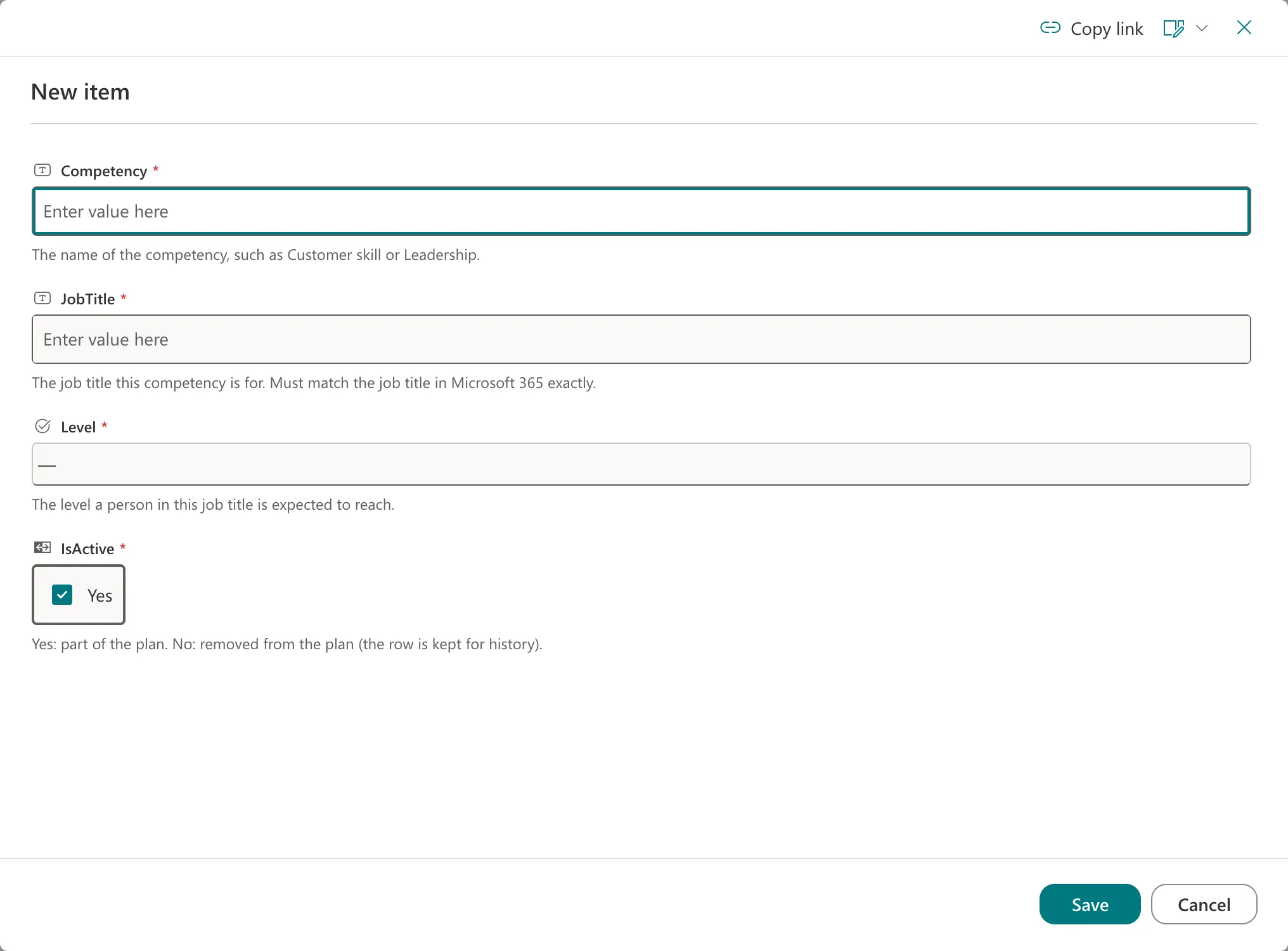
Part 2's hand-built lists hide Title through their content type instead, with SharePoint's settings pages. Under the hood it's stored differently, but the forms and views look the same.
Common Mistakes
| Mistake | What happens | Do this instead |
|---|---|---|
Looking for Title in the view's Items | It's listed as LinkTitle, so the check never finds it | Check for LinkTitle |
| Removing it without checking | A rerun fails after long retries | Check Items first |
| Hiding it but leaving it required | Items saved without a title, such as the app's, need it optional | Make it optional too |
Troubleshooting
| Symptom | Likely cause | Fix |
|---|---|---|
Invalid field name. from removeviewfield | Title isn't in the view | Check with contains() before removing |
| Title still shows in the form | One of the three form steps didn't run | Check each step's result in the run |
FAQ
Can I delete the Title column?
No. It's built into every list, so you hide it instead.
What if someone shows Title again?
Run the flow again. I put Title back in a test list's view with Show or hide columns, and the next run removed it.
Conclusion
Make Title optional with a MERGE on the field, hide it from the three forms with setshowinnewform, setshowineditform and setshowindisplayform, and remove LinkTitle from the default view only when contains() finds it there. The list then looks and behaves as if Title weren't there.
Additional Resources
- Working with lists and list items with REST: fields and views with REST.
- Field.SetShowInDisplayForm method: the form methods.
