How to Hide curl's Progress Meter with curl -s

When curl saves a download to a file, it shows a progress meter: a small table of sizes, speeds and times. In a script or a log, that table is noise. -s turns it off, and -sS keeps error messages. This guide saves a small JSON file with and without the meter, with real output from curl 8.7.1.
Syntax
curl -s -o FILE URL
curl -sS -o FILE URL
| Part | What it means |
|---|---|
-s | Silent: no progress meter, and no error messages either |
-S | With -s, still show an error message when something fails |
-o FILE | Save the response to FILE instead of printing it |
curl 8.7.1's own help, curl --help all, lists them as -s, --silent Silent mode and -S, --show-error Show error even when -s is used. The commands are the same in PowerShell 7, where curl runs the curl program.
Prerequisites
- curl, which comes with macOS, Linux and Windows 10 and later.
Step 1: Save a File with the Meter
curl -o slideshow.json https://httpbin.org/json
  % Total    % Received % Xferd  Average Speed   Time    Time     Time  Current
                                 Dload  Upload   Total   Spent    Left  Speed
100   429  100   429    0     0    521      0 --:--:-- --:--:-- --:--:--   521
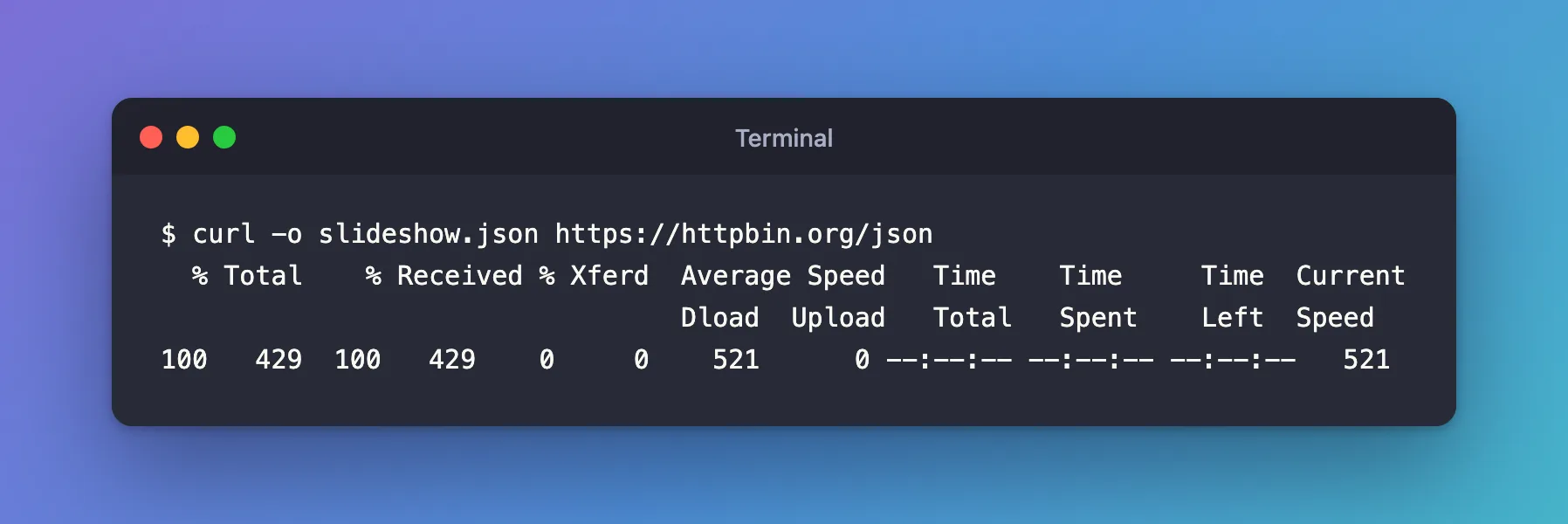
The file was saved, and the meter shows the 429 bytes arriving.
Step 2: Save It Silently
curl -s -o slideshow.json https://httpbin.org/json
The command prints nothing at all; the file is saved the same way.
Common Mistakes
| Mistake | What happens | Do this instead |
|---|---|---|
-s alone when the request can fail | Errors are hidden too: for a host that doesn't exist, curl -s printed nothing, and only the exit code, 6, showed the failure | Use -sS: it printed curl: (6) Could not resolve host: nonexistent.invalid |
| Expecting a meter when curl prints to the screen | Without -o, curl https://httpbin.org/json printed the JSON and no meter | The meter matters when you save to a file with -o |
Troubleshooting
| Symptom | Likely cause | Fix |
|---|---|---|
| A script fails without saying why | -s hides error messages | Use -sS |
FAQ
Is there an option for the meter only?
Yes: --no-progress-meter, which curl 8.7.1's help lists as "Do not show the progress meter". It keeps error messages: for a host that doesn't exist, it printed curl: (6) Could not resolve host: nonexistent.invalid.
Does -s change what's saved?
No. It only changes what curl prints while it works: files saved with and without -s were identical, 429 bytes each, as cmp confirmed.
Conclusion
curl -o slideshow.json showed the progress meter while saving; curl -s -o slideshow.json saved the same file silently. Use -sS so failures still say why.
Additional Resources
- curl man page: -s, --silent — silent mode.
- curl man page: -S, --show-error — errors with
-s.
