How to Hide a Command's Output in bash and zsh with > /dev/null

Some commands print things you don't need, especially inside scripts. Redirecting their output to /dev/null, a special file that throws away everything written to it, keeps the terminal quiet. This guide hides the output of ls, with real output from zsh 5.9.
Syntax
<command> > /dev/null
| Part | What it means |
|---|---|
<command> | Runs as usual |
> | Sends the command's output to a file instead of the terminal |
/dev/null | The null device: whatever is written to it is thrown away |
The macOS manual page, man null: "The null device accepts and reads data as any ordinary (and willing) file - but throws it away." The bash manual on >: "Redirecting output opens the file whose name results from the expansion of word for writing on file descriptor n, or the standard output (file descriptor 1) if n is not specified."
Prerequisites
- zsh or bash. This guide uses zsh 5.9, the default shell on macOS, and checks every command in bash 3.2 too.
Step 1: Hide the Output of ls
The folder holds three empty files. List them, then list them again into /dev/null:
ls
ls > /dev/null
draft.txt notes.txt report.txt
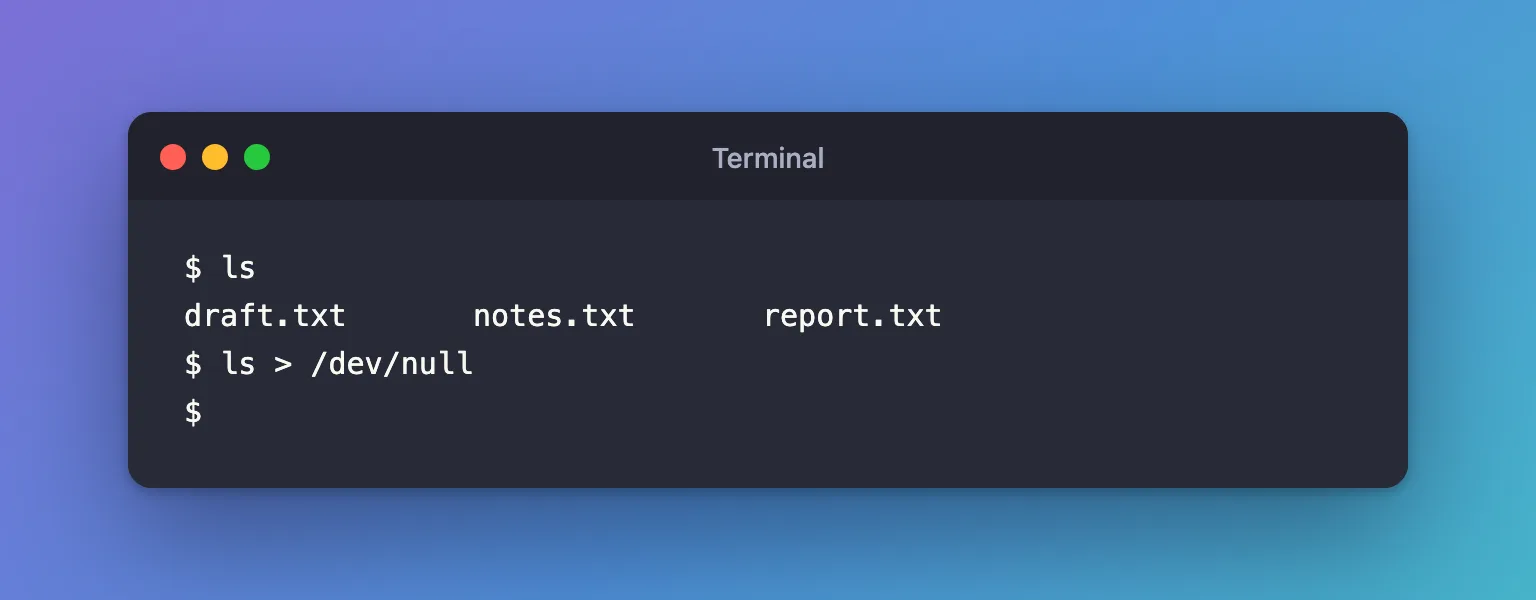
The first ls listed the three files. The second ran the same listing, but its output went to /dev/null, so nothing appeared.
Step 2: See That Errors Still Show
missing.txt doesn't exist:
ls missing.txt > /dev/null
ls: missing.txt: No such file or directory
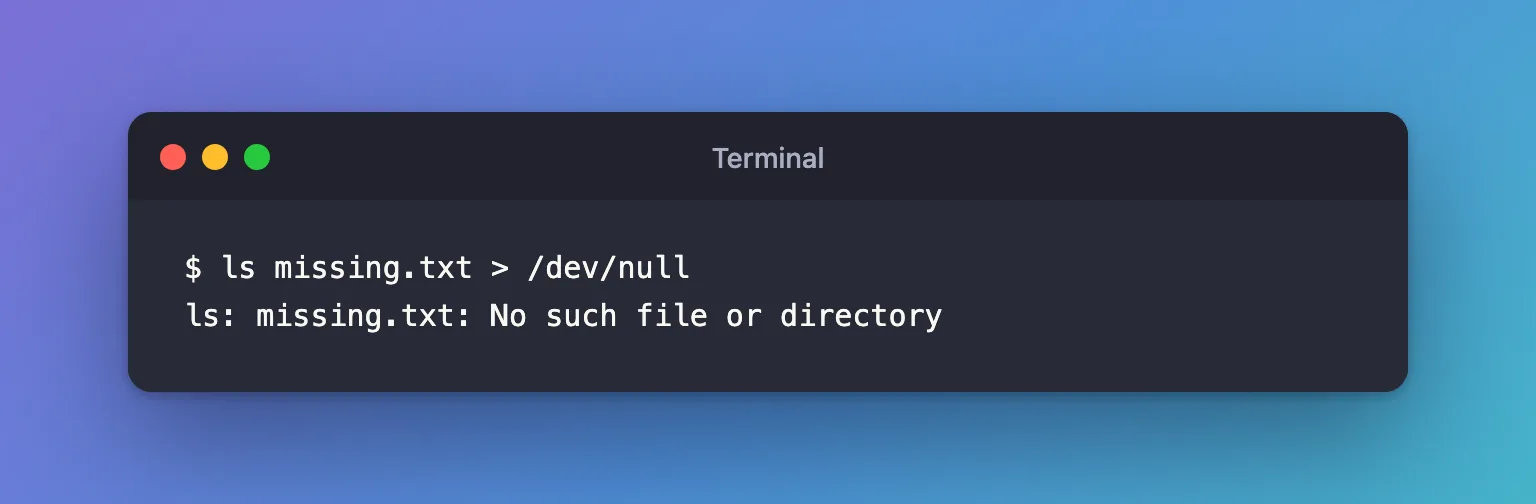
The error still appeared. A command writes errors to a second stream, standard error, and > on its own redirects only standard output, file descriptor 1. bash printed the same in both steps.
Common Mistakes
| Mistake | What happens | Do this instead |
|---|---|---|
Expecting > /dev/null to hide errors | They still print, as ls: missing.txt: No such file or directory did | Add 2> /dev/null for errors, or > /dev/null 2>&1 for both |
| Using it where you need the output later | Whatever goes to /dev/null is gone | Redirect to a file instead, such as > output.txt |
Troubleshooting
| Symptom | Likely cause | Fix |
|---|---|---|
| A script prints messages you don't need | Its commands write to the terminal | Add > /dev/null to those lines |
FAQ
How do I hide only the errors?
Redirect standard error, file descriptor 2, with 2>: ls missing.txt 2> /dev/null printed nothing.
How do I hide both the output and the errors?
ls notes.txt missing.txt > /dev/null 2>&1 printed nothing at all, although one file exists and the other doesn't. > /dev/null sends the output away, and 2>&1 then sends the errors to the same place.
Conclusion
ls > /dev/null ran the listing and printed nothing, while ls missing.txt > /dev/null still showed its error. Use > /dev/null for output you don't need, 2> /dev/null for errors, and > /dev/null 2>&1 for both.
Additional Resources
- Redirections —
>,2>and the other redirections in the bash manual. - zsh: Redirection — the same in zsh.
