How to Handle Adaptive Card Submit Actions in the Microsoft 365 Agents SDK in C#

When someone selects an Action.Submit button on an Adaptive Card, the card's inputs come back to your agent. In the Microsoft 365 Agents SDK, a route for the button's verb hands them to your handler, ready to read into a C# record.
Syntax
AdaptiveCards.OnActionSubmit(verb, handler);

private async Task handler(ITurnContext turnContext, ITurnState turnState, object data, CancellationToken cancellationToken)
AdaptiveCardsis a property of everyAgentApplication, with the routes for card actions.verbis the text the button carries in theverbfield of itsdata. The route matches it exactly, case included. Instead of a string, you can pass aRegexto match several verbs, or a route selector of your own.handleris your method, with the four parameters shown.datais what the card sent: the value of every input, under each input'sid, plus the fields of the button'sdata. Read it into a type of your own withProtocolJsonSerializer.ToObject<T>(data).
The route matches a message that has no text and a value whose verb is the one you registered. That's exactly what a chat app sends when someone selects an Action.Submit button.
The Example
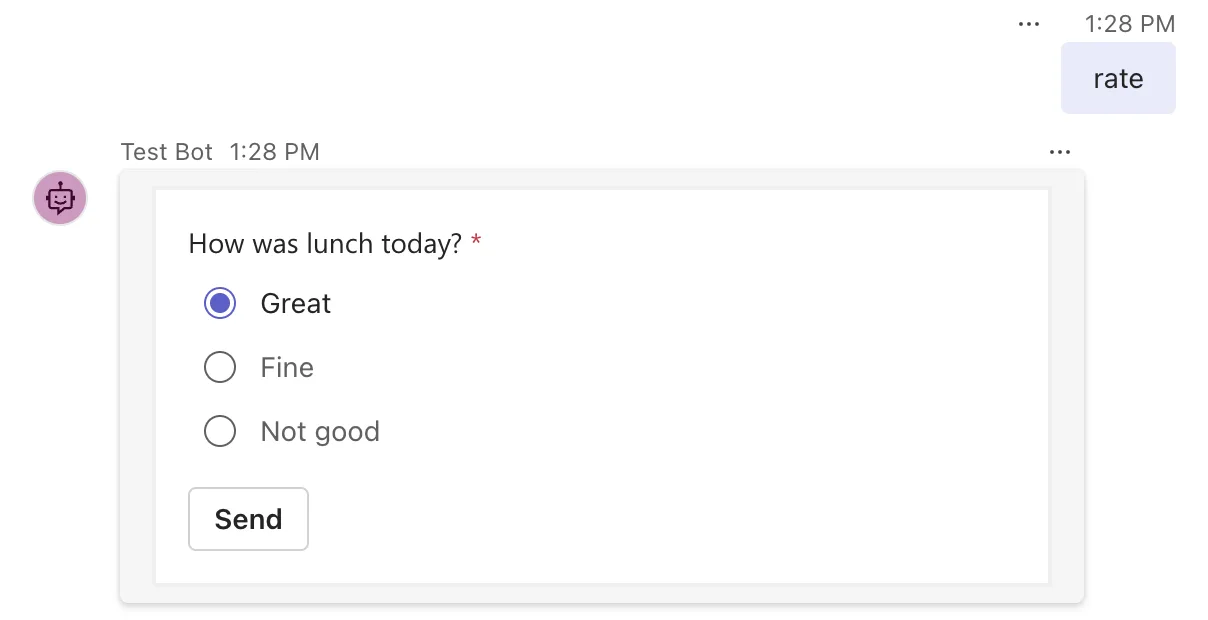
The agent for this post answers rate with a one-question card: How was lunch today?, with three choices and a Send button. It thanks the person for their rating. The card is small, so it lives in the code as a C# raw string literal, the JSON between two """ marks:
{
  "type": "AdaptiveCard",
  "version": "1.5",
  "body": [
    {
      "type": "Input.ChoiceSet",
      "id": "rating",
      "label": "How was lunch today?",
      "style": "expanded",
      "isRequired": true,
      "errorMessage": "Pick one.",
      "choices": [
        { "title": "Great", "value": "Great" },
        { "title": "Fine", "value": "Fine" },
        { "title": "Not good", "value": "Not good" }
      ]
    }
  ],
  "actions": [
    {
      "type": "Action.Submit",
      "title": "Send",
      "data": { "verb": "rateLunch" }
    }
  ]
}
- The input's
idisrating, so its value comes back asrating. - The button's
datais an object with averb,rateLunch. That's the value the route will match.
The agent is one class in an ASP.NET Core project with the Agents SDK, hosted with AddAgent<LunchRatingAgent>() and listening on port 3978.
Prerequisites
- The Microsoft 365 Agents Playground, to chat with the agent on your own machine.
agentsplayground --versionshould print0.2.30; if the command isn't found, install it withnpm install -g @microsoft/m365agentsplayground.
Step 1: Send the Card and Route Its Button
using System.Text.Json.Nodes;
using Microsoft.Agents.Builder;
using Microsoft.Agents.Builder.App;
using Microsoft.Agents.Builder.State;
using Microsoft.Agents.Core.Models;
using Microsoft.Agents.Core.Serialization;

namespace LunchRating;

public class LunchRatingAgent : AgentApplication
{
    private const string RatingCardJson = """
        {
          "type": "AdaptiveCard",
          "version": "1.5",
          "body": [
            {
              "type": "Input.ChoiceSet",
              "id": "rating",
              "label": "How was lunch today?",
              "style": "expanded",
              "isRequired": true,
              "errorMessage": "Pick one.",
              "choices": [
                { "title": "Great", "value": "Great" },
                { "title": "Fine", "value": "Fine" },
                { "title": "Not good", "value": "Not good" }
              ]
            }
          ],
          "actions": [
            {
              "type": "Action.Submit",
              "title": "Send",
              "data": { "verb": "rateLunch" }
            }
          ]
        }
        """;

    public LunchRatingAgent(AgentApplicationOptions options) : base(options)
    {
        OnMessage("rate", SendRatingCardAsync);
        AdaptiveCards.OnActionSubmit("rateLunch", RateLunchAsync);
    }

    private async Task SendRatingCardAsync(ITurnContext turnContext, ITurnState turnState, CancellationToken cancellationToken)
    {
        Attachment card = new()
        {
            ContentType = ContentTypes.AdaptiveCard,
            Content = JsonNode.Parse(RatingCardJson)
        };

        await turnContext.SendActivityAsync(MessageFactory.Attachment(card), cancellationToken);
    }

    private async Task RateLunchAsync(ITurnContext turnContext, ITurnState turnState, object data, CancellationToken cancellationToken)
    {
        LunchRatingValues values = ProtocolJsonSerializer.ToObject<LunchRatingValues>(data);

        await turnContext.SendActivityAsync($"Thanks! You rated today's lunch: **{values.Rating}**.", cancellationToken: cancellationToken);
    }
}

public record LunchRatingValues(string? Rating);
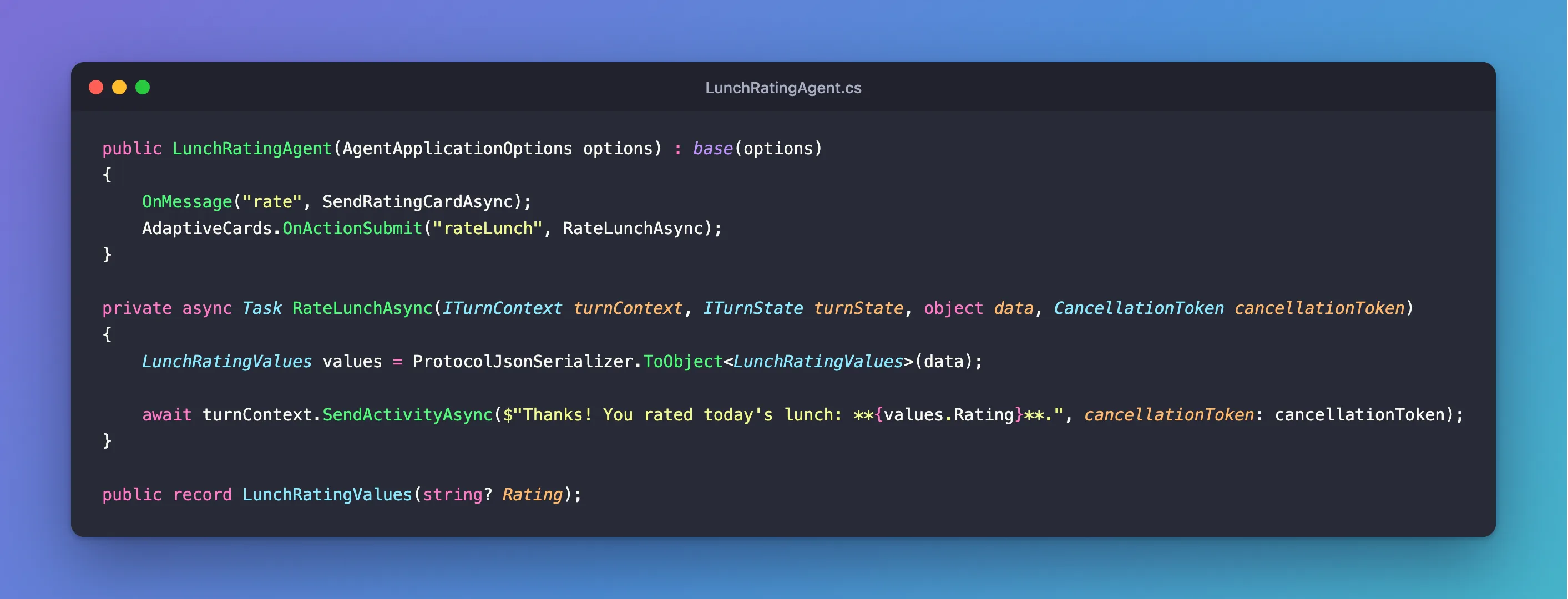
AdaptiveCards.OnActionSubmit("rateLunch", RateLunchAsync)sends every submit whoseverbisrateLunchtoRateLunchAsync.LunchRatingValuesis a record with a property for each value the agent wants. The SDK's JSON settings ignore the case of names, so the card'sratingfillsRating. Theverbindatahas no property here, so the record simply leaves it out.string?: every value a card sends is text, so read them as strings, and allownull, because a card leaves out inputs that were empty and not required.
Step 2: Try It
Run the agent with dotnet run, then start the Agents Playground in a second terminal:
agentsplayground -e http://localhost:3978/api/messages -c emulator
Send rate, and pick Great:
Then select Send:
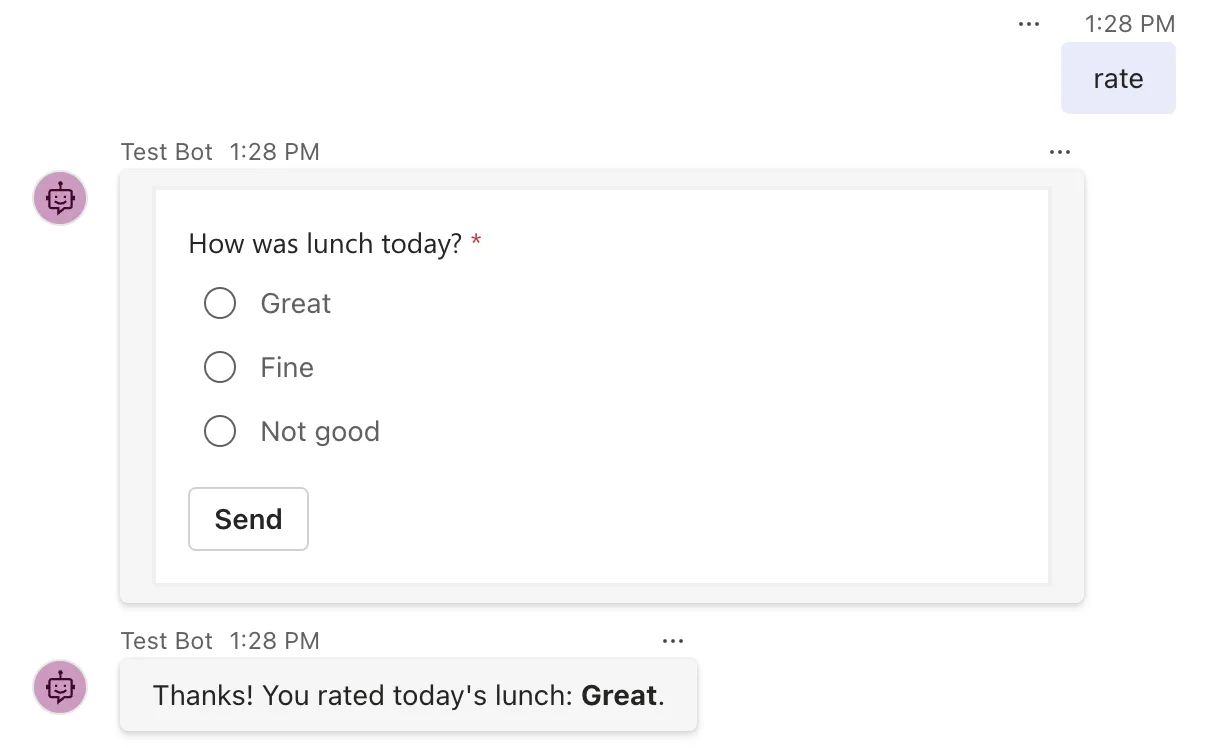
The submit reached RateLunchAsync, and the rating came through. The Playground clears a card's inputs after it sends them, which is why the choice is empty again. Your submit doesn't appear in the chat as a message; the Playground's Log Panel lists it as a message entry.
Common Mistakes
| Mistake | What happens | Do this instead |
|---|---|---|
Leaving out data, or making it a plain string | No verb arrives, so the route never matches | Give the button "data": { "verb": "..." } |
| A verb that differs in case between the card and the route | No match: the comparison is exact | Use the same text in both places |
A catch-all message route registered before this one, without RouteRank.Last | The catch-all takes the submit, because a submit is a message too | Rank the catch-all RouteRank.Last |
Reading a check box into a bool | The turn fails with Cannot get the value of a token type 'String' as a boolean | Read it as a string |
Troubleshooting
| Symptom | Likely cause | Fix |
|---|---|---|
| Selecting the button does nothing | A required input is empty; the card shows its error message | Fill it in |
| Another route answers the button | The verb doesn't match, or a catch-all ran first | Compare the verb in the card and the route, and rank the catch-all last |
A property of your record is always null | Its name doesn't match the input's id, or the input was empty | Match the names, and handle null |
| Cannot get the value of a token type 'String' as a boolean | A card value read into a bool | Fixed: Cannot get the value of a token type 'String' as a boolean |
FAQ
Can I use an attribute instead of OnActionSubmit?
Yes. [ActionSubmitRoute("rateLunch")] on the handler method registers the same route. Both are in the SDK; pick the style your other routes use.
Can one handler serve several buttons?
Yes: register it for each verb, or pass a Regex that matches all of them, and tell them apart by the verb value in data.
My cards use a field other than verb. Can the route read that instead?
Yes, it's a setting: How to Change the Field That Routes Adaptive Card Submits in the Microsoft 365 Agents SDK in C#.
Conclusion
Give every Action.Submit button an object in its data with a verb, register AdaptiveCards.OnActionSubmit for that verb, and read the handler's data into a record of nullable strings with ProtocolJsonSerializer.ToObject<T>. The SDK does the matching, and your handler gets exactly what the card sent.
Additional Resources
- Use adaptive cards in agents — the submit route and the setting for its field.
- AdaptiveCard.OnActionSubmit method — the API reference, with every overload.
- Action.Submit — the button's properties.
