How to Go Back to the Previous Screen in Power Apps with Back

A Back button should take people to wherever they came from. The Back function does exactly that, without a screen name: Power Apps remembers which screen was shown before, and returns to it.
Syntax
Back( [ Transition ] )
Back returns to the screen that was displayed most recently. By default it uses the reverse of the transition that brought you to the current screen; pass a transition to force a different one. It returns false if there's no screen to go back to, and works only in behavior properties such as OnSelect (Back and Navigate functions).
Prerequisites
- A screen that people reach with Navigate, and a button on it (How to Add a Button in Power Apps). The example is the My Plan screen of the Career Development Plan app, opened from the Home screen.
Step 1: Set Up the Button
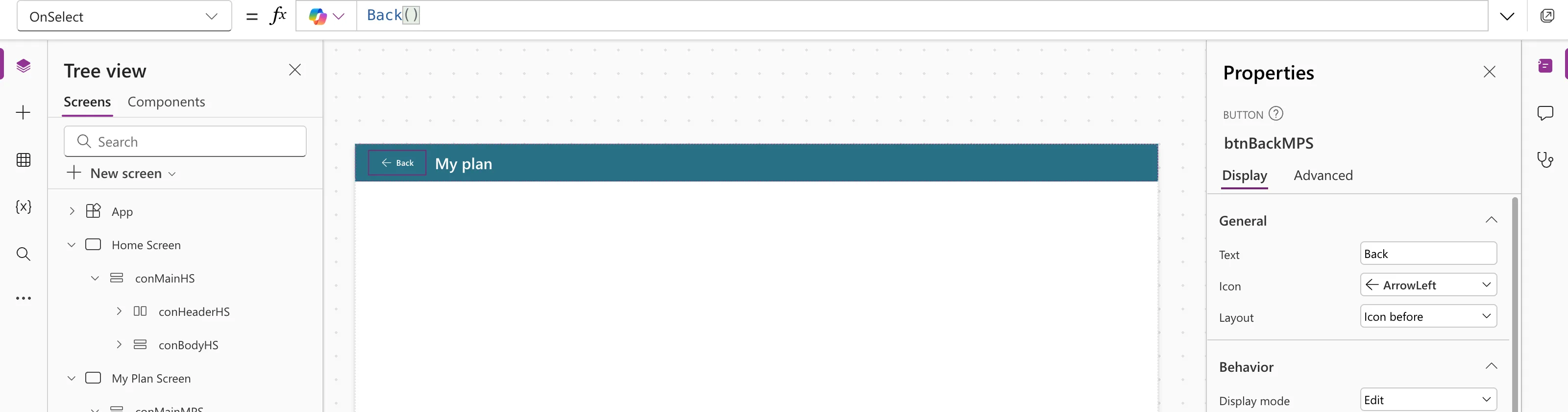
The example's button, btnBackMPS, sits at the start of the screen's header:
| Property | Value |
|---|---|
| Text | "Back" |
| Icon | "ArrowLeft" (How to Add an Icon to a Button in Power Apps) |
| Width, Height | 96, 40 |
| AccessibleLabel | "Back to the Home screen" |
The accessible label starts with the visible word, Back, so people who use voice control can say what they see, and then says where the button goes (Fixed: "Missing Accessible Label").
On a header filled with the theme's primary color, the default Primary button has the same color, so it shows as a white arrow and text on the header.
Step 2: Set OnSelect to Back
Back()
Step 3: Test It
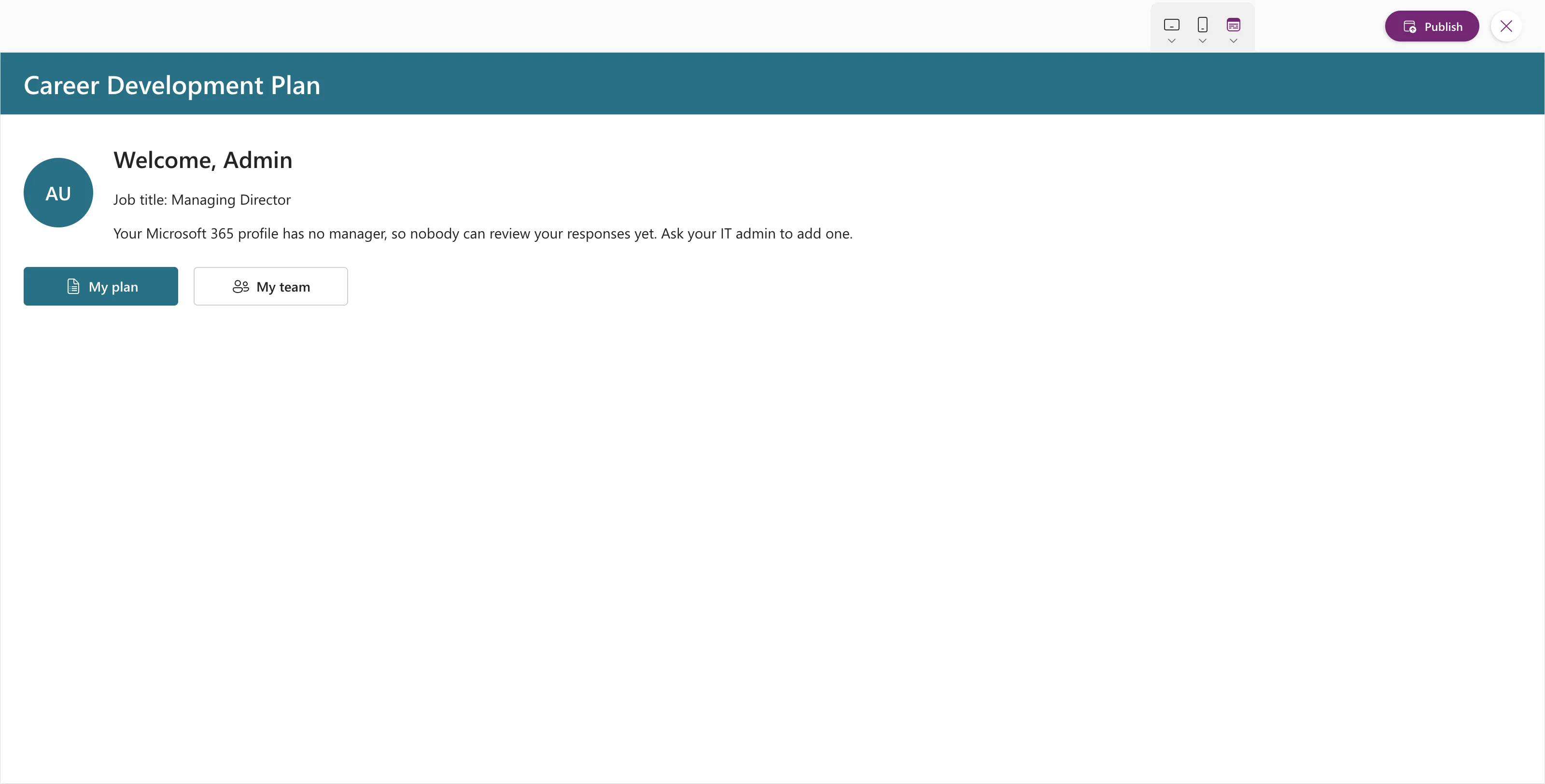
Preview with F5, open the screen, and select Back. In the example, the app returned to the Home screen:
Back or Navigate?
| Use | When |
|---|---|
Back() | The screen can be reached from more than one place, and you want to return to wherever the user was |
Navigate(Screen) | The button always goes to one particular screen |
Common Mistakes
| Mistake | What happens | Do this instead |
|---|---|---|
Navigate('Home Screen') on every Back button | A screen opened from somewhere else sends people home | Back() |
| An icon-only button with no accessible label | Screen readers have nothing to announce | Keep the text, or set AccessibleLabel |
Troubleshooting
| Symptom | Likely cause | Fix |
|---|---|---|
| Back does nothing in preview | Preview started on this screen, so there's nowhere to go back to | Start the preview from the previous screen |
| Clicking the button on the canvas only selects it | That's how the canvas works | Preview with F5, or hold Alt and click |
FAQ
What transition does Back use?
The reverse of the one that opened the screen. None and Fade are their own reverse.
Can I go back more than one screen?
Yes. Each Back returns one step, all the way to the screen the app started on.
Conclusion
Back() in a button's OnSelect returns to the previous screen, whichever it was. Give the button a visible label and an accessible label that starts with it.
Additional Resources
- Back and Navigate functions: syntax, transitions and examples.
