How to Get the Token Usage of a Streaming Microsoft Agent Framework Agent Run in C#

RunAsync hands you a response with a Usage property: the tokens the run cost. A streamed run hands you updates, and none of them has Usage. The count is still there: one update carries it, and ToAgentResponse() puts it back where you expect it.
Syntax
List<AgentResponseUpdate> <updates> = [];
await foreach (AgentResponseUpdate <update> in <agent>.RunStreamingAsync(<message>))
{
    <updates>.Add(<update>);
}

UsageDetails? <usage> = <updates>.ToAgentResponse().Usage;
| Part | What it is |
|---|---|
<updates> | Every update of the run, kept as it arrives. All of them, not only the ones with text |
<agent>.RunStreamingAsync(<message>) | Runs the agent and streams its answer as AgentResponseUpdate objects |
ToAgentResponse() | Combines the updates into one AgentResponse, as RunAsync would have returned it |
Usage | A UsageDetails with InputTokenCount, OutputTokenCount, TotalTokenCount and, for reasoning models, ReasoningTokenCount |
The count itself travels in one update, as a UsageContent in its Contents. ToAgentResponse() finds it there.
The Example
A haiku agent writes a haiku about the sea, streamed. Then the app shows which update carried the token count, reads the count with ToAgentResponse(), and shows what happens to it when only the updates with text are kept.
Prerequisites
- A model deployment in a Microsoft Foundry project, and the Foundry User role on the Foundry resource for your account. The app calls the model as you.
- The .NET 10 SDK (
dotnet --versionprints a version that starts with10.0) and the Azure CLI, signed in withaz login.
Step 1: Create a Console App
dotnet new console -n HaikuWriter
cd HaikuWriter
dotnet add package Microsoft.Agents.AI.Foundry --version 1.28.0-preview.261106.1
dotnet add package Azure.Identity --version 1.21.0
Microsoft.Agents.AI.Foundry turns a model in a Foundry project into an agent, and brings in Agent Framework. Azure.Identity signs the app in with your Azure CLI sign-in. Open the folder in VS Code, or HaikuWriter.csproj in Visual Studio.
Step 2: Stream, and Keep Every Update
Replace everything in Program.cs:
using Azure.AI.Projects;
using Azure.Identity;
using Microsoft.Agents.AI;
using Microsoft.Extensions.AI;

AIAgent agent = new AIProjectClient(
        new Uri("https://foundry-devblogs-exp.services.ai.azure.com/api/projects/proj-devblogs-exp"),
        new AzureCliCredential())
    .AsAIAgent(model: "gpt-5.6-luna", instructions: "You write haiku.", name: "HaikuWriter");

// 1. Stream the haiku, and keep every update.
List<AgentResponseUpdate> updates = [];
await foreach (AgentResponseUpdate update in agent.RunStreamingAsync("Write a haiku about the sea."))
{
    updates.Add(update);
    Console.Write(update.Text);
}

Console.WriteLine();
Console.WriteLine();
The loop prints each piece of the haiku as it arrives, and keeps the update in updates. Use your own Foundry project endpoint and model deployment.
Step 3: Find the Update That Carries the Count
Add:
// 2. Where the token count is: one update carries it, as a UsageContent.
int index = updates.FindIndex(update => update.Contents.OfType<UsageContent>().Any());
UsageContent usage = updates[index].Contents.OfType<UsageContent>().First();
Console.WriteLine($"Update {index + 1} of {updates.Count} carried the usage: "
    + $"{usage.Details.InputTokenCount} in, {usage.Details.OutputTokenCount} out.");
Contents is everything an update carries. OfType<UsageContent>() keeps the token counts, and Details holds the numbers. You don't need this step in your own code; it shows where the count lives.
Step 4: Read Usage the Easy Way
Add:
// 3. The easy way: put all the updates back together, and read Usage.
UsageDetails? total = updates.ToAgentResponse().Usage;
Console.WriteLine($"ToAgentResponse(): {total?.InputTokenCount} in, {total?.OutputTokenCount} out "
    + $"({total?.ReasoningTokenCount} of them reasoning), {total?.TotalTokenCount} in total.");
ToAgentResponse() builds the response that RunAsync would have returned, Usage included. ReasoningTokenCount is the part of the output that the model spent thinking before it wrote.
Step 5: See the Trap
Add the last lines:
// 4. The trap: put back only the updates that have text, and the usage is gone.
AgentResponse textOnly = updates.Where(update => !string.IsNullOrEmpty(update.Text)).ToAgentResponse();
Console.WriteLine($"Only the updates with text: Usage is {(textOnly.Usage is null ? "null" : "set")}.");
Filtering out the updates without text looks like tidying up. It throws away the token count with them.
Run It
Run dotnet run in VS Code's terminal, or press Ctrl+F5 in Visual Studio:
Sea whispers at dusk
The silver waves fold inward
Stars sleep in tide pools

Update 26 of 26 carried the usage: 23 in, 178 out.
ToAgentResponse(): 23 in, 178 out (156 of them reasoning), 201 in total.
Only the updates with text: Usage is null.
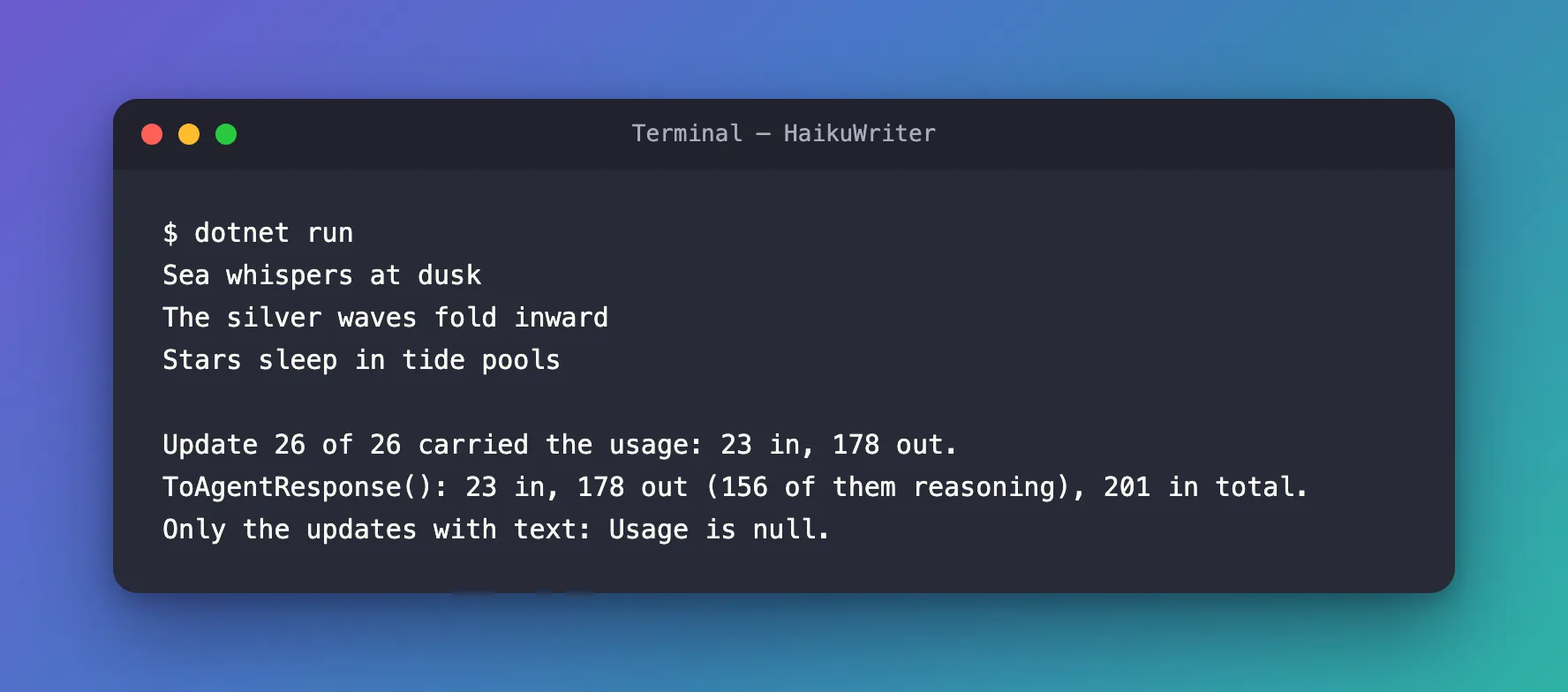
- The last update carried the count. It came after the whole haiku, as update 26 of 26, with no text.
ToAgentResponse()gave the same numbers, plus the total and the reasoning tokens.- 156 of the 178 output tokens were reasoning. The haiku itself is short; most of what this run cost was the model thinking before it wrote. On another run of the same app, it was 132 of 158.
- Keeping only the updates with text lost the count:
Usagewasnull.
The Complete File
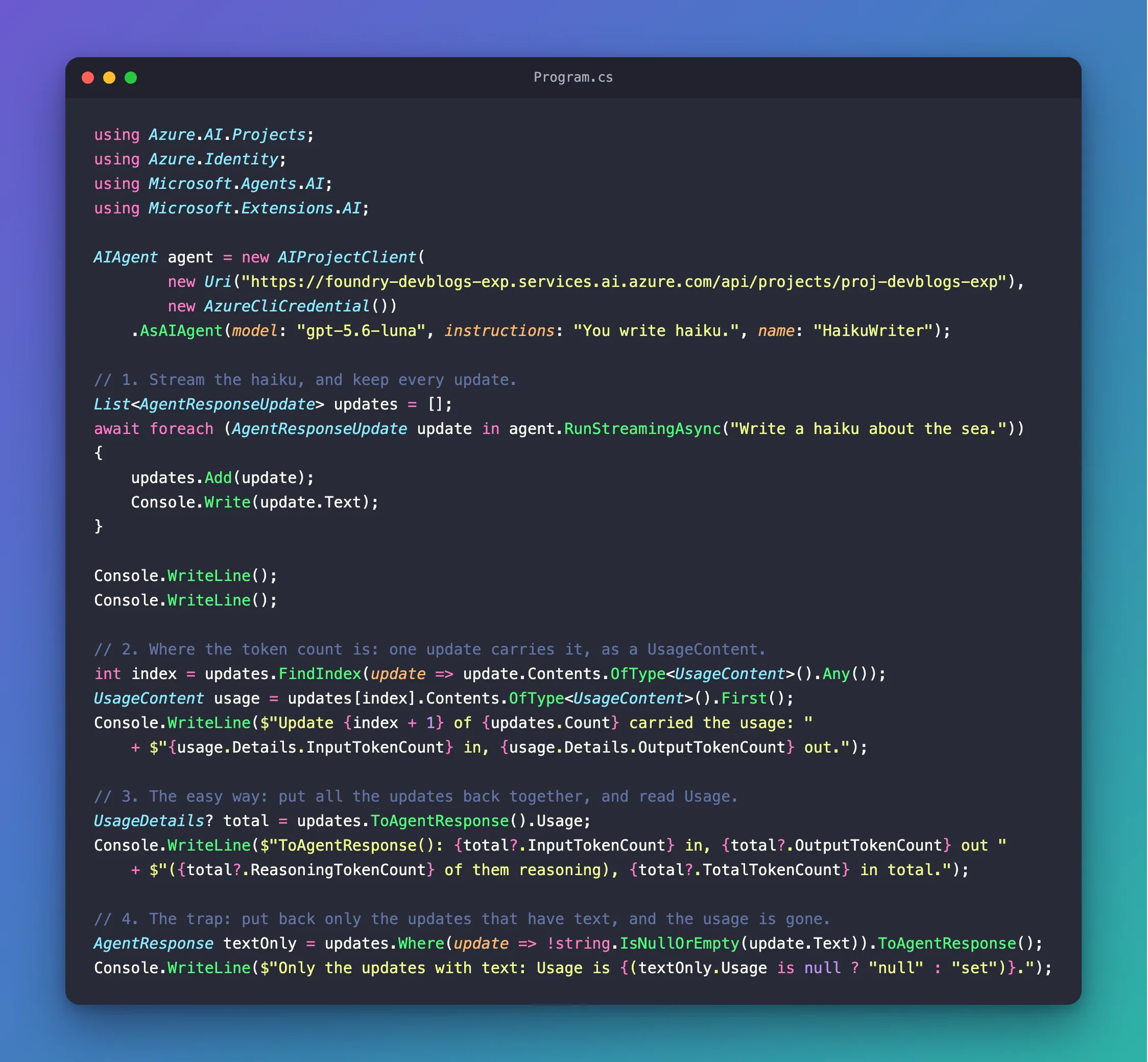
Program.cs is Steps 2 to 5, in order.
Common Mistakes
| Mistake | What happens | Do this instead |
|---|---|---|
Looking for a Usage property on each update | AgentResponseUpdate has none | Keep the updates and read ToAgentResponse().Usage |
| Keeping only the updates with text | Usage is null | Keep every update; filter only what you print |
| Reading the count before the stream ends | The update with the count hasn't arrived yet | Read it after the await foreach loop |
| Treating output tokens as the length of the answer | Reasoning tokens are part of the output, and can be most of it | Read ReasoningTokenCount too |
FAQ
Can I get the usage without keeping all the updates?
Yes: watch for the UsageContent inside the loop, as Step 3 does after it, and keep only that. ToAgentResponse() is simpler, and also gives you the whole text.
Is the count the same as with RunAsync?
It's the same kind of count: the tokens the model read and wrote for this run. Each run is different, so two runs of the same question rarely cost exactly the same.
Conclusion
A streaming run's token count arrives in one update, as a UsageContent, and in my runs it was the last one. Keep every update while you stream, and updates.ToAgentResponse().Usage gives you the input, output, reasoning and total tokens, just as RunAsync would. Filter the updates only for display, never before you combine them.
Additional Resources
- Running Agents — streaming, updates and responses.
- UsageDetails class — every token count a response can carry.
- UsageContent class — the content item that carries the count in a stream.
