How to Get the Number of Items in an Array with Length in C#

You often need to know how many items an array holds: to show a total, to check it isn't empty, or to find the last item. In C#, every array has a Length property with that number.
Syntax
int <count> = <array>.Length;
<Type> <last> = <array>[<array>.Length - 1];
| Part | What it does |
|---|---|
<array>.Length | The number of items. It's a property, so there are no brackets after it |
<array>[<array>.Length - 1] | The last item: positions start at 0, so the last one is one less than the length |
Microsoft's Array.Length reference: "Gets the total number of elements in all the dimensions of the Array." And for an empty one: "zero if there are no elements in the array."
The Example
The program counts the days in a three-day array and in an empty one, reads the last day, and checks the size with an if.
Prerequisites
- The .NET 10 SDK or newer, which runs a single
.csfile withdotnet run. This guide uses .NET SDK 10.0.404.
Step 1: Write the Code
Create a file named main.cs in an empty folder:
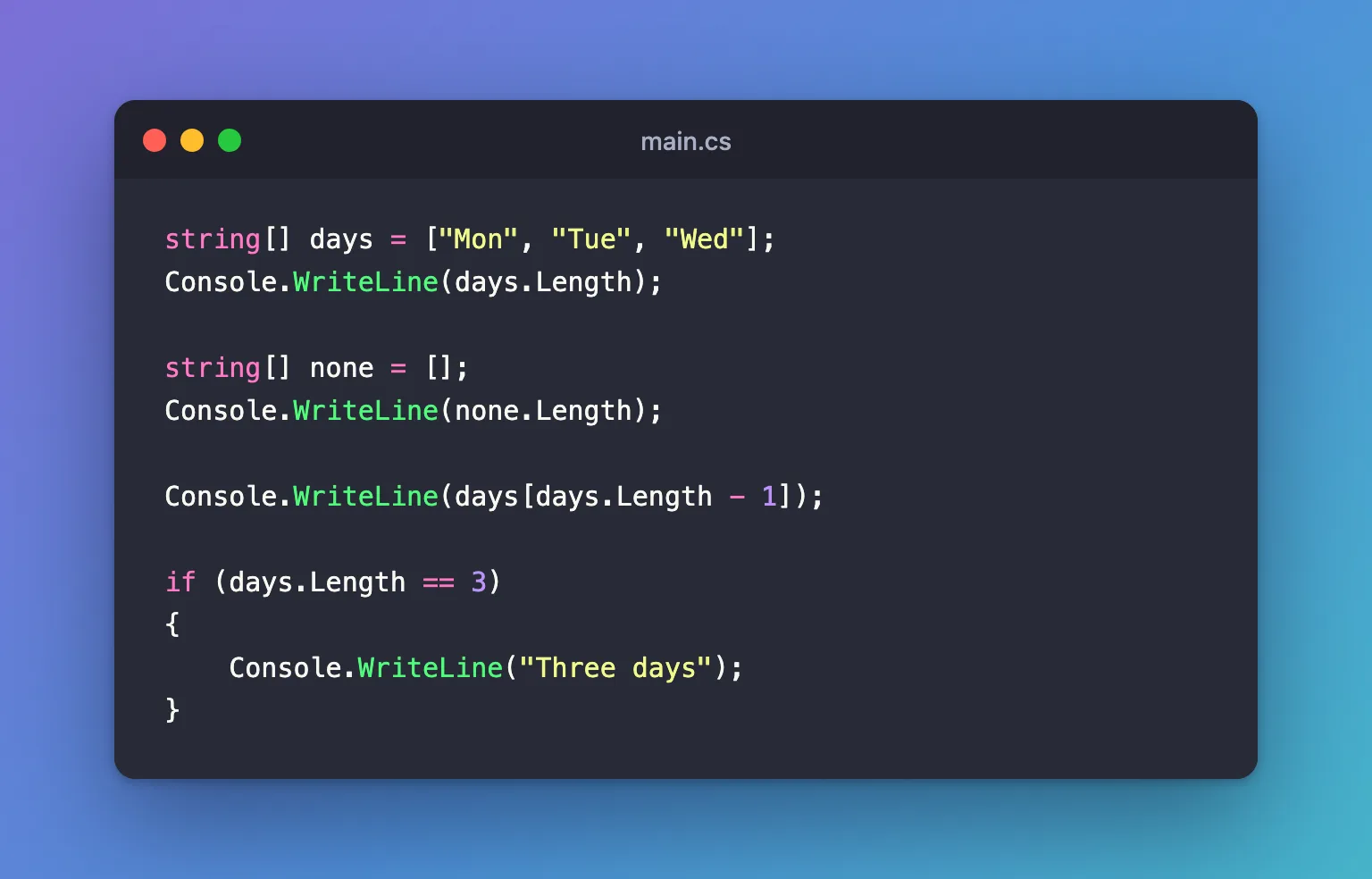
string[] days = ["Mon", "Tue", "Wed"];
Console.WriteLine(days.Length);

string[] none = [];
Console.WriteLine(none.Length);

Console.WriteLine(days[days.Length - 1]);

if (days.Length == 3)
{
    Console.WriteLine("Three days");
}
Step 2: Run It
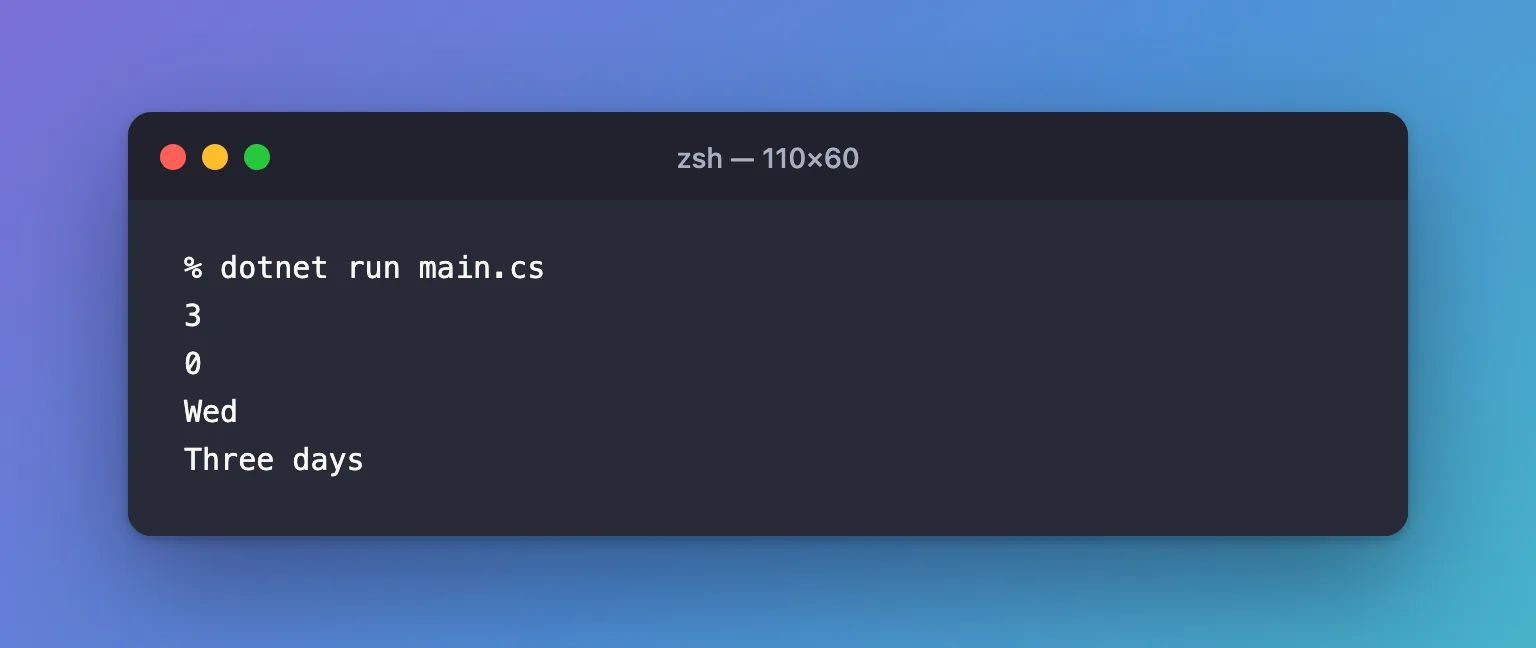
dotnet run main.cs
3
0
Wed
Three days
- Three days, so
Lengthis 3. The empty array's is 0. days[days.Length - 1]isdays[2], the last day,Wed.Lengthworks in conditions like any number.
The command is the same in zsh, bash and PowerShell.
Length Itself Is One Too Far
Length counts the items, but positions start at 0, so days[days.Length] points one past the end:
string[] days = ["Mon", "Tue", "Wed"];
Console.WriteLine(days[days.Length]);
Unhandled exception. System.IndexOutOfRangeException: Index was outside the bounds of the array.
   at Program.<Main>$(String[] args) in /Users/you/demo/main.cs:line 2
Arrays Have Length, Not Count
Lists have a Count property, so it's easy to write Count on an array too. The error doesn't say so directly:
string[] days = ["Mon", "Tue", "Wed"];
Console.WriteLine(days.Count);
/Users/you/demo/main.cs(2,19): error CS1503: Argument 1: cannot convert from 'method group' to 'bool'

The build failed. Fix the build errors and run again.
On an array, Count without brackets names LINQ's Count() method instead of a number, and Console.WriteLine can't print a method. Use Length.
Common Mistakes
| Mistake | What happens | Do this instead |
|---|---|---|
Reading array[array.Length] for the last item | IndexOutOfRangeException: Index was outside the bounds of the array. | array[array.Length - 1] |
Writing array.Count | error CS1503: Argument 1: cannot convert from 'method group' to 'bool' | array.Length |
| Reading the last item of an array that can be empty | Length - 1 is -1, which is outside the array too | Check Length > 0 first |
Troubleshooting
| Symptom | Likely cause | Fix |
|---|---|---|
Index was outside the bounds of the array. | A position equal to Length, or above it | Stay below Length |
CS1503 ... 'method group' on an array | Count written on an array | Use Length |
FAQ
What do lists use instead?
A List has Count: List<string> days = ["Mon", "Tue"]; printed 2 for days.Count. Arrays have Length, lists have Count.
Can an array's Length change?
No. An array keeps the size it was created with. When the number of items changes as the program runs, use a List.
Conclusion
array.Length is the number of items in an array, 0 when it's empty, and array[array.Length - 1] is its last item. array[array.Length] is outside the array, and on an array, Count without brackets is a compile error.
Additional Resources
- Array.Length property, on Microsoft Learn.
- Arrays, on Microsoft Learn.
