How to Get the Name of an Object's Type in C# with GetType().Name

Sometimes you need to know what type a value really is: to log which exception was thrown, or to check what a method returned. Every object in .NET has a GetType() method, and .Name on its result gives you the type's name as a string.
Syntax
string <name> = <value>.GetType().Name;
string <fullName> = <value>.GetType().FullName;
| Part | What it does |
|---|---|
<value>.GetType() | Returns a Type object that describes the value's runtime type. |
.Name | The type's short name, such as Int32. |
.FullName | The name with its namespace, such as System.DateTime. |
The .NET API documentation for Object.GetType: "Gets the Type of the current instance." It returns "The exact runtime type of the current instance."
The Example
The example asks four values, a whole number, a string, a decimal and the current time, for their type names.
Prerequisites
- The .NET 10 SDK or newer, which runs a single
.csfile withdotnet run. This guide uses .NET SDK 10.0.404.
Step 1: Write the Code
Create a file named main.cs in an empty folder:
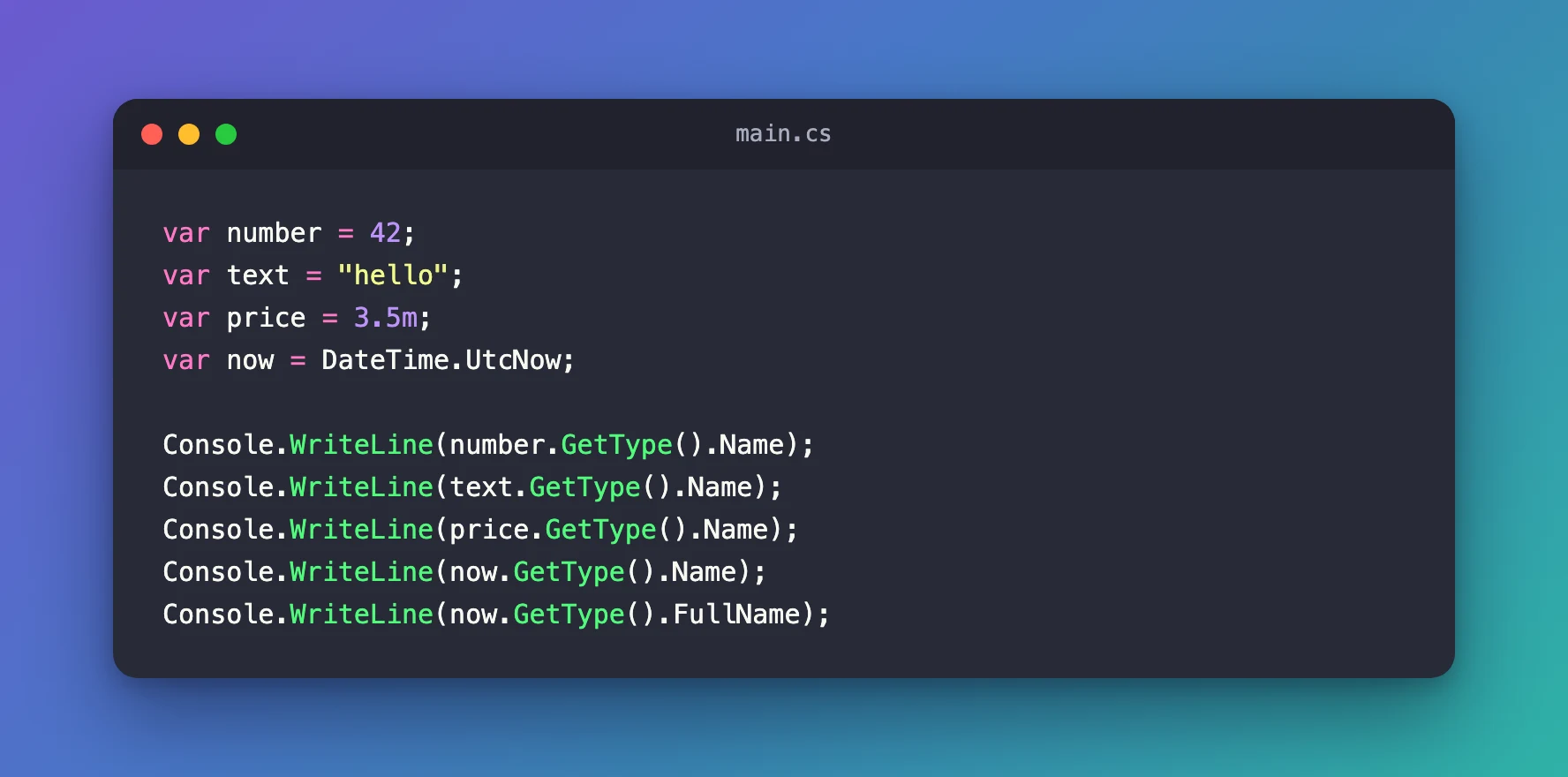
var number = 42;
var text = "hello";
var price = 3.5m;
var now = DateTime.UtcNow;

Console.WriteLine(number.GetType().Name);
Console.WriteLine(text.GetType().Name);
Console.WriteLine(price.GetType().Name);
Console.WriteLine(now.GetType().Name);
Console.WriteLine(now.GetType().FullName);
Step 2: Run It
dotnet run main.cs
Int32
String
Decimal
DateTime
System.DateTime
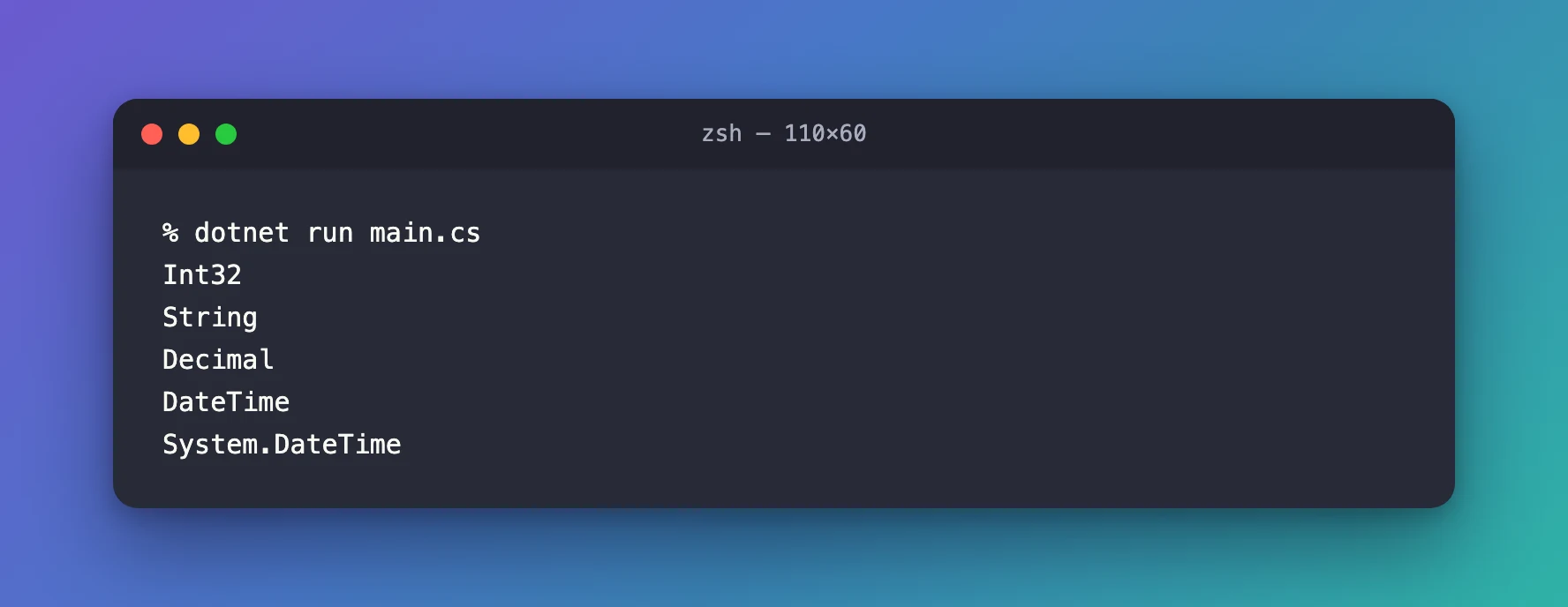
The names are .NET's own type names: C#'s int is System.Int32, string is System.String and decimal is System.Decimal. The command is the same in zsh, bash and PowerShell.
Naming the Exception You Caught
The most common real use is logging the type of an exception, whose message alone may not say what happened:
catch (Exception ex)
{
    Console.WriteLine(ex.GetType().Name); // for example FormatException
}
typeof for a Type You Know
GetType() asks an object at run time. When you know the type while writing the code, typeof(string).Name gives "String" without needing an object.
Common Mistakes
| Mistake | What happens | Do this instead |
|---|---|---|
Calling GetType() on null | System.NullReferenceException: Object reference not set to an instance of an object. | Check for null first |
Expecting int or string | You get .NET's names, Int32 and String | Compare with typeof(int).Name |
| Comparing type names as strings to check a type | It breaks on renames and namespaces | Use value is SomeType |
Troubleshooting
| Symptom | Likely cause | Fix |
|---|---|---|
NullReferenceException on a GetType() line | The value is null | Handle null before asking for its type |
Two different types print the same Name | They're in different namespaces | Print FullName instead |
FAQ
What's the difference between GetType() and typeof?
GetType() is a method you call on a value and gives its runtime type; typeof(SomeType) is an operator you use with a type name, at compile time.
Does GetType() return the declared type or the real one?
The real one. A variable declared as object that holds 42 still reports Int32.
Conclusion
value.GetType().Name gives the short name of a value's runtime type, and .FullName adds the namespace. It's ideal for logs; use is when you actually need to test a type.
Additional Resources
- Object.GetType, on Microsoft Learn.
- Type.Name, on Microsoft Learn.
