How to Get the Name of a Type or Member as a String with nameof in C#

nameof(quantity) gives you the string "quantity". Unlike a name you type in quotes, the compiler checks it, and it changes when you rename the parameter.
Microsoft's reference: A nameof expression produces the name of a variable, type, or member as the string constant. A nameof expression is evaluated at compile time and has no effect at run time.
Syntax
string <text> = nameof(<name>);
| Part | What it is |
|---|---|
<name> | The name of a variable, a type, a member such as a property, or a parameter |
<text> | A string that holds just that name, such as "quantity" |
The Example
A console app called NameofOperator prints the names of a variable, a type and a property, then puts a parameter's name into the message of an exception.
Prerequisites
- The .NET 10 SDK.
dotnet --versionprints a version that starts with10.0.
Step 1: Create a Console App
dotnet new console -n NameofOperator
cd NameofOperator
The template "Console App" was created successfully.

Processing post-creation actions...
Restoring /Users/you/source/NameofOperator/NameofOperator.csproj:
  Determining projects to restore...
  Restored /Users/you/source/NameofOperator/NameofOperator.csproj (in 40 ms).
Restore succeeded.
dotnet new console -n NameofOperator creates a folder named NameofOperator with a project file and a Program.cs, and cd moves into it. Everything this example uses is part of .NET, so there's no package to add. Open the folder in VS Code, or NameofOperator.csproj in Visual Studio.
Step 2: Write the Code
Replace everything in Program.cs. First an order and three names:
Order order = new("Notebook", 3);

// nameof turns the name of a variable, a type or a member into a string.
Console.WriteLine($"Variable: {nameof(order)}");
Console.WriteLine($"Type:     {nameof(Order)}");
Console.WriteLine($"Member:   {nameof(Order.Quantity)}");
nameof(order)is the name of the variable,order.nameof(Order)is the name of the type, theOrderrecord declared at the end of the file.nameof(Order.Quantity)is the name of the property,Quantity.
Then a parameter's name in an error message:
// The name of a parameter, in an error message.
try
{
    SetQuantity(0);
}
catch (ArgumentOutOfRangeException error)
{
    Console.WriteLine(error.Message);
}

static void SetQuantity(int quantity)
{
    if (quantity < 1)
    {
        throw new ArgumentOutOfRangeException(nameof(quantity), "The quantity must be at least 1.");
    }
}

record Order(string Item, int Quantity);
SetQuantity rejects a quantity under 1. The ArgumentOutOfRangeException used here is created, in the reference's words, with the name of the parameter that causes this exception and a specified error message, and nameof(quantity) supplies the name.
Step 3: Run It
Run it in VS Code's terminal, or press Ctrl+F5 in Visual Studio:
dotnet run
Variable: order
Type:     Order
Member:   Quantity
The quantity must be at least 1. (Parameter 'quantity')
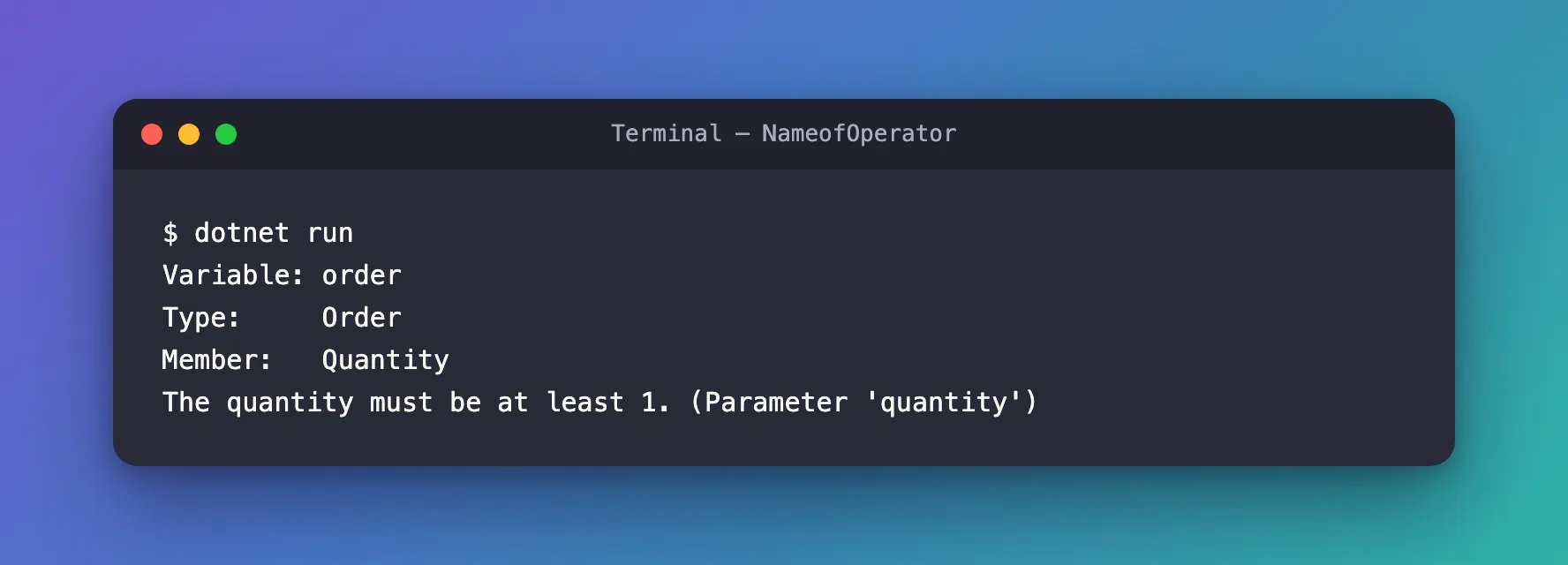
The three names came out as plain text: order, Order and Quantity. The exception's message ends with (Parameter 'quantity'): .NET added the name that nameof passed in.
The Complete File
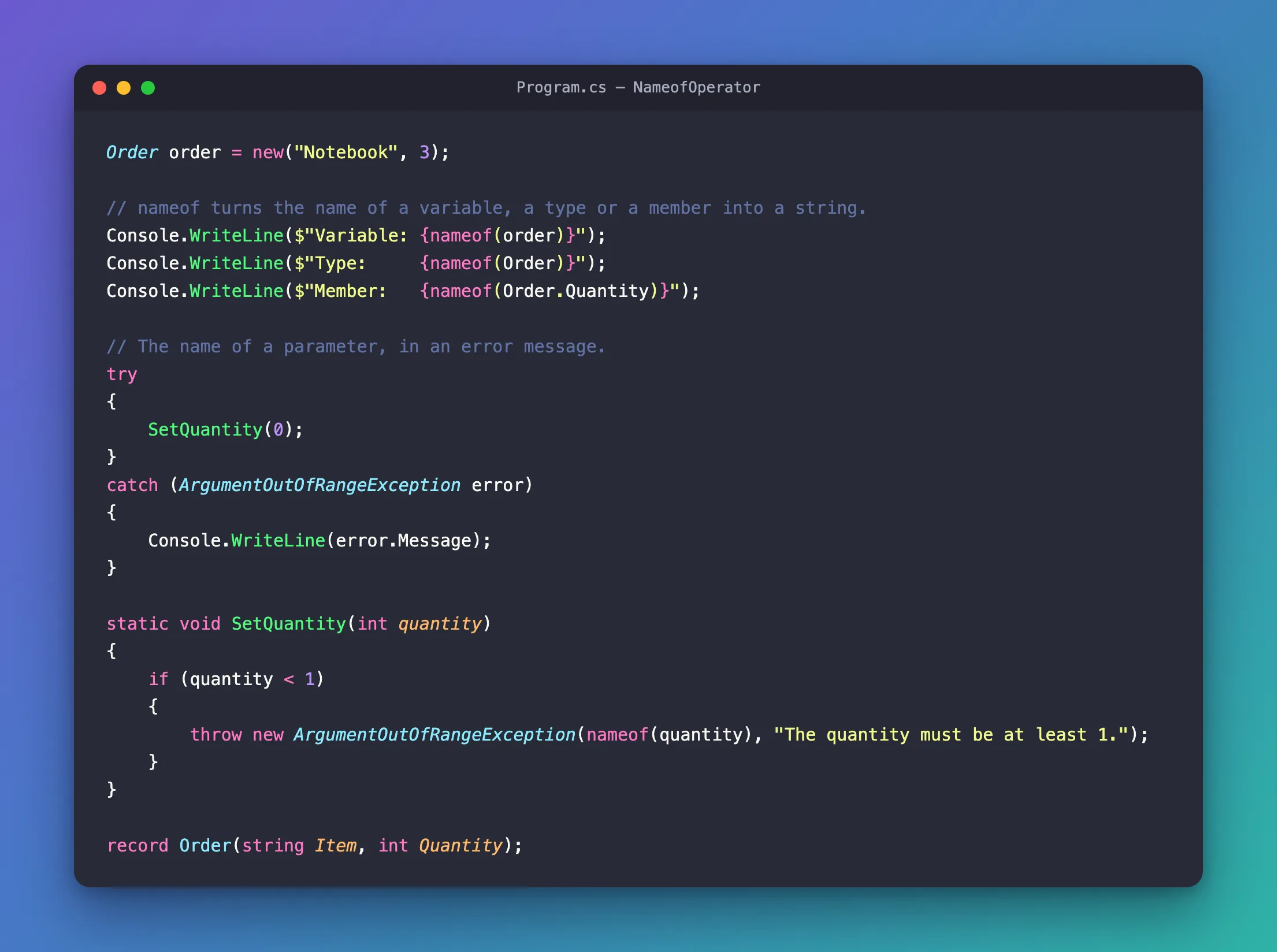
Order order = new("Notebook", 3);

// nameof turns the name of a variable, a type or a member into a string.
Console.WriteLine($"Variable: {nameof(order)}");
Console.WriteLine($"Type:     {nameof(Order)}");
Console.WriteLine($"Member:   {nameof(Order.Quantity)}");

// The name of a parameter, in an error message.
try
{
    SetQuantity(0);
}
catch (ArgumentOutOfRangeException error)
{
    Console.WriteLine(error.Message);
}

static void SetQuantity(int quantity)
{
    if (quantity < 1)
    {
        throw new ArgumentOutOfRangeException(nameof(quantity), "The quantity must be at least 1.");
    }
}

record Order(string Item, int Quantity);
Common Mistakes
| Mistake | What happens | Do this instead |
|---|---|---|
| Expecting the value | nameof(city) printed city, not Jaipur: nameof works on the name, not on what the variable holds | Use the variable itself when you want its value |
| Typing the name in quotes | A method whose parameter is quantity but whose throw still passed "qty", as happens when a rename misses a string, printed (Parameter 'qty'): a name the method doesn't have. Rule CA1507: By using nameof, the symbol will be renamed when the parameter is renamed through a refactoring operation. | Use nameof(quantity) |
A misspelled name inside nameof | nameof(quantty) stopped the build: error CS0103: The name 'quantty' does not exist in the current context. A typo inside quotes compiles without a word | Fix the spelling. CA1507: any spelling mistakes in the name of the parameter are caught by the compiler. |
| Passing an expression | nameof(order.Item.ToUpper()) failed with error CS8081: Expression does not have a name. | Pass a name, such as nameof(order.Item), which gave Item |
FAQ
Does nameof include the namespace?
No. nameof(System.Text.StringBuilder) gave StringBuilder, and nameof(List<int>) gave List. The reference: When the operand is a type or a namespace, the produced name isn't fully qualified.
Is nameof the same as GetType().Name?
No. nameof reads a name from your code when it compiles, and GetType().Name asks the object for its type while the program runs. For object thing = new Order("Notebook", 3);, nameof(thing) gave thing, and thing.GetType().Name gave Order.
Can I use nameof for a constant?
Yes, because the compiler works the name out: const string key = nameof(Order); compiled, and key held Order.
Conclusion
nameof(x) turns a name in your code into a string while the code compiles. Use it wherever you'd type a name in quotes, such as in exception messages and keys, so a rename or a typo can't leave the text out of step with the code.
Additional Resources
- nameof expression — the C# reference.
- CA1507: Use nameof in place of string — why a name in quotes is a risk.
