How to Get the Last Day of the Month in Power Apps

Power Fx has no EOMONTH function, but the last day of a month is always the day before the first of the next month. Go forward one month from the first, then back one day: DateAdd(DateAdd(first, 1, TimeUnit.Months), -1, TimeUnit.Days). For November 2026 that's 30/11/2026. Date(year, month + 1, 0) gives the same day.
The example is the Overtime Timesheet app, which needs the end of a month to know which weeks to load.
Prerequisites
- The first day of the month: How to Get the First Day of the Month in Power Apps.
- Adding months and days: How to Add Days or Minutes to a Date in Power Apps with DateAdd.
Step 1: Forward a Month, Back a Day
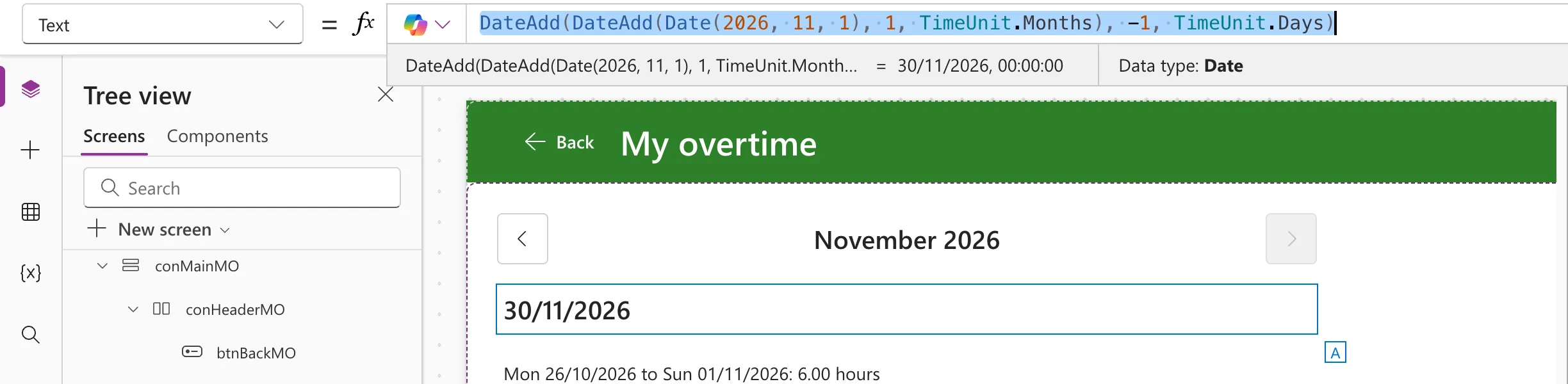
I put the formula into a text control's Text for a moment, so Studio's preview strip shows the result:
DateAdd(DateAdd(Date(2026, 11, 1), 1, TimeUnit.Months), -1, TimeUnit.Days)
The inner DateAdd goes to 1 December, and the outer one goes back a day to 30/11/2026:
Step 2: Check a Leap-Year February
2028 is a leap year, so its February has 29 days:
DateAdd(DateAdd(Date(2028, 2, 1), 1, TimeUnit.Months), -1, TimeUnit.Days)
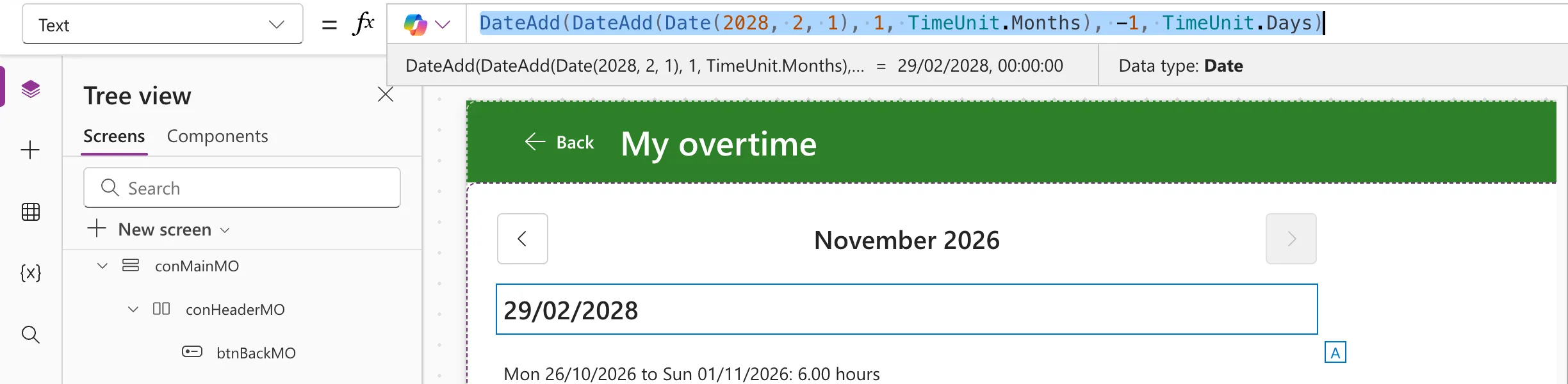
Nothing in the formula counts days: the calendar does it.
Step 3: The Shorter Way, Day 0
Microsoft's Date function reference: If Day is less than 1, the function subtracts that many days, plus 1, from the first day of the specified month. Day 0 is therefore the day before the first, the last day of the month before:
Date(2026, 12, 0)
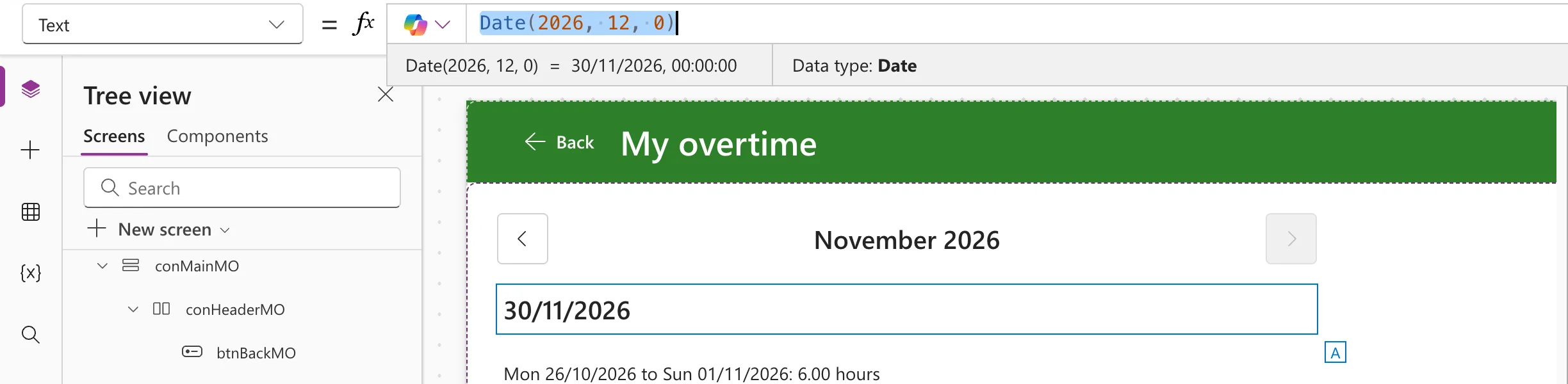
For any date d, that's Date(Year(d), Month(d) + 1, 0). For December, Month(d) + 1 is 13, and the same reference says a month above 12 adds that many months from the start of the year.
How the Example Uses It
The My Overtime screen keeps the month it shows as its first day, locMonthMO. To load whole weeks, it needs the Sunday of the week that holds the month's last day, so the last day comes first:
ToDate: DateAdd(
    MondayOf(DateAdd(DateAdd(locMonthMO, 1, TimeUnit.Months), -1, TimeUnit.Days)),
    6,
    TimeUnit.Days
)
For November 2026, the last day is Monday 30 November, its week runs to Sunday 6 December, and the screen loads entries up to that date: How to Find the Monday of a Week in Power Apps.
Common Mistakes
| Mistake | What happens | Do this instead |
|---|---|---|
| Adding 30 days to the first of the month | The wrong day in every month that isn't 30 days long | Forward a month, back a day |
Date(year, month, 31) | In a 30-day month it rolls over into the next month | Day 0 of the next month |
Troubleshooting
| Symptom | Likely cause | Fix |
|---|---|---|
| The result is the first of the month | The outer DateAdd is missing | Go back -1 day after going forward a month |
| 00:00:00 after the date in the strip | The strip shows the whole value | Format it where people see it with Text |
FAQ
How many days are in the month?
Day(lastDay) is the number of days: 30 for November, 29 for February 2028.
How does Excel do this?
Excel has EOMONTH, and the day-0 trick works with its DATE too: How to Get the First Day of the Next Month in Excel with EDATE shows the month arithmetic.
Conclusion
The last day of a month is one day before the first of the next: DateAdd(DateAdd(first, 1, TimeUnit.Months), -1, TimeUnit.Days), or Date(year, month + 1, 0). Both leave the counting of days to the calendar.
Additional Resources
- Date, DateTime, and Time functions: what Date does with day and month values out of range.
- DateAdd, DateDiff, and TimeZoneOffset functions: adding months and days.
