How to Get the First Item of an Array in Power Automate

first() returns the first item of an array. Follow it with ?['field'] to read one of that item's fields, and a value that comes in an array, such as an approval's responses, goes straight into a field, without an Apply to each.
Microsoft's functions reference says it will Return the first item from a string or array. Its example, first(createArray(0, 1, 2)), returns 0.
The example is the approval flow of the Overtime Timesheet app, which saves the approver's comment and name with each decision.
Prerequisites
- An array in the flow. Here, the Responses of Start and wait for an approval (How to Send an Approval Request in Power Automate).
Why Responses Is an Array
An approval can go to several people, so its outputs list every response, each with the approver and their comments. With Approve/Reject - First to respond, the request ends at the first response, so the first item is the one that decided.
Step 1: Read the Comment
Where the comment goes, here the ApproverComment column of Record the decision, insert this expression (How to Add an Expression in Power Automate):
first(outputs('Ask_for_approval')?['body/responses'])?['comments']
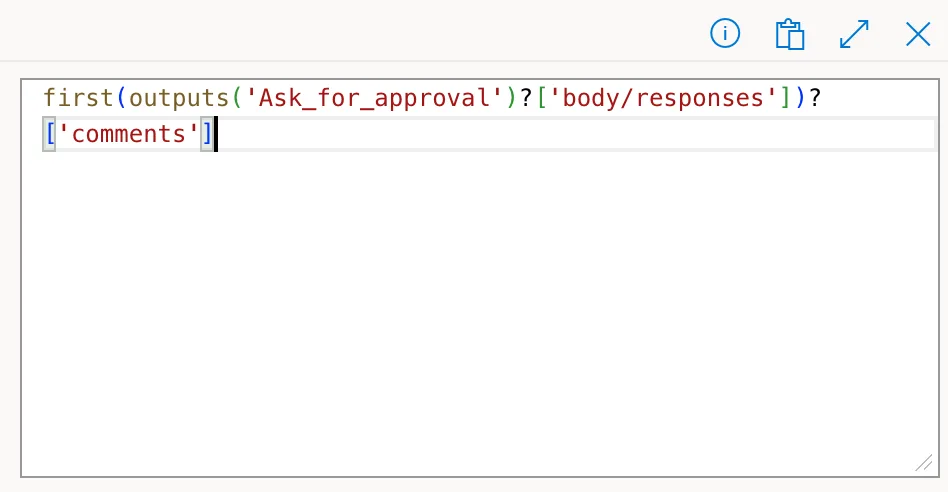
outputs('Ask_for_approval')?['body/responses']is the array.first(...)is its first response.?['comments']is that response's comment.
Step 2: Read the Approver's Name
The same pattern reads deeper fields. The approver's display name is in the response's responder:
first(outputs('Ask_for_approval')?['body/responses'])?['responder']?['displayName']
Both appear in the action as first(...) tokens:
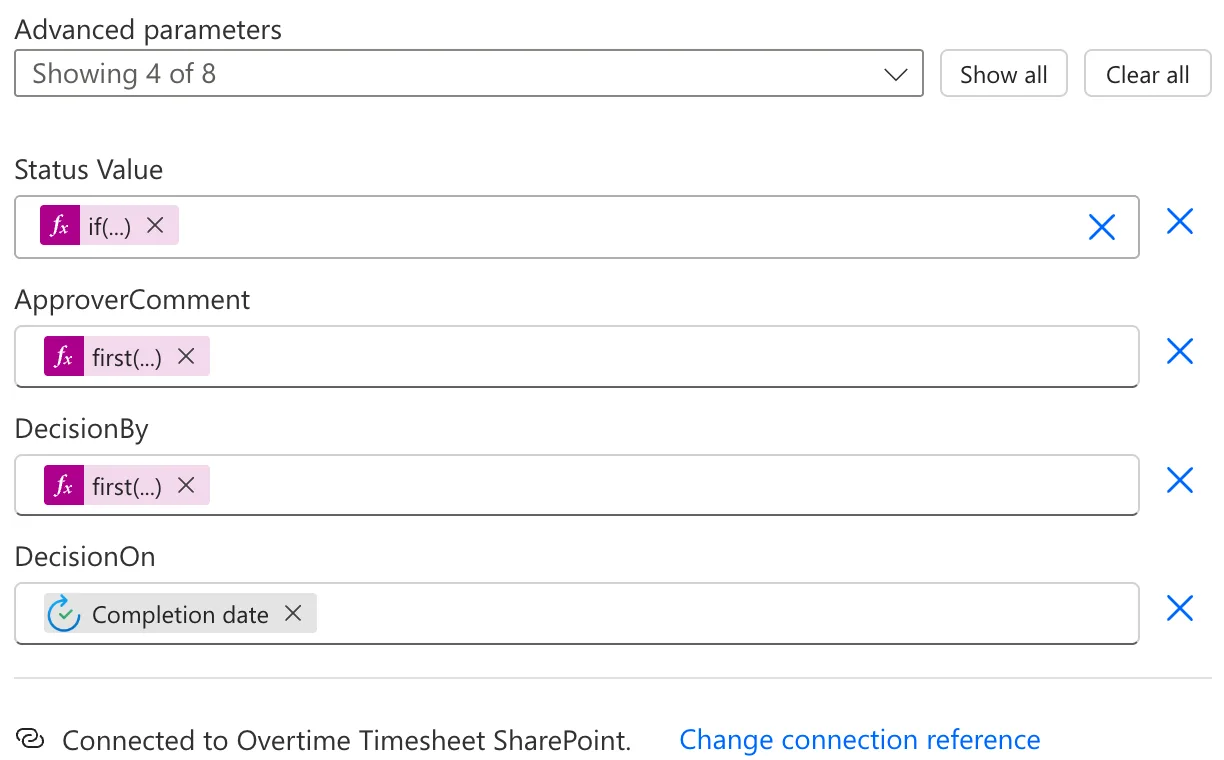
The Result
Daniel Brooks approved Maya Patel's entry with the comment Approved. Thanks for clearing the backlog. The flow saved both, the comment and his name:

Common Mistakes
| Mistake | What happens | Do this instead |
|---|---|---|
| Taking the first of Everyone must approve responses | Only one of several approvers | Loop over all of them when you need everyone's |
last() for the decider | The last of several, not the first | first() with First to respond |
Troubleshooting
| Symptom | Likely cause | Fix |
|---|---|---|
| An empty comment | The approver didn't write one | Expected |
| An empty name | The path to the field is wrong | ?['responder']?['displayName'] |
| An error about the argument | The value isn't an array or text | Pass the array itself |
FAQ
Does first() work on text?
Yes: Microsoft's example first('hello') returns "h".
What about the outcome?
Outcome isn't in the array; it's one value, Approve or Reject: outputs('Ask_for_approval')?['body/outcome'].
Conclusion
first(array)?['field'] reads a field of an array's first item in one expression. For an approval that the first response decides, first(...responses)?['comments'] and ?['responder']?['displayName'] give the decider's comment and name.
Additional Resources
- Reference guide to functions in expressions: first: the function and its examples.
