How to Get the First Few Items with LINQ Take in C#

Take(3) gives you the first three items of a sequence. Ask for more than there are and you simply get all of them, with no error.
Microsoft's reference: Returns a specified number of contiguous elements from the start of a sequence. It always counts from the start, and it never fails because the list is too short.
Syntax
IEnumerable<T> <first> = <items>.Take(<count>);
| Part | What it is |
|---|---|
<items> | Any sequence |
<count> | How many items to take from the start |
<first> | Up to <count> items, in order |
The reference covers both edges: If count exceeds the number of elements in source, all elements of source are returned, and If count is less than or equal to zero, source is not enumerated, which gives you an empty sequence.
The Example
A console app called LinqTake takes 3, 10 and 0 items from a list of five numbers.
Prerequisites
- The .NET 10 SDK.
dotnet --versionprints a version that starts with10.0.
Step 1: Create a Console App
dotnet new console -n LinqTake
cd LinqTake
The template "Console App" was created successfully.

Processing post-creation actions...
Restoring /Users/you/source/LinqTake/LinqTake.csproj:
  Determining projects to restore...
  Restored /Users/you/source/LinqTake/LinqTake.csproj (in 48 ms).
Restore succeeded.
dotnet new console -n LinqTake creates a folder named LinqTake with a project file and a Program.cs, and cd moves into it. Everything this example uses is part of .NET, so there's no package to add. Open the folder in VS Code, or LinqTake.csproj in Visual Studio.
Step 2: Write the Code
Replace everything in Program.cs. First the numbers:
int[] numbers = [10, 20, 30, 40, 50];
Then the three takes:
Console.WriteLine(string.Join(", ", numbers.Take(3)));
Console.WriteLine(string.Join(", ", numbers.Take(10)));
Console.WriteLine($"[{string.Join(", ", numbers.Take(0))}]");
The last line prints between brackets, so you can see an empty result.
Step 3: Run It
Run it in VS Code's terminal, or press Ctrl+F5 in Visual Studio:
dotnet run
10, 20, 30
10, 20, 30, 40, 50
[]
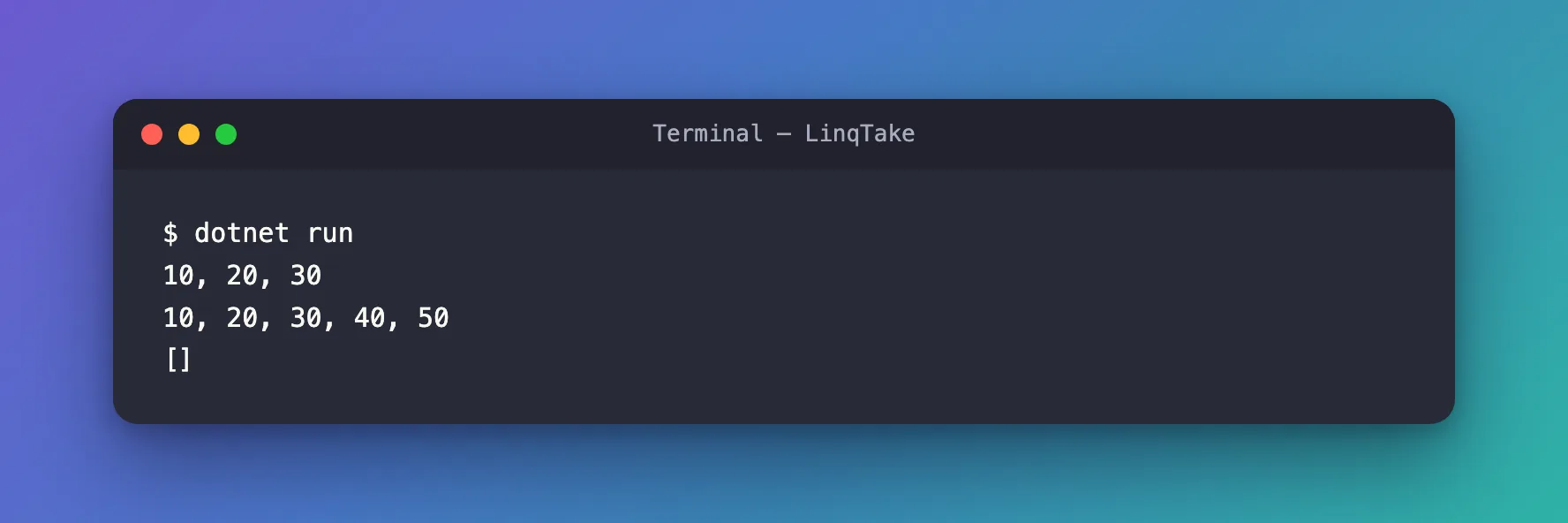
Take(3) gave the first three. Take(10) asked for more than the five there are and got all five. Take(0) gave nothing.
The Complete File
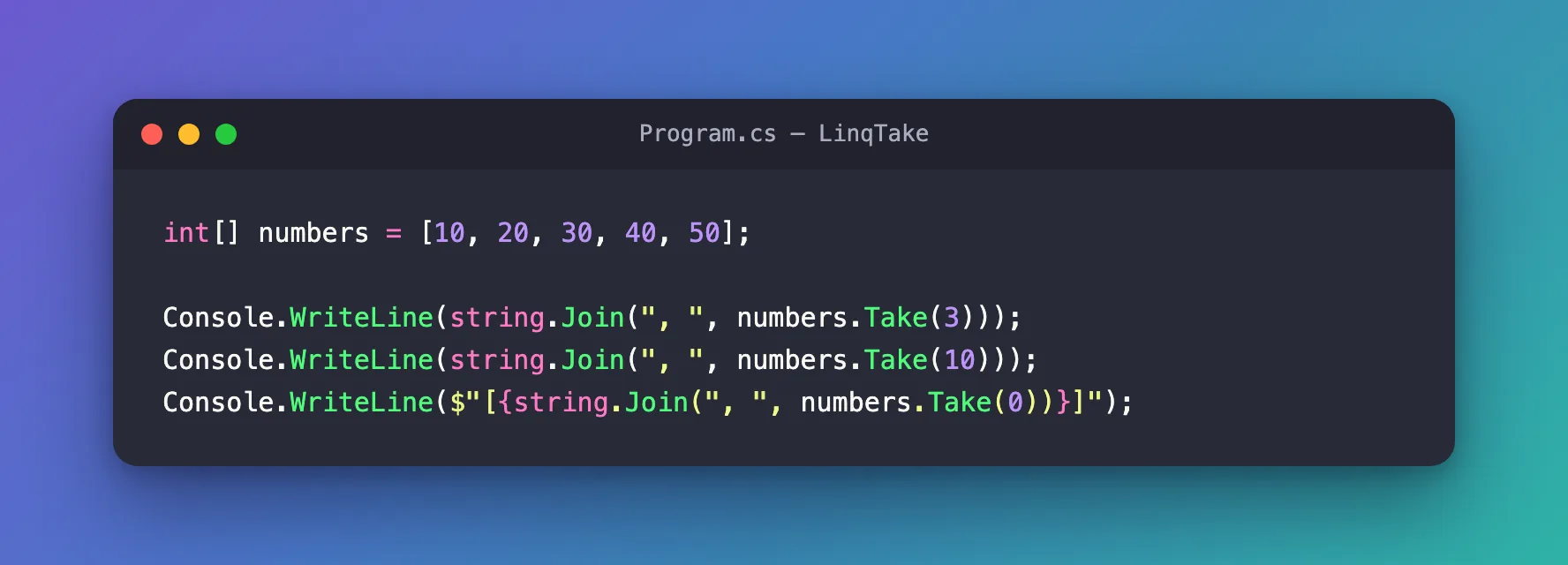
int[] numbers = [10, 20, 30, 40, 50];

Console.WriteLine(string.Join(", ", numbers.Take(3)));
Console.WriteLine(string.Join(", ", numbers.Take(10)));
Console.WriteLine($"[{string.Join(", ", numbers.Take(0))}]");
Common Mistakes
| Mistake | What happens | Do this instead |
|---|---|---|
Using Take for the last items | It always counts from the start | Use TakeLast: numbers.TakeLast(2) returned 40, 50 |
| Expecting an error for a negative count | Take(-1) returns an empty sequence: it printed [] | Check the count yourself if a negative value means a bug |
FAQ
How do I get the second page of a list?
Skip the first page, then Take one page: numbers.Skip(2).Take(2) returned 30, 40.
Can Take use a range?
Yes: numbers.Take(1..3) returned 20, 30, the items at positions 1 and 2.
Conclusion
items.Take(n) returns the first n items, or all of them when there are fewer, and nothing for 0 or less. Pair it with Skip for pages and use TakeLast for the end.
Additional Resources
- Enumerable.Take — every form, including the range.
- Enumerable.TakeLast — items from the end.
