How to Get the File Name from a Path with Path.GetFileName in C#

A path carries its folders with it, such as photos/2026/beach.jpg. Path.GetFileName cuts the folders off and gives you just beach.jpg.
Microsoft's reference: Path.GetFileName returns the file name and extension of the specified path string. It returns the characters that follow the last directory separator character or the root of path, whichever comes later, or null if path is null.
It works on the string alone, so the file doesn't have to exist. The Path reference: Most members of the Path class do not interact with the file system and do not verify the existence of the file specified by a path string.
Syntax
string <name> = Path.GetFileName(<path>);
| Part | What it is |
|---|---|
<path> | A path to a file, with or without folders in front, such as photos/2026/beach.jpg |
Path.GetFileName | Returns the part after the last separator: the file name with its extension |
<name> | The result, such as beach.jpg |
The reference for the edge cases: If path ends with a directory separator character or consists only of a root, the method returns String.Empty. If path contains neither a directory separator character nor a root, the method returns path.
The Example
A console app called FileNameFromPath takes the file name out of three paths: one with two folders in front, one with no folder, and one that ends with /.
Prerequisites
- The .NET 10 SDK.
dotnet --versionprints a version that starts with10.0.
Step 1: Create a Console App
dotnet new console -n FileNameFromPath
cd FileNameFromPath
The template "Console App" was created successfully.

Processing post-creation actions...
Restoring /Users/you/source/FileNameFromPath/FileNameFromPath.csproj:
  Determining projects to restore...
  Restored /Users/you/source/FileNameFromPath/FileNameFromPath.csproj (in 44 ms).
Restore succeeded.
dotnet new console -n FileNameFromPath creates a folder named FileNameFromPath with a project file and a Program.cs, and cd moves into it. Everything this example uses is part of .NET, so there's no package to add. Open the folder in VS Code, or FileNameFromPath.csproj in Visual Studio.
Step 2: Write the Code
Replace everything in Program.cs. First, a path with folders:
// A path with folders: GetFileName keeps what comes after the last separator.
string photo = "photos/2026/beach.jpg";
Console.WriteLine($"{photo} -> [{Path.GetFileName(photo)}]");
The square brackets in the output mark where the result starts and ends, so an empty result shows up as [].
Then the two other cases:
// A name with no folder in front comes back unchanged.
string note = "notes.txt";
Console.WriteLine($"{note} -> [{Path.GetFileName(note)}]");

// A path that ends with a separator names a folder, so there's no file name.
string folder = "photos/2026/";
Console.WriteLine($"{folder} -> [{Path.GetFileName(folder)}]");
notes.txt has no separator in it, and photos/2026/ ends with one.
Step 3: Run It
Run it in VS Code's terminal, or press Ctrl+F5 in Visual Studio:
dotnet run
photos/2026/beach.jpg -> [beach.jpg]
notes.txt -> [notes.txt]
photos/2026/ -> []
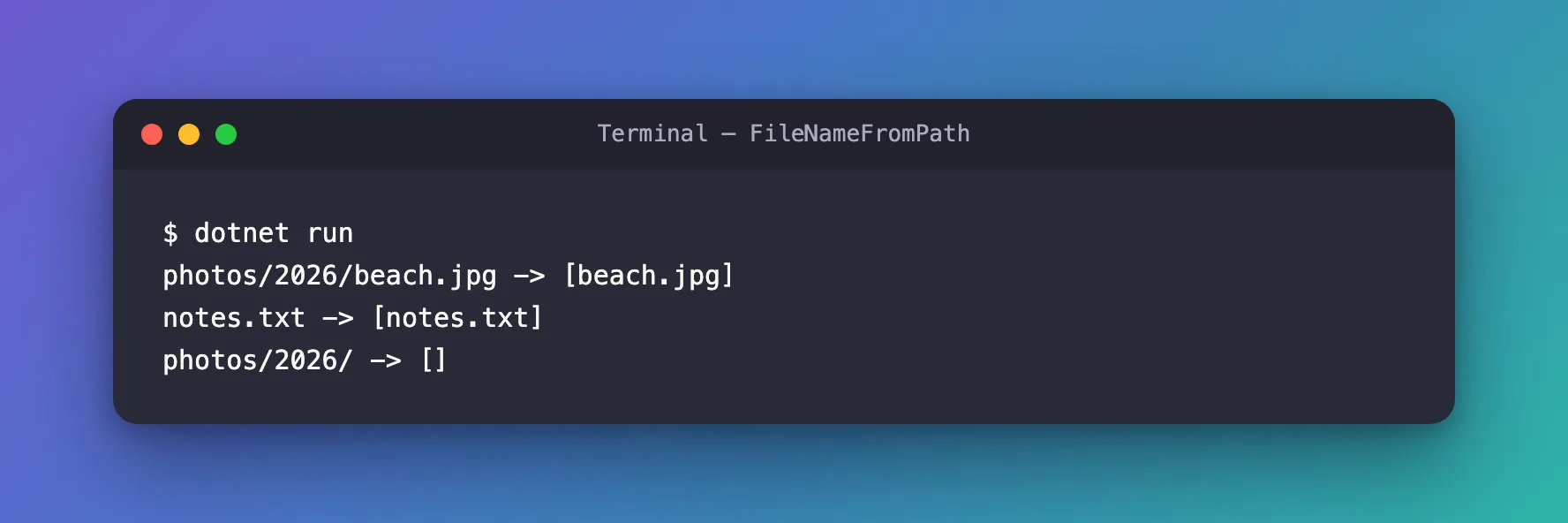
GetFileName returned beach.jpg, everything after the last /. notes.txt came back unchanged, because there was no separator to cut at. For photos/2026/ it returned an empty string, shown as [], because nothing comes after the last /. None of these paths exists on disk, and the results didn't depend on it.
The Complete File
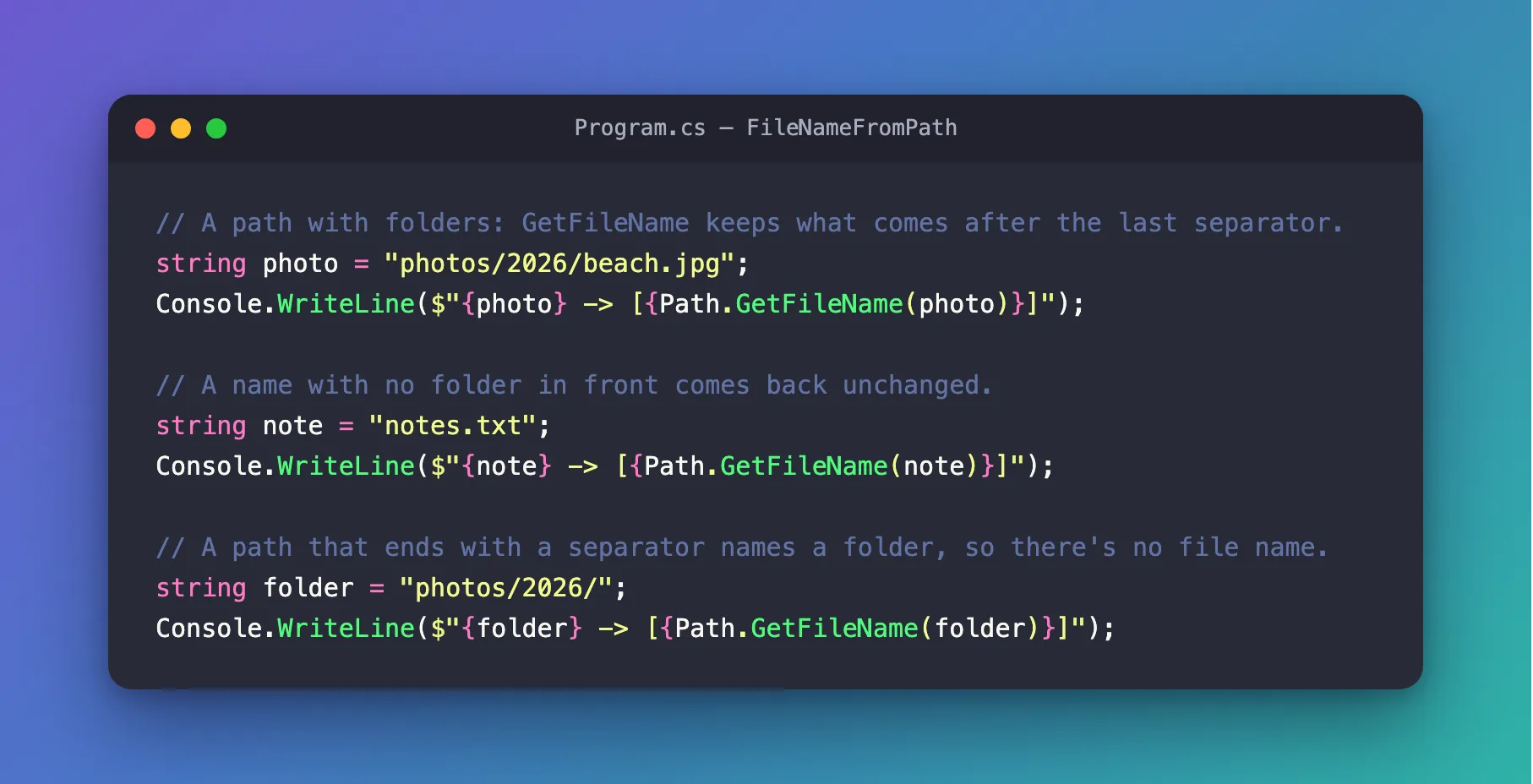
// A path with folders: GetFileName keeps what comes after the last separator.
string photo = "photos/2026/beach.jpg";
Console.WriteLine($"{photo} -> [{Path.GetFileName(photo)}]");

// A name with no folder in front comes back unchanged.
string note = "notes.txt";
Console.WriteLine($"{note} -> [{Path.GetFileName(note)}]");

// A path that ends with a separator names a folder, so there's no file name.
string folder = "photos/2026/";
Console.WriteLine($"{folder} -> [{Path.GetFileName(folder)}]");
Common Mistakes
| Mistake | What happens | Do this instead |
|---|---|---|
Expecting the folder's name from a path that ends with / | Path.GetFileName("photos/2026/") returned an empty string, as the example shows | Trim the separator first: Path.GetFileName(Path.TrimEndingDirectorySeparator("photos/2026/")) returned 2026. The reference: TrimEndingDirectorySeparator trims one trailing directory separator beyond the root of the specified path. |
| Expecting the name without its extension | GetFileName keeps the extension: it returned beach.jpg | Use Path.GetFileNameWithoutExtension, which returned beach. Path.GetExtension returned the other part, .jpg |
| Taking a Windows path apart on macOS or Linux | On macOS, Path.GetFileName("C:\\photos\\beach.jpg") returned the whole C:\photos\beach.jpg. The reference: Because \ is a legal file name on Unix, GetFileName running under Unix-based platforms cannot correctly return the file name from a Windows-based path like C:\mydir\myfile.ext | Write paths with /, or build them with Path.Combine. The reference: GetFileName running under Windows-based platforms can correctly return the file name from a Unix-based path like /tmp/myfile.ext |
FAQ
How do I get just the names of the files in a folder?
Directory.GetFiles returns paths, so run each one through Path.GetFileName:
string[] files = Directory.GetFiles("downloads");
Array.Sort(files);
foreach (string file in files)
{
    Console.WriteLine($"{file} -> {Path.GetFileName(file)}");
}
downloads/report.pdf -> report.pdf
downloads/song.mp3 -> song.mp3
What does it return for null?
null: Path.GetFileName(null) is null printed True. The reference: The returned value is null if the file path is null.
Conclusion
Path.GetFileName(path) returns the part of a path after the last separator, which is the file name with its extension. It works on the string alone, returns an empty string when the path ends with a separator, and on macOS and Linux it doesn't treat \ as a separator.
Additional Resources
- Path.GetFileName — what it returns, and how Windows and Unix differ.
- Path.GetFileNameWithoutExtension — the name without its extension.
- Path.TrimEndingDirectorySeparator — removing a separator at the end of a path.
