How to Get the Current Unix Time in the Terminal

Unix time is a single number: the seconds since midnight UTC on 1 January 1970. Logs, databases and JSON Web Tokens use it because it's the same everywhere, with no time zones or date formats to argue about. One short command prints it in any terminal.
Syntax
On macOS and Linux:
date +%s
| Part | What it does |
|---|---|
date | Prints the date and time. |
+%s | Prints them in the format that follows the +. %s stands for the seconds since 1970-01-01 00:00:00 UTC. |
In PowerShell:
[DateTimeOffset]::UtcNow.ToUnixTimeSeconds()
| Part | What it does |
|---|---|
[DateTimeOffset]::UtcNow | The current date and time in UTC. |
.ToUnixTimeSeconds() | Turns it into Unix time. .ToUnixTimeMilliseconds() gives milliseconds instead. |
The Example
A sign-in token records when it was made and when it stops working, both as Unix time. RFC 7519, the JWT standard, calls this a NumericDate: "the number of seconds from 1970-01-01T00:00:00Z UTC until the specified UTC date/time, ignoring leap seconds." The example prints the time now, then the time one hour from now, which is what a one-hour token stores as its expiry.
Step 1: Print the Current Unix Time
- macOS / Linux
- Windows (PowerShell)
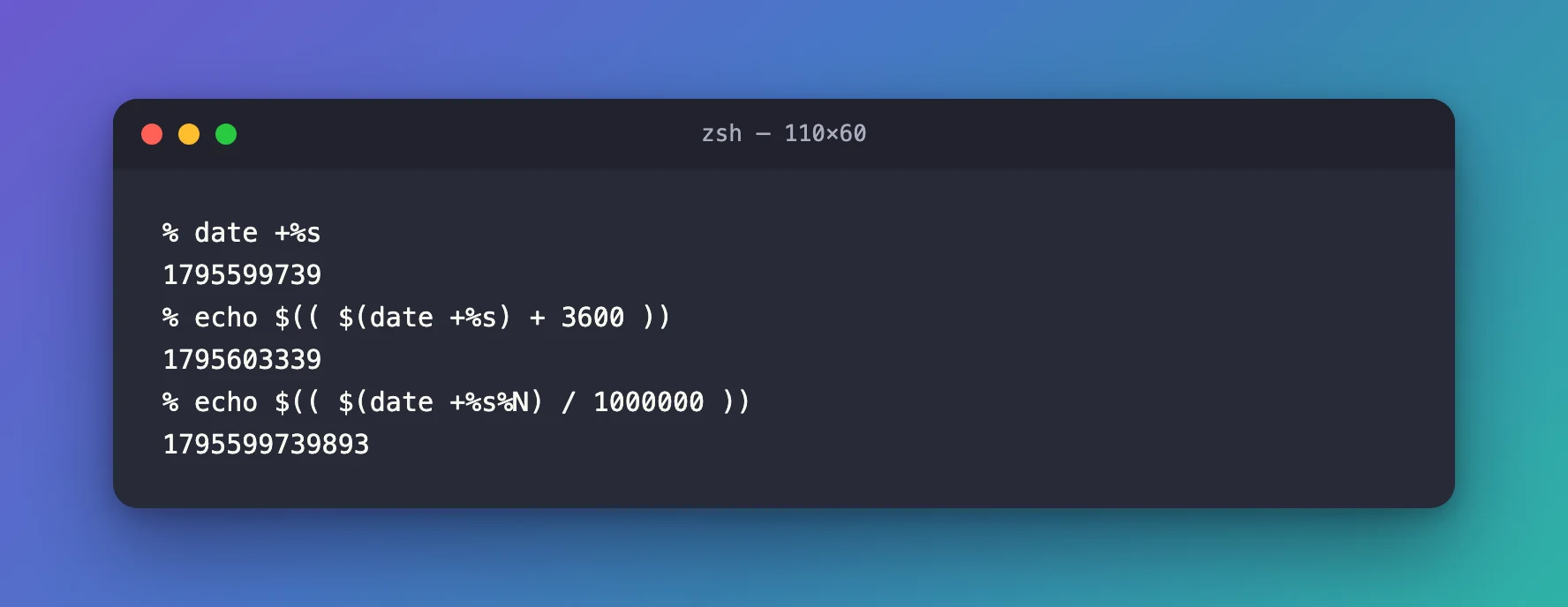
date +%s
1795599739
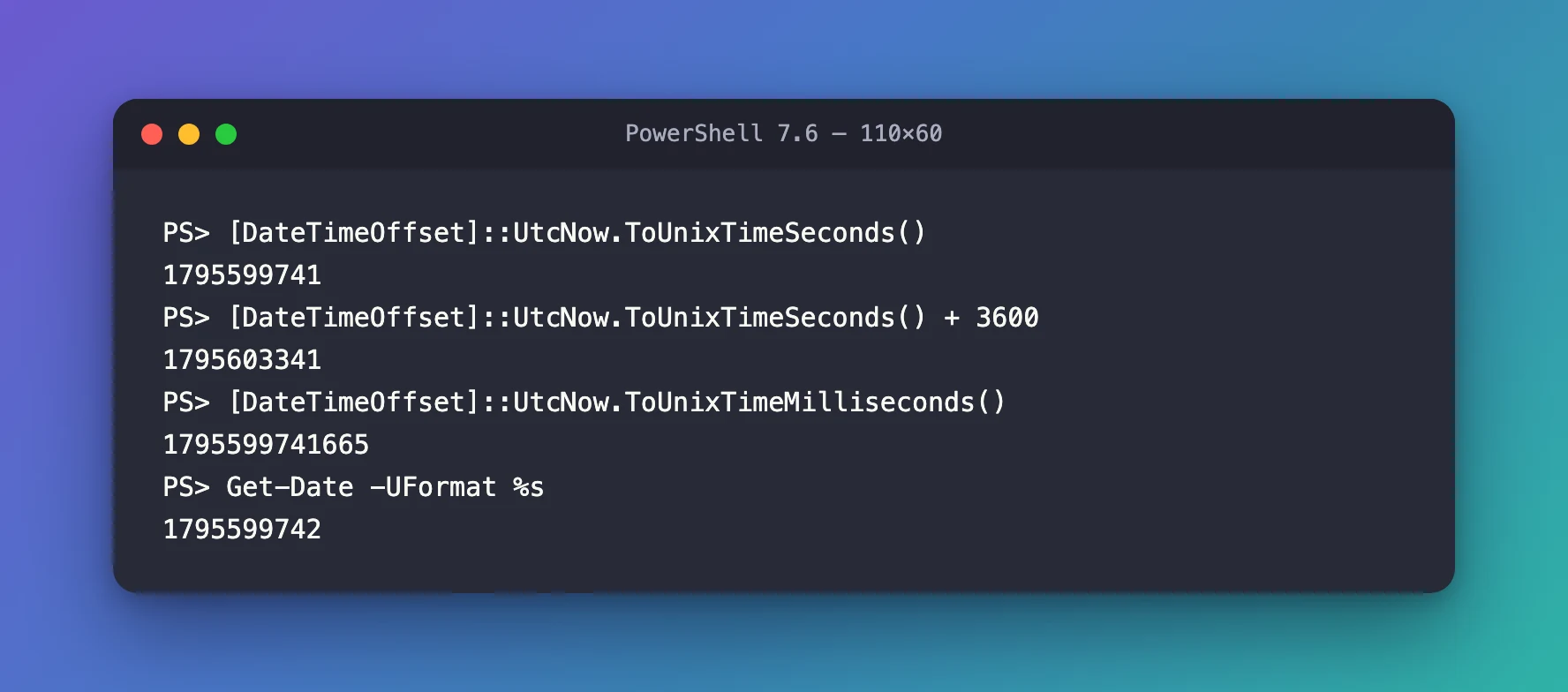
[DateTimeOffset]::UtcNow.ToUnixTimeSeconds()
1795599741
Get-Date -UFormat %s prints Unix time too, using the same %s as date. It ran a second later, so its number is one higher:
Get-Date -UFormat %s
1795599742
Your number will be larger: it goes up by one every second. It doesn't depend on your time zone, so two computers in different countries print the same value at the same moment.
Step 2: Add Time to It
Unix time is just a number of seconds, so a time in the future is plain addition. An hour is 3,600 seconds:
- macOS / Linux
- Windows (PowerShell)
echo $(( $(date +%s) + 3600 ))
1795603339
$(date +%s) runs date and puts its output in place, and $(( … )) does the arithmetic.
[DateTimeOffset]::UtcNow.ToUnixTimeSeconds() + 3600
1795603341
Step 3: Get Milliseconds
JavaScript and some APIs count in milliseconds instead of seconds. Read as seconds, a millisecond value is a date tens of thousands of years in the future, so check which one a system expects.
- macOS / Linux
- Windows (PowerShell)
echo $(( $(date +%s%N) / 1000000 ))
1795599739893
%N adds the nanoseconds, nine more digits, and dividing by 1,000,000 leaves milliseconds. I checked %N on macOS 26 and on Ubuntu 26.04.
[DateTimeOffset]::UtcNow.ToUnixTimeMilliseconds()
1795599741665
Common Mistakes
| Mistake | What happens | Do this instead |
|---|---|---|
| Putting milliseconds where seconds are expected | Dates land tens of thousands of years in the future | JWTs and date +%s use seconds; divide milliseconds by 1,000 |
| Writing the expiry by hand | It's easy to drop a digit | Add seconds to the current time, as in Step 2 |
Troubleshooting
| Symptom | Likely cause | Fix |
|---|---|---|
| The number has 13 digits instead of 10 | It's in milliseconds | Divide by 1,000 |
date +%s%N doesn't print 19 digits | Your date doesn't support %N | Use seconds, or PowerShell's ToUnixTimeMilliseconds() |
| A date shown from the number is hours off | It was shown in your local time zone | Show it in UTC; see the guide below |
FAQ
Does Unix time depend on my time zone?
No. It counts seconds since a fixed moment in UTC, so it's the same everywhere. Only turning it into a readable date involves a time zone.
How do I turn the number back into a date?
How to Convert a Unix Timestamp to a Date in the Terminal shows it on macOS, Linux and in PowerShell.
What about leap seconds?
Unix time ignores them, and so does the JWT standard, in the definition quoted above.
Conclusion
date +%s prints the current Unix time on macOS and Linux, and [DateTimeOffset]::UtcNow.ToUnixTimeSeconds() prints it in PowerShell. Add seconds for a time in the future, such as 3,600 for an hour, and use milliseconds only where a system asks for them.
Additional Resources
- RFC 7519, Section 2: Terminology — the NumericDate that JWTs use for times.
- DateTimeOffset.ToUnixTimeSeconds — .NET's Unix time.
- Get-Date — PowerShell's date command and its
-UFormatoption.
