How to Get the Current Time with DateTimeOffset in C#

DateTimeOffset keeps the offset from UTC with every date and time, so 9:30 in Tokyo, at +09:00, and 0:30 in UTC are known to be the same moment. Microsoft recommends it as the default date and time type.
Microsoft's reference: Represents a point in time, typically expressed as a date and time of day, relative to Coordinated Universal Time (UTC). Its guide on choosing a type: the value always unambiguously identifies a single point in time, and consider DateTimeOffset as the default date and time type for application development.
Syntax
DateTimeOffset <now> = DateTimeOffset.UtcNow;
DateTimeOffset <moment> = new(<year>, <month>, <day>, <hour>, <minute>, <second>, <offset>);
DateTimeOffset <inUtc> = <moment>.ToUniversalTime();
| Part | What it is |
|---|---|
DateTimeOffset.UtcNow | The current time, with offset zero |
<offset> | How far ahead of or behind UTC the time is, as a TimeSpan, such as TimeSpan.FromHours(9) |
ToUniversalTime() | The same moment, written in UTC |
==, <, > | Compare moments, whatever their offsets |
The Example
A console app called DateTimeOffsets creates a meeting at 9:30 in Tokyo, shows it in UTC, and checks it against the current time.
Prerequisites
- The .NET 10 SDK.
dotnet --versionprints a version that starts with10.0.
Step 1: Create a Console App
dotnet new console -n DateTimeOffsets
cd DateTimeOffsets
The template "Console App" was created successfully.

Processing post-creation actions...
Restoring /Users/you/source/DateTimeOffsets/DateTimeOffsets.csproj:
  Determining projects to restore...
  Restored /Users/you/source/DateTimeOffsets/DateTimeOffsets.csproj (in 52 ms).
Restore succeeded.
dotnet new console -n DateTimeOffsets creates a folder named DateTimeOffsets with a project file and a Program.cs, and cd moves into it. Everything this example uses is part of .NET, so there's no package to add. Open the folder in VS Code, or DateTimeOffsets.csproj in Visual Studio.
Step 2: Write the Code
Replace everything in Program.cs. First the two times:
// 9:30 in the morning in Tokyo, nine hours ahead of UTC.
DateTimeOffset meeting = new(2026, 11, 26, 9, 30, 0, TimeSpan.FromHours(9));
DateTimeOffset now = DateTimeOffset.UtcNow;
Then print and compare them:
Console.WriteLine($"In Tokyo: {meeting:yyyy-MM-dd HH:mm zzz}");
Console.WriteLine($"In UTC:   {meeting.ToUniversalTime():yyyy-MM-dd HH:mm zzz}");
Console.WriteLine($"Offset:   {meeting.Offset}");
Console.WriteLine($"Now:      {now:yyyy-MM-dd HH:mm zzz}");
Console.WriteLine($"The meeting has started: {meeting <= now}");
{meeting:yyyy-MM-dd HH:mm zzz} prints the date, the time and the offset in a fixed form.
Step 3: Run It
Run it in VS Code's terminal, or press Ctrl+F5 in Visual Studio:
dotnet run
In Tokyo: 2026-11-26 09:30 +09:00
In UTC:   2026-11-26 00:30 +00:00
Offset:   09:00:00
Now:      2026-11-26 06:22 +00:00
The meeting has started: True
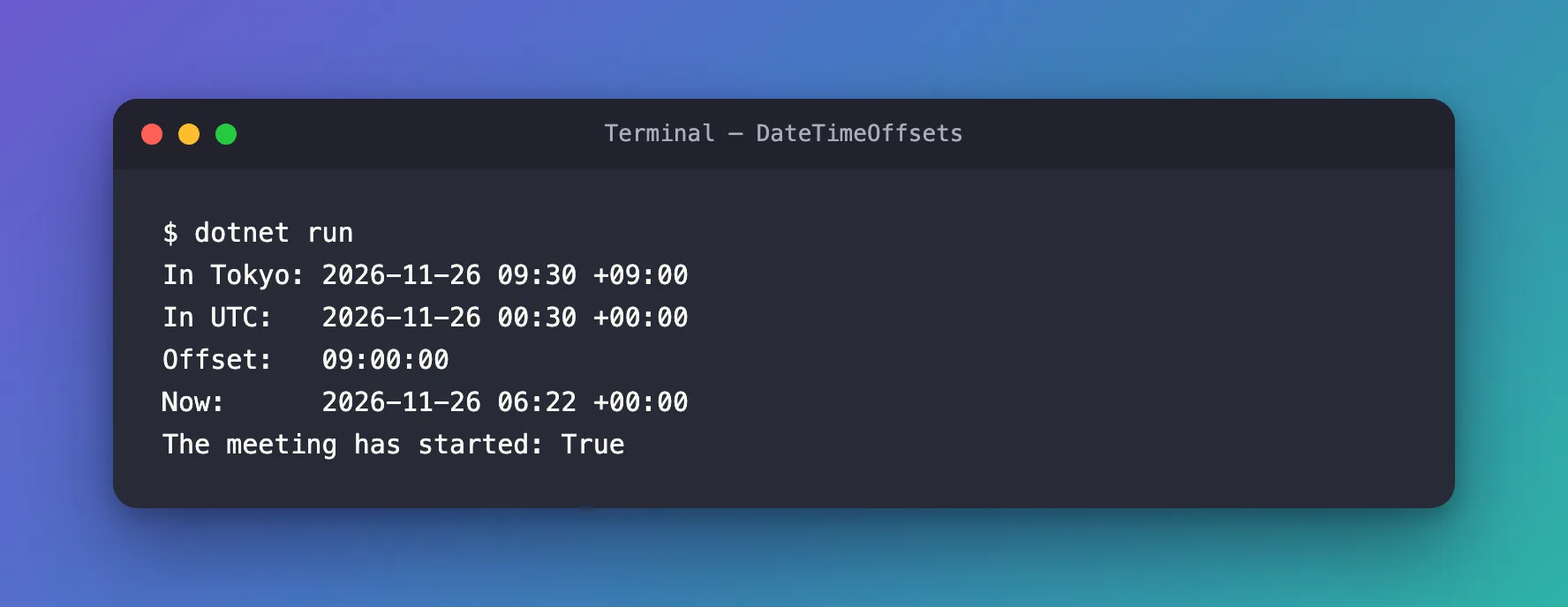
9:30 at +09:00 is 0:30 in UTC: the same moment, written two ways. The comparison with the current UTC time worked even though the two values have different offsets, because DateTimeOffset compares the moments.
The Complete File
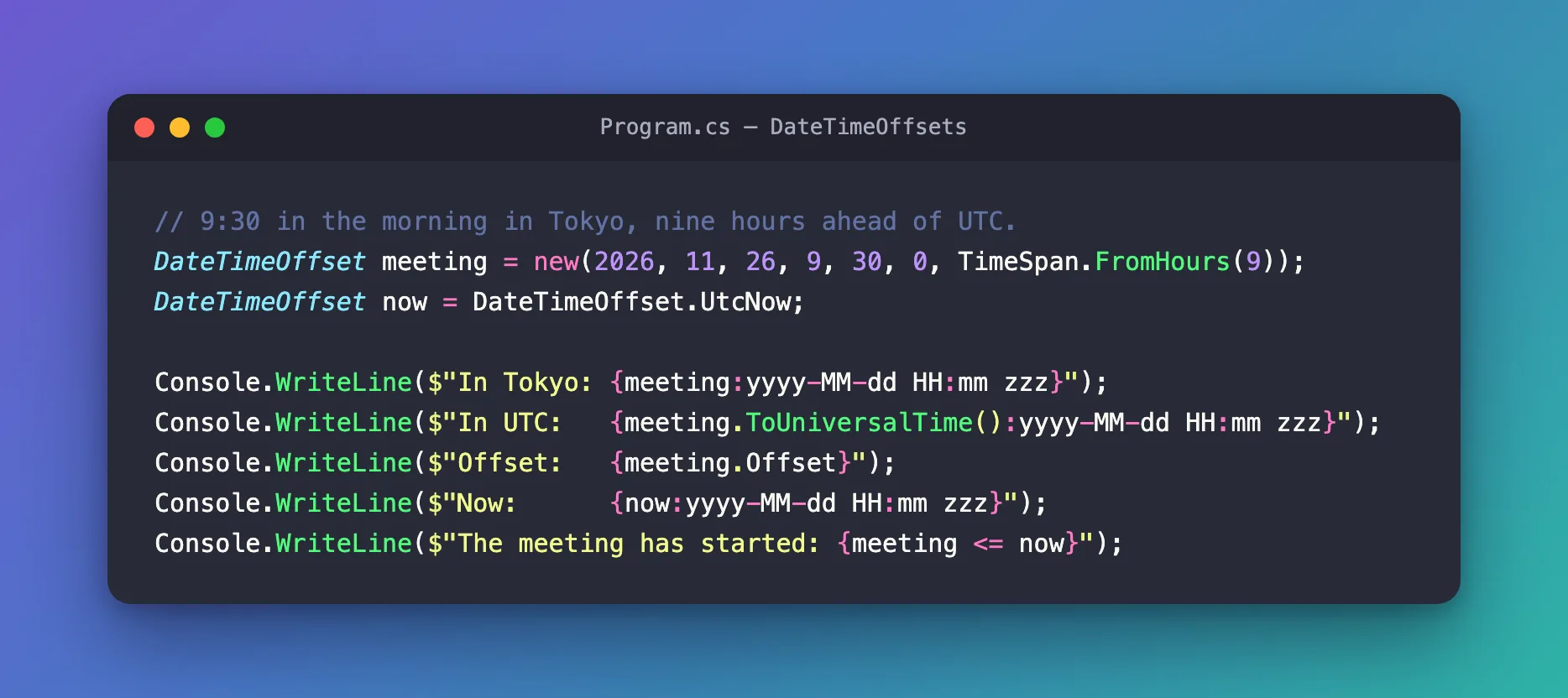
// 9:30 in the morning in Tokyo, nine hours ahead of UTC.
DateTimeOffset meeting = new(2026, 11, 26, 9, 30, 0, TimeSpan.FromHours(9));
DateTimeOffset now = DateTimeOffset.UtcNow;

Console.WriteLine($"In Tokyo: {meeting:yyyy-MM-dd HH:mm zzz}");
Console.WriteLine($"In UTC:   {meeting.ToUniversalTime():yyyy-MM-dd HH:mm zzz}");
Console.WriteLine($"Offset:   {meeting.Offset}");
Console.WriteLine($"Now:      {now:yyyy-MM-dd HH:mm zzz}");
Console.WriteLine($"The meeting has started: {meeting <= now}");
Common Mistakes
| Mistake | What happens | Do this instead |
|---|---|---|
Using DateTime.Now for times you store or compare | It's the computer's local time without an offset: its Kind is just Local | Use DateTimeOffset.UtcNow |
Expecting == to compare the offsets too | 09:30 at +09:00 and 00:30 at +00:00 compared as equal: == compares the moment | Use EqualsExact when the offset must match too: it returned False for the same pair |
FAQ
What offset does UtcNow have?
Zero: DateTimeOffset.UtcNow.Offset printed 00:00:00. The reference: UtcNow gets a DateTimeOffset object whose date and time are set to the current Coordinated Universal Time (UTC) date and time and whose offset is Zero.
Conclusion
DateTimeOffset pairs a date and time with its offset from UTC, so every value is one exact moment that compares correctly with any other. Take the current time with DateTimeOffset.UtcNow, and convert to UTC with ToUniversalTime().
Additional Resources
- DateTimeOffset struct — every member.
- Choose between DateTime, DateOnly, DateTimeOffset, TimeSpan, TimeOnly and TimeZoneInfo — when to use which type.
