How to Get Structured Output from a Streaming Microsoft Agent Framework Run in C#

A streaming run of a Microsoft Agent Framework agent can still give you a typed C# object. The JSON arrives in pieces that aren't JSON on their own, so collect the updates, combine them with ToAgentResponse, and deserialize the whole text once the stream ends.
Structured output asks the model to answer with JSON that follows a schema. Streaming delivers an answer in small updates while the model writes it. Together, the updates are pieces of one JSON document, and Microsoft's documentation is clear about when you can read it: you can only deserialize the response once all the updates have been received. You must assemble all the updates into a single response before deserializing it.
Syntax
List<AgentResponseUpdate> <updates> = [];
await foreach (AgentResponseUpdate <update> in <agent>.RunStreamingAsync("<question>"))
{
    <updates>.Add(<update>);
}

AgentResponse <response> = <updates>.ToAgentResponse();
<Type> <result> = JsonSerializer.Deserialize<<Type>>(<response>.Text, <jsonOptions>)!;
| Part | What it is |
|---|---|
<agent> | An agent with a response format, such as ChatResponseFormat.ForJsonSchema<<Type>>() in its ChatOptions |
RunStreamingAsync("<question>") | Runs the agent and returns its answer as a stream of AgentResponseUpdate items |
<updates> | Every update, kept so the whole answer can be put back together |
ToAgentResponse() | Combines the updates into one AgentResponse, whose Text is the whole JSON |
JsonSerializer.Deserialize<<Type>>(...) | Reads the JSON into your type |
<jsonOptions> | The serializer options that built the schema, such as AIJsonUtilities.DefaultOptions |
If you don't need the updates as they come, await <agent>.RunStreamingAsync("<question>").ToAgentResponseAsync() combines them in one call, as in Microsoft's example.
The Example
A movie-night agent suggests one film as a FilmSuggestion: a title, a year and a reason. The app streams the answer, prints each piece between brackets to show how the JSON arrives, then combines the pieces and prints the film.
Prerequisites
- A model deployment in a Microsoft Foundry project, and the Foundry User role on the Foundry resource for your account.
- The .NET 10 SDK (
dotnet --versionprints a version that starts with10.0) and the Azure CLI, signed in withaz login.
Step 1: Create a Console App
dotnet new console -n MovieNight
cd MovieNight
dotnet add package Microsoft.Agents.AI.Foundry --version 1.28.0-preview.261106.1
dotnet add package Azure.Identity --version 1.21.0
log  : Restored /Users/you/source/MovieNight/MovieNight.csproj (in 1.05 sec).
log  : Restored /Users/you/source/MovieNight/MovieNight.csproj (in 979 ms).
Step 2: Stream, Combine, Then Read
Replace everything in Program.cs:
using System.ComponentModel;
using System.Text.Json;
using Azure.AI.Projects;
using Azure.Identity;
using Microsoft.Agents.AI;
using Microsoft.Extensions.AI;

JsonSerializerOptions jsonOptions = AIJsonUtilities.DefaultOptions;

// The response format is part of the agent, so this streaming run answers in the shape of FilmSuggestion.
AIAgent agent = new AIProjectClient(
        new Uri("https://foundry-devblogs-exp.services.ai.azure.com/api/projects/proj-devblogs-exp"),
        new AzureCliCredential())
    .AsAIAgent(new ChatClientAgentOptions
    {
        Name = "MovieNight",
        ChatOptions = new ChatOptions
        {
            ModelId = "gpt-5.6-luna",
            Instructions = "You suggest one film for a movie night.",
            ResponseFormat = ChatResponseFormat.ForJsonSchema<FilmSuggestion>(jsonOptions),
        },
    });

// Stream the answer. Each update holds a piece of the JSON, shown here between brackets.
List<AgentResponseUpdate> updates = [];
await foreach (AgentResponseUpdate update in agent.RunStreamingAsync("Suggest a funny film for a family movie night."))
{
    if (!string.IsNullOrEmpty(update.Text))
    {
        Console.Write($"[{update.Text}]");
    }

    updates.Add(update);
}

Console.WriteLine();

// Only the whole answer is JSON: combine the updates first, then read it.
AgentResponse response = updates.ToAgentResponse();
FilmSuggestion film = JsonSerializer.Deserialize<FilmSuggestion>(response.Text, jsonOptions)!;
Console.WriteLine($"{film.Title} ({film.Year}): {film.Reason}");

[Description("A film to watch.")]
record FilmSuggestion(
    [property: Description("The film's title.")] string Title,
    [property: Description("The year it came out.")] int Year,
    [property: Description("Why it suits the evening, in one sentence.")] string Reason);
ResponseFormatinChatOptionsgives the agent the schema ofFilmSuggestionfor every run, streaming or not.- The
await foreachprints the text of each update between brackets and keeps every update, including the ones without text. updates.ToAgentResponse()puts the answer back together.JsonSerializer.Deserializereads the whole JSON, with the samejsonOptionsthat built the schema.
Use your own Foundry project endpoint and model deployment.
Step 3: Run It
Run dotnet run in VS Code's terminal, or press Ctrl+F5 in Visual Studio:
[{"][title][":"][Padding][ton][ ][2][","][year][":][201][7][,"][reason][":"][This][ warm,][ clever comedy][ has gentle][ slapstick][ and plenty][ of charm][ for both][ children and adults][."}]
Paddington 2 (2017): This warm, clever comedy has gentle slapstick and plenty of charm for both children and adults.
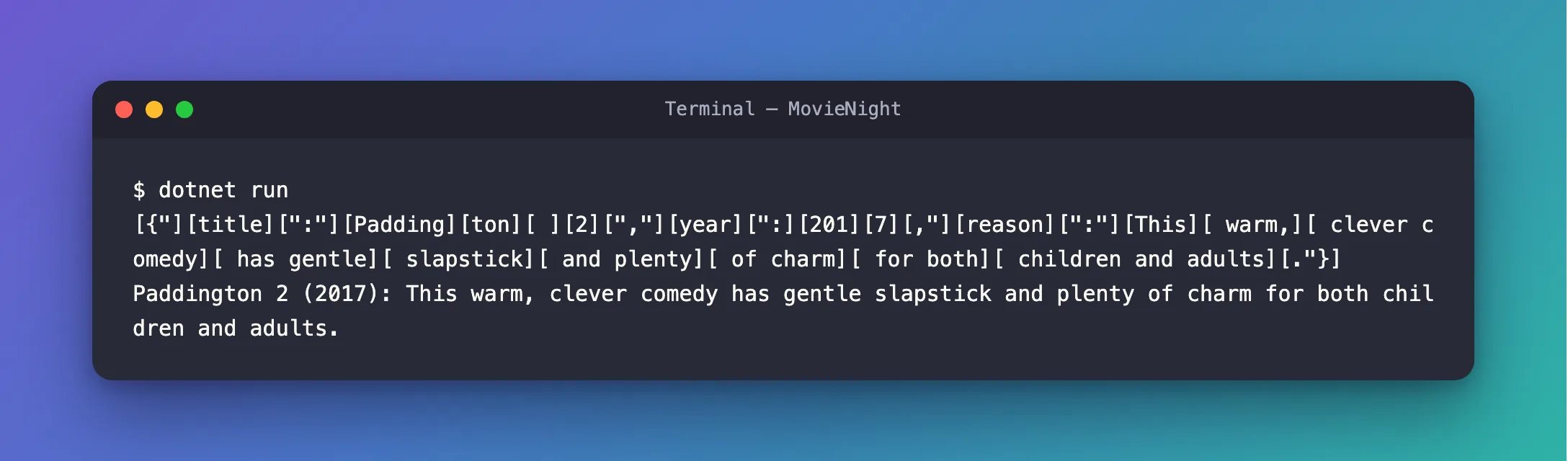
The JSON arrived in 25 pieces, and none of them is the document on its own: {" opens it, the title came as Padding, ton, a space and 2, and even the year was split, 201 then 7. Combined, they made one JSON document, and that one became a FilmSuggestion.
The Complete File
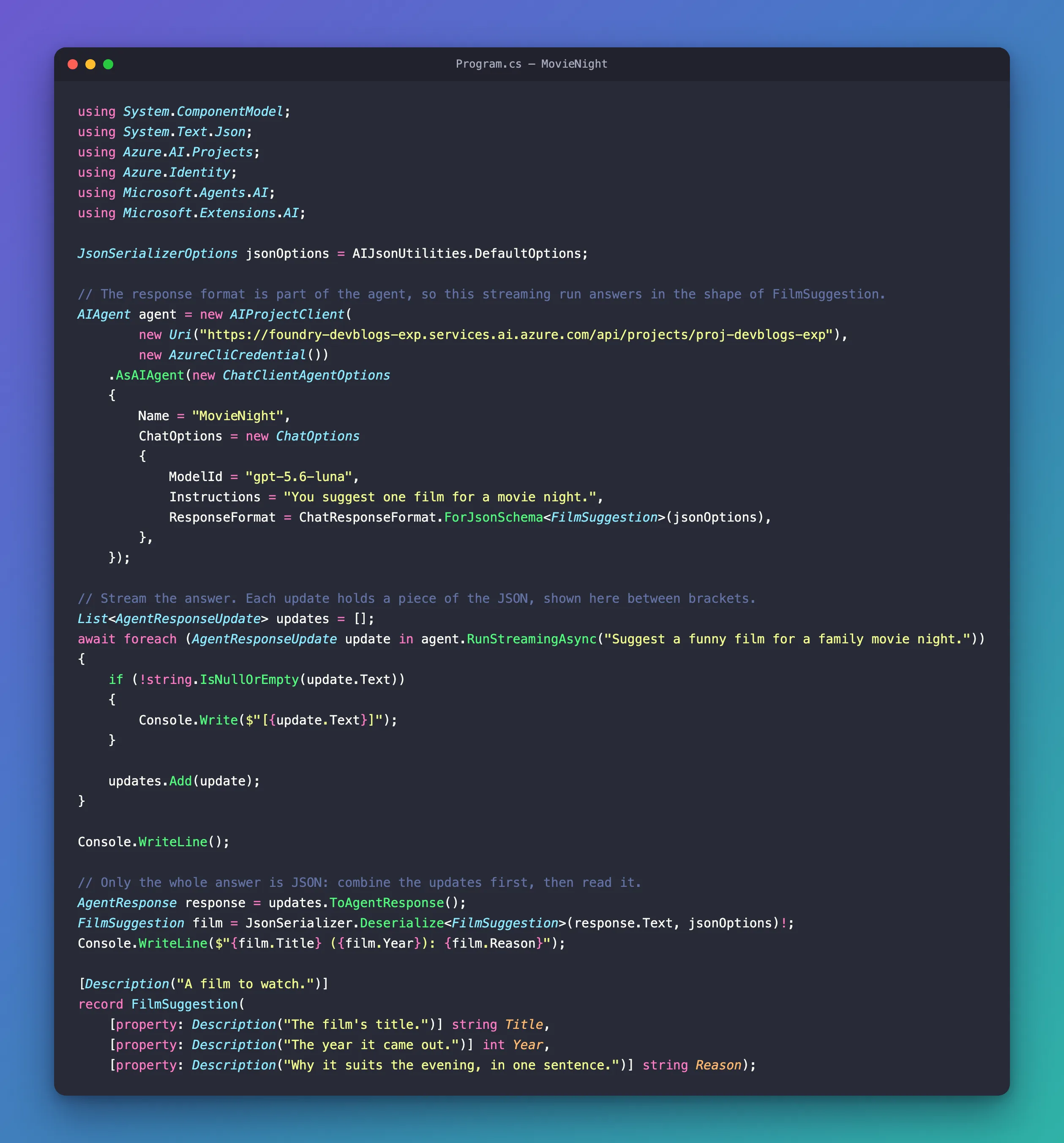
Program.cs from Step 2 is the whole program.
Common Mistakes
| Mistake | What happens | Do this instead |
|---|---|---|
| Deserializing each update | A piece such as {" isn't JSON, so it throws | Combine the updates, then deserialize once |
| Reading the JSON with other options than the ones that built the schema | Enums and names can disagree (Fixed) | Use the same options on both sides |
FAQ
Why stream at all, if I have to wait for the end?
Because the person waiting sees progress. A chat page can show that an answer is coming, while code waits for the whole JSON before it uses it.
Does RunAsync<T> stream?
No: RunAsync<T> returns the finished object. For a typed result from a stream, combine the updates as above.
Conclusion
To get structured output from a streaming run, give the agent a JSON schema response format, keep every AgentResponseUpdate that RunStreamingAsync returns, combine them with ToAgentResponse(), and deserialize the response's Text once, with the serializer options that built the schema. The pieces only become JSON together.
Additional Resources
- Producing Structured Outputs with Agents: streaming — assembling the updates before deserializing.
- AgentResponseExtensions.ToAgentResponse — combining updates into one response.
