How to Get Feature Importances from a Random Forest in scikit-learn

A trained random forest can tell you which inputs it leaned on most. feature_importances_ holds one number per input, and feature_names_in_ holds the inputs' names in the same order. This guide trains a forest on scikit-learn's California Housing data, reads both, and turns them into a sorted table, with real output from scikit-learn 1.9.1.
Syntax
<model>.fit(<features>, <target>)

<model>.feature_importances_   # one number per feature, adding up to 1
<model>.feature_names_in_      # the feature names, in the same order
| Part | What it means |
|---|---|
<model>.fit(...) | Training. Both attributes exist only after it |
feature_importances_ | "The impurity-based feature importances. The higher, the more important the feature." Each is "the (normalized) total reduction of the criterion brought by that feature", also called the Gini importance |
feature_names_in_ | "Names of features seen during fit." It exists only when the features were a pandas DataFrame whose column names are all text |
| The sum | The values "sum to 1", unless every tree is a single leaf |
The same two attributes exist on RandomForestClassifier, the decision trees, and the extra-trees and gradient-boosting models. HistGradientBoostingRegressor and HistGradientBoostingClassifier have no feature_importances_.
Step 1: Train a Forest and Read Its Importances
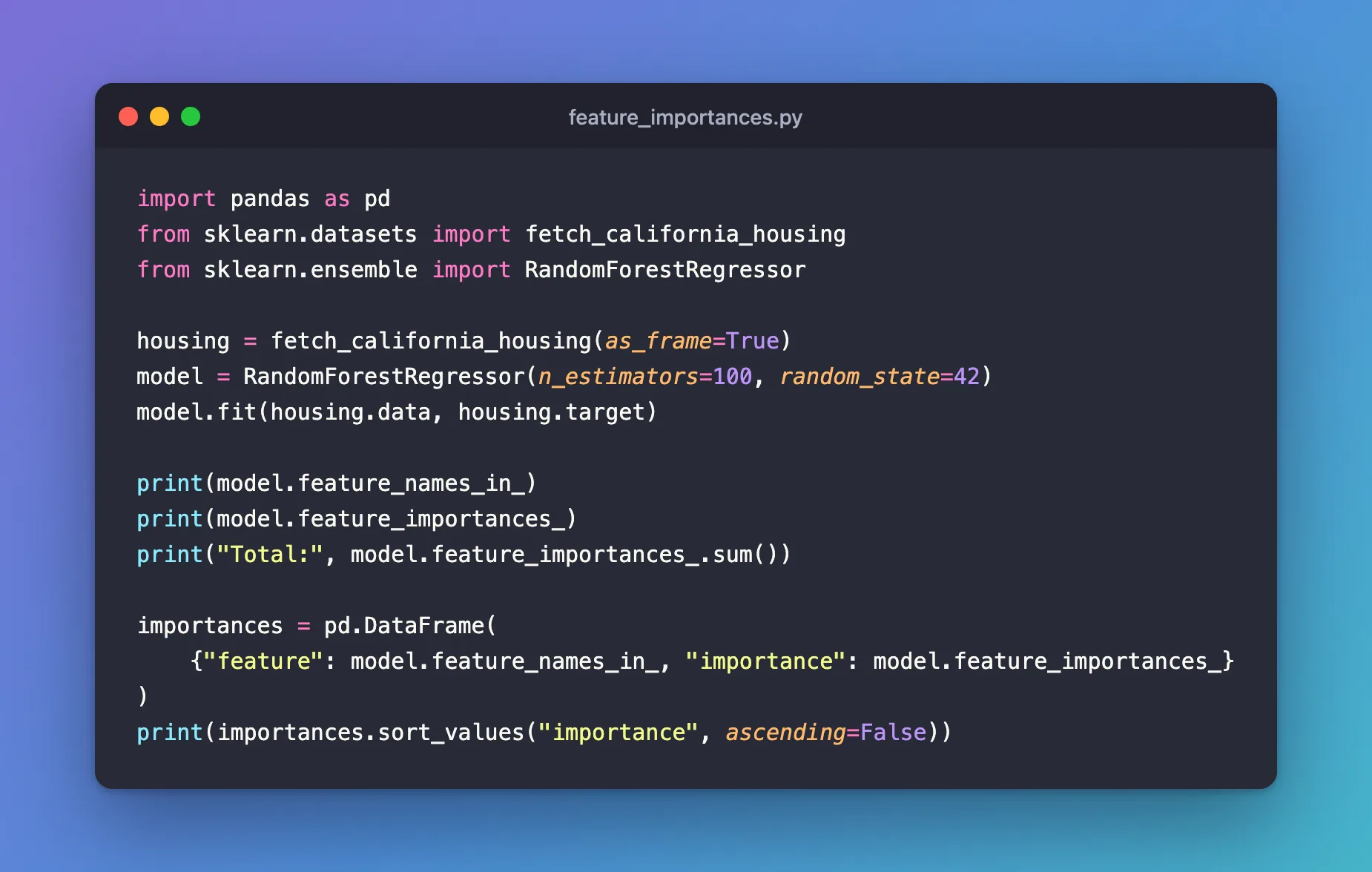
The example trains 100 trees on all 20,640 districts of the California Housing data, which predicts a district's median house value from eight inputs, such as its median income (MedInc) and its location. Create feature_importances.py:
import pandas as pd
from sklearn.datasets import fetch_california_housing
from sklearn.ensemble import RandomForestRegressor

housing = fetch_california_housing(as_frame=True)
model = RandomForestRegressor(n_estimators=100, random_state=42)
model.fit(housing.data, housing.target)

print(model.feature_names_in_)
print(model.feature_importances_)
print("Total:", model.feature_importances_.sum())

importances = pd.DataFrame(
    {"feature": model.feature_names_in_, "importance": model.feature_importances_}
)
print(importances.sort_values("importance", ascending=False))
| Line | What it does |
|---|---|
fetch_california_housing(as_frame=True) | Loads the data as pandas tables, so the forest learns the column names. The first run downloads it: How to Load the California Housing Dataset in Python with scikit-learn |
model.fit(...) | Trains the forest. random_state=42 makes the result repeatable |
The three print lines | Show the raw names, the raw importances and their total |
pd.DataFrame({...}) | Pairs each name with its importance: How to Create a pandas DataFrame from a Dictionary |
sort_values(..., ascending=False) | Puts the most important feature first: How to Sort a pandas DataFrame by a Column |
Step 2: Run It
uv run python feature_importances.py
['MedInc' 'HouseAge' 'AveRooms' 'AveBedrms' 'Population' 'AveOccup'
 'Latitude' 'Longitude']
[0.52006464 0.05293078 0.04461591 0.02927918 0.03119786 0.13631455
 0.09292933 0.09266774]
Total: 1.0
      feature  importance
0      MedInc    0.520065
5    AveOccup    0.136315
6    Latitude    0.092929
7   Longitude    0.092668
1    HouseAge    0.052931
2    AveRooms    0.044616
4  Population    0.031198
3   AveBedrms    0.029279
- The two arrays line up: the first importance,
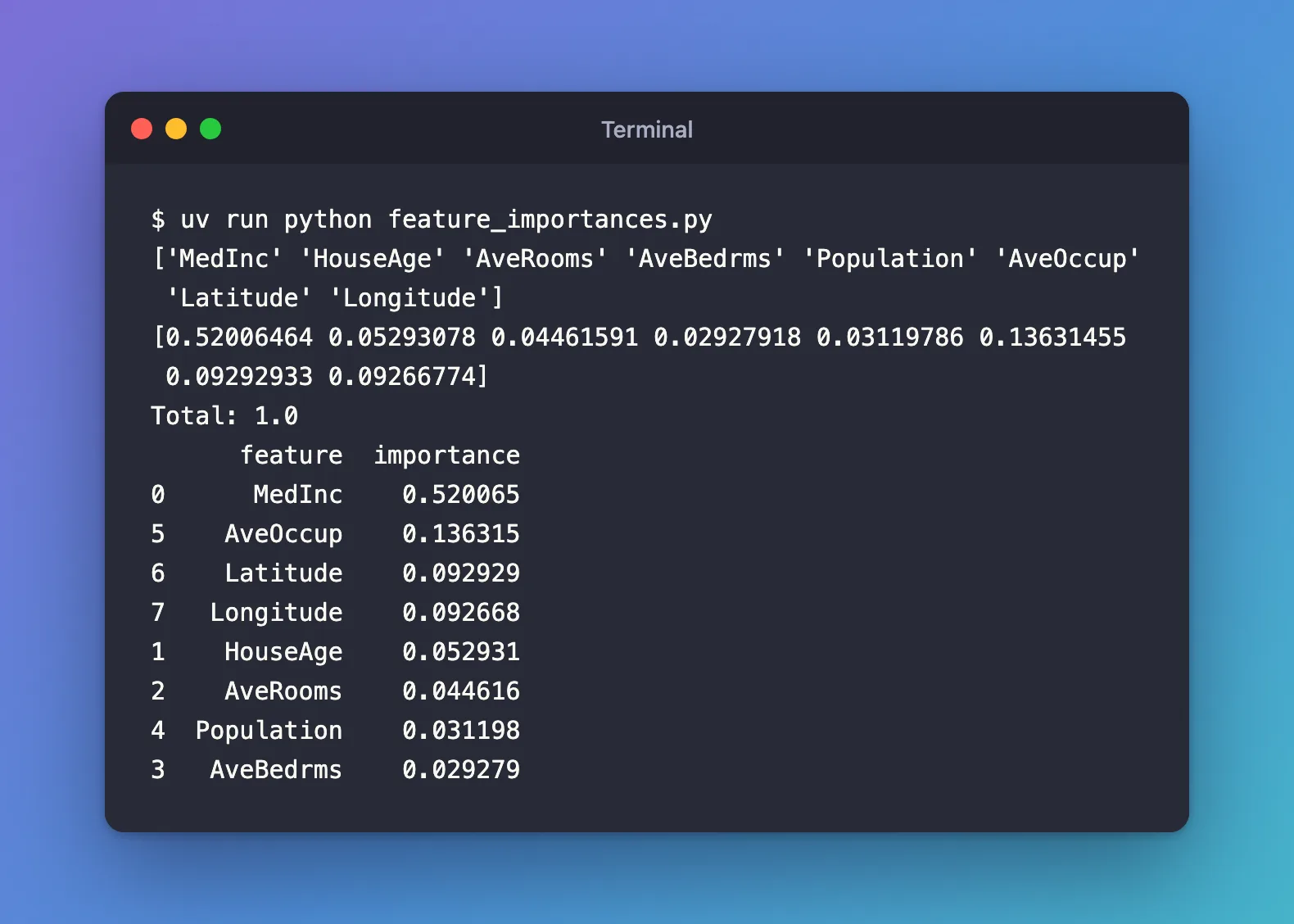
0.52006464, belongs to the first name,MedInc. - They add up to 1, so each is a share: the median income alone accounts for 52% of how much the forest's splits reduced its error.
- The sorted table reads top to bottom: income first, then household size (
AveOccup) at 14%, then the location (Latitude,Longitude) at about 9% each. The numbers on the left are the original positions.
What the Numbers Do and Don't Say
An importance says how much the forest used a feature to split its data while training. It doesn't say whether a higher value raises or lowers the prediction, and it can't be negative.
scikit-learn adds a warning: "impurity-based feature importances can be misleading for high cardinality features (many unique values)". Its user guide explains that they are "strongly biased and favor high cardinality features (typically numerical features)", and that they are computed on the training data, so they can rate features a model overfits to. It recommends sklearn.inspection.permutation_importance as an alternative, which measures how much the score drops on held-out data when a feature's values are shuffled.
Common Mistakes
| Mistake | What happens | Do this instead |
|---|---|---|
| Reading the importances before training | NotFittedError: This RandomForestRegressor instance is not fitted yet. Call 'fit' with appropriate arguments before using this estimator. | Call fit first |
| Training on a NumPy array, then asking for names | AttributeError: 'RandomForestRegressor' object has no attribute 'feature_names_in_' | Train on a DataFrame, or pair the importances with your own list of names |
| Reading an importance as an effect | A high importance doesn't say whether the feature raises or lowers the prediction | Use it to rank features, not to explain direction |
| Comparing importances across forests trained on different data | The shares depend on the data and the model's settings | Compare forests trained on the same data |
Troubleshooting
| Symptom | Likely cause | Fix |
|---|---|---|
| The sum isn't exactly 1 | Floating-point rounding, such as 0.9999999999999999 | Treat it as 1 |
| All importances are 0 | Every tree is a single leaf, for example because the target has the same value on every row | Check that the target column varies |
FAQ
Do two runs give the same importances?
With the same data and the same random_state, yes. Without random_state, each run builds different trees and the values change a little.
Which is better, these or permutation importance?
They answer different questions. feature_importances_ is free and describes how the model used the training data. Permutation importance costs extra predictions and measures how much each feature matters on data the model hasn't seen. scikit-learn's guide notes that it doesn't have the bias towards features with many values.
Does a classifier have them too?
Yes: RandomForestClassifier, DecisionTreeClassifier, ExtraTreesClassifier and GradientBoostingClassifier have the same two attributes. The histogram-based gradient-boosting models don't have feature_importances_.
Conclusion
After fit, feature_importances_ gave eight shares that add up to 1, and feature_names_in_ gave their names in the same order. Paired in a DataFrame and sorted, they showed that the forest relies on median income for 52% of its error reduction. Read them as a ranking of what the model used, and check unexpected ones with permutation importance.
Additional Resources
- RandomForestRegressor — scikit-learn's reference, including
feature_importances_andfeature_names_in_. - Permutation feature importance — the user guide, including how it relates to impurity-based importance.
