How to Get an Item from an Array by Its Index in JavaScript

Each item in a JavaScript array has a position, its index, and you read an item by putting its index in square brackets after the array. Counting starts at 0, so colors[0] is the first item.
Syntax
<array>[<index>]
<array>.at(<index>)
<array>.length
| Part | What it does |
|---|---|
<array>[<index>] | The item at <index>, counting from 0. undefined when there's no item there. |
<array>.at(<index>) | The same, but a negative <index> counts back from the end: at(-1) is the last item. |
<array>.length | How many items the array has. The last index is one less. |
MDN's Array reference: "JavaScript arrays are zero-indexed: the first element of an array is at index 0, the second is at index 1, and so on — and the last element is at the value of the array's length property minus 1." For at(): "Negative integers count back from the last item in the array."
The Example
The example reads the first and third of three colors, an index past the end, the last color with at(-1), and the array's length.
Prerequisites
- Node.js. This guide uses Node.js 26.13.1.
Step 1: Write the Code
Create a file named main.js:
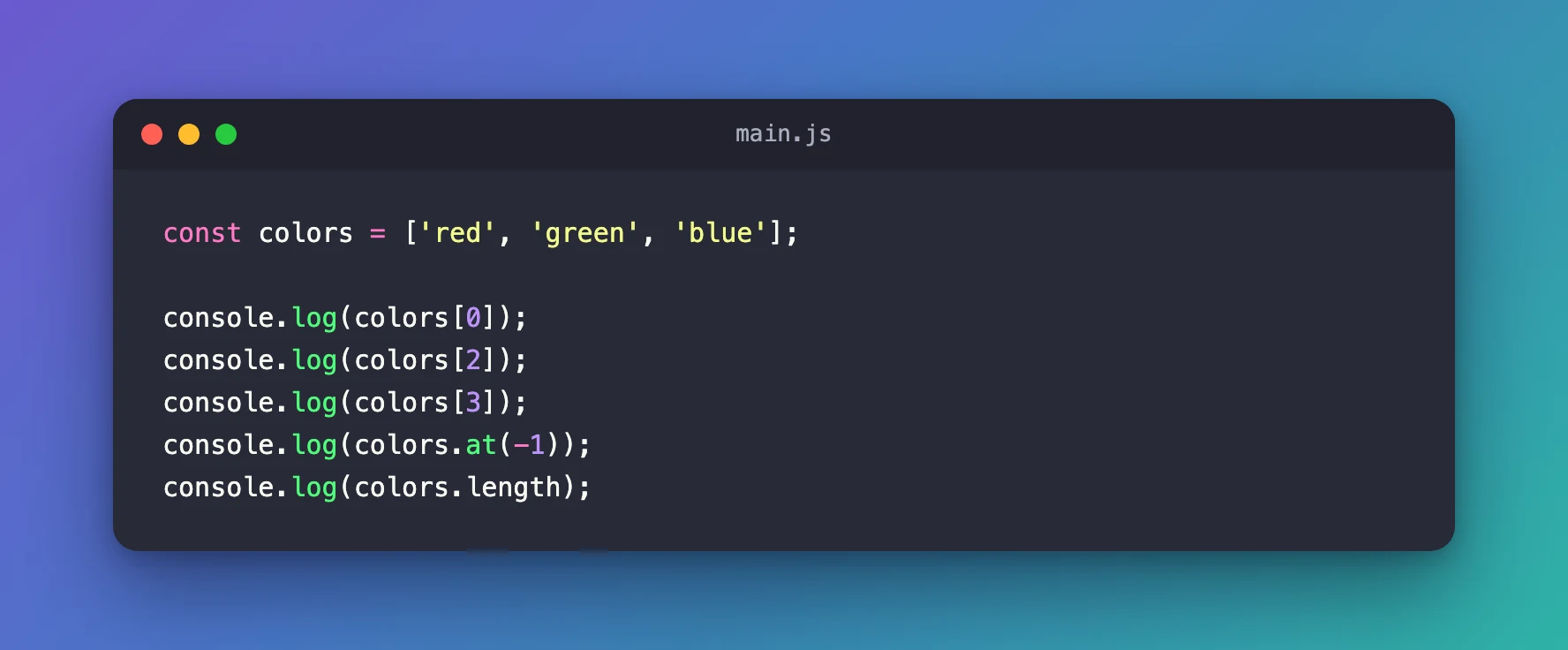
const colors = ['red', 'green', 'blue'];

console.log(colors[0]);
console.log(colors[2]);
console.log(colors[3]);
console.log(colors.at(-1));
console.log(colors.length);
Step 2: Run It
node main.js
red
blue
undefined
blue
3
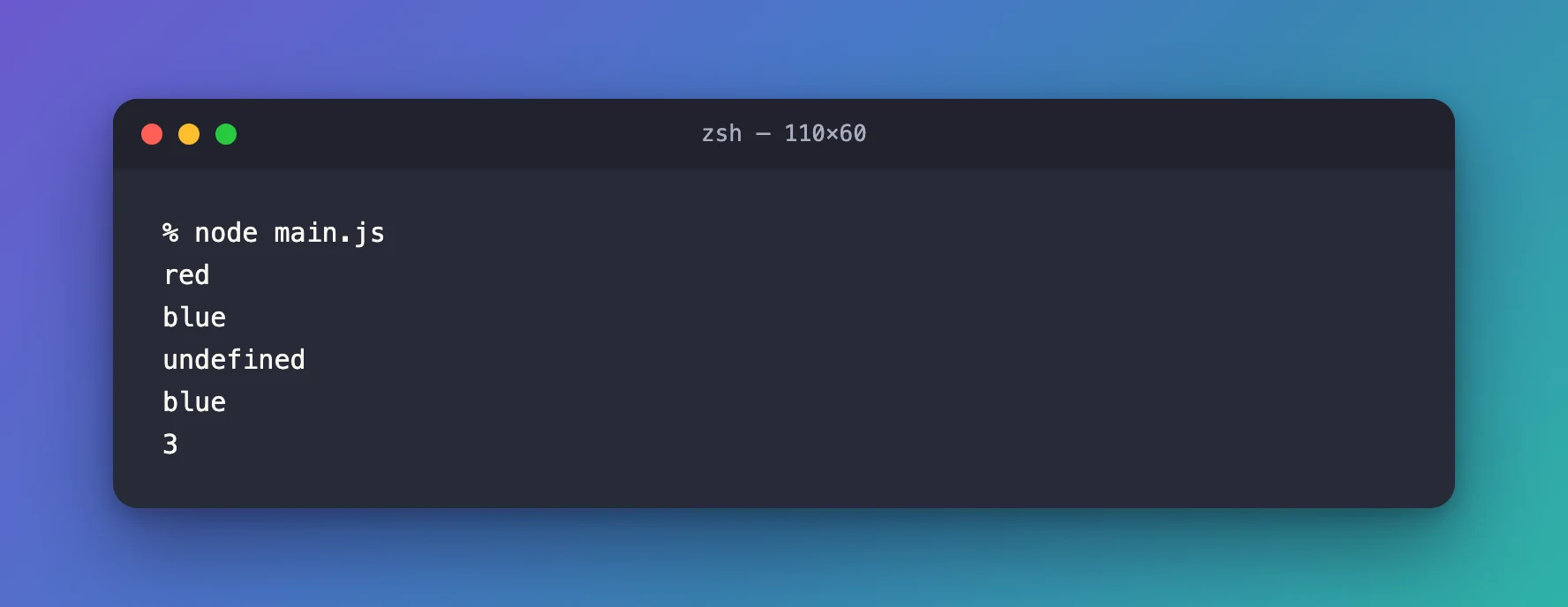
The command is the same in zsh, bash and PowerShell.
What Happened
colors[0]is the first item andcolors[2]the third, because counting starts at 0.colors[3]asks for a fourth item that doesn't exist. JavaScript doesn't stop with an error; it givesundefined.colors.at(-1)counted back from the end and returned the last item.colors.lengthis3, one more than the last index.
Common Mistakes
| Mistake | What happens | Do this instead |
|---|---|---|
| Counting from 1 | colors[1] is the second item, not the first | Start at 0 |
| Using a negative index in brackets | colors[-1] gave undefined | Use colors.at(-1) |
Using colors[colors.length] for the last item | It's one past the end, so undefined | Use colors[colors.length - 1] or colors.at(-1) |
Troubleshooting
| Symptom | Likely cause | Fix |
|---|---|---|
undefined instead of an item | The index is past the end, or negative in brackets | Check length, or use at() for counting from the end |
TypeError: Cannot read properties of undefined (reading '0') | The variable holds undefined, not an array | Check where the array comes from before you index it |
FAQ
What does at() return for an index that's too far back?
undefined, like brackets: ['red', 'green'].at(-3) returned undefined.
Can I change an item by its index?
Yes: colors[1] = 'yellow' replaces the second item.
Conclusion
array[index] reads an item, counting from 0, and gives undefined when there's nothing at that position instead of an error. To count from the end, use array.at(-1), since negative numbers in brackets don't do that.
Additional Resources
- Array and Array.prototype.at(), in MDN's JavaScript reference.
