How to Get an Item from an Array by Its Index in C#

Each item in a C# array has a position, its index, and you read an item by putting its index in square brackets after the array. Counting starts at 0, so colors[0] is the first item, and colors[^1] is the last.
Syntax
<array>[<index>]
<array>[^<n>]
<array>.Length
| Part | What it does |
|---|---|
<array>[<index>] | The item at <index>, counting from 0. |
<array>[^<n>] | The item <n> places from the end: ^1 is the last item. |
<array>.Length | How many items the array has. The last index is one less. |
Microsoft Learn on array access: "If an array index is outside the bounds of the corresponding dimension of an array, the runtime throws an IndexOutOfRangeException." And on the index from end operator: "For example, ^1 points to the last element of a sequence and ^length points to the first element of a sequence."
The Example
The example reads the first and the third of three colors, the last one with ^1, the array's Length, and then an index past the end.
Prerequisites
- The .NET 10 SDK or newer, which runs a single
.csfile withdotnet run. This guide uses .NET SDK 10.0.404.
Step 1: Write the Code
Create a file named main.cs:
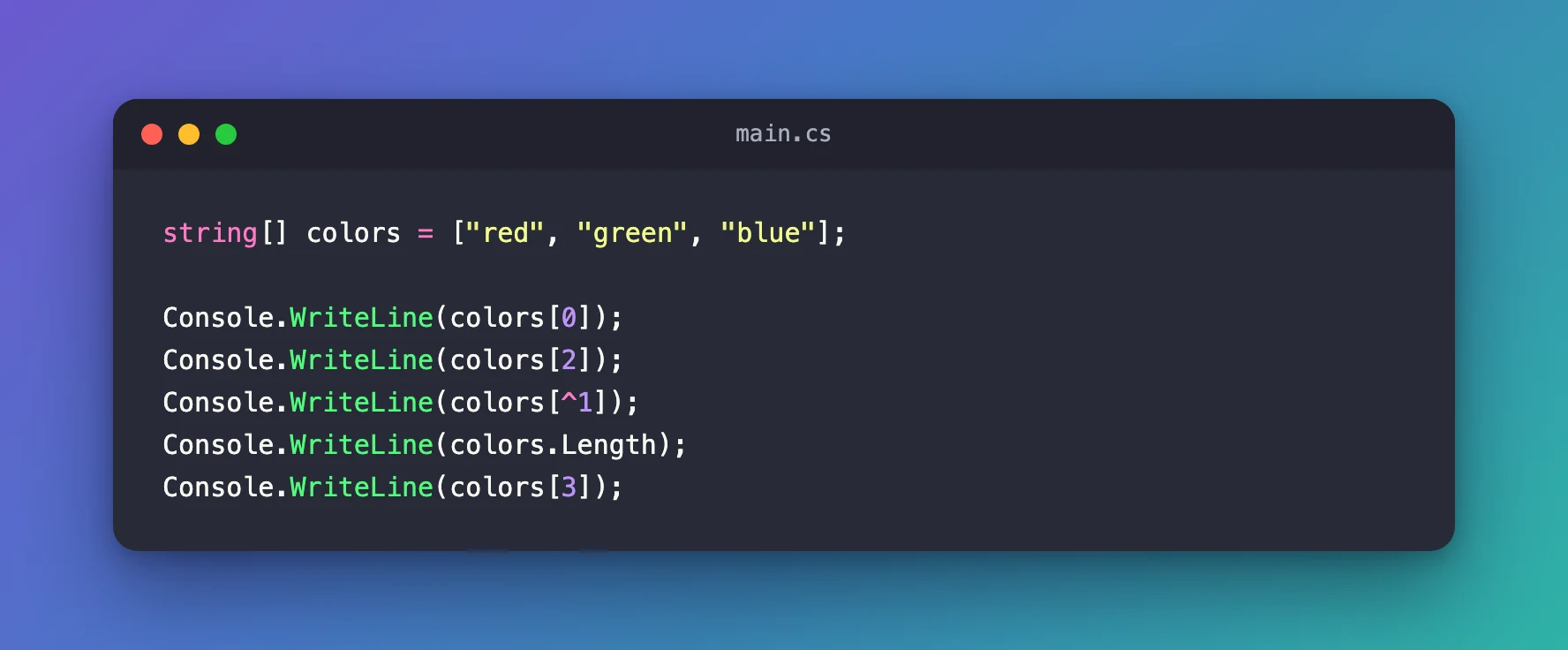
string[] colors = ["red", "green", "blue"];

Console.WriteLine(colors[0]);
Console.WriteLine(colors[2]);
Console.WriteLine(colors[^1]);
Console.WriteLine(colors.Length);
Console.WriteLine(colors[3]);
Step 2: Run It
dotnet run main.cs
red
blue
blue
3
Unhandled exception. System.IndexOutOfRangeException: Index was outside the bounds of the array.
   at Program.<Main>$(String[] args) in /Users/Shared/you/main.cs:line 7
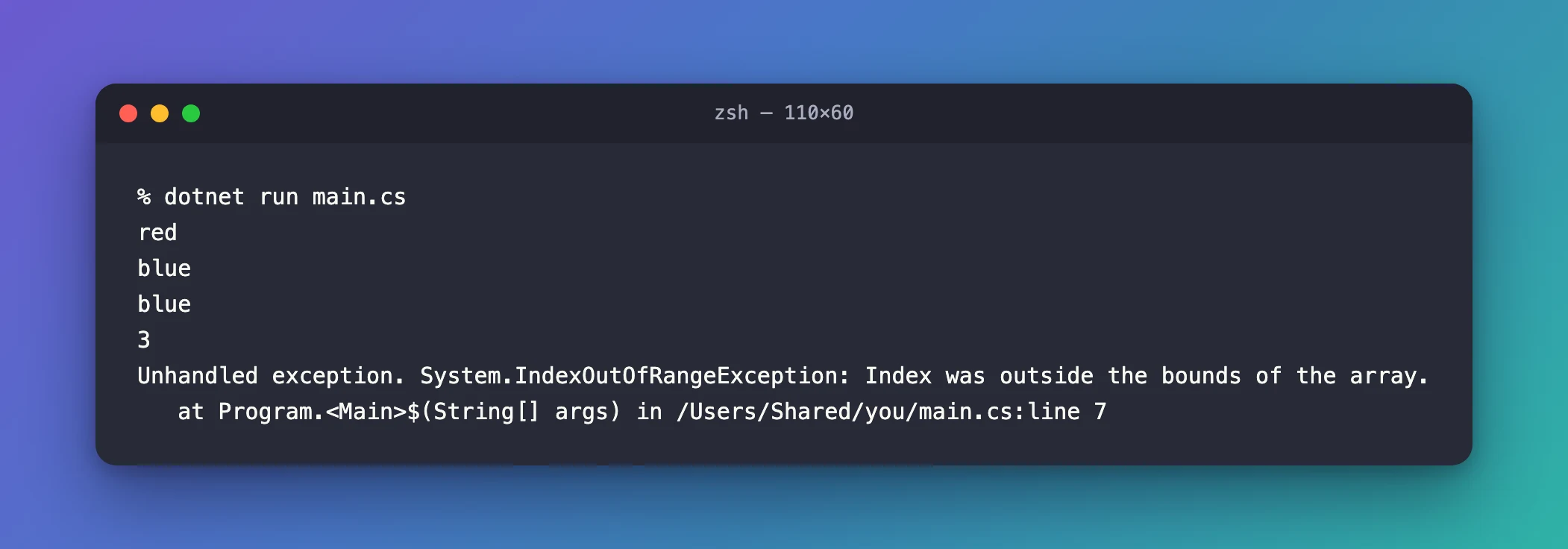
The command is the same in zsh, bash and PowerShell.
What Happened
colors[0]is the first item andcolors[2]the third, because counting starts at 0.colors[^1]counted from the end and returned the last item.colors.Lengthis3, one more than the last index.colors[3]asked for a fourth item. C# doesn't return a default for a missing position: the program stopped withIndexOutOfRangeExceptionand named the line.
Common Mistakes
| Mistake | What happens | Do this instead |
|---|---|---|
| Counting from 1 | colors[1] is the second item | Start at 0 |
Using colors[colors.Length] for the last item | It's one past the end: IndexOutOfRangeException | Use colors[^1] |
Using a negative index such as colors[-1] | warning CS0251: Indexing an array with a negative index (array indices always start at zero), then the same exception | Use ^1 to count from the end |
Troubleshooting
| Symptom | Likely cause | Fix |
|---|---|---|
System.IndexOutOfRangeException: Index was outside the bounds of the array. | The index is below 0 or not less than Length | Check Length before you index |
System.NullReferenceException | The array variable is null | Make sure the array was created |
FAQ
Can I change an item by its index?
Yes: colors[1] = "yellow"; replaces the second item. An array's length is fixed, though, so you can't add an item this way.
What's the difference between an array and a List?
A List<string> can grow and shrink, and reads items with the same square brackets. Its out-of-range error is an ArgumentOutOfRangeException instead.
Conclusion
array[index] reads an item, counting from 0, and array[^1] reads the last one. An index outside 0 to Length - 1 throws IndexOutOfRangeException, so check the length when the index comes from data.
Additional Resources
- Member access operators, including array access and the index from end operator, on Microsoft Learn.
- Arrays, in the C# language reference.
