How to Get a User's Manager in Power Apps (ManagerV2)

Approval apps need to know who someone reports to. The Office 365 Users connector's Get manager (V2), Office365Users.ManagerV2() in Power Apps, returns a person's manager straight from Microsoft 365. The catch: for anyone without a manager, it returns an error rather than a blank. Here's how to call it and how to handle that case.
Prerequisites
- The Office 365 Users data source in your app. See Part 3 of the Career Development Plan series.
- Managers set in Microsoft 365. See How to Set a User's Manager and Job Title in Microsoft Entra. The example's demo organization: Daniel Brooks reports to Olivia Bennett; the admin has no manager.
Step 1: Get Someone's Manager
ManagerV2 takes the person's user principal name (sign-in name) or Entra object ID:
Office365Users.ManagerV2("daniel.brooks@example.com").displayName
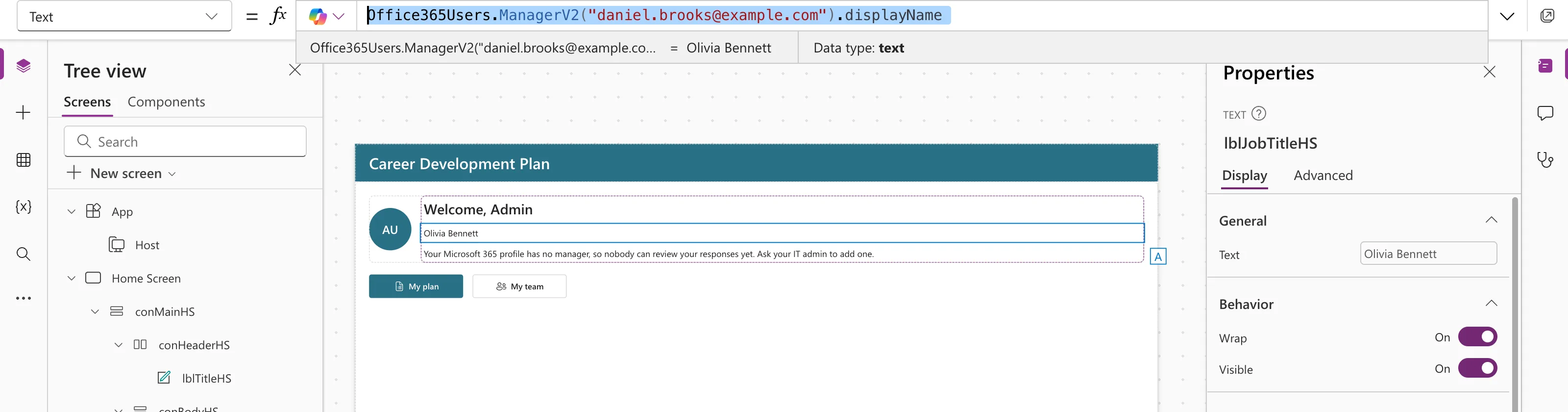
It returns a Microsoft Graph user, so the fields are camelCase: displayName, mail, jobTitle, id and so on.
Step 2: Ask for Only the Fields You Need
Like MyProfileV2, it takes a Select fields parameter, '$select':
Office365Users.ManagerV2("daniel.brooks@example.com", {'$select': "displayName,jobTitle"}).jobTitle
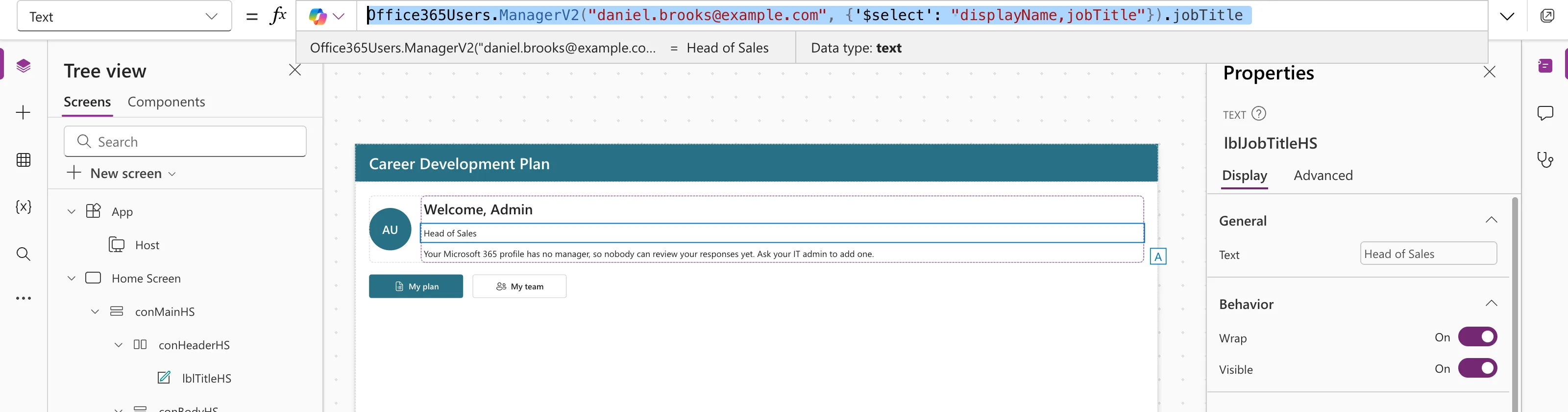
Fields not in the list come back blank. Microsoft's known issues recommend '$select' because the default field list can trigger 403 Forbidden in some tenants.
Step 3: The Signed-In User's Manager, Safely
For the person using the app, pass their ID from MyProfileV2 (see How to Get the Current User's Profile and Job Title in Power Apps), and wrap the call in IfError so people without a manager get a blank instead of an error:
MyManager = IfError(
    Office365Users.ManagerV2(
        MyProfile.id,
        {'$select': "id,displayName,mail,jobTitle"}
    ),
    Blank()
);
Without IfError, the example's admin, who has no manager, got this error: Office365Users.ManagerV2 failed: … "Resource 'manager' does not exist or one of its queried reference-property objects are not present." Fixed: Office365Users.ManagerV2 Failed: Resource 'manager' Does Not Exist walks through it.
Then test for the blank where you show it:
If(
    IsBlank(MyManager),
    "Your Microsoft 365 profile has no manager, so nobody can review your responses yet. Ask your IT admin to add one.",
    "Manager: " & MyManager.displayName
)
Common Mistakes
| Mistake | What happens | Do this instead |
|---|---|---|
| Calling ManagerV2 without IfError | An error for anyone without a manager | Wrap it in IfError(…, Blank()) |
Using DisplayName (capital D) | An unknown name | Use camelCase: displayName |
| Using the deprecated Manager (V1) | It may stop working | Use ManagerV2 |
Troubleshooting
| Symptom | Likely cause | Fix |
|---|---|---|
| Resource 'manager' does not exist | The person has no manager in Microsoft 365 | IfError, or set a manager |
| 403 Forbidden | Default fields blocked | Add '$select' |
| An old manager shows | Microsoft 365 hasn't been updated | Update the manager in Entra |
FAQ
Does IfError hide other problems too?
Yes: any failure, not only "no manager", becomes blank. In the example, a blank manager shows a message asking the person to contact IT, which suits both cases.
Can I get the manager's manager?
Yes. Call ManagerV2 again with the first manager's id.
Is ManagerV2 premium?
No. Office 365 Users is a standard connector.
Conclusion
Office365Users.ManagerV2(idOrUpn, {'$select': "…"}) returns a person's manager as a Graph user. For the signed-in person, keep it in a named formula wrapped in IfError(…, Blank()), and show a helpful message when it's blank.
Additional Resources
- Office 365 Users connector: Get manager (V2): parameters, fields and known issues, including "No manager found".
- Error, IfError, IsError functions: replacing errors with values.
