How to Get a Person's SharePoint User ID with EnsureUser in Power Automate

SharePoint knows each person on a site by a number, their user ID on that site, and some REST requests need that number rather than an email address. EnsureUser turns a login name into that ID, and adds the person to the site's users first if they've never been there.
Syntax
The request goes through Send an HTTP request to SharePoint (How to Use Send an HTTP Request to SharePoint):
| Field | Value |
|---|---|
| Method | POST |
| Uri | _api/web/ensureuser |
| Headers | Accept: application/json;odata=nometadata |
Content-Type: application/json;odata=verbose |
{
  "logonName": "i:0#.f|membership|<email address>"
}
<email address>: the person's sign-in address, such asmaya.patel@contoso.com.i:0#.f|membership|: the start of a Microsoft 365 user's login name in SharePoint. Microsoft's Webs REST API reference uses this form in itsEnsureUserexample, and describes the request as: Checks whether the specified login name belongs to a valid user in the site. If the user doesn't exist, adds the user to the site.
The answer's Id is the person's user ID on that site.
The Example
The flow, Get a Site User ID, asks for an email address and returns that person's user ID on the root site contoso.sharepoint.com. It has two parts:
- Manually trigger a flow, with an Email input.
- Get the site user, the POST.
Step 1: Ask for the Email Address
Create an instant flow with Manually trigger a flow (How to Create an Instant Cloud Flow Inside a Solution in Power Automate). Select Add an input > Email, and describe it as The person's email address:
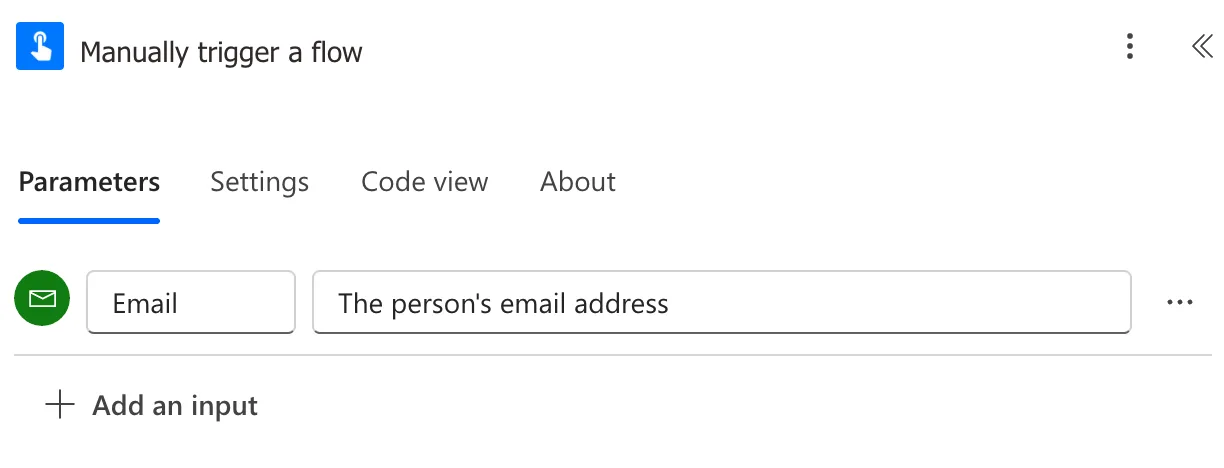
An Email input lets whoever runs the flow pick the person from the directory instead of typing the address.
Step 2: Ask SharePoint for the User
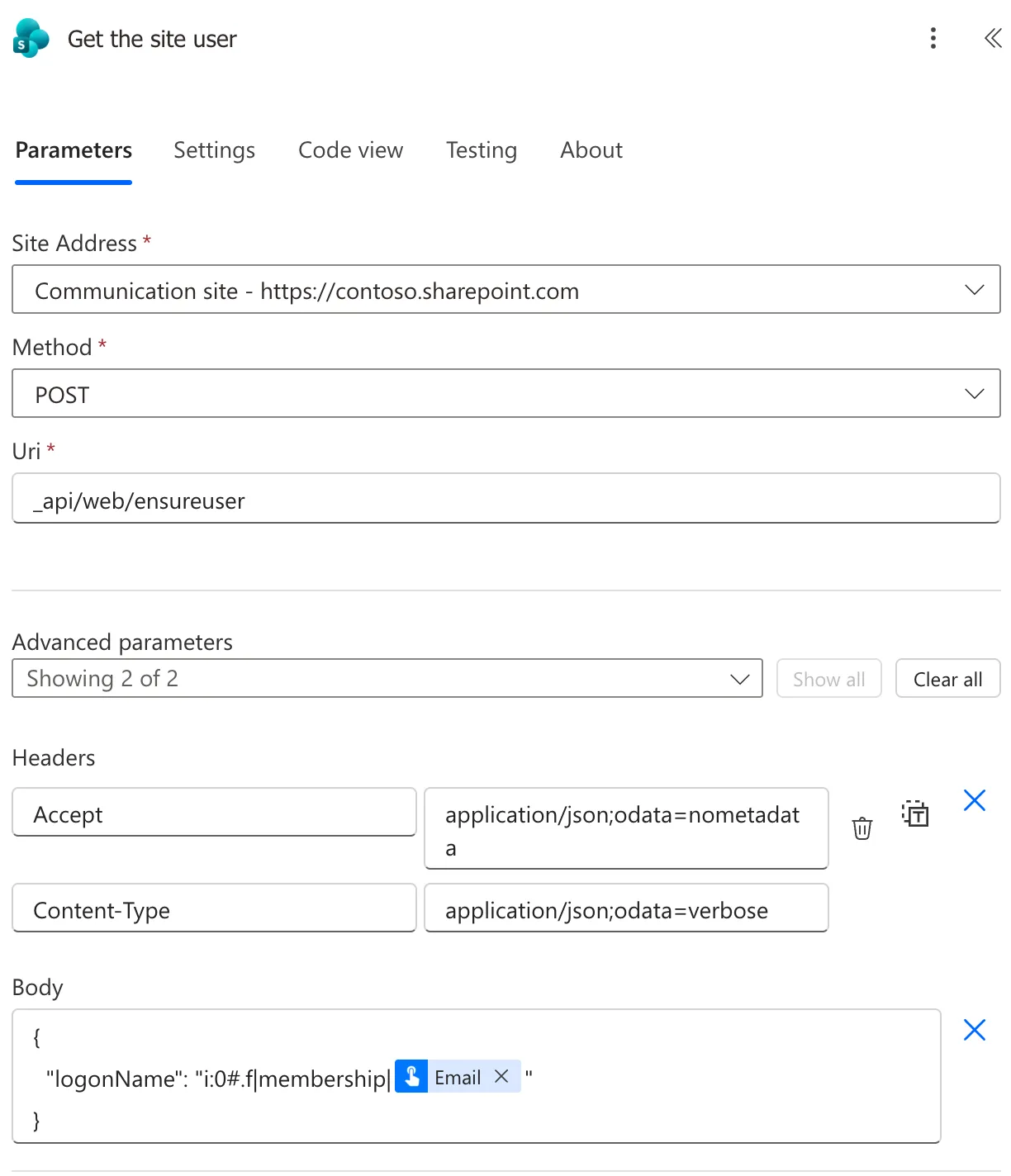
Add Send an HTTP request to SharePoint and rename it Get the site user:
| Field | Value |
|---|---|
| Site Address | Your site |
| Method | POST |
| Uri | _api/web/ensureuser |
| Headers | Accept: application/json;odata=nometadata |
Content-Type: application/json;odata=verbose |
In Body, type the JSON and put the trigger's Email from dynamic content right after membership|:
{
  "logonName": "i:0#.f|membership|@{triggerBody()?['email']}"
}
Step 3: Run the Flow
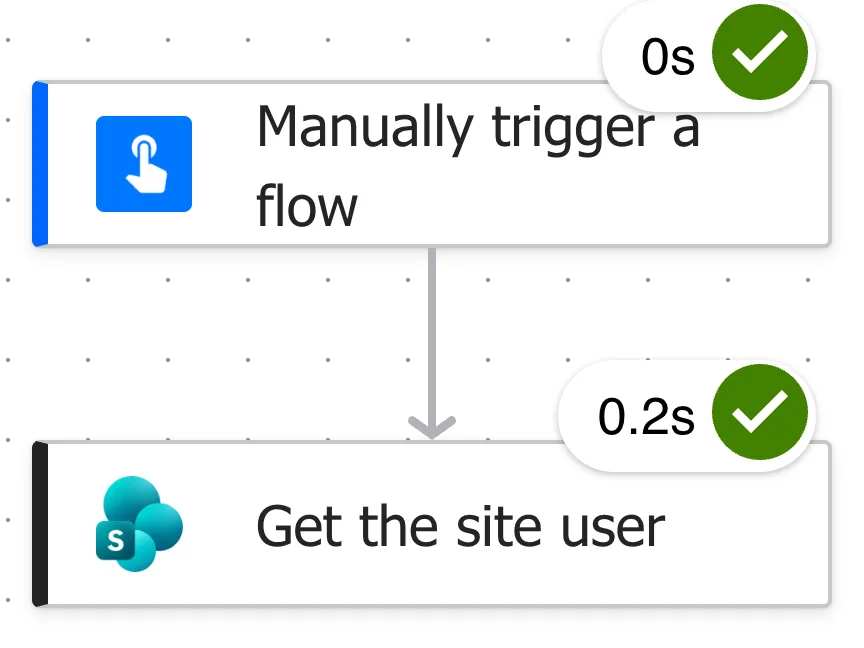
Save the flow and run it (How to Run an Instant Cloud Flow in Power Automate). In Email, type part of the person's address, pick them from the list, here Maya Patel, and select Run flow:
The Result
The body of Get the site user has Maya's user ID on this site, 18, and her login name:
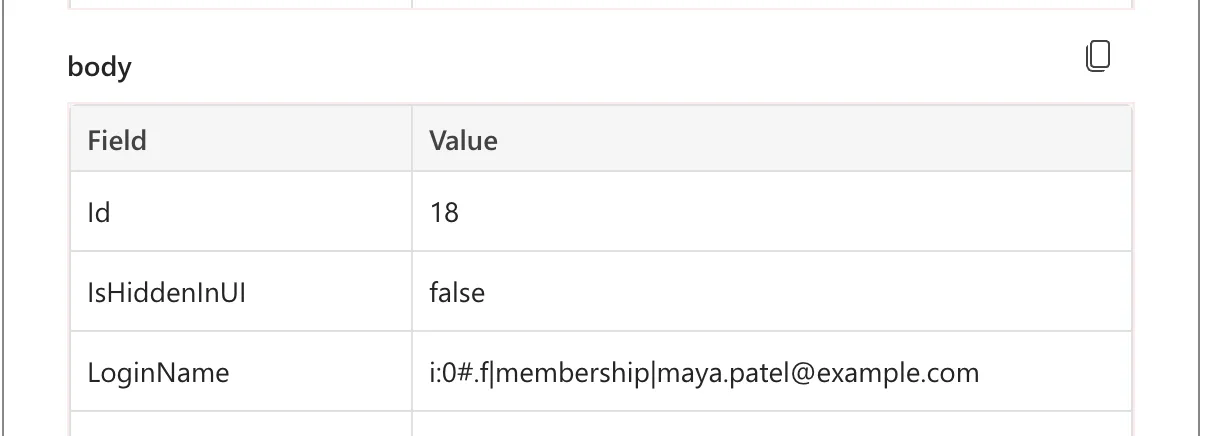
Further down, it had Title Maya Patel and PrincipalType 1, which Microsoft's PrincipalType enum lists as a user. Maya had used the site before, so EnsureUser returned her existing entry. For someone who hadn't, it would add them to the site's users first, and then return their new entry.
Later actions can read the ID with this expression (How to Add an Expression in Power Automate):
body('Get_the_site_user')?['Id']
Common Mistakes
| Mistake | What happens | Do this instead |
|---|---|---|
| Sending only the email address | It isn't a full login name | Start it with i:0#.f|membership| |
| Reusing an ID from another site | The number comes from one site's list of users | Run EnsureUser against the site you're changing |
Expecting EnsureUser to give access | It adds the person to the site's users, not to a group or a list | Give access separately |
Troubleshooting
| Symptom | Likely cause | Fix |
|---|---|---|
| Get the site user fails | The address isn't a user in your organisation | Pick the person from the list in Email |
| The body shows the wrong person | Someone else was picked in Email | Check the address in the run's trigger |
FAQ
Does EnsureUser give the person access to the site?
No. It adds them to the site's users, the list of people SharePoint knows on that site. What they can open depends on the groups and permissions they're given.
What can I do with the ID?
Use it where SharePoint asks for a person by number, such as principalid when you give someone access to a list: How to Give a Group Access to a SharePoint List with the REST API in Power Automate shows the same request for a group.
Does it work for a security group?
Yes, with the group's login name, c:0t.c|tenant| and its Object ID, as the same guide shows.
Conclusion
POST {"logonName": "i:0#.f|membership|<email address>"} to _api/web/ensureuser, and read Id from the answer with body('Get_the_site_user')?['Id']. That's the person's user ID on that site, and they're in the site's users from then on.
Additional Resources
- Webs REST API reference:
EnsureUser. - PrincipalType enum: the
PrincipalTypevalues.
