How to Generate a Strong Random Password in the Terminal

The passwords people make up are easy to guess. The ones a computer picks at random aren't. One command in your terminal generates a long, cryptographically random password made only of letters and digits, which is safe to paste into connection strings, .env files and YAML. This guide shows it for macOS, Linux and Windows.
What Makes a Password Strong
A strong password is long and unpredictable. The commands below ask the operating system's cryptographic random generator for 24 random bytes, which is 192 bits of randomness. That's far beyond what anyone can guess or brute-force.
They print those bytes as hexadecimal: 48 characters made only of 0-9 and a-f. Hex is a little longer than other formats, but it never contains characters that have a special meaning somewhere else:
;and=separate the parts of a database connection string.$starts a variable in shells and in Docker Compose files.#,:and quotes can change how YAML and.envfiles are read.
Base64, the other common format, can include +, / and =. Here is a real example:
openssl rand -base64 24
zGnfbX2NGa3zDwGnKUVR+LFMIszAiJGL
That + is harmless in a password manager, but it can break a connection string or a URL. Hex avoids the problem completely.
Prerequisites
- macOS or Linux: OpenSSL, which comes preinstalled. Check it with
openssl version. The copy built into macOS answers with a LibreSSL version (LibreSSL 3.3.6on my Mac); a Homebrew install answers with anOpenSSLversion. Both haverand -hex. - Windows: PowerShell. The command works in Windows PowerShell 5.1, which every Windows 10 and 11 computer has, and in PowerShell 7.
Step 1: Generate a Password
- macOS / Linux
- Windows (PowerShell)
openssl rand -hex 24
bc50f0e4250a8aef9846d0feebfb30fb2e10e6d025e83262
openssl rand asks for random bytes, -hex prints them as hexadecimal, and 24 is the number of bytes.
$bytes = [byte[]]::new(24); [System.Security.Cryptography.RandomNumberGenerator]::Create().GetBytes($bytes); -join ($bytes | ForEach-Object { $_.ToString("x2") })
6213d4c7dd3c4fb32a0380f56c2c00062e5d1fdb11500c1d
[byte[]]::new(24) makes room for 24 bytes, and RandomNumberGenerator, .NET's cryptographic random generator, fills them. ToString("x2") turns each byte into two hex characters, and -join glues the 24 pairs together.
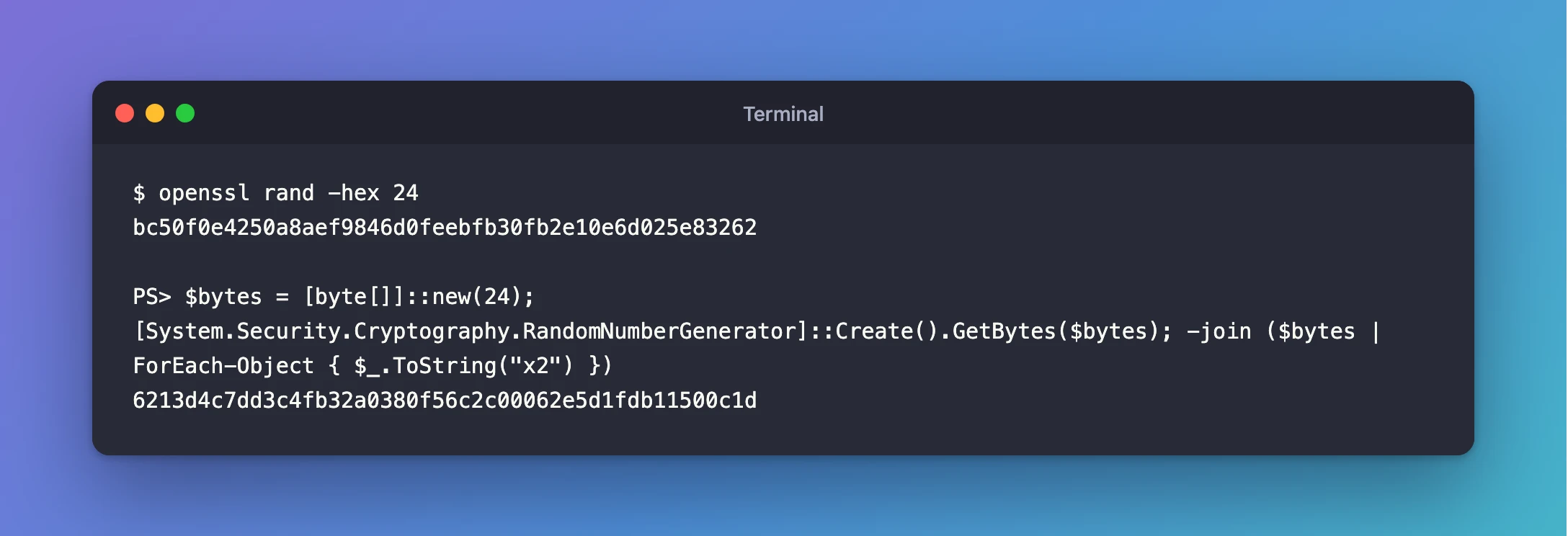
You get a different value every time. The two above are only examples; never use a password you've seen printed in an article.
Step 2: Write Passwords Straight into a File
Often you don't need to see the password at all. You only need it in a file that a program reads, like the .env file next to a Docker Compose project. This command generates two passwords and writes them into .env in one go, so they never appear on screen:
- macOS / Linux
- Windows (PowerShell)
printf "MYSQL_ROOT_PASSWORD=%s\nMYSQL_PASSWORD=%s\n" "$(openssl rand -hex 24)" "$(openssl rand -hex 24)" > .env
$(…) runs a command and puts its output in place. printf fills each %s with one of the two passwords, and > writes the result into .env.
$rng = [System.Security.Cryptography.RandomNumberGenerator]::Create(); $root = [byte[]]::new(24); $app = [byte[]]::new(24); $rng.GetBytes($root); $rng.GetBytes($app); Set-Content -Path .env -Value @("MYSQL_ROOT_PASSWORD=$(-join ($root | ForEach-Object { $_.ToString("x2") }))", "MYSQL_PASSWORD=$(-join ($app | ForEach-Object { $_.ToString("x2") }))")
The command fills two separate byte arrays, turns each into hex, and Set-Content writes the two lines into .env.
The command prints nothing when it works. Check the file without revealing the values:
MYSQL_ROOT_PASSWORD=<48 hex characters>
MYSQL_PASSWORD=<48 hex characters>
Make sure .env is listed in your .gitignore before you create it. How to Keep Passwords Out of compose.yaml with an .env File shows the whole set-up.
PowerShell's Get-Random is fine for dice games, but Microsoft's documentation states that it "doesn't ensure cryptographically secure randomness". Use RandomNumberGenerator as above, or Get-SecureRandom in PowerShell 7.4 and later.
Common Mistakes
| Mistake | What happens | Do this instead |
|---|---|---|
| Inventing a password or reusing an old one | It's guessable, or one leak opens several doors | Generate a new random value for every system |
Using openssl rand -base64 for a connection string | +, / and = can break the string or a URL | Use -hex |
Using Get-Random in PowerShell | The value isn't cryptographically random | Use RandomNumberGenerator |
| Pasting the password into a chat, ticket or screenshot | Anyone who sees it can sign in | Keep it in .env or a password manager only |
Troubleshooting
| Symptom | Likely cause | Fix |
|---|---|---|
command not found: openssl | A minimal Linux system without OpenSSL | Install your distribution's openssl package |
The password contains +, / or = | It was generated with -base64 | Generate it again with -hex |
docker compose says a password variable "is missing a value" | .env is empty, misnamed or in another folder | Run the Step 2 command in the folder that holds compose.yaml |
FAQ
Is a 48-character hex password strong enough?
Yes. 24 random bytes give 192 bits of randomness. Guessing it is far out of reach of any computer, now or in the foreseeable future.
Why not just use a password manager?
Do, for passwords people type. For passwords that only programs read, such as a database password in a .env file, generating them in the terminal is quicker and keeps them off your screen.
Is the PowerShell command safe on Windows PowerShell 5.1?
Yes. [System.Security.Cryptography.RandomNumberGenerator] exists in the .NET Framework that Windows PowerShell 5.1 uses, and in the .NET that PowerShell 7 uses.
Conclusion
openssl rand -hex 24 on macOS and Linux, and RandomNumberGenerator in PowerShell, give you a 48-character password with 192 bits of randomness that's safe in connection strings and config files. When a program is the only reader, write it straight into the file, so it never appears on screen.
Additional Resources
- openssl-rand — the OpenSSL manual page for
rand. - RandomNumberGenerator Class — .NET's cryptographic random generator.
- Get-Random and Get-SecureRandom — why one is for games and the other for secrets.
