How to Generate a Secret Key for HS256 JWTs in the Terminal

A JSON Web Token signed with HS256 is only as safe as its secret key. Whoever has the key can make tokens your app will accept. A short or guessable key can be found by testing guesses against any token signed with it, with no need to contact your server. One command gives you a key that's long and random enough.
Syntax
On macOS and Linux:
openssl rand -base64 <bytes>
openssl rand -hex <bytes>
| Part | What it does |
|---|---|
openssl rand | Asks OpenSSL's cryptographically secure random generator for random bytes. |
-base64 or -hex | Prints the bytes as base64 (shorter) or hexadecimal (only 0-9 and a-f). |
<bytes> | How many random bytes. Use 32 for HS256, 48 for HS384 and 64 for HS512. |
In PowerShell 7.6:
[Convert]::ToBase64String([Security.Cryptography.RandomNumberGenerator]::GetBytes(<bytes>))
| Part | What it does |
|---|---|
[Security.Cryptography.RandomNumberGenerator]::GetBytes(<bytes>) | .NET's cryptographically secure random generator, returning <bytes> random bytes. |
[Convert]::ToBase64String(…) | Prints them as base64. [Convert]::ToHexStringLower(…) prints hexadecimal. |
Why those sizes: RFC 7518, the standard that defines the JWT algorithms, says "A key of the same size as the hash output (for instance, 256 bits for "HS256") or larger MUST be used with this algorithm." SHA-256 produces 256 bits, which is 32 bytes. SHA-384 and SHA-512 produce 48 and 64.
The Example
A small notes API signs its sign-in tokens with HS256. It needs one secret key, kept out of its code and read from an environment variable named JWT_SECRET.
Prerequisites
- macOS or Linux: OpenSSL. macOS includes it, and most Linux distributions do too; check with
openssl version. - Windows: PowerShell 7.6, the current long-term support release.
ToHexStringLowerarrived in .NET 9, which Windows PowerShell 5.1 doesn't run on.
Step 1: Generate 32 Random Bytes
- macOS / Linux
- Windows (PowerShell)
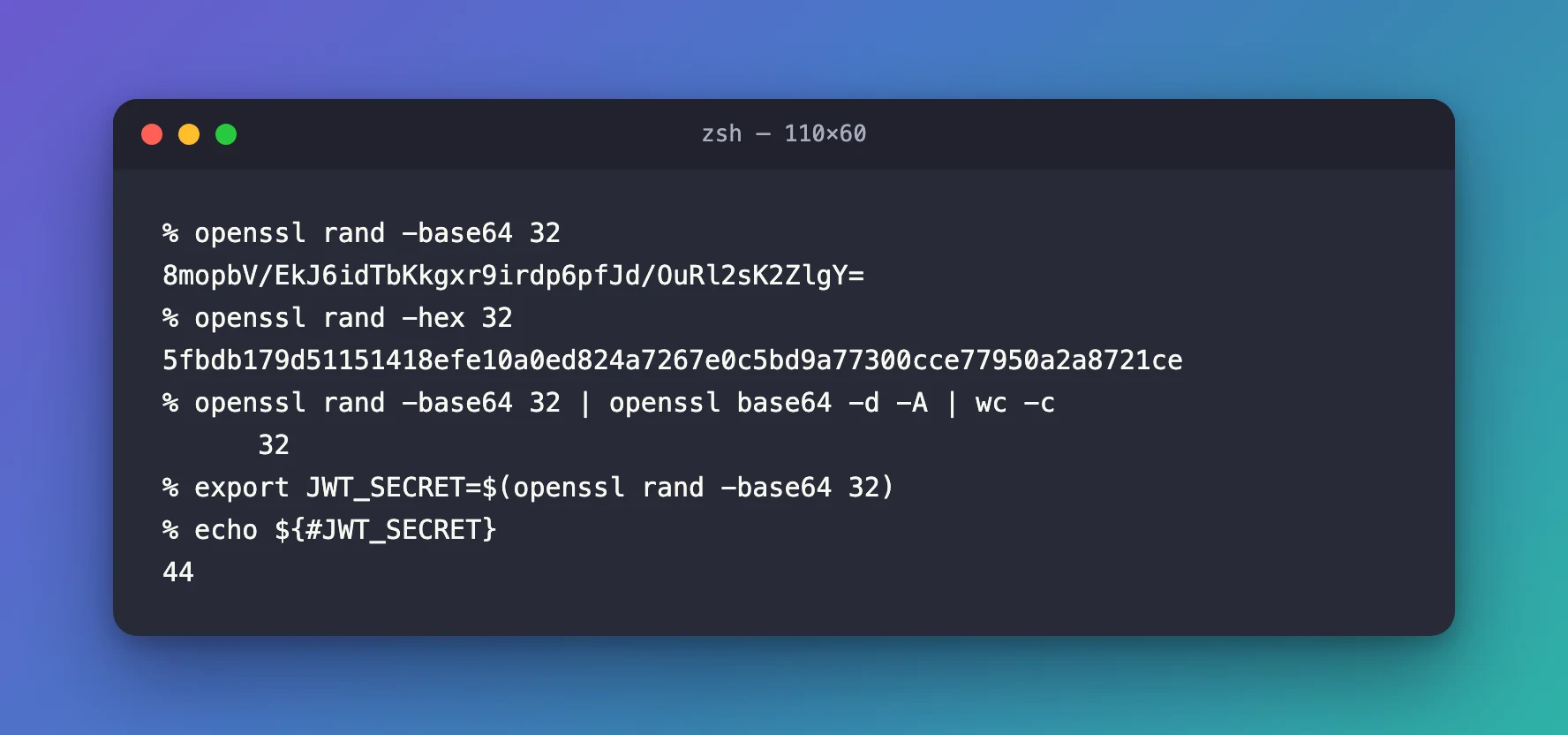
openssl rand -base64 32
openssl rand -hex 32
8mopbV/EkJ6idTbKkgxr9irdp6pfJd/OuRl2sK2ZlgY=
5fbdb179d51151418efe10a0ed824a7267e0c5bd9a77300cce77950a2a8721ce
Each command makes a new random key: 44 characters of base64, or 64 of hexadecimal.
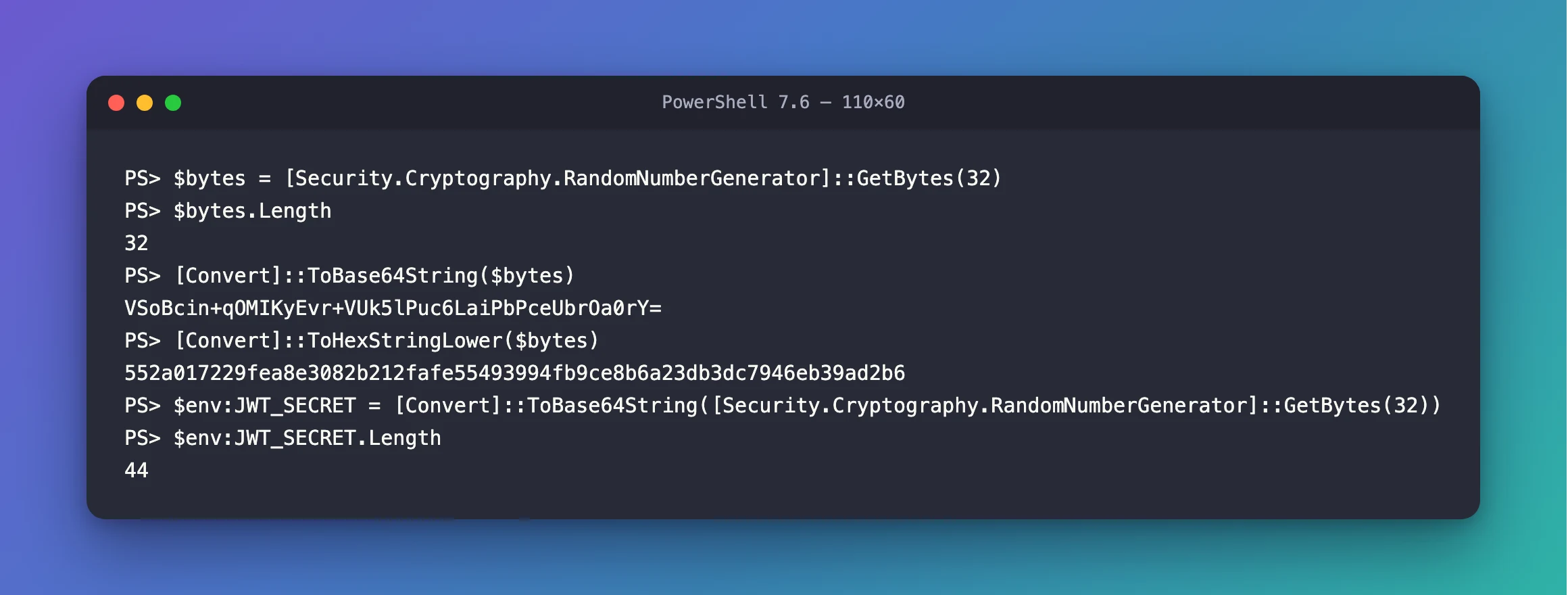
$bytes = [Security.Cryptography.RandomNumberGenerator]::GetBytes(32)
[Convert]::ToBase64String($bytes)
[Convert]::ToHexStringLower($bytes)
VSoBcin+qOMIKyEvr+VUk5lPuc6LaiPbPceUbrOa0rY=
552a017229fea8e3082b212fafe55493994fb9ce8b6a23db3dc7946eb39ad2b6
$bytes holds the 32 random bytes, so both lines show the same key in two formats.
These keys are examples. Never use a key that you've seen printed anywhere, including here.
Step 2: Check It's Really 32 Bytes
The text is longer than the key, because base64 uses 4 characters for every 3 bytes. Decode it to count the bytes themselves:
- macOS / Linux
- Windows (PowerShell)
openssl rand -base64 32 | openssl base64 -d -A | wc -c
32
openssl base64 -d -A turns the base64 back into bytes, and wc -c counts them. On macOS, wc puts spaces before the number; on Linux it prints just 32.
$bytes.Length
32
Step 3: Keep the Key out of Your Code
Put the key in an environment variable instead of a file you might share or commit. This generates the key straight into JWT_SECRET and prints only its length, so the key itself never appears on screen:
- macOS / Linux
- Windows (PowerShell)
export JWT_SECRET=$(openssl rand -base64 32)
echo ${#JWT_SECRET}
44
export makes the variable visible to programs you start from this terminal, and ${#JWT_SECRET} is its length in characters.
$env:JWT_SECRET = [Convert]::ToBase64String([Security.Cryptography.RandomNumberGenerator]::GetBytes(32))
$env:JWT_SECRET.Length
44
$env: sets an environment variable for this PowerShell session and the programs it starts.
The variable lasts until you close the terminal. A deployed app reads it from wherever your platform keeps secrets, such as a .env file that Git ignores or a secret store.
Many JWT libraries take the key as text and use its characters, here 44 of them. Others decode the base64 first and use the 32 bytes. Both are at least 32 bytes, so both meet RFC 7518. What matters is that the app that signs and the app that checks use the key the same way.
Common Mistakes
| Mistake | What happens | Do this instead |
|---|---|---|
Using a word or phrase such as secret | Anyone holding one of your tokens can guess the key offline | Generate 32 random bytes |
| Using fewer bytes than the hash size | The key is weaker than HS256 is designed for | 32 bytes for HS256, 48 for HS384, 64 for HS512 |
| Committing the key to Git | Everyone with the repository can sign tokens | Keep it in an environment variable or a secret store |
| Reusing one key for development and production | A leaked test key opens production | Generate a separate key for each environment |
Using PowerShell's Get-Random | It isn't cryptographically secure | Use RandomNumberGenerator |
Troubleshooting
| Symptom | Likely cause | Fix |
|---|---|---|
wc -c prints more than 32 | You counted the base64 text, not the bytes | Decode it first with openssl base64 -d -A |
| The app says the key is too short | It counts bytes, and the key has fewer than 32 | Generate it with 32 or more |
| Tokens from one app fail in another | One app uses the key as text, the other as decoded bytes | Use the key the same way in both |
FAQ
Is a 32-byte key enough?
Yes. It's 256 bits of randomness, the size RFC 7518 requires for HS256, and far beyond what anyone can guess.
Base64 or hexadecimal?
Either. They're two ways of writing the same bytes. Base64 is shorter; hexadecimal has no +, / or =, which helps if the key goes into a URL or a config format that treats those specially.
Should several services share one key?
Every service holding an HS256 key can create tokens as well as check them. When only one service should issue tokens, use a signing algorithm with a private and a public key instead, such as RS256 or ES256, which the JWT course covers later.
Conclusion
openssl rand -base64 32 on macOS and Linux, and RandomNumberGenerator.GetBytes(32) in PowerShell, give you a 256-bit key, the size RFC 7518 requires for HS256. Generate a new one for each environment, check it's 32 bytes, and keep it in an environment variable or a secret store, never in your code.
Additional Resources
- RFC 7518, Section 3.2: HMAC with SHA-2 Functions — the key-size rule for
HS256,HS384andHS512. - openssl-rand — the OpenSSL manual page for
rand. - RandomNumberGenerator.GetBytes — .NET's cryptographic random generator.
