How to Format Output in Java with printf

Joining text with + gets messy when you need a number with exactly two decimal places. System.out.printf takes a template with placeholders, such as %s and %.2f, and fills them with your values in order.
Syntax
System.out.printf("<template with %s, %d, %.2f>%n", <value>, <value>, <value>);
| Part | What it does |
|---|---|
%s | Inserts a value as text. |
%d | Inserts a whole number, such as an int or a long. |
%.2f | Inserts a decimal number with two digits after the decimal point. |
%n | Ends the line with the system's line separator. printf doesn't add one by itself. |
<value>, ... | The values, in the same order as the placeholders. |
The JDK 25 documentation for printf: "A convenience method to write a formatted string to this output stream using the specified format string and arguments." The placeholders are described in Formatter.
The Example
The example prints an order line, with an item, a quantity and a total that always shows two decimal places.
Prerequisites
- A JDK, the Java Development Kit.
java Main.javaruns a single file without compiling it first. This guide uses OpenJDK 25.0.5.1.
Step 1: Write the Code
Create a file named Main.java:
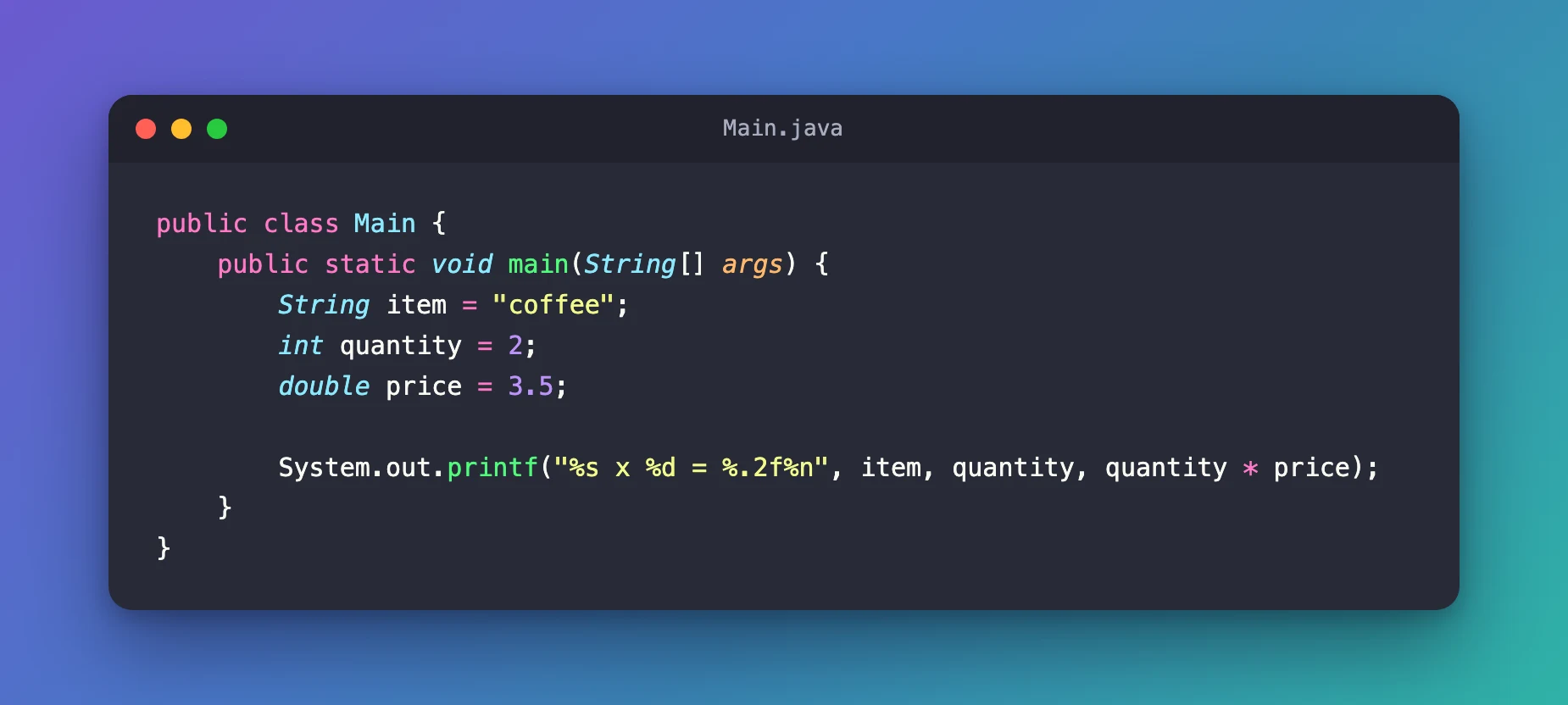
public class Main {
    public static void main(String[] args) {
        String item = "coffee";
        int quantity = 2;
        double price = 3.5;

        System.out.printf("%s x %d = %.2f%n", item, quantity, quantity * price);
    }
}
Step 2: Run It
java Main.java
coffee x 2 = 7.00
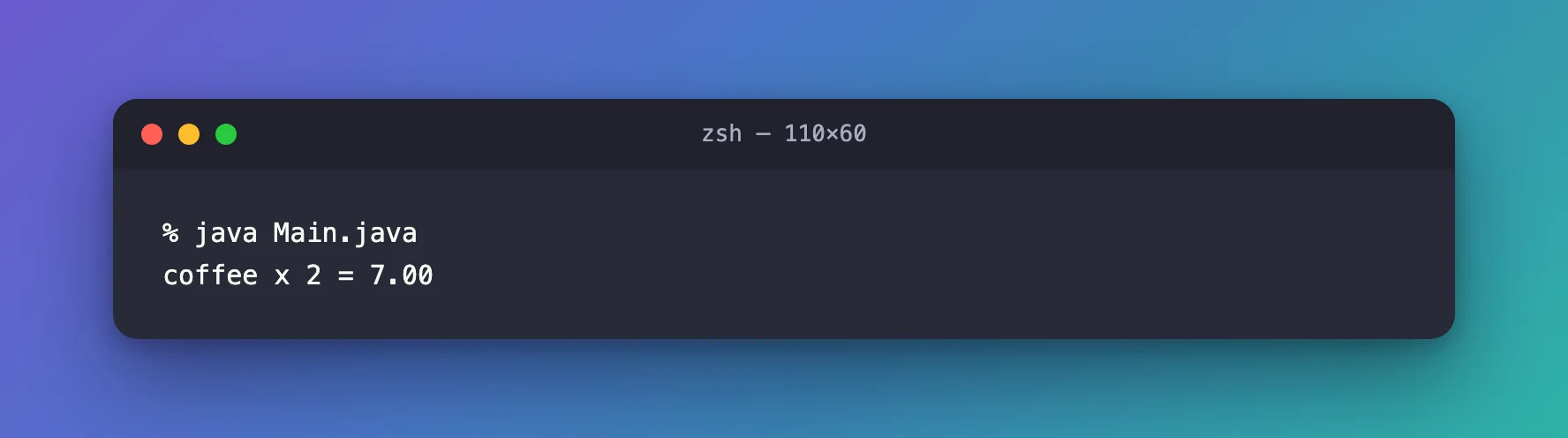
%s took coffee, %d took 2, and %.2f printed 7.0 as 7.00. The command is the same in zsh, bash and PowerShell.
Decimal Comma or Point?
%.2f follows the computer's language settings. This computer uses English (United States), so it printed 7.00. With German settings the same number is 7,00: String.format(Locale.GERMANY, "%.2f", 7.0) returned 7,00, and Locale.ROOT returned 7.00. Pass a Locale when the output must look the same everywhere, such as in files other programs read.
Common Mistakes
| Mistake | What happens | Do this instead |
|---|---|---|
Using %d for a double | java.util.IllegalFormatConversionException: d != java.lang.Double | Use %f, or %.2f |
Forgetting %n | The next output continues on the same line | End the template with %n |
| Passing fewer values than placeholders | java.util.MissingFormatArgumentException: Format specifier '%s' | Pass one value per placeholder |
Troubleshooting
| Symptom | Likely cause | Fix |
|---|---|---|
IllegalFormatConversionException | A placeholder doesn't fit its value's type | Match %d to whole numbers and %f to decimals |
| A comma where you expected a decimal point | The computer's locale uses a decimal comma | Pass Locale.ROOT to String.format or printf |
FAQ
How do I get the formatted text without printing it?
String.format(...) takes the same template and values and returns the String.
What's the difference between %n and \n?
%n writes the line separator of the system the program runs on; \n always writes a single newline character.
Conclusion
printf fills %s, %d and %.2f with your values in order and ends lines with %n. Pass a Locale when the number format must not depend on the computer.
Additional Resources
- PrintStream.printf, in the JDK 25 API documentation.
- Formatter syntax, in the JDK 25 API documentation.
