How to Format Numbers with Standard Format Strings in C#

price.ToString("N2", us) turns 1234.5 into 1,234.50: N for a number with group separators, 2 for two decimal places, and us for the American way of writing them.
Microsoft's guide: Standard numeric format strings are used to format common numeric types. Each one has two parts: Format specifier is a single alphabetic character that specifies the type of number format, for example, currency or percent. And: Precision specifier is an optional integer that affects the number of digits in the resulting string.
Syntax
string <text> = <number>.ToString("<specifier><precision>", <culture>);
| Part | What it is |
|---|---|
<specifier> | One letter, such as C for currency, N for a number with group separators, F for fixed-point and P for percent |
<precision> | Optional: for these four, the number of decimal places |
<culture> | A CultureInfo that decides the symbols and separators, such as CultureInfo.GetCultureInfo("en-US") |
The guide: Formatting is influenced by the properties of the current NumberFormatInfo object, which is provided implicitly by the current culture or explicitly by the IFormatProvider parameter of the method that invokes formatting.
The Example
A console app called NumberFormats formats a price, 1234.5, and a share, 0.256, with four format strings for the United States, and with two of them for Germany.
Prerequisites
- The .NET 10 SDK.
dotnet --versionprints a version that starts with10.0.
Step 1: Create a Console App
dotnet new console -n NumberFormats
cd NumberFormats
The template "Console App" was created successfully.

Processing post-creation actions...
Restoring /Users/you/source/NumberFormats/NumberFormats.csproj:
  Determining projects to restore...
  Restored /Users/you/source/NumberFormats/NumberFormats.csproj (in 41 ms).
Restore succeeded.
dotnet new console -n NumberFormats creates a folder named NumberFormats with a project file and a Program.cs, and cd moves into it. Everything this example uses is part of .NET, so there's no package to add. Open the folder in VS Code, or NumberFormats.csproj in Visual Studio.
Step 2: Write the Code
Replace everything in Program.cs. First the two cultures and the numbers:
using System.Globalization;

CultureInfo us = CultureInfo.GetCultureInfo("en-US");
CultureInfo german = CultureInfo.GetCultureInfo("de-DE");

decimal price = 1234.5m;
double share = 0.256;
CultureInfo.GetCultureInfo gets a culture by its name: en-US is English in the United States, and de-DE is German in Germany.
Then the six formats:
Console.WriteLine($"C  (en-US): {price.ToString("C", us)}");
Console.WriteLine($"N2 (en-US): {price.ToString("N2", us)}");
Console.WriteLine($"F1 (en-US): {price.ToString("F1", us)}");
Console.WriteLine($"P1 (en-US): {share.ToString("P1", us)}");
Console.WriteLine($"N2 (de-DE): {price.ToString("N2", german)}");
Console.WriteLine($"C  (de-DE): {price.ToString("C", german)}");
Step 3: Run It
Run it in VS Code's terminal, or press Ctrl+F5 in Visual Studio:
dotnet run
C  (en-US): $1,234.50
N2 (en-US): 1,234.50
F1 (en-US): 1234.5
P1 (en-US): 25.6%
N2 (de-DE): 1.234,50
C  (de-DE): 1.234,50 €
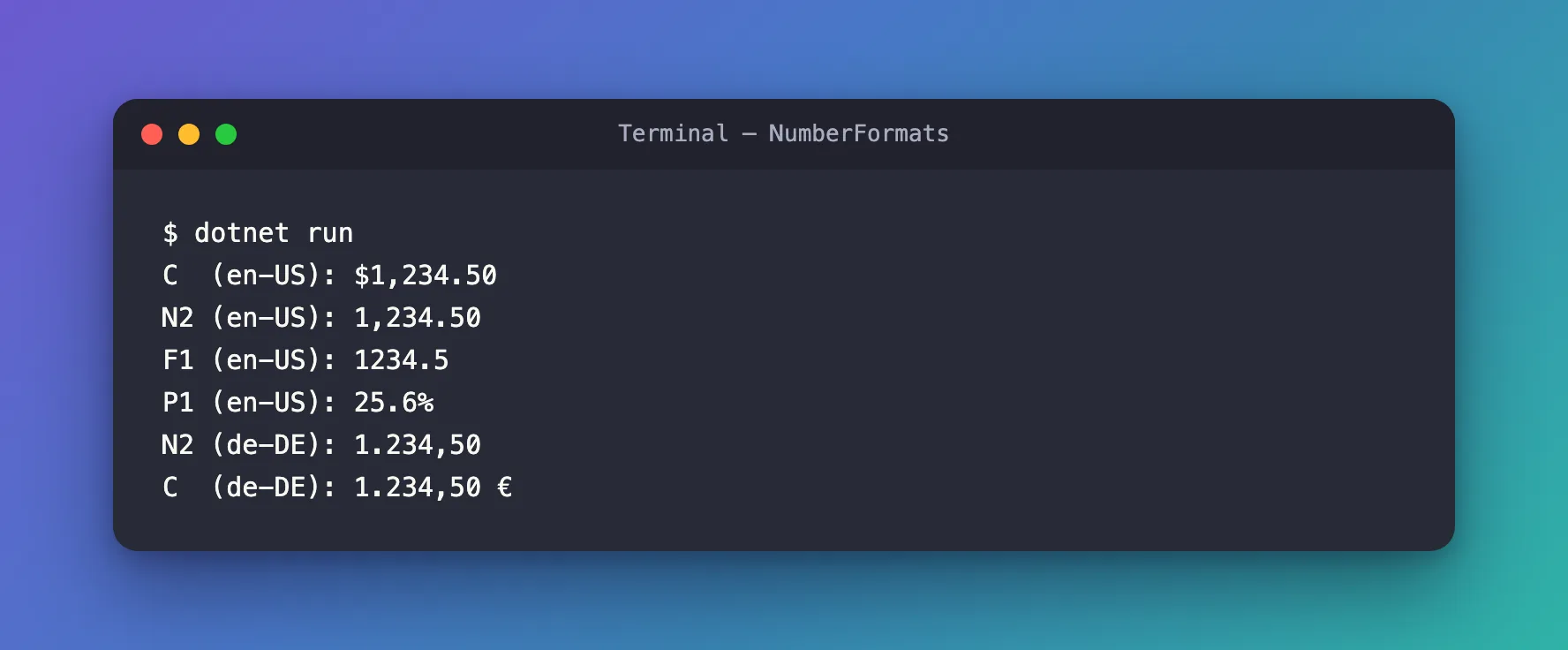
Cadded the dollar sign and two decimals. In German, it put the euro sign after the number.N2added a group separator: a comma in American English, a full stop in German, where the comma marks the decimals.F1kept one decimal and no separator, andP1multiplied by 100: 0.256 became25.6%.
The Complete File
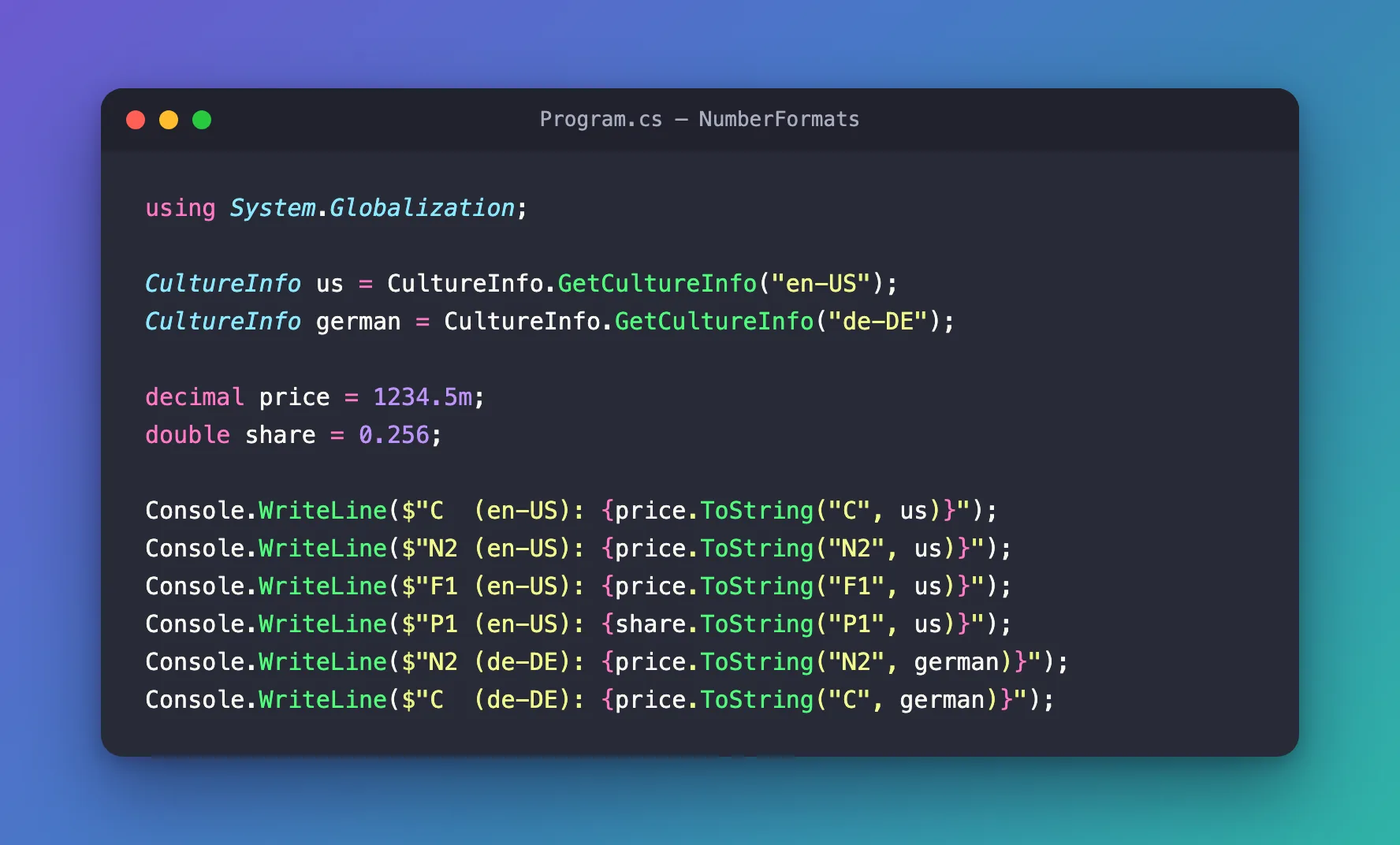
using System.Globalization;

CultureInfo us = CultureInfo.GetCultureInfo("en-US");
CultureInfo german = CultureInfo.GetCultureInfo("de-DE");

decimal price = 1234.5m;
double share = 0.256;

Console.WriteLine($"C  (en-US): {price.ToString("C", us)}");
Console.WriteLine($"N2 (en-US): {price.ToString("N2", us)}");
Console.WriteLine($"F1 (en-US): {price.ToString("F1", us)}");
Console.WriteLine($"P1 (en-US): {share.ToString("P1", us)}");
Console.WriteLine($"N2 (de-DE): {price.ToString("N2", german)}");
Console.WriteLine($"C  (de-DE): {price.ToString("C", german)}");
Common Mistakes
| Mistake | What happens | Do this instead |
|---|---|---|
| Leaving out the culture | The result depends on the computer's settings: with the current culture set to de-DE, price.ToString("N2") gave 1.234,50, and with en-US, 1,234.50 | Pass a culture. For text that is saved and read back, use CultureInfo.InvariantCulture, which gave 1,234.50. Its reference: This makes the invariant culture particularly useful for operations that require culture-independent results, such as formatting and parsing operations that persist formatted data |
| Leaving out the precision | N alone uses the culture's default number of decimals: on this Mac, 1234.ToString("N", us) gave 1,234.000 | Write the precision you want: N0 gave 1,234. The guide: If the precision specifier is omitted, the number of decimal places is defined by the current NumberFormatInfo.NumberDecimalDigits property. |
FAQ
How do I add leading zeros to a whole number?
Use D with the number of digits: 42.ToString("D6", us) gave 000042. The guide: This format is supported only for integral types.
Why could my output differ from these examples?
Culture data comes from the system. The guide: Operating system settings, user settings, environment variables, and the .NET version you're using can all affect the format.
Conclusion
Format numbers with a standard format string, a letter and a precision, and pass a culture: ToString("N2", culture). The same number is written differently in every culture, so the culture belongs in the call.
Additional Resources
- Standard numeric format strings — every specifier.
- CultureInfo.InvariantCulture — the culture-independent culture.
