How to Format a Date and Time with a Standard Format String in C#

moment.ToString("O") writes a date and time as 2026-03-07T14:05:09.0000000+00:00, an ISO 8601 text that other programs read back without guessing. One letter, such as O, s, u, R, d or D, stands for a whole pattern.
Microsoft's guide: A standard date and time format string uses a single character as the format specifier to define the text representation of a DateTime, DateTimeOffset, DateOnly, or TimeOnly value. And: Any date and time format string that contains more than one character, including white space, is interpreted as a custom date and time format string.
Syntax
string <text> = <value>.ToString("<specifier>", <culture>);
string <text> = $"... {<value>:<specifier>} ...";
| Part | What it is |
|---|---|
<value> | A DateTime, DateTimeOffset, DateOnly or TimeOnly |
<specifier> | One letter from the table below. Upper and lower case can mean different things |
<culture> | A CultureInfo. It decides the order, the separators and the names for the letters that follow the culture |
| Specifier | What it writes, in the guide's words |
|---|---|
O or o | round-trip date/time pattern |
s | Sortable date/time pattern. |
u | Universal sortable date/time pattern. |
R or r | RFC1123 pattern. |
d | Short date pattern. |
D | Long date pattern. |
t | Short time pattern. |
g | General date/time pattern (short time). |
About O, R, s and u, the guide says: These strings correspond to custom format strings defined by the invariant culture. They produce string representations of date and time values that are intended to be identical across cultures. The other letters follow the culture.
The Example
A console app called StandardDateFormats formats one moment, 7 March 2026 at 14:05:09 UTC, with the four letters that don't depend on the culture, then with O inside an interpolated string, then with d and D for the United States and for Germany.
Prerequisites
- The .NET 10 SDK.
dotnet --versionprints a version that starts with10.0.
Step 1: Create a Console App
dotnet new console -n StandardDateFormats
cd StandardDateFormats
The template "Console App" was created successfully.

Processing post-creation actions...
Restoring /Users/you/source/StandardDateFormats/StandardDateFormats.csproj:
  Determining projects to restore...
  Restored /Users/you/source/StandardDateFormats/StandardDateFormats.csproj (in 58 ms).
Restore succeeded.
dotnet new console -n StandardDateFormats creates a folder named StandardDateFormats with a project file and a Program.cs, and cd moves into it. Everything this example uses is part of .NET, so there's no package to add. Open the folder in VS Code, or StandardDateFormats.csproj in Visual Studio.
Step 2: Write the Code
Replace everything in Program.cs. First the moment and the formats for computers:
using System.Globalization;

// One moment: 7 March 2026 at 14:05:09 UTC (an offset of zero from UTC).
DateTimeOffset moment = new(2026, 3, 7, 14, 5, 9, TimeSpan.Zero);
CultureInfo invariant = CultureInfo.InvariantCulture;

// For computers: these four come out the same in every culture.
Console.WriteLine($"O: {moment.ToString("O", invariant)}");
Console.WriteLine($"s: {moment.ToString("s", invariant)}");
Console.WriteLine($"u: {moment.ToString("u", invariant)}");
Console.WriteLine($"R: {moment.ToString("R", invariant)}");
new(2026, 3, 7, 14, 5, 9, TimeSpan.Zero)is 7 March 2026 at 14:05:09 with an offset of zero from UTC. A fixed moment gives the same output on every run.ToString("O", invariant)formats it with theOpattern.invariantisCultureInfo.InvariantCulture, fromSystem.Globalization. ForOthe guide says that the formatting or parsing operation that uses the specifier always uses the invariant culture, and it says the same ofR,sandu.
Then a format inside an interpolated string, and two formats for people:
// In an interpolated string, the format goes after a colon.
Console.WriteLine($"The sale ends at {moment:O}.");

// For people: these follow the culture you pass.
CultureInfo us = CultureInfo.GetCultureInfo("en-US");
CultureInfo german = CultureInfo.GetCultureInfo("de-DE");
Console.WriteLine($"d (en-US): {moment.ToString("d", us)}");
Console.WriteLine($"d (de-DE): {moment.ToString("d", german)}");
Console.WriteLine($"D (en-US): {moment.ToString("D", us)}");
Console.WriteLine($"D (de-DE): {moment.ToString("D", german)}");
{moment:O}puts the format after a colon inside the braces of an interpolated string.CultureInfo.GetCultureInfo("en-US")gets a culture by its name: English in the United States.de-DEis German in Germany.
Step 3: Run It
Run it in VS Code's terminal, or press Ctrl+F5 in Visual Studio:
dotnet run
O: 2026-03-07T14:05:09.0000000+00:00
s: 2026-03-07T14:05:09
u: 2026-03-07 14:05:09Z
R: Sat, 07 Mar 2026 14:05:09 GMT
The sale ends at 2026-03-07T14:05:09.0000000+00:00.
d (en-US): 3/7/2026
d (de-DE): 07.03.2026
D (en-US): Saturday, March 7, 2026
D (de-DE): Samstag, 7. März 2026
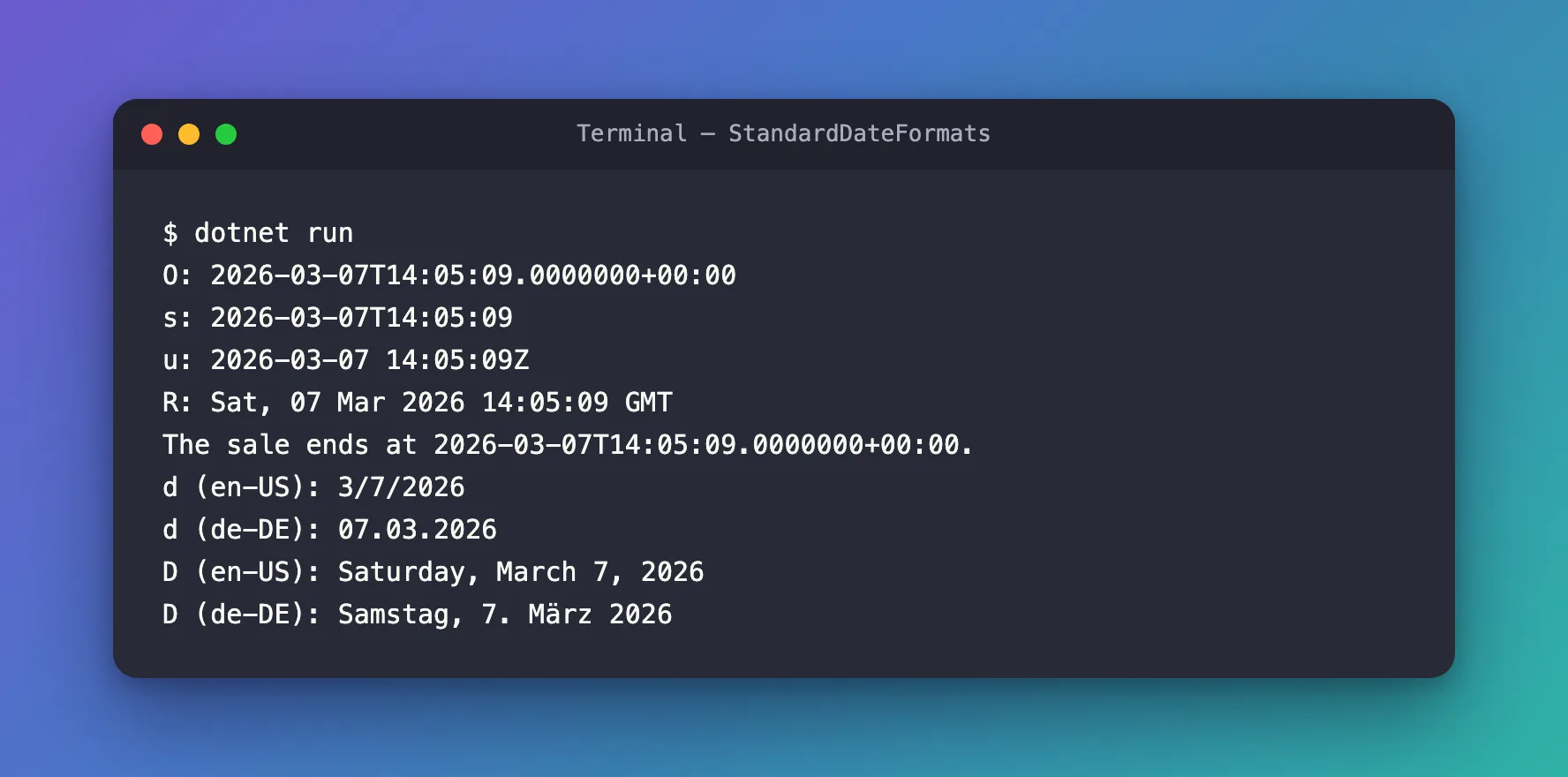
Owrote every part, down to seven digits of fractions of a second, and the offset+00:00. Inside the interpolated string it gave the same text.sanduwrote year, month, day, hours, minutes and seconds, in that order.uended withZfor UTC.Rwrote the RFC 1123 form, with English day and month names andGMT.dgave3/7/2026for the United States and07.03.2026for Germany, andDwrote the day and month names in each language.
The Complete File
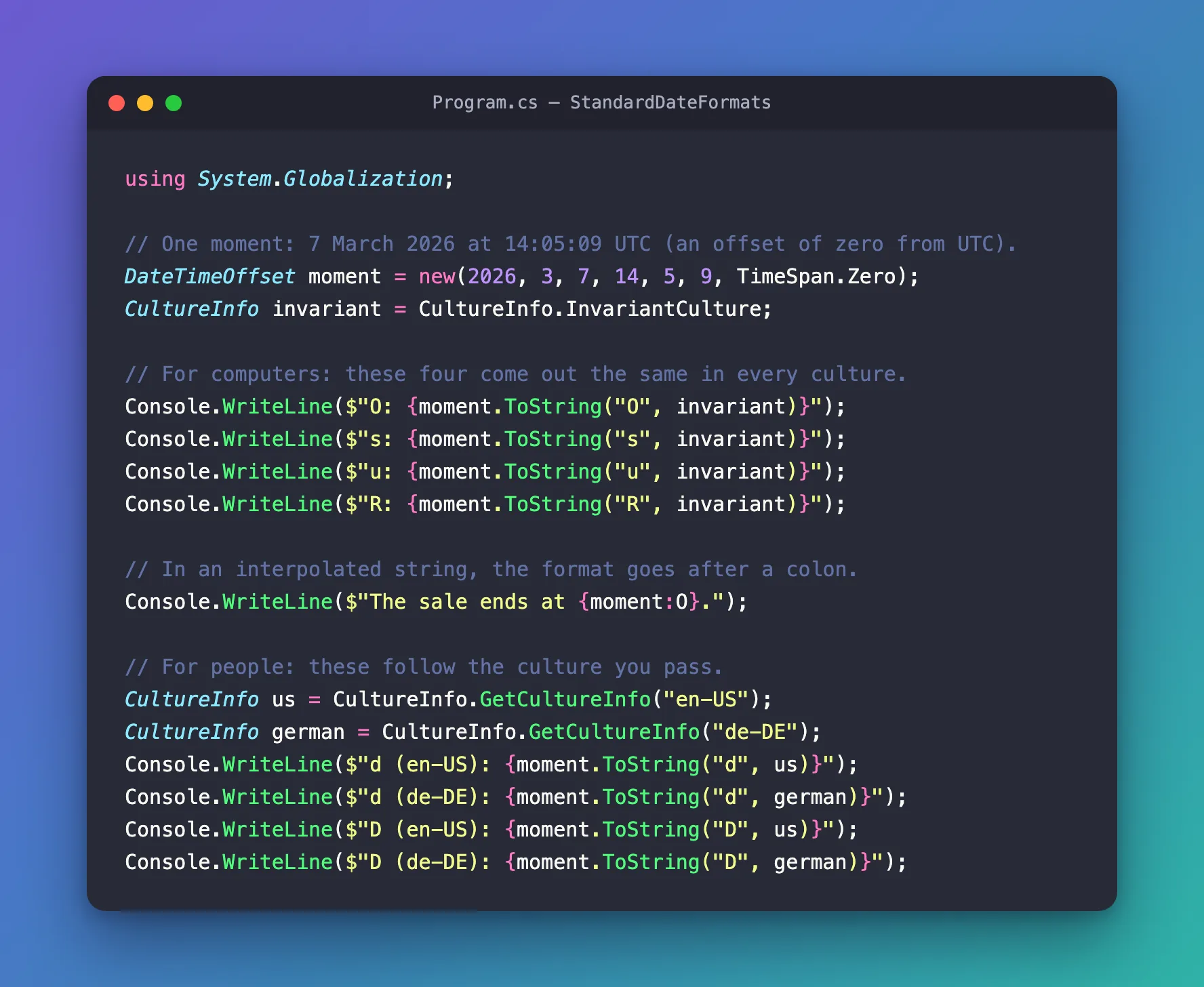
using System.Globalization;

// One moment: 7 March 2026 at 14:05:09 UTC (an offset of zero from UTC).
DateTimeOffset moment = new(2026, 3, 7, 14, 5, 9, TimeSpan.Zero);
CultureInfo invariant = CultureInfo.InvariantCulture;

// For computers: these four come out the same in every culture.
Console.WriteLine($"O: {moment.ToString("O", invariant)}");
Console.WriteLine($"s: {moment.ToString("s", invariant)}");
Console.WriteLine($"u: {moment.ToString("u", invariant)}");
Console.WriteLine($"R: {moment.ToString("R", invariant)}");

// In an interpolated string, the format goes after a colon.
Console.WriteLine($"The sale ends at {moment:O}.");

// For people: these follow the culture you pass.
CultureInfo us = CultureInfo.GetCultureInfo("en-US");
CultureInfo german = CultureInfo.GetCultureInfo("de-DE");
Console.WriteLine($"d (en-US): {moment.ToString("d", us)}");
Console.WriteLine($"d (de-DE): {moment.ToString("d", german)}");
Console.WriteLine($"D (en-US): {moment.ToString("D", us)}");
Console.WriteLine($"D (de-DE): {moment.ToString("D", german)}");
Common Mistakes
| Mistake | What happens | Do this instead |
|---|---|---|
Using d or D for text that a program reads back | The text changes with the culture: d in en-US wrote 7 March as 3/7/2026, and en-GB read that back as Friday, 03 July 2026 | Use O for text that is stored or sent: read back with en-GB, it gave the same moment, True |
U with a DateTimeOffset | It throws FormatException: Input string was not in a correct format. The guide: The "U" format specifier is not supported by the DateTimeOffset type and throws a FormatException if it is used to format a DateTimeOffset value. | Format its UtcDateTime, a DateTime: moment.UtcDateTime.ToString("U", CultureInfo.InvariantCulture) gave Saturday, 07 March 2026 14:05:09 |
s for a moment that isn't at UTC | s drops the offset: 14:05:09 at +00:00 and 14:05:09 at +01:00, an hour apart, both gave 2026-03-07T14:05:09 | Use O, which kept +00:00 and +01:00, or u, which turned the second one into 13:05:09Z |
FAQ
Why does O end with Z for some values and +00:00 for others?
O writes what the value knows about its time zone. The guide: The time zone component of DateTimeKind.Utc date and time values uses "Z" (which stands for zero offset) to represent UTC. And: DateTimeKind.Unspecified date and time values have no time zone information. The same moment three ways:
using System.Globalization;

CultureInfo invariant = CultureInfo.InvariantCulture;
DateTime utc = new(2026, 3, 7, 14, 5, 9, DateTimeKind.Utc);
DateTime unspecified = new(2026, 3, 7, 14, 5, 9);
DateTimeOffset offset = new(2026, 3, 7, 14, 5, 9, TimeSpan.Zero);

Console.WriteLine($"DateTime, Kind Utc:         {utc.ToString("O", invariant)}");
Console.WriteLine($"DateTime, Kind Unspecified: {unspecified.ToString("O", invariant)}");
Console.WriteLine($"DateTimeOffset:             {offset.ToString("O", invariant)}");
DateTime, Kind Utc:         2026-03-07T14:05:09.0000000Z
DateTime, Kind Unspecified: 2026-03-07T14:05:09.0000000
DateTimeOffset:             2026-03-07T14:05:09.0000000+00:00
The DateTimeOffset got its offset, +00:00: the guide says that All DateTimeOffset values are also represented in this format, as an offset from UTC. The DateTime made without a kind is Unspecified, as the constructor's reference says: The Kind property is initialized to Unspecified.
Conclusion
Pick a standard format by who reads the text. Use O, s, u or R for files, logs and other programs: they come out the same in every culture. Use d, D and the other culture-dependent letters for people, with the culture passed in. Write it with ToString("O"), or as {value:O} inside an interpolated string.
Additional Resources
- Standard date and time format strings — every specifier and what it writes.
- CultureInfo.InvariantCulture — the culture-independent culture.
- DateTimeOffset.UtcDateTime — the UTC date and time of a DateTimeOffset, as a DateTime.
