How to Format a Date and Time with a Custom Format String in C#

moment.ToString("yyyy-MM-dd HH:mm:ss zzz", invariant) writes a date and time exactly as 2026-11-26 14:05:09 +01:00. Every letter in the format stands for one part of the date or the time.
Microsoft's guide: A date and time format string defines the text representation of a DateTime or DateTimeOffset value that results from a formatting operation. A custom one lists the parts one by one, such as yyyy for the year.
Syntax
string <text> = <dateTime>.ToString("<custom format>", <culture>);
| Specifier | What it writes |
|---|---|
yyyy | The year as a four-digit number. |
MM | The month, from 01 to 12. |
dd | The day of the month, from 01 to 31. |
HH | The hour, using a 24-hour clock from 00 to 23. |
mm | The minute, from 00 to 59. |
ss | The second, from 00 to 59. |
dddd | The full name of the day of the week. |
zzz | Hours and minutes offset from UTC. |
'text' | The text in single quotes, as it is |
The Example
A console app called DateFormats writes one moment, 26 November 2026 at 14:05:09, one hour ahead of UTC, in four formats: one for computers, an American one, a German one and a German time with a word.
Prerequisites
- The .NET 10 SDK.
dotnet --versionprints a version that starts with10.0.
Step 1: Create a Console App
dotnet new console -n DateFormats
cd DateFormats
The template "Console App" was created successfully.

Processing post-creation actions...
Restoring /Users/you/source/DateFormats/DateFormats.csproj:
  Determining projects to restore...
  Restored /Users/you/source/DateFormats/DateFormats.csproj (in 46 ms).
Restore succeeded.
dotnet new console -n DateFormats creates a folder named DateFormats with a project file and a Program.cs, and cd moves into it. Everything this example uses is part of .NET, so there's no package to add. Open the folder in VS Code, or DateFormats.csproj in Visual Studio.
Step 2: Write the Code
Replace everything in Program.cs. First the moment and the cultures:
using System.Globalization;

// 26 November 2026, 14:05:09, one hour ahead of UTC.
DateTimeOffset moment = new(2026, 11, 26, 14, 5, 9, TimeSpan.FromHours(1));

CultureInfo invariant = CultureInfo.InvariantCulture;
CultureInfo us = CultureInfo.GetCultureInfo("en-US");
CultureInfo german = CultureInfo.GetCultureInfo("de-DE");
The reference for CultureInfo.InvariantCulture: The invariant culture is culture-insensitive; it's associated with the English language but not with any country/region.
Then the four formats:
Console.WriteLine(moment.ToString("yyyy-MM-dd HH:mm:ss zzz", invariant));
Console.WriteLine(moment.ToString("dddd, d MMMM yyyy", us));
Console.WriteLine(moment.ToString("dddd, d. MMMM yyyy", german));
Console.WriteLine(moment.ToString("HH:mm 'Uhr'", german));
'Uhr' in single quotes is written as it is: it's German for o'clock.
Step 3: Run It
Run it in VS Code's terminal, or press Ctrl+F5 in Visual Studio:
dotnet run
2026-11-26 14:05:09 +01:00
Thursday, 26 November 2026
Donnerstag, 26. November 2026
14:05 Uhr
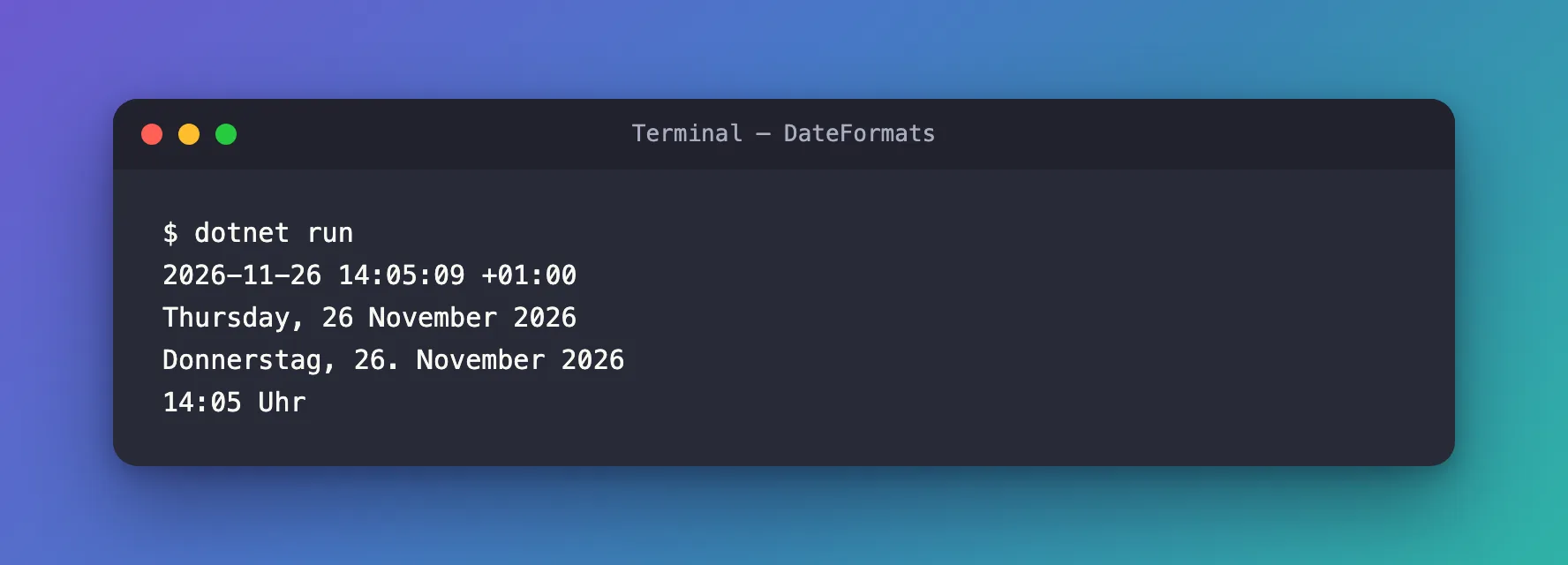
The same moment came out four ways. dddd and MMMM gave English names with en-US and German ones with de-DE.
The Complete File
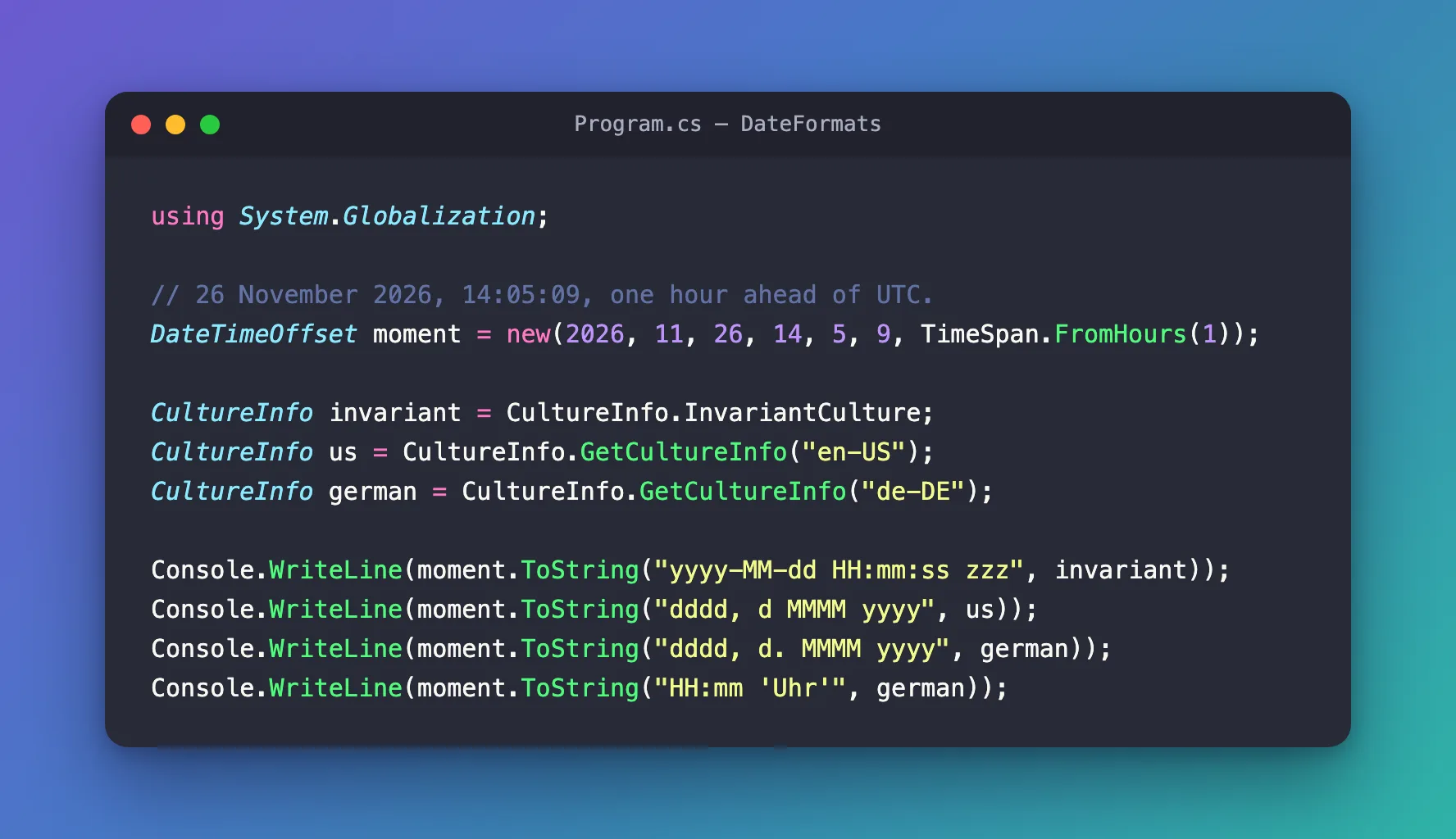
using System.Globalization;

// 26 November 2026, 14:05:09, one hour ahead of UTC.
DateTimeOffset moment = new(2026, 11, 26, 14, 5, 9, TimeSpan.FromHours(1));

CultureInfo invariant = CultureInfo.InvariantCulture;
CultureInfo us = CultureInfo.GetCultureInfo("en-US");
CultureInfo german = CultureInfo.GetCultureInfo("de-DE");

Console.WriteLine(moment.ToString("yyyy-MM-dd HH:mm:ss zzz", invariant));
Console.WriteLine(moment.ToString("dddd, d MMMM yyyy", us));
Console.WriteLine(moment.ToString("dddd, d. MMMM yyyy", german));
Console.WriteLine(moment.ToString("HH:mm 'Uhr'", german));
Common Mistakes
| Mistake | What happens | Do this instead |
|---|---|---|
mm where you meant MM | mm is minutes: yyyy-mm-dd wrote 2026-05-26, with the 5 minutes in place of the month | Use MM for the month and mm for minutes |
hh for a 24-hour time | hh is the 12-hour clock: hh:mm wrote 02:05 for 14:05 | Use HH, or add tt for AM or PM: hh:mm tt wrote 02:05 PM |
| Letters in the format that are specifiers | dd Month wrote 26 11onP2: M became the month, t the first letter of PM and h the hour | Put the text in single quotes, as 'Uhr' is, or put a backslash before a letter: HH\h mm wrote 14h 05 |
FAQ
Where do the day and month names come from?
From the culture. The guide: The localized name of the day of the week is retrieved from the DateTimeFormatInfo.DayNames property of the current or specified culture. With de-DE, Thursday became Donnerstag.
Conclusion
Spell out a date and time with a custom format string, letter by letter, and pass a culture for the names. Keep MM for months and mm for minutes, use HH for a 24-hour clock, and put text in quotes.
Additional Resources
- Custom date and time format strings — every specifier.
- CultureInfo.InvariantCulture — the culture-independent culture.
