How to Flatten Nested Lists with LINQ SelectMany in C#

Select on a list of teams gives you a list of member lists. SelectMany gives you one flat sequence of all the members, as if the lists had been laid end to end.
Microsoft's reference: Projects each element of a sequence to an IEnumerable<T> and flattens the resulting sequences into one sequence. You tell it how to get each item's inner list, and it hands back every inner item, in order.
Syntax
IEnumerable<T> <all> = <items>.SelectMany(<item> => <innerList>);
| Part | What it is |
|---|---|
<items> | The outer list, such as teams |
<item> => <innerList> | A lambda that returns each item's own list, such as a team's members |
<all> | One sequence with the items of every inner list, in order |
The Example
A console app called LinqSelectMany has three teams with their members, and compares what Select and SelectMany return for them.
Prerequisites
- The .NET 10 SDK.
dotnet --versionprints a version that starts with10.0.
Step 1: Create a Console App
dotnet new console -n LinqSelectMany
cd LinqSelectMany
The template "Console App" was created successfully.

Processing post-creation actions...
Restoring /Users/you/source/LinqSelectMany/LinqSelectMany.csproj:
  Determining projects to restore...
  Restored /Users/you/source/LinqSelectMany/LinqSelectMany.csproj (in 46 ms).
Restore succeeded.
dotnet new console -n LinqSelectMany creates a folder named LinqSelectMany with a project file and a Program.cs, and cd moves into it. Everything this example uses is part of .NET, so there's no package to add. Open the folder in VS Code, or LinqSelectMany.csproj in Visual Studio.
Step 2: Write the Code
Replace everything in Program.cs. First the teams:
Team[] teams =
[
    new("Red", ["Asha", "Ravi"]),
    new("Blue", ["Mia"]),
    new("Green", ["Leo", "Sara", "Tom"]),
];
Then Select and SelectMany side by side:
// Select gives one list per team; SelectMany puts all the members in one sequence.
IEnumerable<string[]> nested = teams.Select(team => team.Members);
IEnumerable<string> flat = teams.SelectMany(team => team.Members);
And print what each returned:
Console.WriteLine($"Select:     {nested.Count()} lists");
Console.WriteLine($"SelectMany: {flat.Count()} names: {string.Join(", ", flat)}");
Add the Team record at the end of the file:
record Team(string Name, string[] Members);
Step 3: Run It
Run it in VS Code's terminal, or press Ctrl+F5 in Visual Studio:
dotnet run
Select:     3 lists
SelectMany: 6 names: Asha, Ravi, Mia, Leo, Sara, Tom
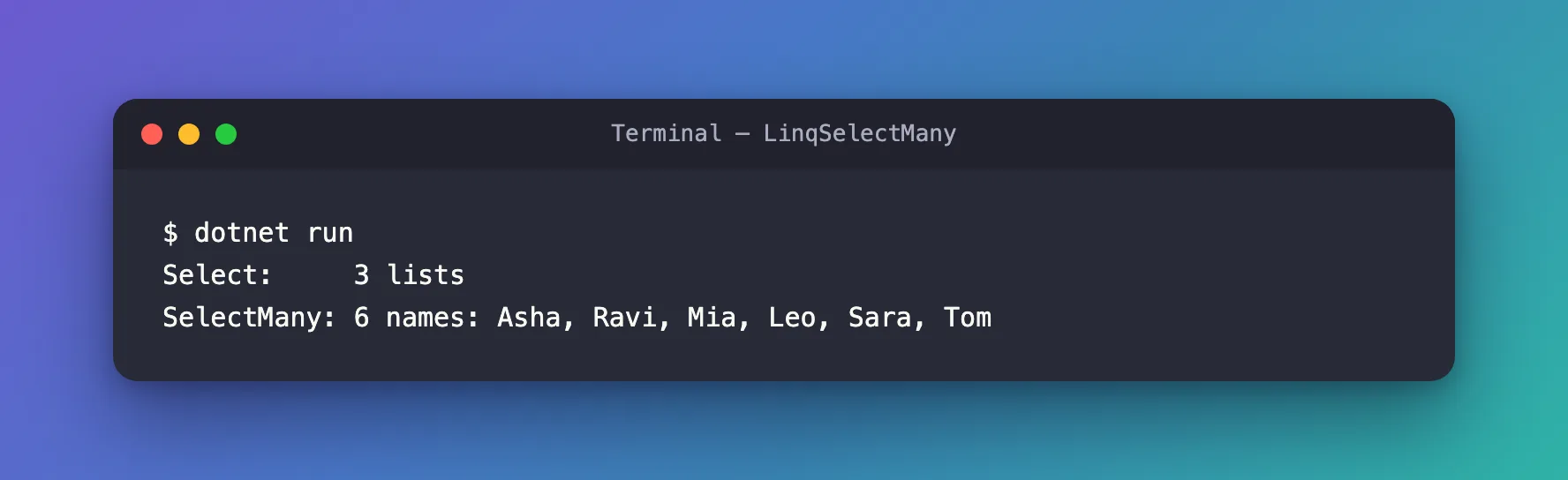
Select returned three items, each of them a list. SelectMany returned six names, team by team in their original order.
The Complete File
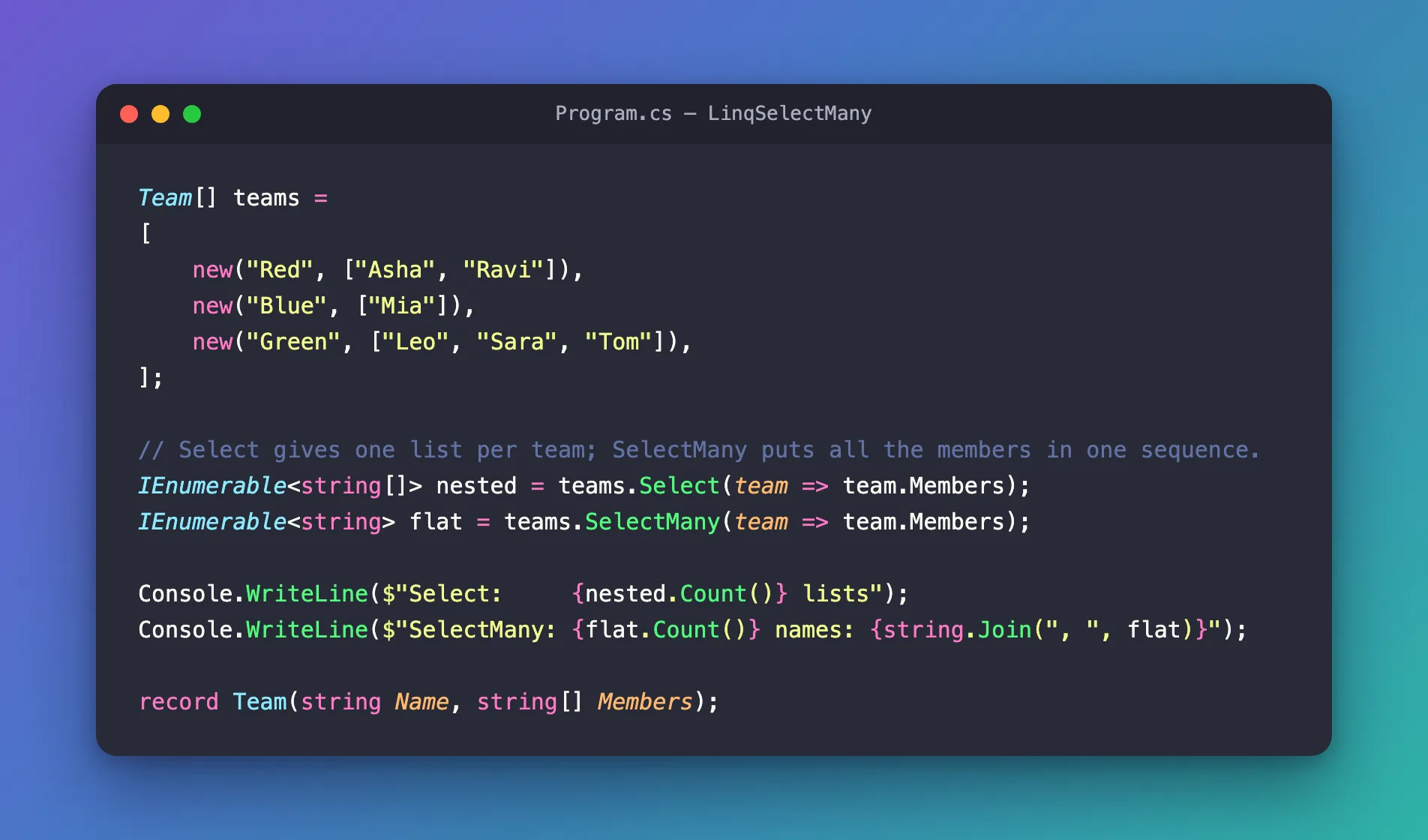
Team[] teams =
[
    new("Red", ["Asha", "Ravi"]),
    new("Blue", ["Mia"]),
    new("Green", ["Leo", "Sara", "Tom"]),
];

// Select gives one list per team; SelectMany puts all the members in one sequence.
IEnumerable<string[]> nested = teams.Select(team => team.Members);
IEnumerable<string> flat = teams.SelectMany(team => team.Members);

Console.WriteLine($"Select:     {nested.Count()} lists");
Console.WriteLine($"SelectMany: {flat.Count()} names: {string.Join(", ", flat)}");

record Team(string Name, string[] Members);
Common Mistakes
| Mistake | What happens | Do this instead |
|---|---|---|
Using Select when you want one flat list | You get a sequence of lists: 3 lists instead of 6 names | Use SelectMany |
An inner list that is null | SelectMany stopped with NullReferenceException: Object reference not set to an instance of an object. | Return an empty list for missing ones: team.Members ?? [] gave the names it could, without an error |
FAQ
How do I keep each member's team?
Pass a second lambda that gets both the team and the member: teams.SelectMany(team => team.Members, (team, member) => $"{member} ({team.Name})") returned Asha (Red), Ravi (Red), Mia (Blue).
Conclusion
items.SelectMany(item => item.InnerList) turns a list of lists into one sequence. Use it whenever each item holds several values and you want all of them in one place.
Additional Resources
- Enumerable.SelectMany — every form, including the one with a second lambda.
