How to Find Which Version an Alias Points To in MLflow

Loading models:/<name>@champion gives you a model but not its version number, and that number is what you want in a log line, a report or a bug ticket. MlflowClient.get_model_version_by_alias answers which version an alias points to right now, with the run that trained it and the model it holds. Real output from MLflow 3.18.0.
Syntax
version = MlflowClient().get_model_version_by_alias(name, alias)
| Part | What it means |
|---|---|
name | The registered model |
alias | The alias, such as champion |
version | A ModelVersion: its version number, aliases, run_id, source, tags and more |
The reference for get_model_version_by_alias: "Get the model version instance by name and alias."
Prerequisites
- An MLflow tracking server with a database backend at
http://127.0.0.1:8080, such asmlflow server --port 8080with its default SQLite database. The registry needs one. mlflowandscikit-learnin your project, for example withuv add mlflow scikit-learn pandas.
Step 1: Look Up the Champion
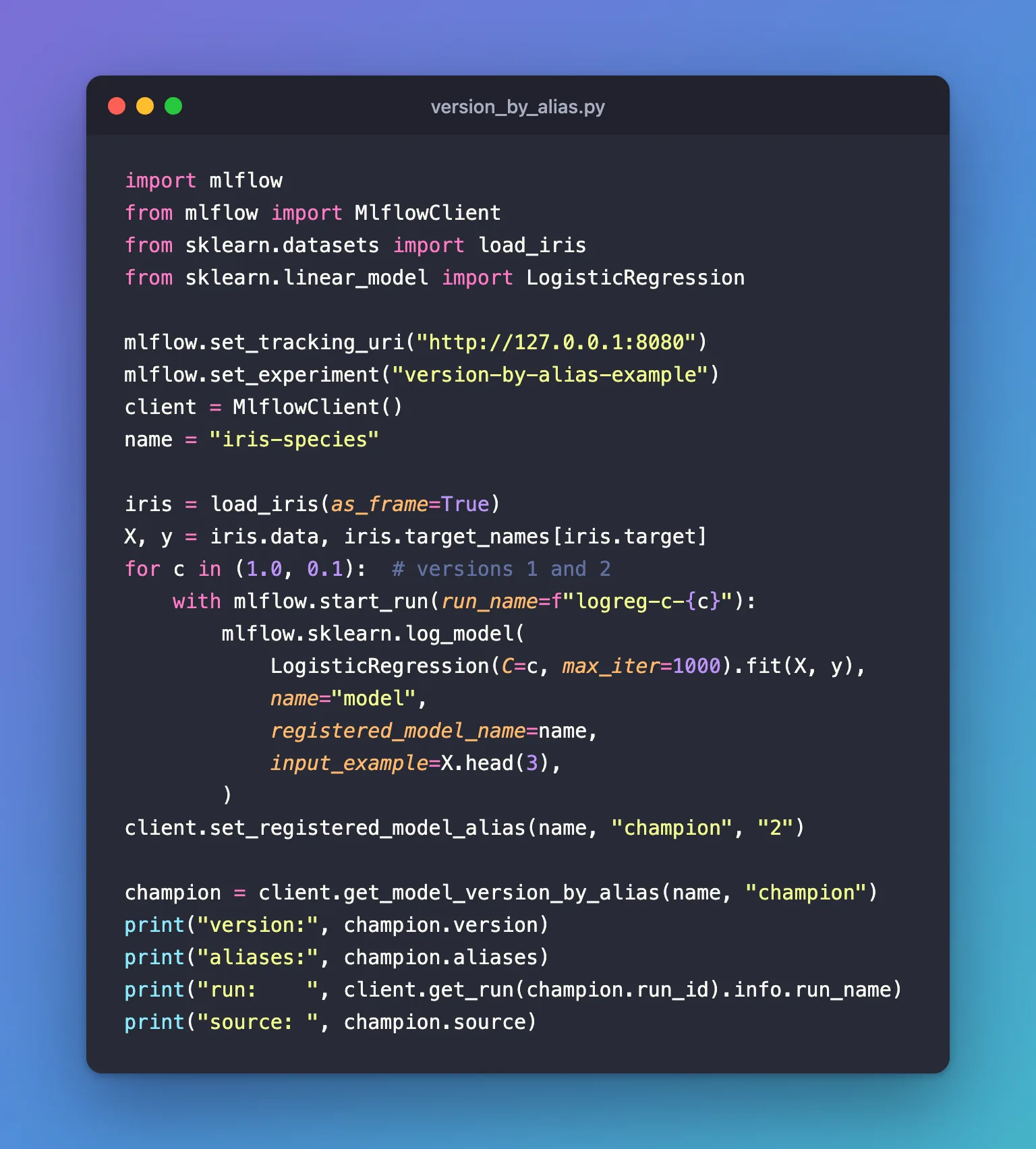
The example registers two versions of an iris classifier, iris-species, each from a run named after its setting, and points champion at version 2. Then it asks which version champion points to and prints what the version records:
import mlflow
from mlflow import MlflowClient
from sklearn.datasets import load_iris
from sklearn.linear_model import LogisticRegression

mlflow.set_tracking_uri("http://127.0.0.1:8080")
mlflow.set_experiment("version-by-alias-example")
client = MlflowClient()
name = "iris-species"

iris = load_iris(as_frame=True)
X, y = iris.data, iris.target_names[iris.target]
for c in (1.0, 0.1):  # versions 1 and 2
    with mlflow.start_run(run_name=f"logreg-c-{c}"):
        mlflow.sklearn.log_model(
            LogisticRegression(C=c, max_iter=1000).fit(X, y),
            name="model",
            registered_model_name=name,
            input_example=X.head(3),
        )
client.set_registered_model_alias(name, "champion", "2")

champion = client.get_model_version_by_alias(name, "champion")
print("version:", champion.version)
print("aliases:", champion.aliases)
print("run:    ", client.get_run(champion.run_id).info.run_name)
print("source: ", champion.source)
uv run python version_by_alias.py
version: 2
aliases: ['champion']
run:     logreg-c-0.1
source:  models:/m-9321b272e2f745fcacc5a5f671d13e31
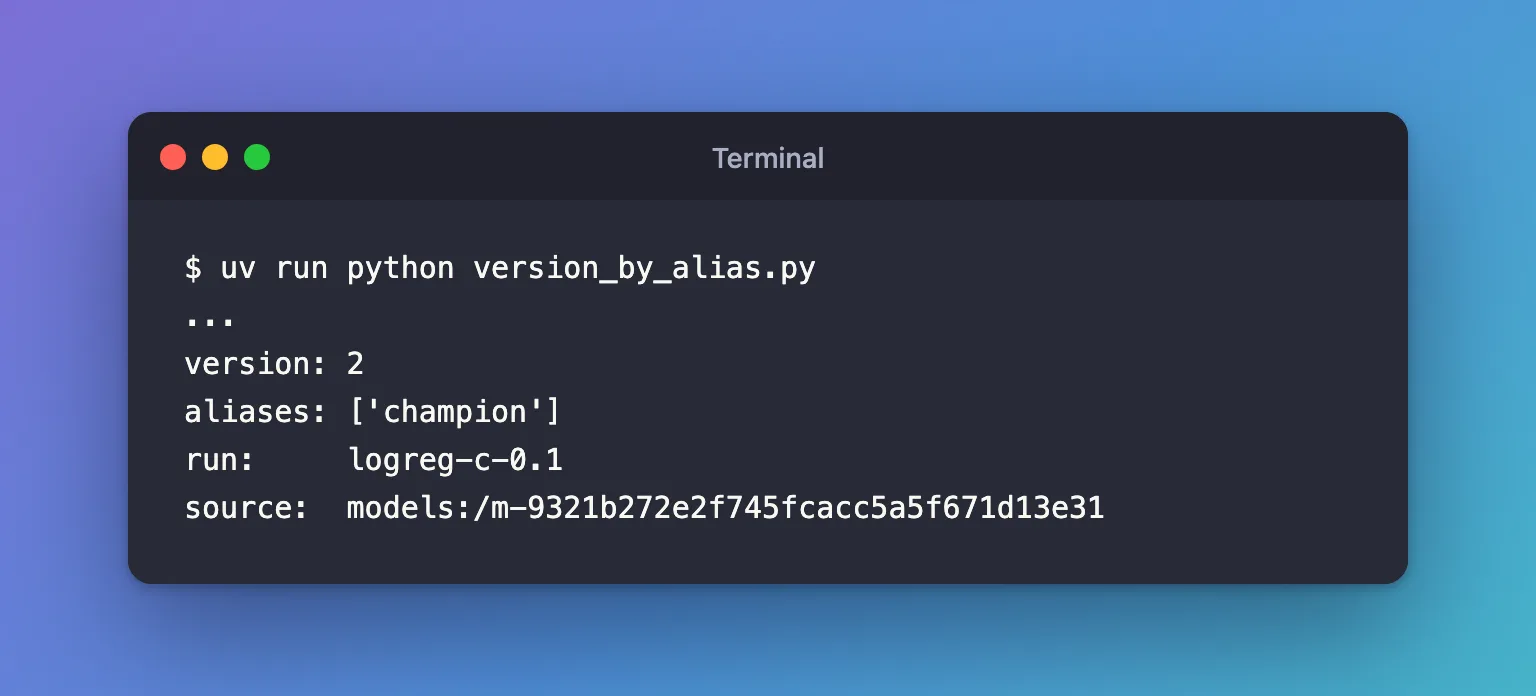
version: 2: the number the alias points to.aliases: ['champion']: every alias on that version.run: logreg-c-0.1: the run that trained it, found from the version'srun_id.source: the logged model the version holds.
Common Mistakes
| Mistake | What happens | Do this instead |
|---|---|---|
Looking up the alias, then loading @champion separately | If the alias moves in between, you log one version and load another | Load models:/<name>/<version> with the number you looked up |
| Using it to check whether an alias exists | A missing alias raises an error | Read client.get_registered_model(name).aliases instead |
Troubleshooting
| Symptom | Likely cause | Fix |
|---|---|---|
INVALID_PARAMETER_VALUE: Registered model alias champion not found. | The registered model has no such alias | Set it, or check its spelling |
RESOURCE_DOES_NOT_EXIST: Registered Model with name=... not found | The registered model's name is wrong | Check the name in the Model Registry |
FAQ
How do I list every alias at once?
client.get_registered_model(name).aliases returns them all as a dictionary of alias to version number.
Does the version know its trained model?
Yes, through source: How to Find the Run and Logged Model Behind a Model Version in MLflow.
Conclusion
client.get_model_version_by_alias("iris-species", "champion") returned version 2, its aliases, the run that trained it, logreg-c-0.1, and the logged model it holds.
Additional Resources
- MlflowClient.get_model_version_by_alias — the call and an example.
- Model Registry workflows — getting a model version by alias.
