How to Find What Is Holding a Metadata Lock in MySQL

An ALTER TABLE is stuck, and everything that arrives after it queues up behind it. The row-lock views are empty, because this is a different kind of lock: a metadata lock, which protects a table's structure. The holder is often something harmless looking, such as a transaction that ran one SELECT and never finished.
Prerequisites
- MySQL, and a few sessions, including an account that can read
sysandperformance_schema. The examples use root on MySQL 9.7.4 in Docker.
Step 1: Get an ALTER TABLE Stuck
One session reads from a table and leaves its transaction open:
START TRANSACTION;
SELECT COUNT(*) FROM mdl_demo;
Another session tries to change the table. This one doesn't come back:
ALTER TABLE mdl_demo ADD COLUMN Extra int;
Step 2: See the Wait
SELECT PROCESSLIST_ID, PROCESSLIST_STATE, PROCESSLIST_TIME, LEFT(PROCESSLIST_INFO, 44) AS statement
FROM performance_schema.threads
WHERE PROCESSLIST_STATE LIKE '%metadata lock%';
+----------------+---------------------------------+------------------+-------------------------------------------+
| PROCESSLIST_ID | PROCESSLIST_STATE               | PROCESSLIST_TIME | statement                                 |
+----------------+---------------------------------+------------------+-------------------------------------------+
|            154 | Waiting for table metadata lock |                3 | ALTER TABLE mdl_demo ADD COLUMN Extra int |
+----------------+---------------------------------+------------------+-------------------------------------------+
1 row in set (0.001 sec)
Waiting for table metadata lock is what you'd see in a process list, too.
Step 3: Find the Holder
SELECT object_schema, object_name, waiting_pid, waiting_query, blocking_pid, sql_kill_blocking_connection
FROM sys.schema_table_lock_waits\G
*************************** 1. row ***************************
               object_schema: inventory
                 object_name: mdl_demo
                 waiting_pid: 154
               waiting_query: ALTER TABLE mdl_demo ADD COLUMN Extra int
                blocking_pid: 156
sql_kill_blocking_connection: KILL 156
*************************** 2. row ***************************
               object_schema: inventory
                 object_name: mdl_demo
                 waiting_pid: 154
               waiting_query: ALTER TABLE mdl_demo ADD COLUMN Extra int
                blocking_pid: 154
sql_kill_blocking_connection: KILL 154
2 rows in set (0.006 sec)
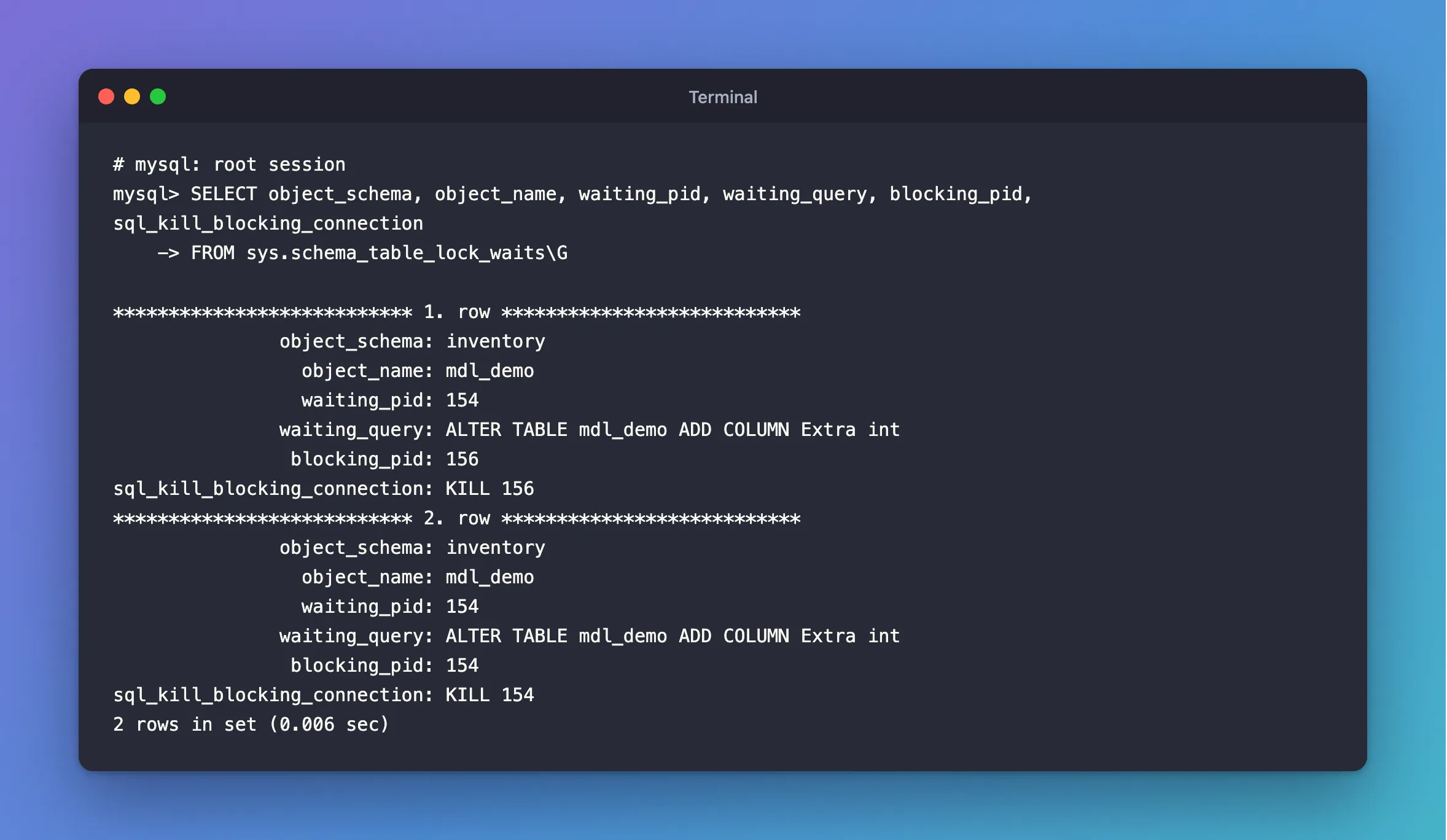
The first row is the answer: connection 156, which is the open transaction. Ignore the second row, in which the ALTER TABLE appears to block itself. It holds one kind of metadata lock while waiting for a stronger one.
Step 4: See the Locks
SELECT OBJECT_TYPE, OBJECT_NAME, LOCK_TYPE, LOCK_DURATION, LOCK_STATUS, OWNER_THREAD_ID
FROM performance_schema.metadata_locks
WHERE OBJECT_NAME = 'mdl_demo';
+-------------+-------------+-------------------+---------------+-------------+-----------------+
| OBJECT_TYPE | OBJECT_NAME | LOCK_TYPE         | LOCK_DURATION | LOCK_STATUS | OWNER_THREAD_ID |
+-------------+-------------+-------------------+---------------+-------------+-----------------+
| TABLE       | mdl_demo    | SHARED_READ       | TRANSACTION   | GRANTED     |             204 |
| TABLE       | mdl_demo    | SHARED_UPGRADABLE | TRANSACTION   | GRANTED     |             202 |
| TABLE       | mdl_demo    | EXCLUSIVE         | TRANSACTION   | PENDING     |             202 |
+-------------+-------------+-------------------+---------------+-------------+-----------------+
3 rows in set (0.000 sec)
| Lock | Whose it is |
|---|---|
SHARED_READ, GRANTED, TRANSACTION | The SELECT. It lasts until the transaction ends, not until the SELECT ends |
EXCLUSIVE, PENDING | What the ALTER TABLE needs, and is waiting for |
LOCK_DURATION: TRANSACTION is the key. A plain SELECT takes no row locks, and it does take a metadata lock that lasts for the whole transaction, so nobody can change the table's structure under it. The metadata locking page says: "MySQL uses metadata locking to manage concurrent access to database objects and to ensure data consistency."
Step 5: Release It
Make the holder finish:
COMMIT;
The ALTER TABLE completes at once. If you can't reach the holder, use the KILL statement the view gave you: How to Stop a Running Query or Connection in MySQL with KILL.
Common Mistakes
| Mistake | What happens | Do this instead |
|---|---|---|
Looking in sys.innodb_lock_waits | That's for row locks, and it's empty here | Use sys.schema_table_lock_waits |
Assuming a SELECT can't block anything | Its metadata lock lasts until the transaction ends | End transactions promptly |
Killing the ALTER TABLE | The holder stays, ready to block the next try | Kill the holder, if anything |
| Running migrations with long reads in progress | They wait, and new queries queue behind them | Run them at a quiet moment |
Troubleshooting
| Symptom | Likely cause | Fix |
|---|---|---|
Waiting for table metadata lock | An open transaction touched this table | The fix |
| The view is empty | Metadata lock instrumentation is off | The page says the instrument "is enabled by default". Check performance_schema.setup_instruments |
| Everything on the table is stuck | Later statements queue behind the waiting ALTER | End the holder, or stop the ALTER |
FAQ
Does innodb_lock_wait_timeout apply?
No, that's for row locks. Metadata locks use lock_wait_timeout, whose default is 31,536,000 seconds, which is one year. Set it lower before running a migration on a busy database.
Conclusion
When an ALTER TABLE is stuck on Waiting for table metadata lock, sys.schema_table_lock_waits names the holder. It's usually an open transaction that touched the table, even with a plain SELECT. End that transaction, and the ALTER carries on.
Additional Resources
- Metadata Locking — how it works.
- The metadata_locks Table — the columns.
