How to Find the Web Link of a Canvas App in Power Apps

A canvas app's web link opens it straight in a browser. You need it to tell people about an app you've shared, because sharing doesn't always notify them. There are two places to get it.
Prerequisites
- A published canvas app (How to Publish a Canvas App in Power Apps).
Option 1: The App's Details Page
In Power Apps, open Apps, select the app and choose Details on the command bar. Web link is on the Details tab, with a copy button at the right:
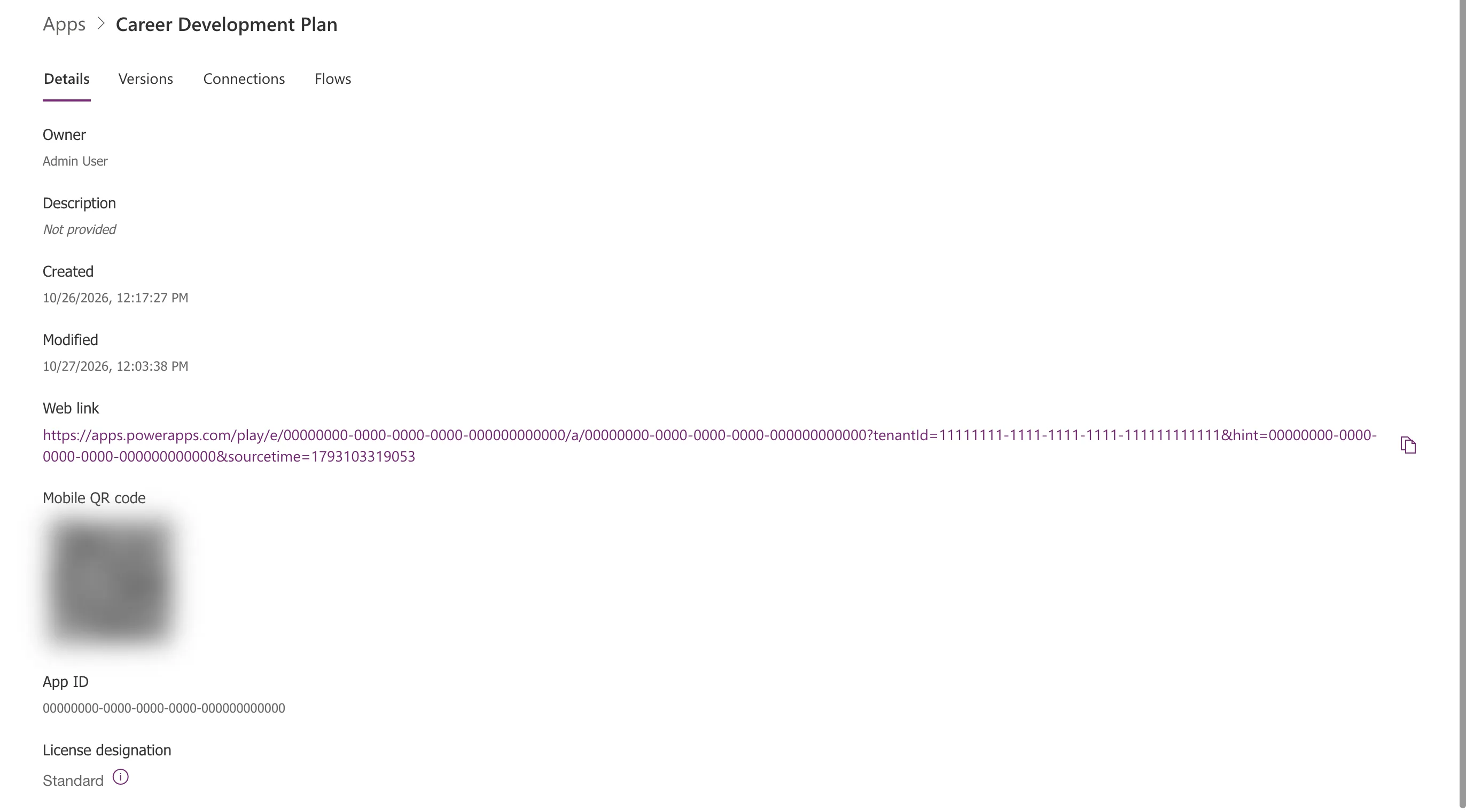
The link has this shape, with your own IDs in place of the zeros and ones:
https://apps.powerapps.com/play/e/00000000-0000-0000-0000-000000000000/a/00000000-0000-0000-0000-000000000000?tenantId=11111111-1111-1111-1111-111111111111&hint=00000000-0000-0000-0000-000000000000&sourcetime=1793103319053
The first ID is the environment, the second the app (the same as App ID on the page), and tenantId your organization.
The page also has a Mobile QR code that opens the app in Power Apps Mobile. It holds the same IDs, which is why it's blurred here.
Option 2: Copy Link in the Share Dialog
After you share the app, the confirmation has a Copy link button (How to Share a Canvas App with a Security Group in Power Apps). Its menu offers Copy link to play app and Copy link to edit app; the button itself copies the play link:
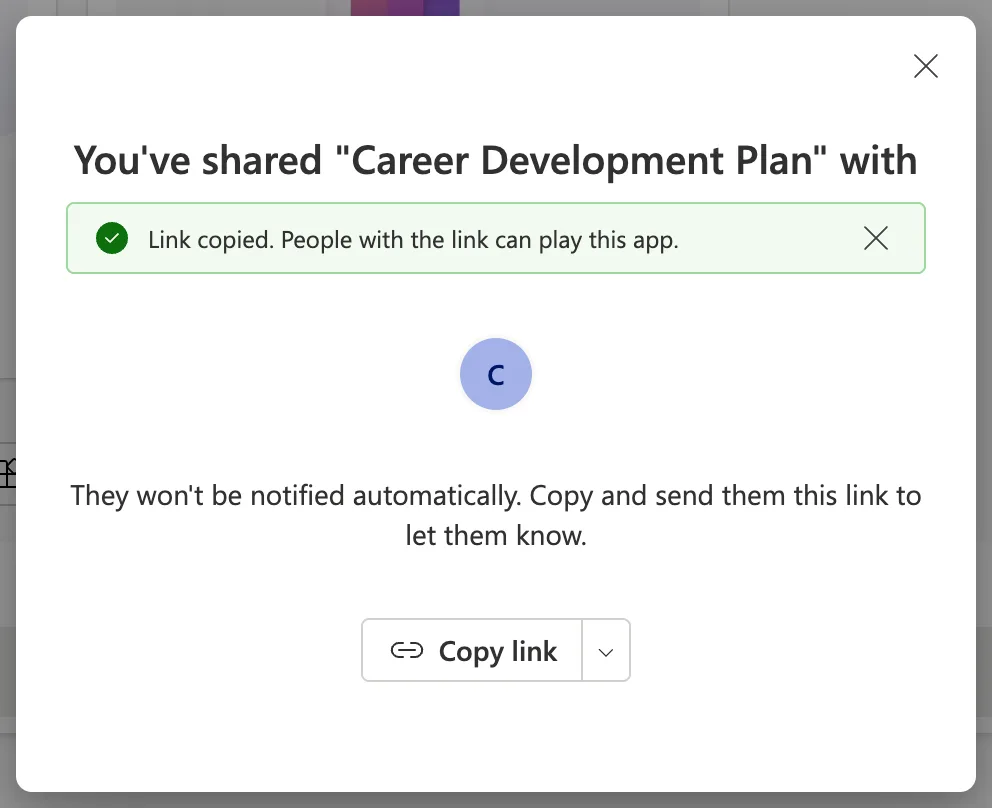
Send the play link to users. The edit link is for co-owners, who can change the app.
Common Mistakes
| Mistake | What happens | Do this instead |
|---|---|---|
| Sending the edit link to users | It's meant for co-owners who change the app | Send the play link |
| Sending the link before sharing the app | People can't open it | Share first, then send the link |
| Posting the link or QR code publicly | It reveals your environment and organization IDs | Send it to the people who need it |
Troubleshooting
| Symptom | Likely cause | Fix |
|---|---|---|
| Someone gets an error opening the link | The app isn't shared with them | Add them, or their group, in Share |
| They see an older version | They had the app open, or it hasn't updated yet | Reload after a few minutes |
FAQ
Does the link change when I publish a new version?
No. It points at the app, and people get whichever version is Live.
Can people open the app another way?
Yes. Microsoft's sharing article mentions Power Apps Mobile and the apps list in Microsoft 365, and the link can also be shared in a Teams chat.
Conclusion
The web link is on the app's Details page, and the Share dialog's Copy link copies the same play link. Share the app first, then send the link to the people you shared it with.
