How to Find the TLS Certificates MySQL Creates in Docker

MySQL makes its own certificates the first time it starts, so TLS works with no setup. To check who you're connecting to, your app needs one of those files. Here's where they are in Docker, what each one's for, and how to copy the one you need.
What You Need
MySQL running in Docker, with Docker Compose, as in How to Run MySQL in Docker with Docker Compose. The commands here use a service called mysql, and they're the same in every shell.
Step 1: List the Files
They're in the data folder:
docker compose exec mysql sh -c 'ls -l /var/lib/mysql/*.pem'
-rw------- 1 mysql mysql 1705 Nov  6 06:03 /var/lib/mysql/ca-key.pem
-rw-r--r-- 1 mysql mysql 1108 Nov  6 06:03 /var/lib/mysql/ca.pem
-rw-r--r-- 1 mysql mysql 1108 Nov  6 06:03 /var/lib/mysql/client-cert.pem
-rw------- 1 mysql mysql 1705 Nov  6 06:03 /var/lib/mysql/client-key.pem
-rw------- 1 mysql mysql 1701 Nov  6 06:03 /var/lib/mysql/private_key.pem
-rw-r--r-- 1 mysql mysql  452 Nov  6 06:03 /var/lib/mysql/public_key.pem
-rw-r--r-- 1 mysql mysql 1108 Nov  6 06:03 /var/lib/mysql/server-cert.pem
-rw------- 1 mysql mysql 1705 Nov  6 06:03 /var/lib/mysql/server-key.pem
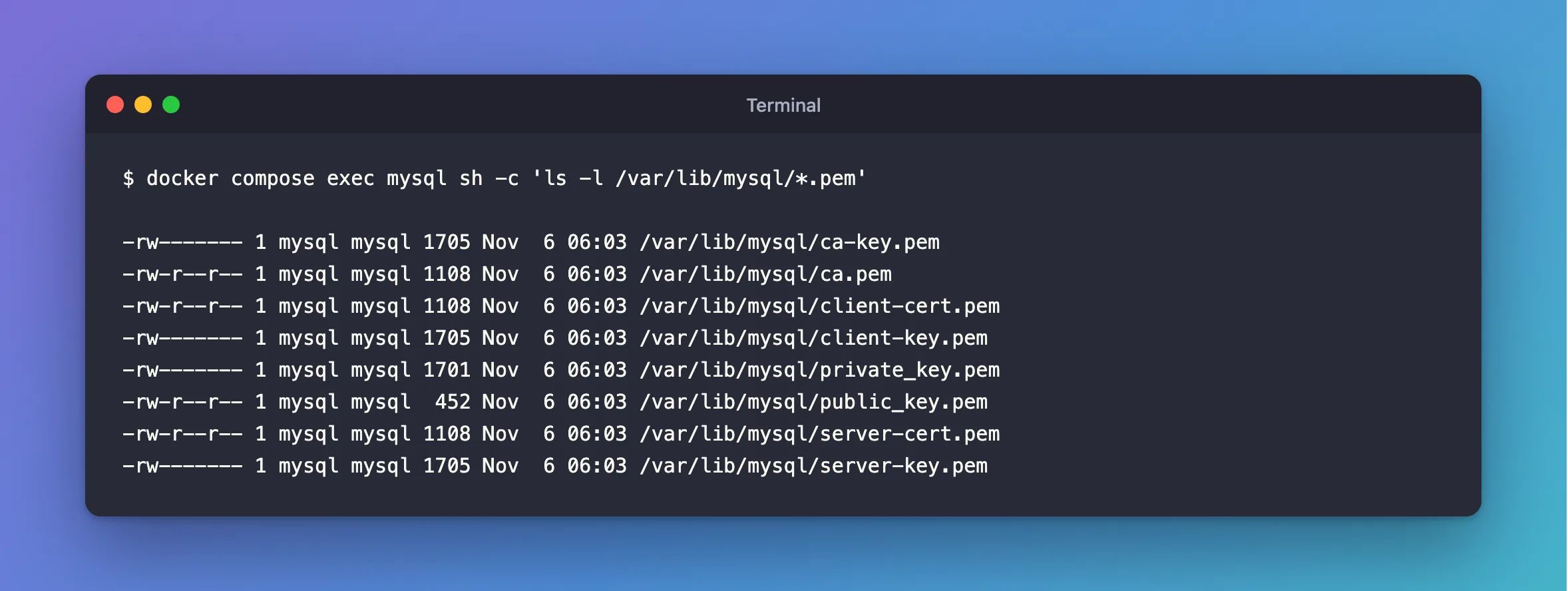
The permissions already tell you which are secret: -rw------- means only the mysql user can read them.
| File | What it is | Who needs it |
|---|---|---|
ca.pem | The CA that signed the others | Your app, to check the server |
ca-key.pem | The CA's private key | Nobody else. It stays here |
server-cert.pem, server-key.pem | The server's certificate and key | MySQL |
client-cert.pem, client-key.pem | A certificate and key for a client | A client that needs one |
private_key.pem, public_key.pem | An RSA pair for sending passwords without TLS | MySQL, and clients using RSA |
Step 2: Read Them
docker compose exec mysql openssl x509 -in /var/lib/mysql/ca.pem -noout -subject -issuer -dates
subject=CN=MySQL_Server_9.7.4_Auto_Generated_CA_Certificate
issuer=CN=MySQL_Server_9.7.4_Auto_Generated_CA_Certificate
notBefore=Nov  6 06:03:38 2026 GMT
notAfter=Nov  3 06:03:38 2036 GMT
MySQL's manual says these files "are valid for ten years from the time of generation", and the dates agree. How to Read a Certificate with openssl goes through the rest.
Step 3: Copy the CA to Your Computer
mkdir certs
docker compose cp mysql:/var/lib/mysql/ca.pem certs/ca.pem
 dewiride-inventory-mysql-1 Copying dewiride-inventory-mysql-1:/var/lib/mysql/ca.pem to certs/ca.pem
 dewiride-inventory-mysql-1 Copied dewiride-inventory-mysql-1:/var/lib/mysql/ca.pem to certs/ca.pem
Add certs/ to your .gitignore first: ca.pem isn't secret, but you may keep files beside it that are.
When These Files Change
MySQL creates them when it starts on an empty data folder, and leaves them alone after that. So restarts keep them, and so does docker compose down, which keeps the volume. docker compose down -v deletes the volume, so the next start makes a new CA, and any client holding the old ca.pem refuses to connect.
Common Mistakes
| Mistake | What happens | Do this instead |
|---|---|---|
Copying ca-key.pem | You've spread the key that can sign anything | Copy only ca.pem |
Giving clients server-cert.pem as the CA | The signature check fails | Give them ca.pem |
Expecting a usable host name in server-cert.pem | It has none, so VerifyFull can't pass | Give it the right name |
Troubleshooting
| Symptom | Likely cause | Fix |
|---|---|---|
service "mysql" is not running | MySQL is stopped, or the service has another name | Run docker compose up -d --wait, and check compose.yaml |
No .pem files listed | The container mounts its own certificates, or MySQL was started without them | Check SHOW GLOBAL STATUS LIKE 'Current_tls_cert' |
Permission denied reading a key on your computer | docker compose cp keeps its permissions | That's right for a key |
Conclusion
MySQL's certificates are in /var/lib/mysql. Copy ca.pem to whatever needs to check the server, and leave the keys where they are.
Additional Resources
- Creating SSL and RSA Certificates and Keys using MySQL — how and when MySQL makes them.
- docker compose cp — copying files out of a container.
