How to Find the Endpoint of a Microsoft Foundry Project with the Azure CLI

Every app that talks to a Microsoft Foundry project needs the project's endpoint: the Foundry SDK, Microsoft Agent Framework and the Responses API all start from it. The Azure CLI prints it with one command, without opening the Foundry portal.
Syntax
az cognitiveservices account project show --resource-group <resource group> --name <foundry resource> --project-name <project> --query "properties.endpoints" --output json
| Part | What it is |
|---|---|
az cognitiveservices account project show | Returns a Cognitive Services project specified by the parameters, in the CLI's own words. A Foundry resource is a Cognitive Services account, and its projects belong to it |
<resource group> | The resource group of the Foundry resource |
<foundry resource> | The name of the Foundry resource |
<project> | The name of the project |
--query "properties.endpoints" | Picks the project's endpoints out of everything the command returns |
--output json | Prints them as JSON |
To see every project of a resource with its endpoint, az cognitiveservices account project list --resource-group <resource group> --name <foundry resource> --query "[].properties.endpoints" --output json does the same for all of them.
The Example
The Foundry resource foundry-devblogs-exp, in the resource group rg-devblogs-exp, has a project called proj-devblogs-exp. The command prints its endpoint.
Prerequisites
- The Azure CLI, signed in with
az login, with an account that can read the Foundry resource.
Step 1: Print the Endpoint
Run the command, with your own resource group, resource and project:
az cognitiveservices account project show --resource-group rg-devblogs-exp --name foundry-devblogs-exp --project-name proj-devblogs-exp --query "properties.endpoints" --output json
{
  "AI Foundry API": "https://foundry-devblogs-exp.services.ai.azure.com/api/projects/proj-devblogs-exp"
}
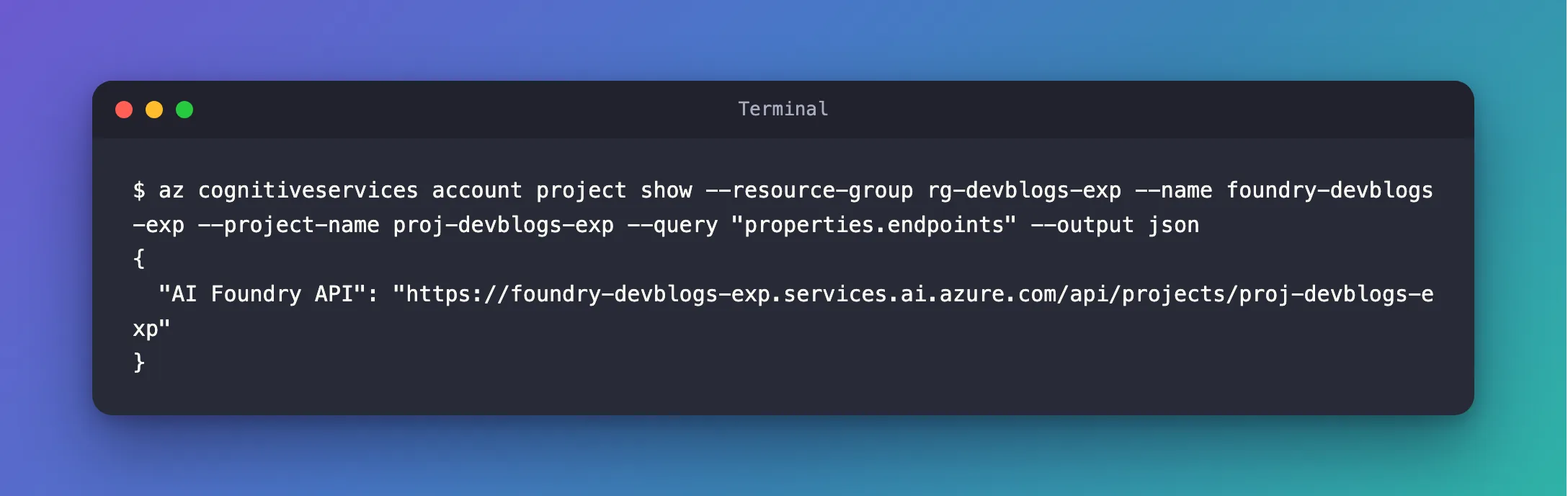
The value labeled AI Foundry API is the project endpoint. It has a fixed shape: https://<foundry resource>.services.ai.azure.com/api/projects/<project>.
Step 2: Use It in Your Code
Pass it wherever an SDK asks for the project endpoint. With the Foundry SDK in C#, for example:
AIProjectClient project = new(
    new Uri("https://foundry-devblogs-exp.services.ai.azure.com/api/projects/proj-devblogs-exp"),
    new AzureCliCredential());
Why the Project Endpoint
A Foundry resource has its own address too, without /api/projects/..., and some calls work there. Microsoft's Responses API quickstart explains what you'd miss: calling the project endpoint, not a resource-level OpenAI endpoint, unlocks these project-scoped capabilities, which include project-scoped data, Foundry's own tools, and project-level observability and governance. Use the project endpoint unless a guide asks for the resource's.
Common Mistakes
| Mistake | What happens | Do this instead |
|---|---|---|
Using the resource's address, without /api/projects/<project> | Project features aren't available | Use the endpoint from this command |
Passing the project's name to --name | The CLI looks for a Foundry resource with that name | --name is the resource; the project goes in --project-name |
Leaving out --query | The command prints the project's full details | Add --query "properties.endpoints" |
FAQ
Where is the same endpoint in the Foundry portal?
Microsoft's quickstart for hosted agents says to copy the Project endpoint from Home, the project's home page in the portal.
Is the endpoint a secret?
No. It's an address: calling it still needs a token for an account with a role on the resource, such as Foundry User.
Conclusion
az cognitiveservices account project show with --query "properties.endpoints" prints a Foundry project's endpoint, the address that ends in /api/projects/<project>. That's the address to pass to the Foundry SDK and Microsoft Agent Framework.
Additional Resources
- az cognitiveservices account project — the project commands of the Azure CLI.
- Quickstart: Build agents using the Responses API — what the project endpoint adds.
- How to Create a Microsoft Foundry Resource and Deploy a Model — a resource and a project to start from.
