How to Find Logged Models in the MLflow UI

In MLflow 2 you found a model in its run's Artifacts tab. MLflow 3 gives models a place of their own: every experiment has a Models tab, and every model has a page with its ID, its files and the run that logged it. This guide finds two logged models in the UI of MLflow 3.18.0.
How the Models Tab Fits In
An experiment's page has three tabs in the left menu: Runs, Models and Traces. Models lists the models logged in that experiment, one row each. Clicking a model's name opens its page, with three tabs of its own: Overview, Traces and Artifacts.
MLflow's migration guide sums up the change: "In MLflow 3.x, the Artifacts tab in the run page no longer displays model artifacts. Model artifacts are now accessed through the Logged Models page".
Prerequisites
- An MLflow tracking server at
http://127.0.0.1:8080. MLflow's tracking server guide shows how to start one.
Step 1: Log Two Models to Look At
The example logs two ridge regressions, trained on scikit-learn's diabetes data with two strengths of regularization, each in its own run:
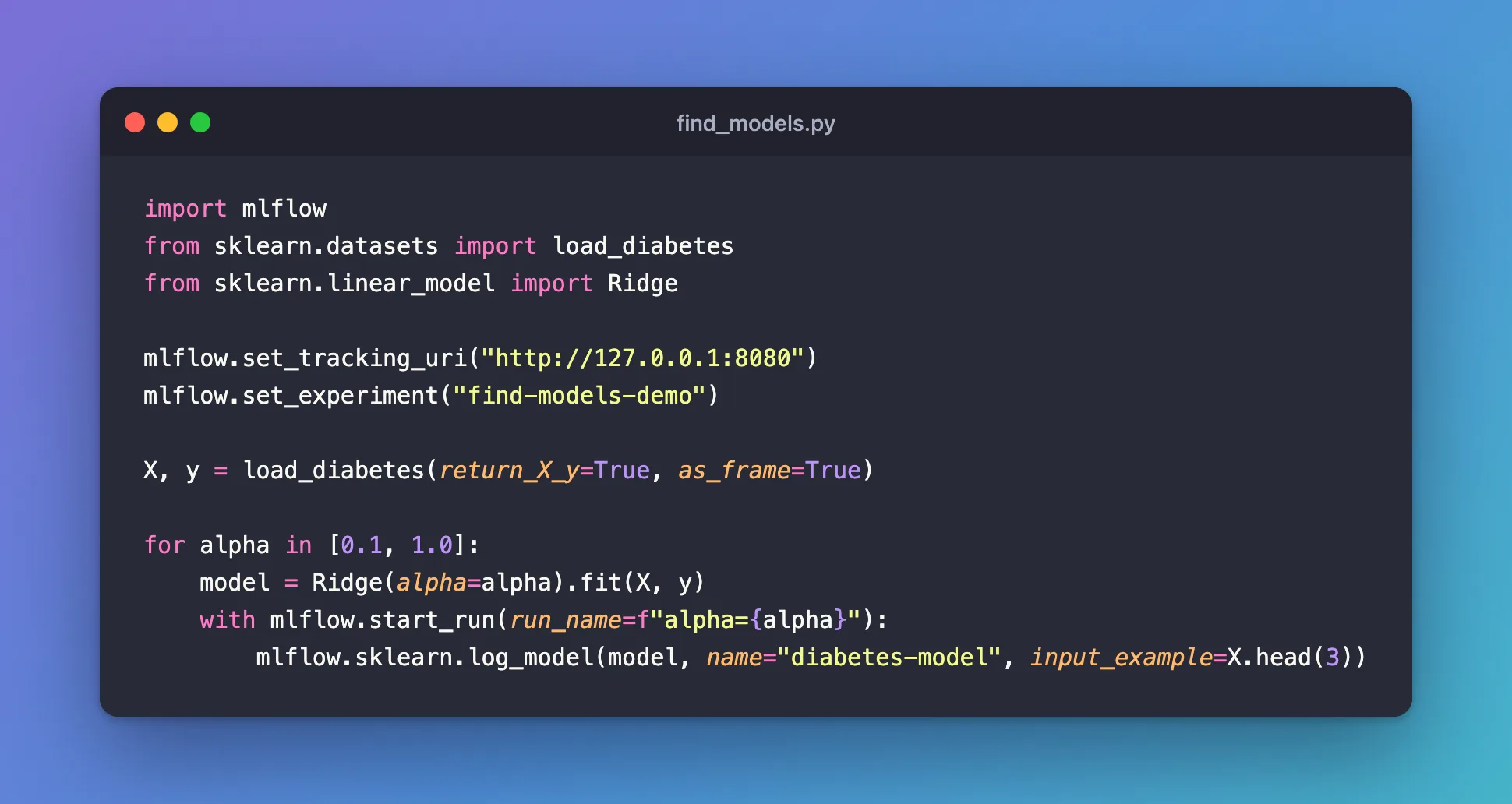
import mlflow
from sklearn.datasets import load_diabetes
from sklearn.linear_model import Ridge

mlflow.set_tracking_uri("http://127.0.0.1:8080")
mlflow.set_experiment("find-models-demo")

X, y = load_diabetes(return_X_y=True, as_frame=True)

for alpha in [0.1, 1.0]:
    model = Ridge(alpha=alpha).fit(X, y)
    with mlflow.start_run(run_name=f"alpha={alpha}"):
        mlflow.sklearn.log_model(model, name="diabetes-model", input_example=X.head(3))
uv run python find_models.py
🏃 View run alpha=0.1 at: http://127.0.0.1:8080/#/experiments/10/runs/6ccb97fe111a41719ee6719ce6f9f147
🧪 View experiment at: http://127.0.0.1:8080/#/experiments/10
🏃 View run alpha=1.0 at: http://127.0.0.1:8080/#/experiments/10/runs/523d700103b2482b97aea71b193575f9
🧪 View experiment at: http://127.0.0.1:8080/#/experiments/10
Step 2: Open the Experiment's Models Tab
Open http://127.0.0.1:8080, click the experiment, find-models-demo, and then Models in the left menu:
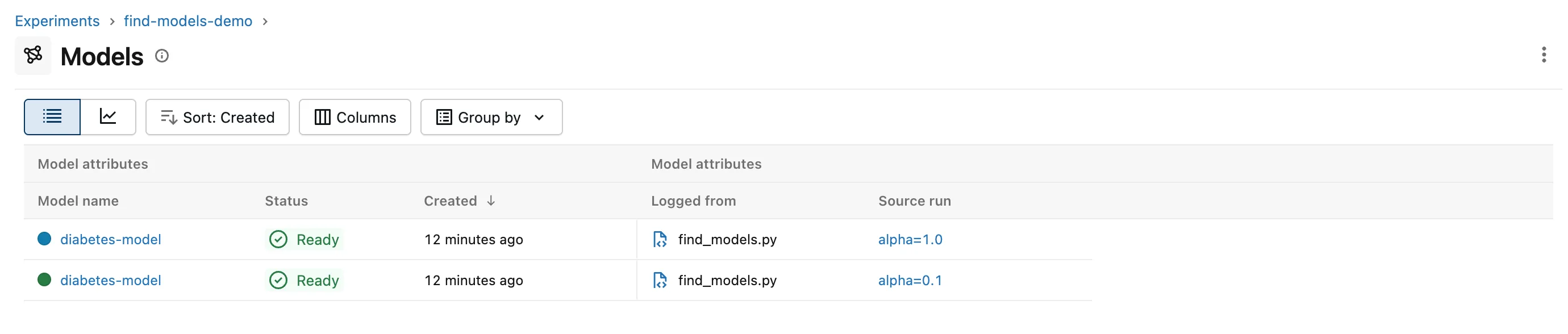
Each row is one logged model:
- Model name: the
nameit was logged with. Both arediabetes-model; names don't have to be unique, IDs are. - Status: Ready once the model's files are saved.
- Logged from and Source run: the script and the run that logged it. The run's name tells the two apart here.
The Columns button adds or hides columns, including one per metric linked to the models. In the screenshot, I hid two empty columns with it, Registered models and Dataset.
Step 3: Open a Model's Page
Click the second model's name, the one from alpha=0.1. The panel on the right of its Overview tab holds what identifies it:
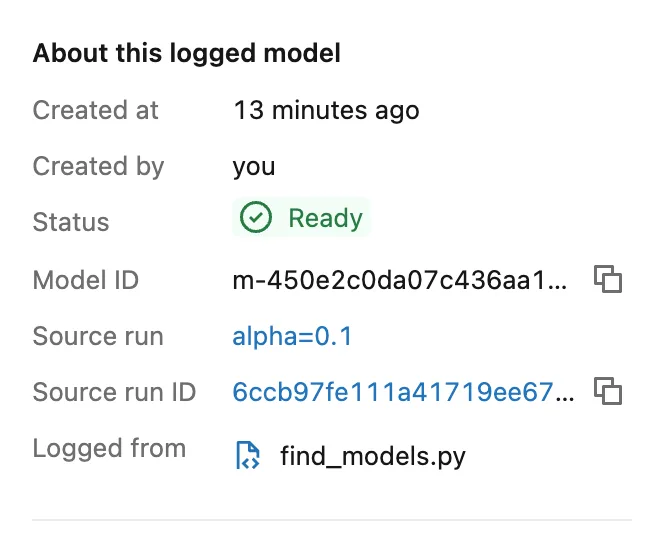
- Model ID: the
m-…ID; the copy button next to it copies it whole.models:/followed by it is the address you load the model from. - Source run and Source run ID: the run that logged it, one click away.
The Artifacts tab next to Overview lists the model's files and opens them, MLmodel included: How to Read the MLmodel File of an MLflow Model walks through it.
Common Mistakes
| Mistake | What happens | Do this instead |
|---|---|---|
| Looking for the model on the run's Artifacts tab | MLflow 3 doesn't show models there | Use the experiment's Models tab, or the run's Logged models table |
| Telling models apart by name | Several models can share one | Use the Source run or the Model ID |
Troubleshooting
| Symptom | Likely cause | Fix |
|---|---|---|
| The Models tab is empty | No model was logged in this experiment, or they were deleted | Check the experiment name your script sets |
| A model's status isn't Ready | Its files weren't saved | Check the logging script's output for errors |
FAQ
Is the Models tab the same as the Model registry?
No. The Models tab lists every logged model of the experiment; the Model registry, in the left menu, holds the models you register as named, versioned models.
Can I find a model from its run?
Yes: a run's page has a Logged models table listing the models it logged.
Conclusion
The experiment's Models tab listed both logged models with their status and source runs, and a model's page gave its ID, its run and, on the Artifacts tab, its files: in MLflow 3, that's where models live in the UI.
Additional Resources
- MLflow 3 migration guide — models as their own entities, and the UI changes.
