How to Find Failed Runs in MLflow

A training script that crashes halfway leaves its MLflow run behind with whatever it logged so far, marked as failed. Those runs can look like results: a half-trained model's score sits next to the finished ones. This guide makes one run fail, shows how it appears in the runs table, and finds it, or leaves it out, with a search on the run's status, in the UI and in Python, with MLflow 3.18.0.
Syntax
attributes.status = '<STATUS>'
attributes.status != '<STATUS>'
| Part | What it means |
|---|---|
attributes.status | The run's status |
'<STATUS>' | One of RUNNING, SCHEDULED, FINISHED, FAILED and KILLED, in capitals and in quotes |
= or != | Runs with that status, or with any other |
The same filter works in the runs table's search box and in mlflow.search_runs(filter_string=...).
Prerequisites
- An MLflow tracking server at
http://127.0.0.1:8080. MLflow's tracking server guide shows how to start one.
Step 1: Make a Run Fail
When code inside with mlflow.start_run(): raises an exception, MLflow ends the run with the status FAILED and lets the exception continue. The example has two runs: one that works, and one that raises an error after logging a score. Create crash_run.py:
import mlflow

mlflow.set_tracking_uri("http://127.0.0.1:8080")
mlflow.set_experiment("failed-runs-demo")

with mlflow.start_run(run_name="works"):
    mlflow.log_metric("score", 0.9)

with mlflow.start_run(run_name="crashes"):
    mlflow.log_metric("score", 0.4)
    raise RuntimeError("Something went wrong halfway through training")
uv run python crash_run.py
2026/11/20 15:01:58 INFO mlflow.tracking.fluent: Experiment with name 'failed-runs-demo' does not exist. Creating a new experiment.
🏃 View run works at: http://127.0.0.1:8080/#/experiments/20/runs/4488456ab59a44d8adab3995d1188f29
🧪 View experiment at: http://127.0.0.1:8080/#/experiments/20
🏃 View run crashes at: http://127.0.0.1:8080/#/experiments/20/runs/1bcf94e8870148c5ac17a4fb55d9cf35
🧪 View experiment at: http://127.0.0.1:8080/#/experiments/20
Traceback (most recent call last):
  File "/Users/you/source/mlflow-demo/crash_run.py", line 11, in <module>
    raise RuntimeError("Something went wrong halfway through training")
RuntimeError: Something went wrong halfway through training
MLflow closed the run and printed its link before Python printed the error. Pressing Ctrl+C during a run has the same effect: the interruption is an exception too.
Step 2: See It in the Runs Table
Open the experiment, failed-runs-demo. I added the score column with the Columns button:
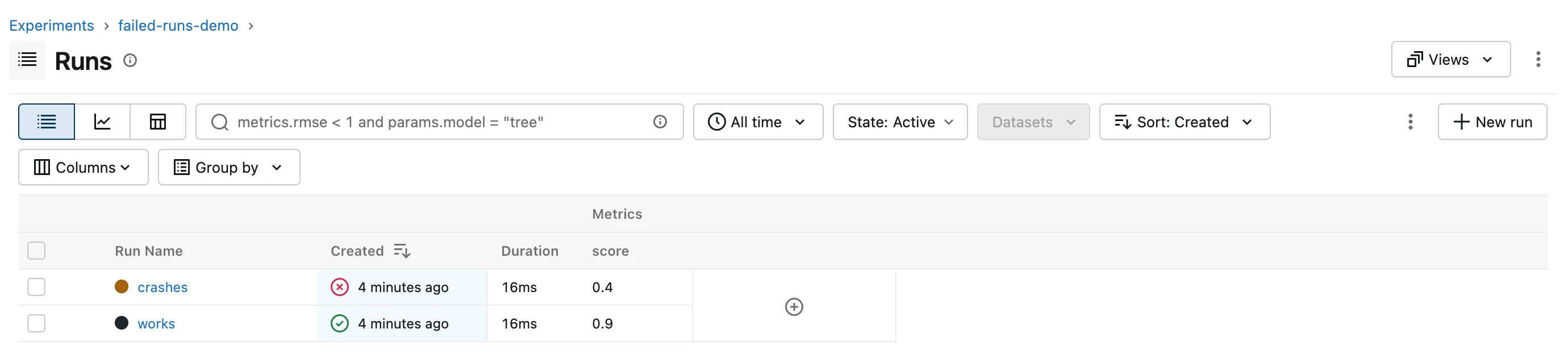
A finished run has a green tick in the Created column; crashes has a red cross. Its score, 0.4, is still there: everything logged before the error was kept.
Step 3: Search for Failed Runs in the UI
Type into the search box, press Esc to close the list of suggestions, then Enter:
attributes.status = 'FAILED'
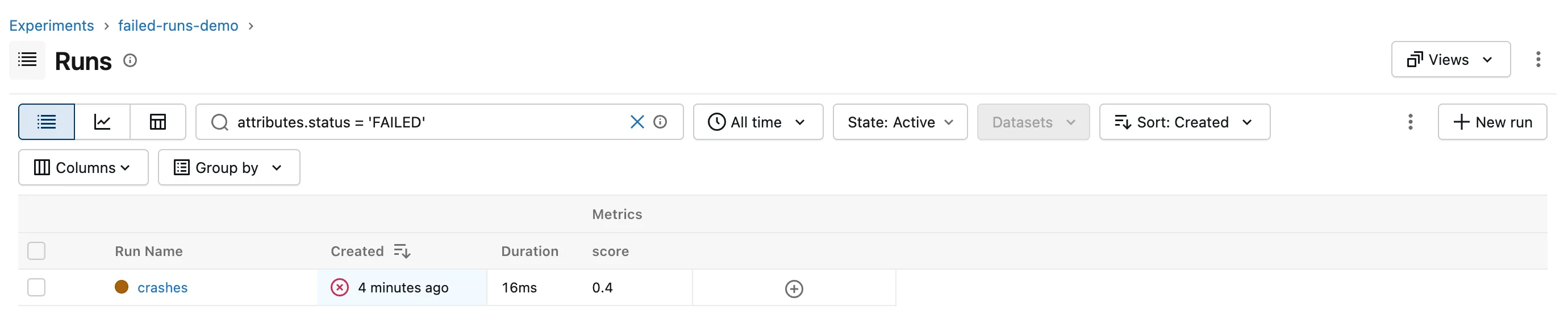
Only crashes is left.
Step 4: Search for Failed Runs in Python
Create failed_runs.py:
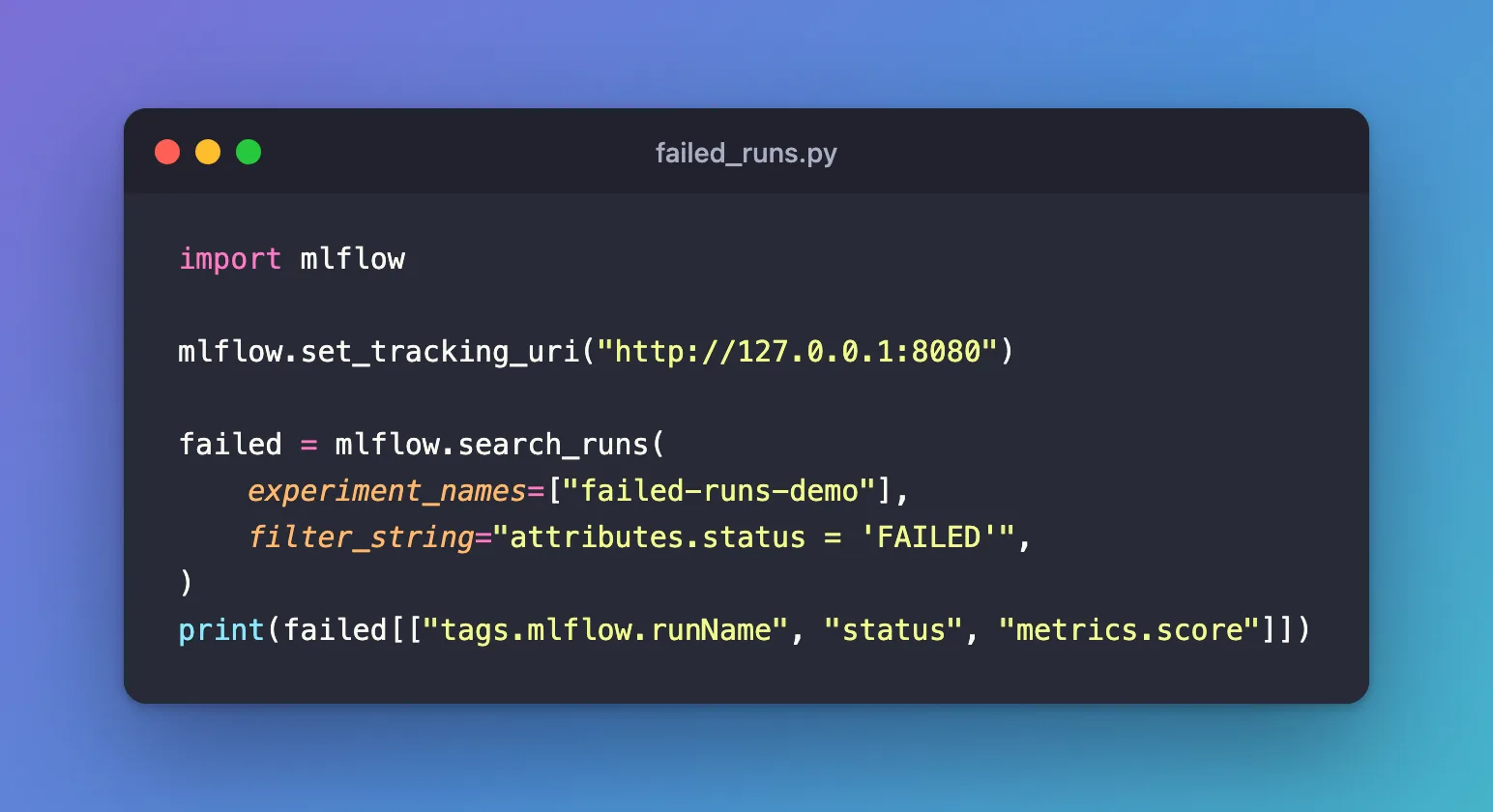
import mlflow

mlflow.set_tracking_uri("http://127.0.0.1:8080")

failed = mlflow.search_runs(
    experiment_names=["failed-runs-demo"],
    filter_string="attributes.status = 'FAILED'",
)
print(failed[["tags.mlflow.runName", "status", "metrics.score"]])
uv run python failed_runs.py
  tags.mlflow.runName  status  metrics.score
0             crashes  FAILED            0.4
The DataFrame's status column holds each run's status, so you can also read it for every run without a filter.
Step 5: Leave Failed Runs Out
When you compare results, keep only the runs that finished:
attributes.status = 'FINISHED'
Add it with AND to any other filter, such as attributes.status = 'FINISHED' AND metrics.score > 0.5. attributes.status != 'FINISHED' does the opposite and finds every run that didn't finish: here, crashes.
Common Mistakes
| Mistake | What happens | Do this instead |
|---|---|---|
The status in lower case, 'failed' | No runs match, and no error | Write it in capitals: 'FAILED' |
| Treating a failed run's metrics as a result | A half-trained model's score is compared with finished ones | Filter on attributes.status = 'FINISHED' |
Searching for 'KILLED' to find runs stopped with Ctrl+C | No match: an interrupted Python run ends as FAILED | Search for 'FAILED' |
Troubleshooting
| Symptom | Likely cause | Fix |
|---|---|---|
| A run you stopped still shows as running | Its process was ended by force, such as with kill -9, before MLflow could close the run | Stop runs with Ctrl+C, which lets MLflow end them |
attributes.status = 'ACTIVE' finds nothing | ACTIVE isn't a status; whether a run is deleted is a separate setting | Use one of the five statuses, and the State filter for deleted runs |
| No failed runs found, but you know one crashed | It crashed before the run started, so there's no run | Check the script's output for a View run link |
FAQ
What's the difference between FAILED and KILLED?
Both are statuses of runs that didn't finish. In a Python script, an exception inside the run, Ctrl+C included, ends it as FAILED. KILLED is set by code that asks for it, such as mlflow.end_run(status="KILLED").
Should I delete failed runs?
If they're of no further use, yes: How to Delete a Run in MLflow. If you want to know why they failed, keep them until you do.
Does a failed run keep its files?
Yes. Metrics, parameters and files logged before the error stay with the run.
Conclusion
An exception inside with mlflow.start_run(): ended the run as FAILED, with a red cross in the runs table and its score kept. attributes.status = 'FAILED' found it in the UI and in Python, and attributes.status = 'FINISHED' leaves such runs out of any comparison.
Additional Resources
- Search Runs — MLflow's guide, including searching by run attributes.
- mlflow.entities.RunStatus — the list of run statuses.
