How to Find and Update Outdated NuGet Packages in .NET C# (dotnet package list --outdated)

Packages get patch releases with bug and security fixes all the time, and nothing tells you unless you ask. dotnet package list --outdated asks: it compares every package a project references with the newest version on nuget.org. And since .NET 10, dotnet package update applies the update in one command. This guide finds an outdated package, updates it, and checks again.
Prerequisites
- The .NET SDK.
dotnet package listis the .NET 10 name ofdotnet list package;dotnet package updateis new in .NET 10: its reference "applies to: ✔️ .NET 10 SDK and later versions". - A project with packages. The example is a class library that references EF Core 10.0.12, two patch releases behind.
Step 1: List Outdated Packages
dotnet package list --outdated --project src/Demo.Lib/Demo.Lib.csproj
Restore complete (0.2s)

Build succeeded in 0.4s

The following sources were used:
   https://api.nuget.org/v3/index.json

Project `Demo.Lib` has the following updates to its packages
   [net10.0]:
   Top-level Package                    Requested   Resolved   Latest
   > Microsoft.EntityFrameworkCore      10.0.12     10.0.12    10.0.14
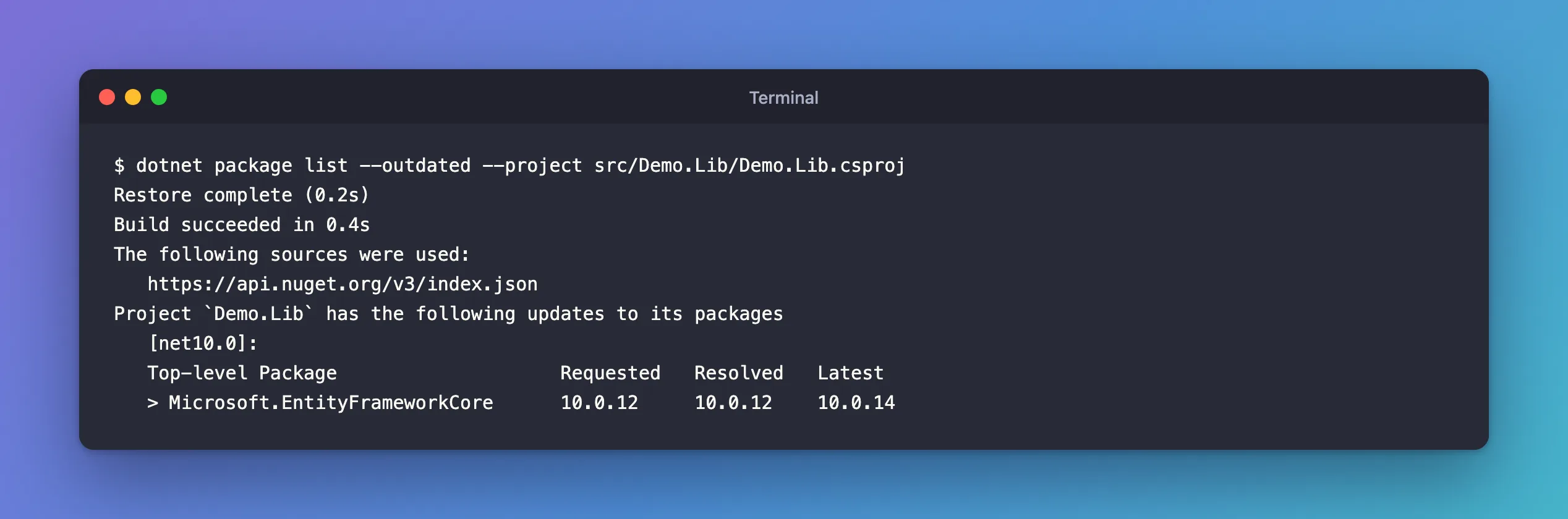
Requestedis what the project file asks for,Resolvedwhat restore picked, andLatestthe newest version available.Restore completefirst: the reference notes that "Starting with .NET 10, the command automatically performs restore if necessary before generating the results."
Run it in a solution folder without --project to check every project at once. In a solution that's up to date, it says so for each project:
The given project `Dewiride.Inventory.Api` has no updates given the current sources.
The given project `Dewiride.Inventory.Data` has no updates given the current sources.
Step 2: Previews Only When You Ask
By default, the reference explains, "--outdated lists the latest stable packages unless the resolved version is also a prerelease version." Add --include-prerelease to see previews too:
dotnet package list --outdated --include-prerelease --project src/Demo.Lib/Demo.Lib.csproj
   Top-level Package                    Requested   Resolved   Latest
   > Microsoft.EntityFrameworkCore      10.0.12     10.0.12    11.0.0-rc.3.26522.148
That "update" is EF Core 11's release candidate, which needs .NET 11. It's useful for planning an upgrade, not for updating today.
Step 3: Get JSON for Scripts
dotnet package list --outdated --format json --project src/Demo.Lib/Demo.Lib.csproj
{
  "version": 1,
  "parameters": "--outdated",
  "sources": [
    "https://api.nuget.org/v3/index.json"
  ],
  "projects": [
    {
      "path": "/Users/you/projects/slnx-demo/src/Demo.Lib/Demo.Lib.csproj",
      "frameworks": [
        {
          "framework": "net10.0",
          "topLevelPackages": [
            {
              "id": "Microsoft.EntityFrameworkCore",
              "requestedVersion": "10.0.12",
              "resolvedVersion": "10.0.12",
              "latestVersion": "10.0.14"
            }
          ]
        }
      ]
    }
  ]
}
A CI job can read latestVersion and fail, or open a ticket, when it differs from resolvedVersion.
Step 4: Update with dotnet package update
dotnet package update Microsoft.EntityFrameworkCore --project src/Demo.Lib/Demo.Lib.csproj
Updating outdated packages in /Users/you/projects/slnx-demo/src/Demo.Lib/Demo.Lib.csproj.
  Demo.Lib:
    Updating Microsoft.EntityFrameworkCore 10.0.12 to 10.0.14.
Updated 1 packages in 1 scanned packages.
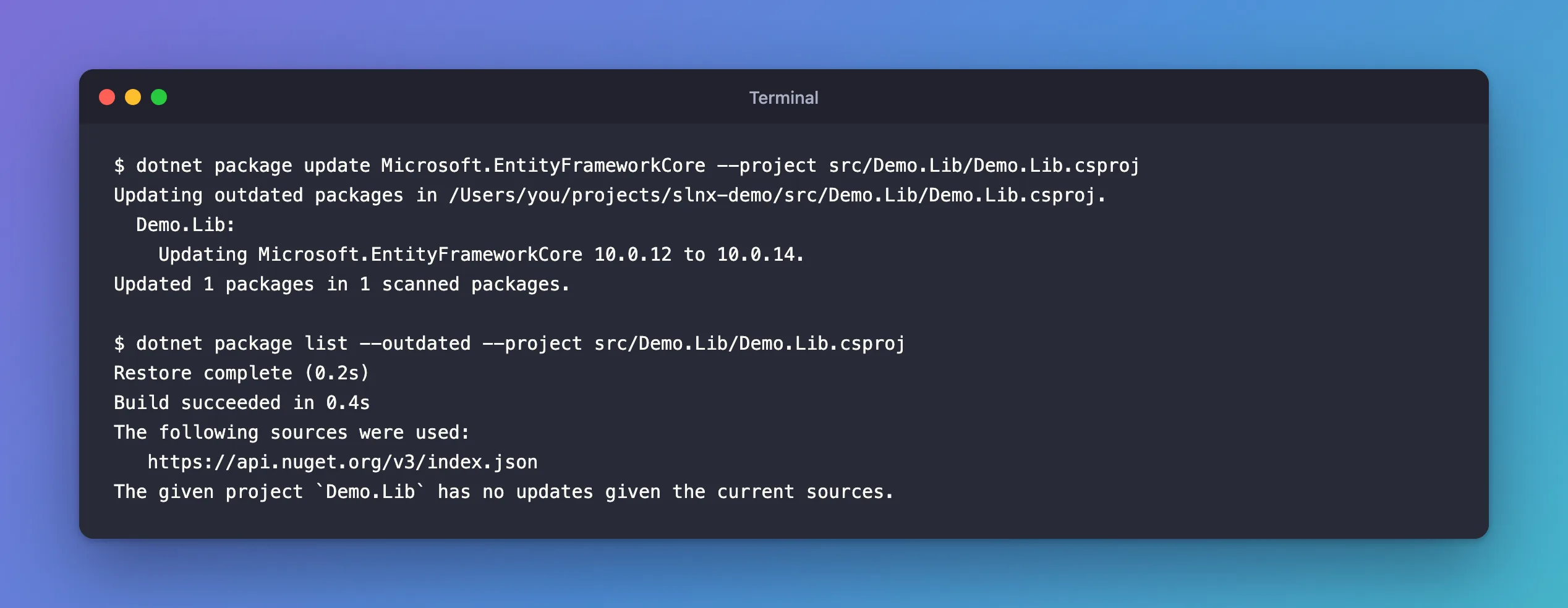
The dotnet package update reference: "When no packages are provided, the command will attempt to update all packages referenced by the project", and "When no version is provided, it will find the highest version available on the configured package sources." Name a version with @, such as Microsoft.EntityFrameworkCore@10.0.13, to choose one yourself.
Then check again:
The given project `Demo.Lib` has no updates given the current sources.
A Catch with Warnings as Errors
dotnet package update restores to check its result. In a solution with TreatWarningsAsErrors, a NuGet warning during that restore, such as a vulnerability warning, makes the update fail. The reference describes it and a workaround; Fixed: "dotnet package update: Unhandled exception: Specified method is not supported." shows it happening and the fix.
Common Mistakes
| Mistake | What happens | Do this instead |
|---|---|---|
| Updating everything across a major version at once | Breaking changes in several packages together | Update majors one at a time, and read their release notes |
--include-prerelease in a routine check | Previews look like updates | Keep previews for planning |
| Updating EF Core but not its provider | Packages from different patch levels | Update a package family together |
| Never checking | Fixes never arrive on their own | Run --outdated regularly, or in CI |
FAQ
Does --outdated look at transitive packages?
Add --include-transitive for that. Updating them usually means updating the package that brings them, or pinning them: How to Upgrade a Transitive NuGet Package with Central Package Management.
Does dotnet package update work with Central Package Management?
Yes. In a solution with Directory.Packages.props, it changed the version there, which is where central versions live.
Conclusion
dotnet package list --outdated shows, per project, each package's requested, resolved and latest versions, stable ones unless you add --include-prerelease, and --format json makes it scriptable. Update with dotnet package update <id>, or with no ID for every package, then run --outdated again to confirm there's nothing left.
