How to Filter an Array in Power Automate

Filter array keeps the items of an array that match a condition and drops the rest. Give it the array in From, and a condition that uses item(), the item being checked. The example drops one person's email from a list of approvers.
Microsoft's data operations article says: Use the Data Operation - Filter array action to reduce the number of objects in an array to a subset that matches the criteria you provide.
The example is the approval flow of the Overtime Timesheet app. A department's approver can also log overtime, and shouldn't approve their own, so the flow removes the person who logged the entry from the department's approvers.
Prerequisites
- An array. Here, the list of approver emails from a Select action, Approver emails (How to Pick One Field from Each Item with Select in Power Automate).
Step 1: Add Filter Array
Add an action, search for Filter array, and choose it under Data Operation. I named it Approvers other than the employee.
Step 2: Choose the Array
In From, pick the array from dynamic content: Output of Approver emails:
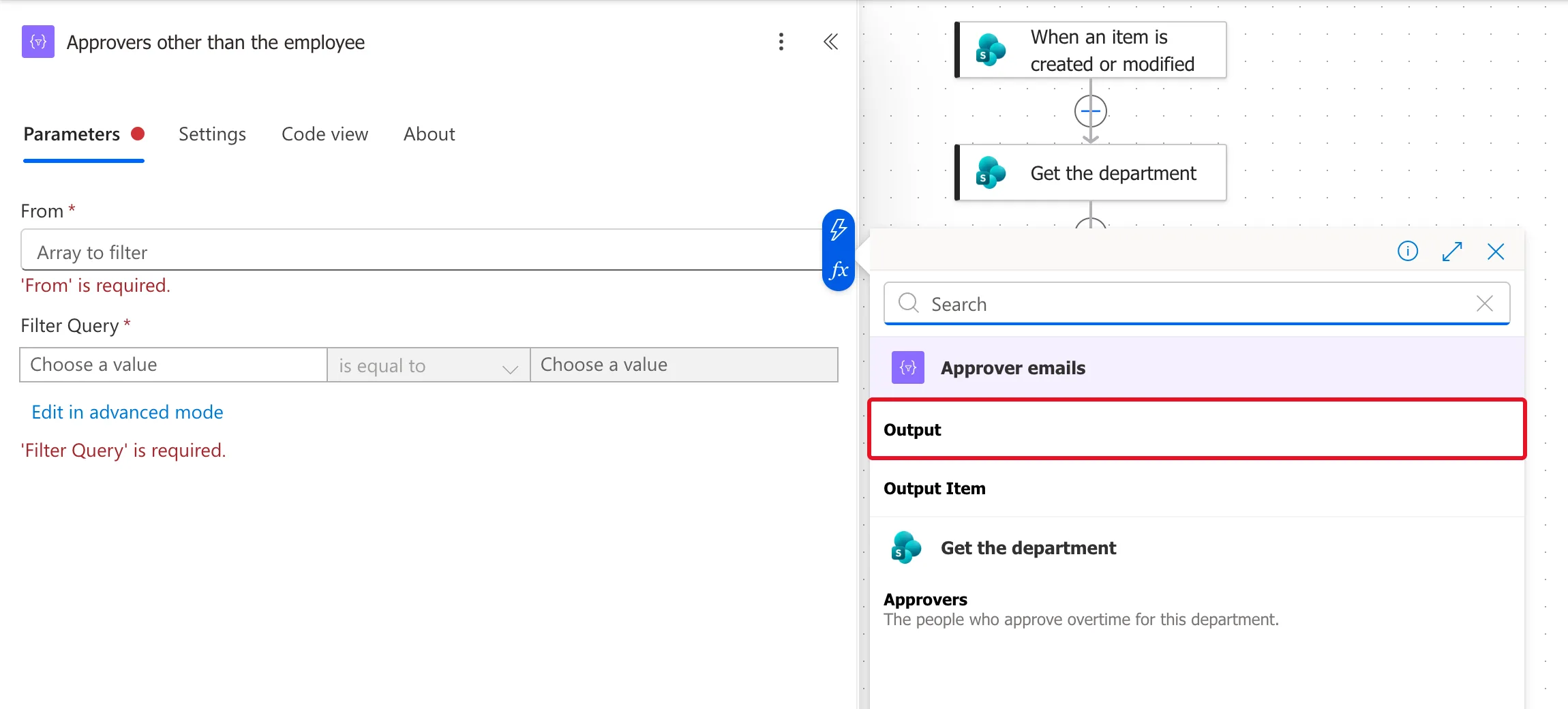
Step 3: Write the Condition
The condition compares each email with the email of the person who created the entry, from the trigger, and keeps it when they're not the same. In basic mode, it's three parts:
| Left | Operator | Right |
|---|---|---|
toLower(item()) | is not equal to | toLower(triggerOutputs()?['body/Author/Email']) |
Insert each side as an expression (How to Add an Expression in Power Automate):
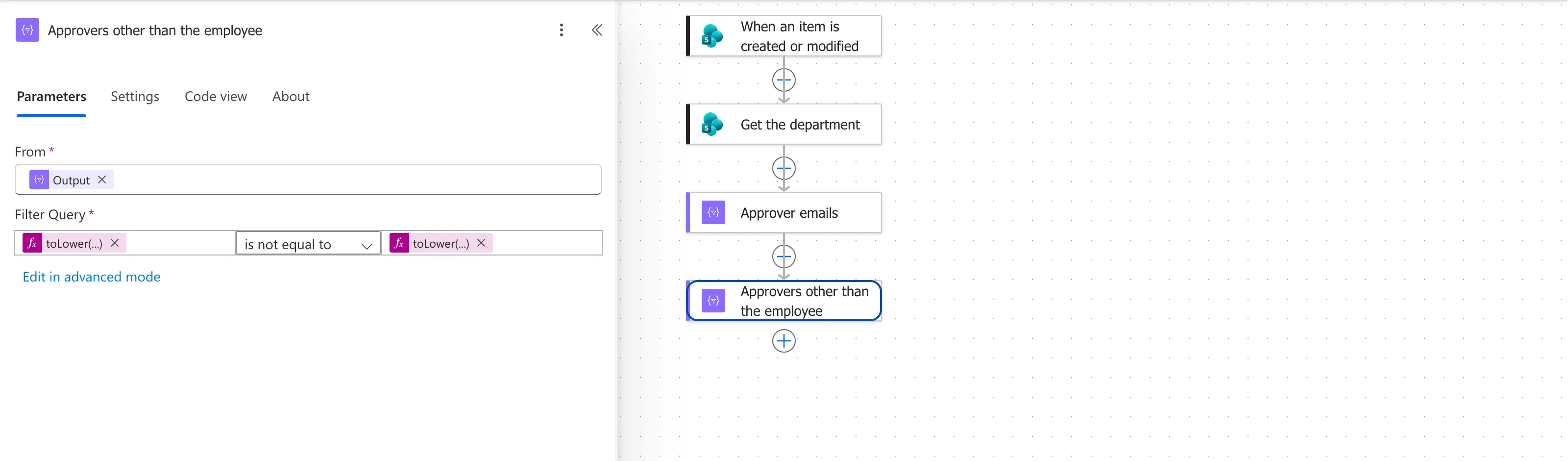
Edit in advanced mode shows the same condition as one expression:
@not(equals(toLower(item()), toLower(triggerOutputs()?['body/Author/Email'])))
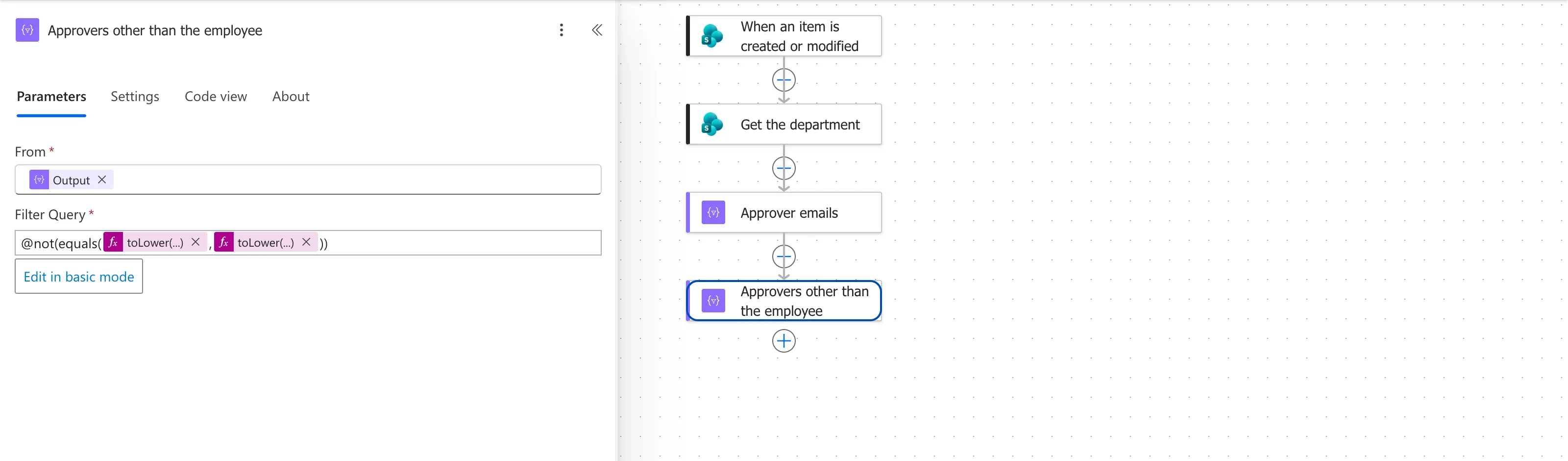
How it reads:
item()is the email being checked; Select produced plain text, so there's no field to read.toLower()makes both sides lowercase. Microsoft's functions reference says it will Return a string in lowercase format. The address is stored in two places, the department's Approvers and the entry's Created By, and lowercase on both sides means the comparison doesn't depend on how either was capitalised. The reference doesn't say whetherequals()compares text case-sensitively, so the flow doesn't rely on it either way.equals()is true when both are the same, andnot()turns that around, so the item stays when they're different.
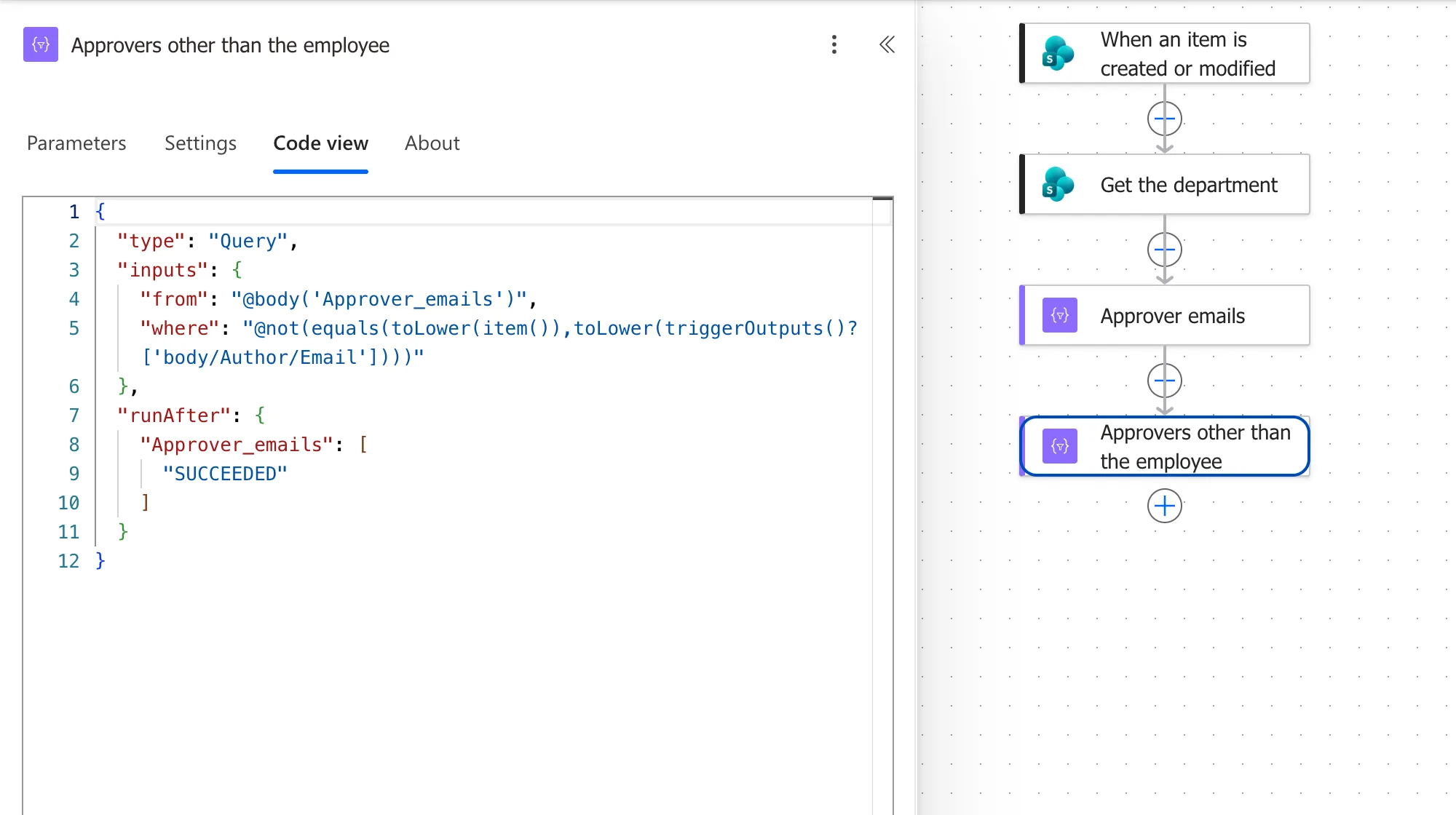
In Code view, the action's from and where:
The Result
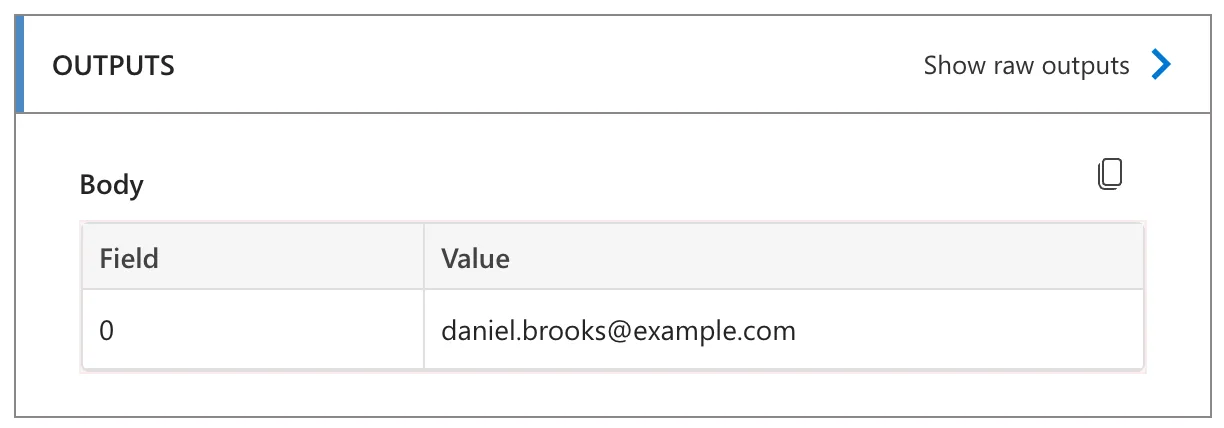
Someone else logged it. Maya Patel's entry in Radiology, whose approver is Daniel Brooks: Daniel's email stayed in the array:
The approver logged it. Daniel's own entry in Radiology: his email was dropped, and nothing was left:
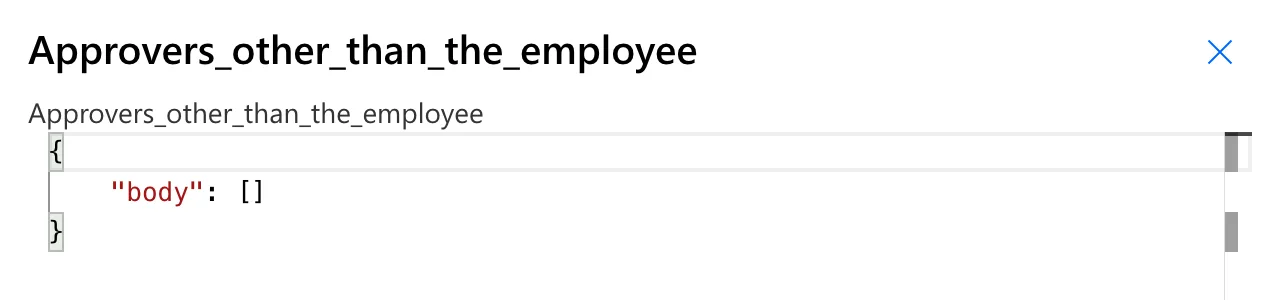
An empty result is a normal outcome, and the next step checks for it (How to Count the Items in an Array in Power Automate with length()).
Common Mistakes
| Mistake | What happens | Do this instead |
|---|---|---|
item()?['Email'] after a Select in text mode | The items are text, with no fields | item() |
| Comparing addresses as they're stored | The result depends on capitalisation, which the docs don't settle | toLower() on both sides |
| is equal to where you meant to remove | Keeps only the matching item | is not equal to |
| Expecting at least one item | An empty array goes on to the next steps | Check with length() first |
Troubleshooting
| Symptom | Likely cause | Fix |
|---|---|---|
| The person is still in the result | The two addresses differ | Compare them in a run's outputs |
| Everything is dropped | The condition is the wrong way round | Swap is equal to and is not equal to |
| An empty output | Nothing matched | Expected, when nothing should match |
FAQ
Can I use several conditions?
In advanced mode, combine them with and() or or() in one expression.
Does Filter array change the original array?
No. It returns a new array; the one in From stays as it was.
Conclusion
Filter array keeps the items for which its condition is true: From the array, then a condition on item(). With @not(equals(toLower(item()), toLower(...))), it dropped the person who logged the overtime from the approvers, and an empty result told the flow to ask their manager.
Additional Resources
- Use data operations: Filter array: the action.
- Reference guide to functions in expressions:
item(),toLower(),equals()andnot().
