How to Filter AG-UI Events Before They Reach the Browser

An AG-UI server streams a lot more than a chat page shows. Microsoft Agent Framework's events carry the model provider's own update in rawEvent — response IDs and the exact model version — the final event reports token usage, and reasoning models send encrypted reasoning. A server route between the agent and the browser can pass on only what the page needs. This guide shows the filter and real events before and after it.
Why Filter
Microsoft's Security Considerations for AG-UI recommends a trusted frontend server between browsers and an AG-UI server, and advises filtering sensitive data out of what reaches clients. A chat page draws text: it needs to know when a run and a message start, the words, and when they end — or that something failed. Everything else describes your back end, and whatever the browser doesn't need, it shouldn't get.
Prerequisites
- A server route that calls an AG-UI agent, for example with
HttpAgentfrom@ag-ui/client. The examples come from the trusted Next.js route in Part 6 of the Microsoft Agent Framework series, with@ag-ui/clientand@ag-ui/core1.0.4.
Step 1: See What the Agent Sends
Here is one event of a short answer, straight from a Microsoft Agent Framework 1.28 agent backed by a Foundry model — the event that carries one word:
data: {"type":"TEXT_MESSAGE_CONTENT","messageId":"msg_016547aff2cbd2f6006af44fc63dc08194a517c40fbdc52a00","delta":"Which","rawEvent":{"authorName":"service-desk","role":"assistant","contents":[{"$type":"text","text":"Which","annotations":null,"additionalProperties":null}],"additionalProperties":null,"responseId":"resp_016547aff2cbd2f6006af44fc56fd8819497b8d90039f75b7c","messageId":"msg_016547aff2cbd2f6006af44fc63dc08194a517c40fbdc52a00","conversationId":"resp_016547aff2cbd2f6006af44fc56fd8819497b8d90039f75b7c","createdAt":"2026-11-11T11:21:41+00:00","finishReason":null,"modelId":"gpt-5.6-luna-2026-07-09","continuationToken":null}}
The page needs type, messageId and delta. rawEvent repeats the word and adds Foundry's response and conversation IDs and the exact model version. The same answer's stream also began with a REASONING_ENCRYPTED_VALUE event of 4,495 bytes, and ended with a RUN_FINISHED event that carried usage:
"usage": [{"model": "gpt-5.6-luna-2026-07-09", "inputTokens": 254, "outputTokens": 59, "totalTokens": 313, "reasoningTokens": 40, "cachedInputTokens": 0}]
Step 2: Allow Only the Events the Page Uses
In the server route, list the event types the browser may receive:
import { type BaseEvent, EventType } from "@ag-ui/core";

// All the browser receives. Every other event stays on this server.
const eventsForTheBrowser = new Set<string>([
  EventType.RUN_STARTED,
  EventType.TEXT_MESSAGE_START,
  EventType.TEXT_MESSAGE_CONTENT,
  EventType.TEXT_MESSAGE_END,
  EventType.RUN_FINISHED,
  EventType.RUN_ERROR,
]);
An allowlist names what may pass; everything else, including event types added in a future version, stays out. When a page later needs another kind of event — tool calls, say — you add it on purpose.
Step 3: Drop the Provider's Data from Each Event
Where the route forwards events, skip the ones not on the list, and copy each remaining event without rawEvent and usage:
      subscription = agent.run(input).subscribe({
        next(event) {
          if (!eventsForTheBrowser.has(event.type)) {
            return;
          }
          // rawEvent and usage carry the model provider's own data: Foundry's
          // response IDs, the exact model version and the token counts.
          const { rawEvent: _rawEvent, usage: _usage, ...forBrowser } = event;
          send(forBrowser);
        },
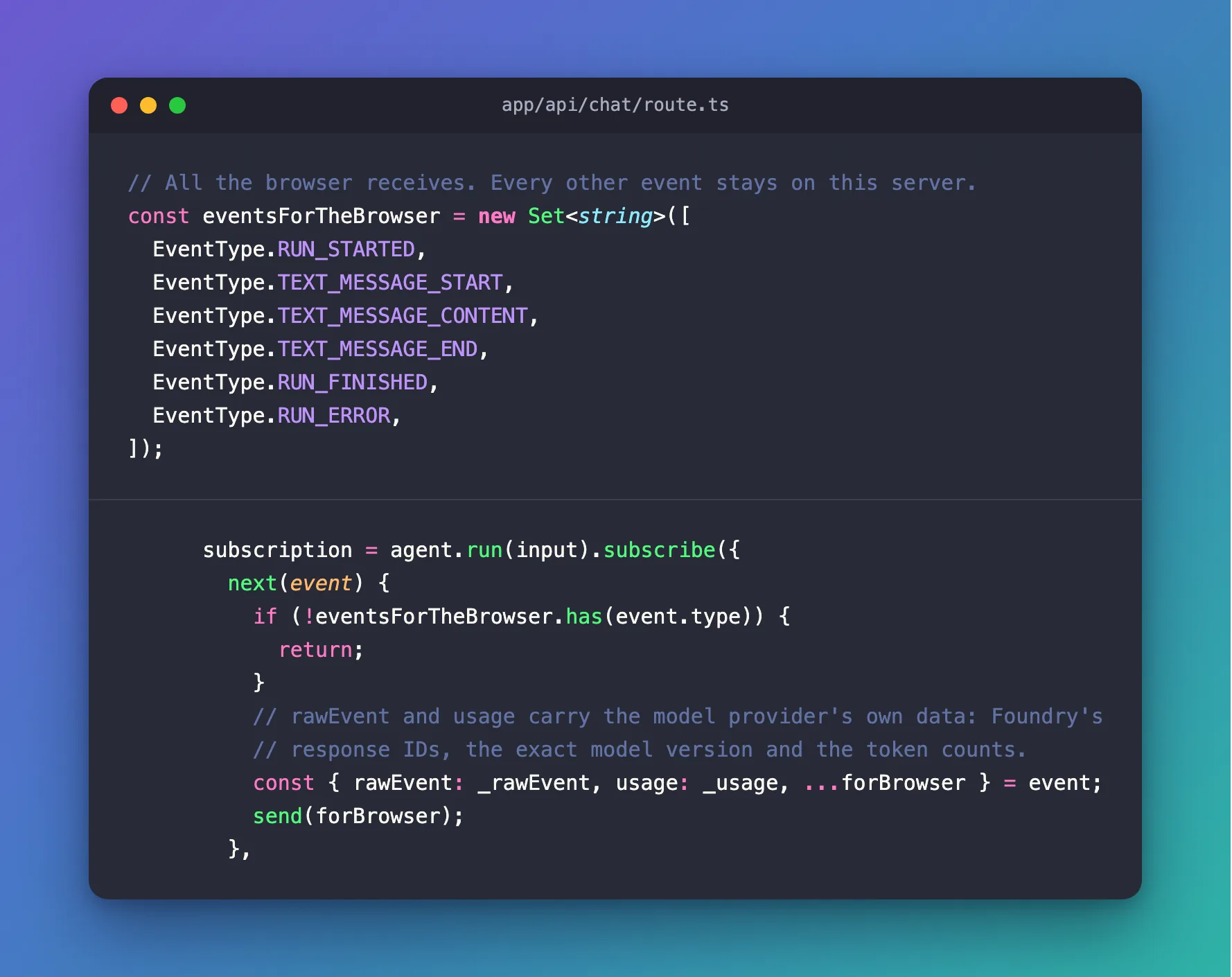
const { rawEvent: _rawEvent, usage: _usage, ...forBrowser } = event is JavaScript's object rest syntax: it takes rawEvent and usage out under names that are never used, and puts every other field into forBrowser. The underscores tell the linter the names are unused on purpose. send writes the event to the browser's stream (How to Stream Server-Sent Events from a Next.js Route Handler).
Step 4: See What the Browser Gets
The same kind of event, through the route:
data: {"type":"TEXT_MESSAGE_CONTENT","messageId":"msg_0d99f7f2df0789e5006af44fbd8fa88190bd50c1175cf51c06","delta":"Is"}
| Straight from the agent | Through the route | |
|---|---|---|
| One word's event | 638–648 bytes | 119–124 bytes |
| Encrypted reasoning | One event of 4,495 bytes | Not sent |
RUN_FINISHED | With usage: model version and token counts | Without usage |
| Event types | RUN_STARTED, REASONING_ENCRYPTED_VALUE, TEXT_MESSAGE_START, TEXT_MESSAGE_CONTENT, TEXT_MESSAGE_END, RUN_FINISHED | The same, without REASONING_ENCRYPTED_VALUE |
The page works exactly as before — it never used the dropped data — and each word now travels in about a fifth of the bytes.
Common Mistakes
| Mistake | What happens | Do this instead |
|---|---|---|
| A blocklist of events to drop | New event types reach the browser without anyone deciding | An allowlist of events to pass |
Dropping RUN_ERROR | The page never learns that a run failed | Keep it on the list |
Sending event instead of forBrowser | rawEvent and usage reach the browser anyway | Send the copy |
Troubleshooting
| Symptom | Likely cause | Fix |
|---|---|---|
| A new feature's events don't arrive | Their type isn't on the list | Add it deliberately |
rawEvent still appears in the browser | The original event is sent, not the copy | Send forBrowser, not event |
FAQ
Is the encrypted reasoning a secret?
It's unreadable, but it is the provider's internal data and the page has no use for it. Dropping it also saved 4,495 of the 13,891 bytes of events the agent sent for this short answer — about a third.
Does filtering break multi-turn conversations?
No. The conversation lives on the agent's side, identified by threadId; the browser needs none of the dropped fields to continue it.
Conclusion
Keep an allowlist of the AG-UI event types your page draws, and copy each event without rawEvent and usage before you send it on. The browser gets the words and the run's status; the provider's IDs, model version, token counts and encrypted reasoning stay on your server.
Additional Resources
- Security Considerations for AG-UI — the trusted frontend server.
- AG-UI on GitHub — the event types.
- MDN: Destructuring — rest property — copying an object without some fields.
