How to Exit a Node.js Program with an Exit Code

Every program ends with an exit code: 0 when it succeeded, anything else when it didn't. Shells, scripts and CI jobs read that number to decide what to do next, so a Node.js program that hits a problem should end with a non-zero code, such as 1.
Syntax
process.exit(<code>);
| Part | What it does |
|---|---|
process.exit | Ends the Node.js process straight away. |
<code> | The exit code: 0 for success, 1 or another non-zero number for failure. Leave it out for 0. |
The Node.js documentation: "The process.exit() method instructs Node.js to terminate the process synchronously with an exit status of code."
The Example
The example checks whether all orders are paid. They aren't, so it prints an error and exits with code 1.
Prerequisites
- Node.js. This guide uses Node.js 26.13.1.
Step 1: Write the Code
Create a file named main.js:
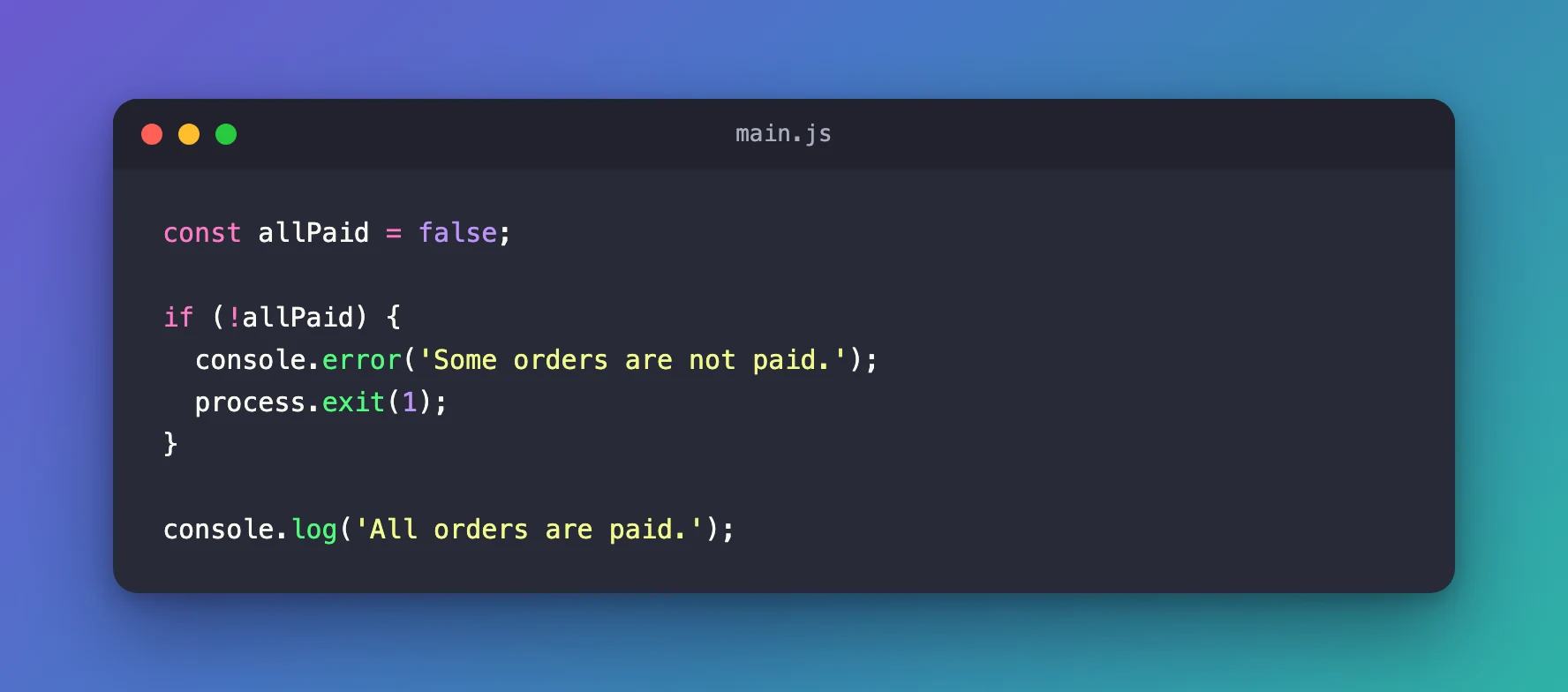
const allPaid = false;

if (!allPaid) {
  console.error('Some orders are not paid.');
  process.exit(1);
}

console.log('All orders are paid.');
The last line never runs: process.exit(1) ends the program before it.
Step 2: Run It and Read the Exit Code
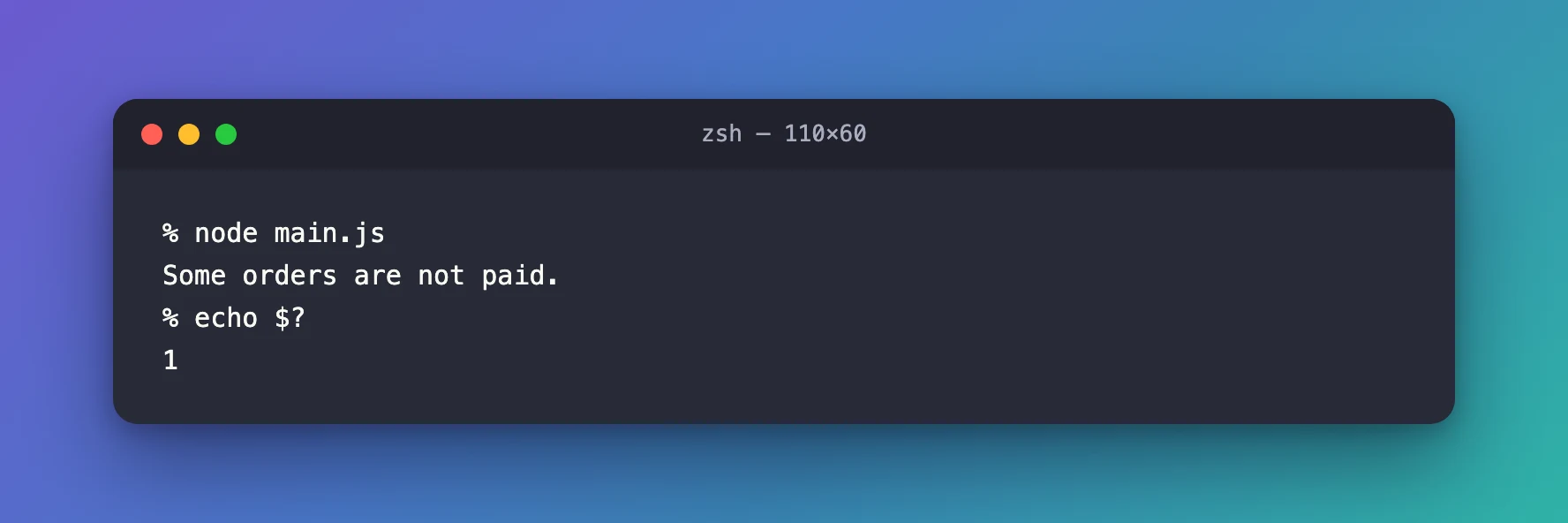
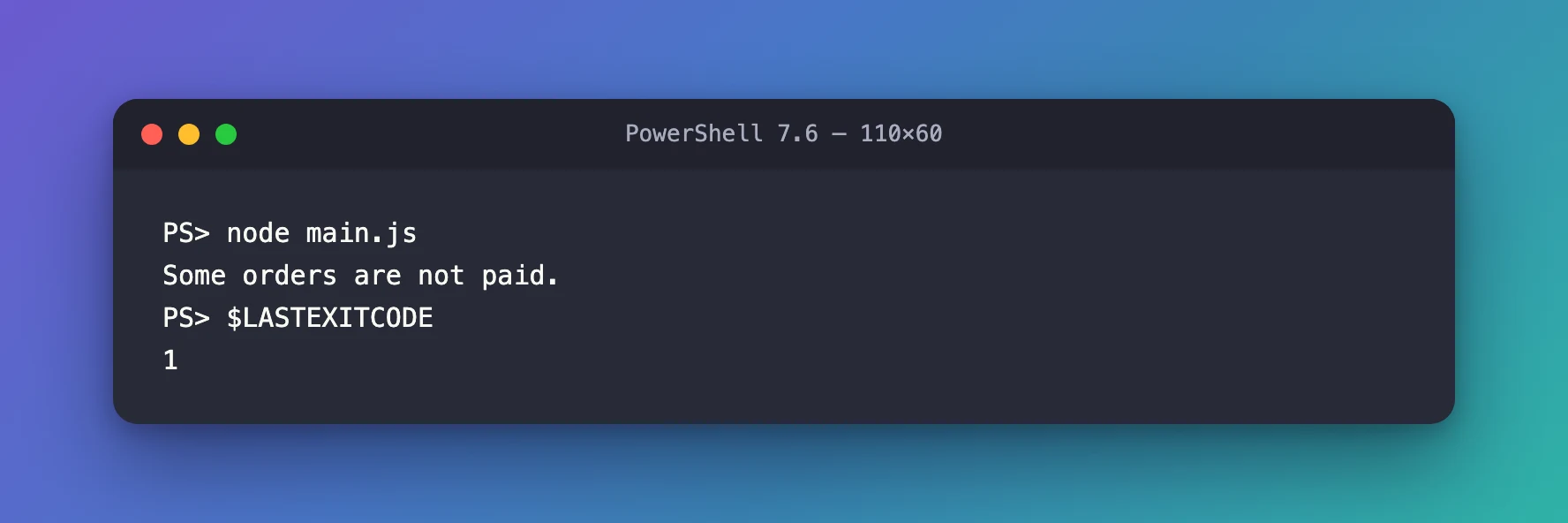
Run the program, then ask the shell for the exit code of the last command:
- macOS / Linux
- Windows (PowerShell)
node main.js
echo $?
node main.js
$LASTEXITCODE
Some orders are not paid.
1
The shell reports 1, so a script or CI job knows the check failed.
process.exitCode: Exit Without Cutting Things Off
process.exit() stops at once. The documentation warns that it ends the process "even if there are still asynchronous operations pending that have not yet completed fully, including I/O operations to process.stdout and process.stderr", and adds: "In most situations, it is not actually necessary to call process.exit() explicitly."
The gentler way is to set the code and let the program finish on its own:
process.exitCode = 2;
console.log('still running');
This prints still running, and the program then ends with exit code 2.
Common Mistakes
| Mistake | What happens | Do this instead |
|---|---|---|
| Printing an error but ending normally | The exit code is 0, so a CI job carries on | Call process.exit(1) or set process.exitCode = 1 |
Calling process.exit() while a file is still being written | The write can be cut off | Set process.exitCode and let the program end |
Reading $? after another command | It now holds that command's code | Read it right after running the program |
Troubleshooting
| Symptom | Likely cause | Fix |
|---|---|---|
echo $? prints 0 after an error message | The program never set a non-zero code | Exit with 1 on failure |
$LASTEXITCODE is empty | No program has run yet in this PowerShell window | Run the program first |
FAQ
What exit code does an uncaught error give?
1. When an error isn't caught, Node.js prints it and ends with exit code 1.
Can the exit code be any number?
Use 0 for success and small numbers such as 1 or 2 for failures; most tools only check for zero or non-zero.
Conclusion
process.exit(1) ends a Node.js program with a failure code that the shell reads as $? in zsh or bash and $LASTEXITCODE in PowerShell. When nothing forces an immediate stop, process.exitCode = 1 does the same job without cutting off pending output.
Additional Resources
- process.exit(), in the Node.js documentation.
- process.exitCode, in the Node.js documentation.
