How to Enforce .NET C# Code Style Rules on Build with EnforceCodeStyleInBuild

Your .editorconfig says a rule is a warning, your editor underlines the code, and dotnet build says nothing at all. That's by design: code-style rules, the ones with IDs like IDE0044, don't run on command-line builds unless you ask. One property, EnforceCodeStyleInBuild, asks. This guide shows the same code before and after, and the fix that makes it pass.
Why the Build Ignores Them
Microsoft's code analysis overview separates two kinds of rules. Code-quality rules, CAxxxx, run on every build. Code-style rules, IDExxxx, "enable you to define and maintain consistent code style in your codebase", but: "Command-line build: Code-style analysis is disabled, by default, for all .NET projects on command-line builds." In Visual Studio they show up anyway, "as code refactoring quick actions". So a problem can be visible in the editor and invisible in CI.
Prerequisites
- An
.editorconfigwith code-style rules: How to Add an .editorconfig to a .NET C# Project with dotnet new editorconfig. The default one setsdotnet_style_readonly_field = true:warning, rule IDE0044. - A
Directory.Build.propsto set the property for the whole solution: How to Share Build Settings Across .NET C# Projects with Directory.Build.props. This one already hasTreatWarningsAsErrors.
Step 1: Code the Rule Should Flag
A field that's assigned once and never changed, but not marked readonly:
namespace Dewiride.Inventory.Data;

public class Class1
{
    private string _prefix = "INV-";

    public required string Name { get; set; }

    public string Code => _prefix + Name;
}
Restore complete (1.4s)
  Dewiride.Inventory.Data net10.0 succeeded (0.2s) → src/Dewiride.Inventory.Data/bin/Debug/net10.0/Dewiride.Inventory.Data.dll
  Dewiride.Inventory.Api net10.0 succeeded (0.5s) → src/Dewiride.Inventory.Api/bin/Debug/net10.0/Dewiride.Inventory.Api.dll

Build succeeded in 2.2s
A clean build, although the .editorconfig asks for a warning, and the build treats warnings as errors.
Step 2: Turn On Code-Style Analysis on Build
The MSBuild reference: "You can enable code style analysis for .NET projects by setting the EnforceCodeStyleInBuild property to true." And then: "All code style rules that are configured to be warnings or errors will execute on build and report violations."
<Project>
  <!-- See https://aka.ms/dotnet/msbuild/customize for more details on customizing your build -->
  <PropertyGroup>
    <!-- Stop the build on any compiler, analyzer or NuGet warning, so problems get fixed early. -->
    <TreatWarningsAsErrors>true</TreatWarningsAsErrors>
    <!-- Turn on the recommended set of .NET code-quality rules for the newest SDK. -->
    <AnalysisLevel>latest-recommended</AnalysisLevel>
    <!-- Check the code-style rules in .editorconfig during the build, not only in the editor. -->
    <EnforceCodeStyleInBuild>true</EnforceCodeStyleInBuild>
  </PropertyGroup>
</Project>
Restore complete (0.6s)
  Dewiride.Inventory.Data net10.0 failed with 1 error(s) (0.1s)
    /Users/you/projects/dewiride-inventory-api/src/Dewiride.Inventory.Data/Class1.cs(5,20): error IDE0044: Make field readonly (https://learn.microsoft.com/dotnet/fundamentals/code-analysis/style-rules/ide0044)

Build failed with 1 error(s) in 0.8s
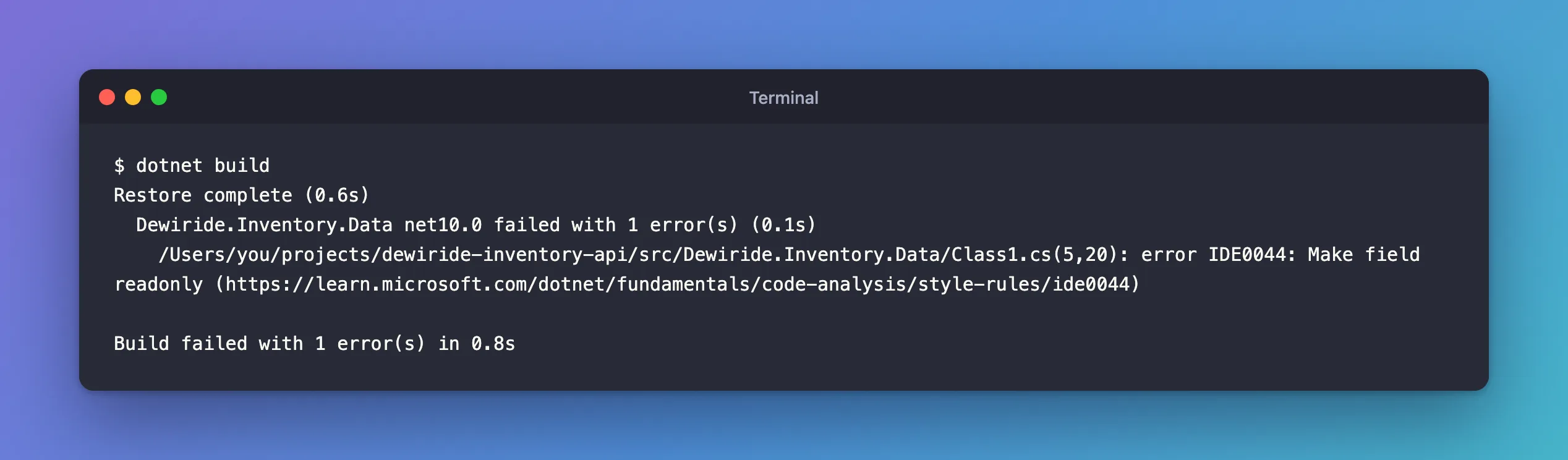
The same code now fails: (5,20) points at _prefix. It's an error rather than a warning because TreatWarningsAsErrors is on; without it, the build would pass with a warning.
Step 3: Fix the Code
IDE0044's page describes the rule: it "concerns specifying the readonly (C#) or ReadOnly (Visual Basic) modifier for private fields that are initialized (either inline or inside of a constructor) but never reassigned."
private readonly string _prefix = "INV-";
Restore complete (0.5s)
  Dewiride.Inventory.Data net10.0 succeeded (0.2s) → src/Dewiride.Inventory.Data/bin/Debug/net10.0/Dewiride.Inventory.Data.dll
  Dewiride.Inventory.Api net10.0 succeeded (0.4s) → src/Dewiride.Inventory.Api/bin/Debug/net10.0/Dewiride.Inventory.Api.dll

Build succeeded in 1.2s
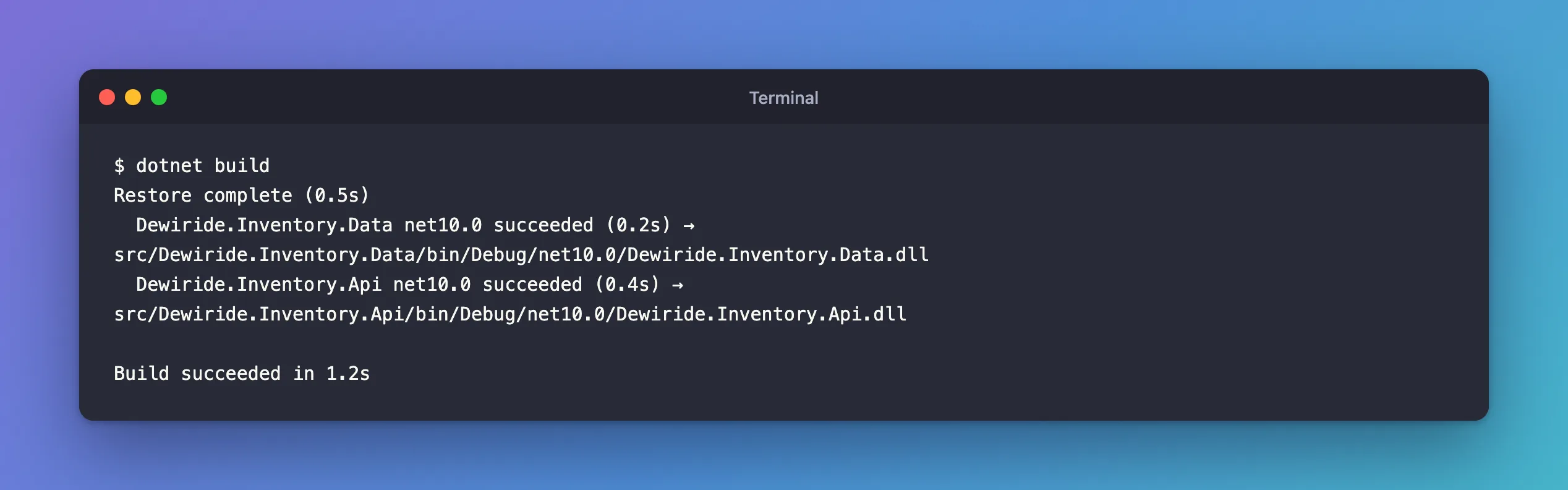
Fixed: "error IDE0044: Make field readonly" looks at that error on its own.
What Decides What the Build Reports
Three settings work together:
| Setting | Where | Effect |
|---|---|---|
EnforceCodeStyleInBuild | Directory.Build.props or .csproj | Code-style rules run on build at all |
The rule's severity, such as true:warning | .editorconfig | Only rules set to warning or error are reported, as the docs say: configure each rule "that you wish to run on build as a warning or an error" |
TreatWarningsAsErrors | Directory.Build.props | Whether a warning fails the build |
Rules left at suggestion or silent still don't appear on build, even with enforcement on. That's how the default template keeps the build quiet: only two of its code-style preferences are warnings.
A Caveat: Not Every Rule Runs on Build
The docs note that "for performance reasons, a handful of code-style rules will still apply only in the Visual Studio IDE." And one popular rule has a condition: IDE0005, "Remove unnecessary using directives". Its page says: "To enable this rule on build, you need to enable XML documentation comments for the project." That's the GenerateDocumentationFile property.
Common Mistakes
| Mistake | What happens | Do this instead |
|---|---|---|
Setting rules to warning and expecting the build to report them | Nothing happens on build | Set EnforceCodeStyleInBuild |
| Turning it on in one project only | Other projects slip through | Set it in Directory.Build.props |
Turning it on with dozens of rules at warning and warnings as errors | The build fails all over at once | Raise rules to warning a few at a time |
| Expecting IDE0005 on build without XML docs | It stays silent | Enable GenerateDocumentationFile too |
FAQ
Is it slower?
The analyzers do more work on every build. I didn't measure the difference on this small solution; on a large one, time a build before and after.
Can I check style without a build?
dotnet format Dewiride.Inventory.slnx --verify-no-changes checks the same .editorconfig and changes nothing. With _prefix unmarked again, it reported error IDE0044: Make field readonly, and also whitespace issues the build doesn't check, such as error FINALNEWLINE: Fix final newline. Delete 1 characters. That last one comes from the default template's insert_final_newline = false for C# files; set it to true if your files end with a newline, as most editors write them.
Conclusion
Code-style rules from .editorconfig are skipped by dotnet build until EnforceCodeStyleInBuild is true. Set it in Directory.Build.props, raise the rules you care about to warning in .editorconfig, and with TreatWarningsAsErrors the build enforces your style exactly where the editor does: here, an unmarked field failed with IDE0044 until it became readonly.
