How to Dispose an Object with a using Statement or Declaration in C#

using (Connection first = new("first")) { ... } calls first.Dispose() at the closing brace, and using Connection second = new("second"); calls it at the end of the scope. Either way, the object can't be left undisposed by accident.
Microsoft's reference: The using statement ensures the correct use of an IDisposable instance. And: When control leaves the block of the using statement, the acquired IDisposable instance is disposed. In particular, the using statement ensures that a disposable instance is disposed even if an exception occurs within the block of the using statement.
Syntax
using (<Type> <name> = <new object>)
{
    <statements>
}

using <Type> <name> = <new object>;
| Part | What it is |
|---|---|
using (...) with a block | A using statement: Dispose runs when the block ends |
using <Type> <name> = <new object>; | A using declaration: Dispose runs at the end of the scope it's declared in |
<Type> | A type that implements IDisposable |
The reference on declarations: When declared in a using declaration, a local variable is disposed at the end of the scope in which it's declared.
The Example
A console app called UsingDispose has a Connection class that prints a line when it's disposed, and uses one connection with a using statement and one with a using declaration.
Prerequisites
- The .NET 10 SDK.
dotnet --versionprints a version that starts with10.0.
Step 1: Create a Console App
dotnet new console -n UsingDispose
cd UsingDispose
The template "Console App" was created successfully.

Processing post-creation actions...
Restoring /Users/you/source/UsingDispose/UsingDispose.csproj:
  Determining projects to restore...
  Restored /Users/you/source/UsingDispose/UsingDispose.csproj (in 55 ms).
Restore succeeded.
dotnet new console -n UsingDispose creates a folder named UsingDispose with a project file and a Program.cs, and cd moves into it. Everything this example uses is part of .NET, so there's no package to add. Open the folder in VS Code, or UsingDispose.csproj in Visual Studio.
Step 2: Write the Code
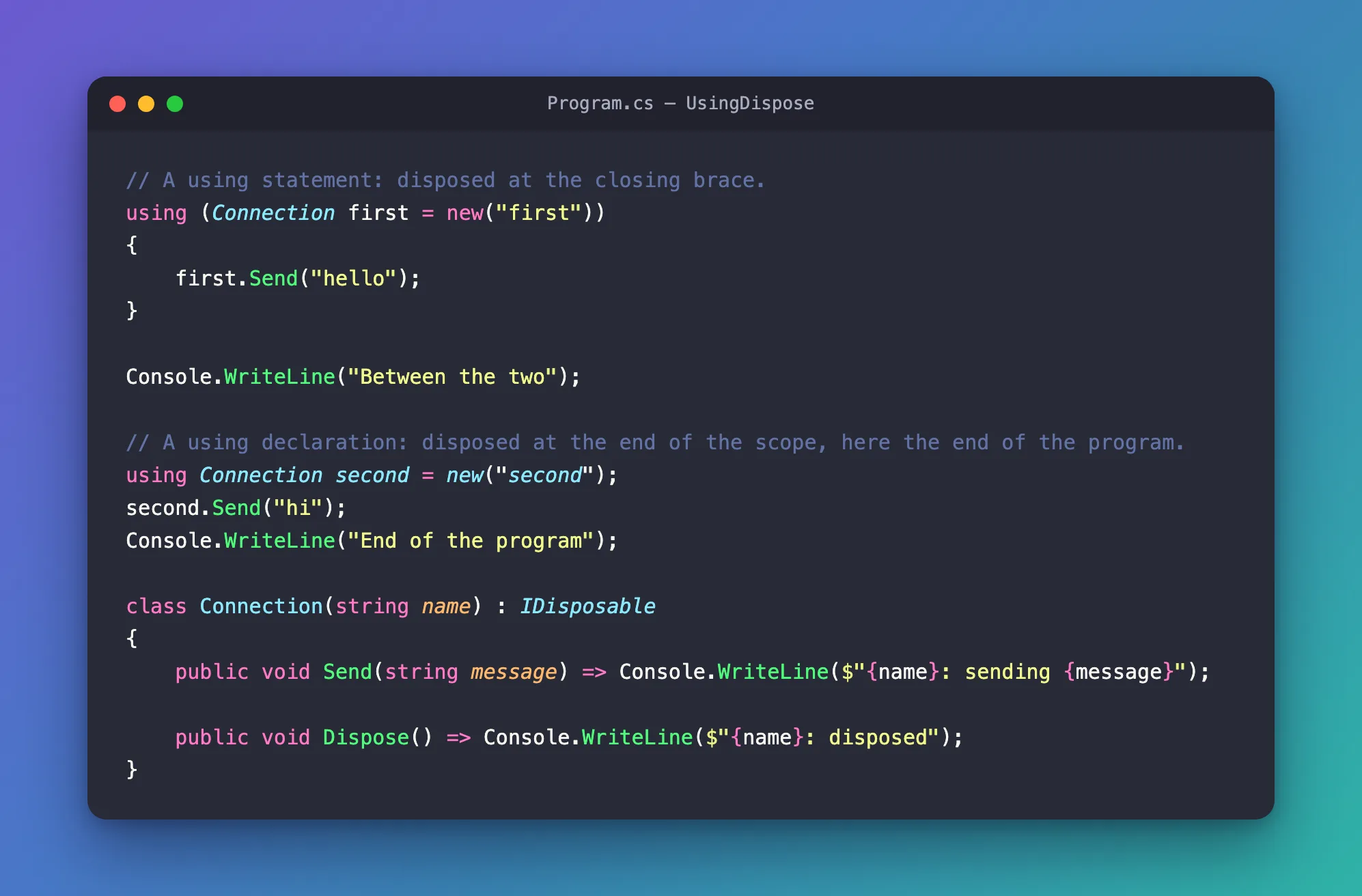
Replace everything in Program.cs. First the using statement:
// A using statement: disposed at the closing brace.
using (Connection first = new("first"))
{
    first.Send("hello");
}

Console.WriteLine("Between the two");
Then the using declaration:
// A using declaration: disposed at the end of the scope, here the end of the program.
using Connection second = new("second");
second.Send("hi");
Console.WriteLine("End of the program");
And the class:
class Connection(string name) : IDisposable
{
    public void Send(string message) => Console.WriteLine($"{name}: sending {message}");

    public void Dispose() => Console.WriteLine($"{name}: disposed");
}
IDisposable is the interface using needs. Its one method, Dispose, is where a class releases what it holds.
Step 3: Run It
Run it in VS Code's terminal, or press Ctrl+F5 in Visual Studio:
dotnet run
first: sending hello
first: disposed
Between the two
second: sending hi
End of the program
second: disposed
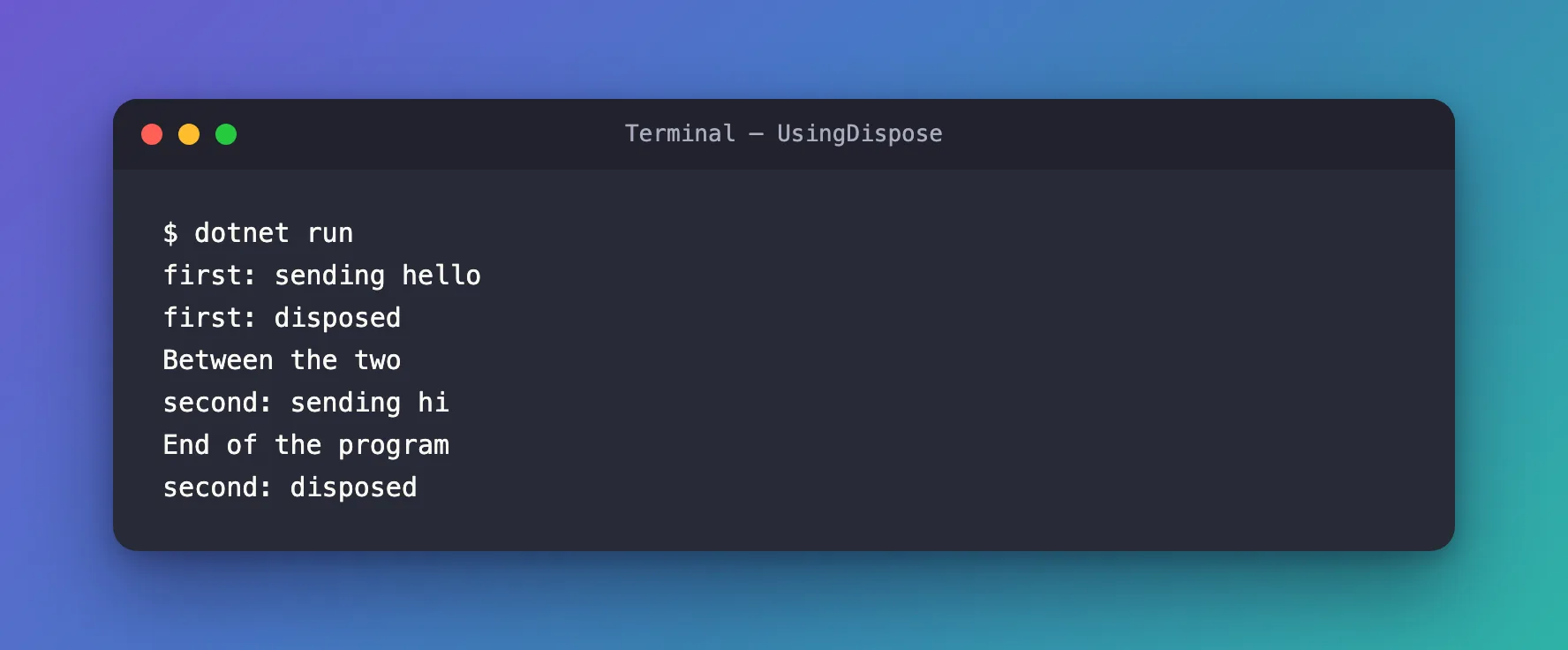
first was disposed at its closing brace, before Between the two. second was disposed after End of the program, when the program's scope ended.
The Complete File
// A using statement: disposed at the closing brace.
using (Connection first = new("first"))
{
    first.Send("hello");
}

Console.WriteLine("Between the two");

// A using declaration: disposed at the end of the scope, here the end of the program.
using Connection second = new("second");
second.Send("hi");
Console.WriteLine("End of the program");

class Connection(string name) : IDisposable
{
    public void Send(string message) => Console.WriteLine($"{name}: sending {message}");

    public void Dispose() => Console.WriteLine($"{name}: disposed");
}
Common Mistakes
| Mistake | What happens | Do this instead |
|---|---|---|
using with a type that isn't IDisposable | error CS1674: 'Note': type used in a using statement must implement 'System.IDisposable'. | Implement IDisposable on the type, or don't use using |
| A using declaration for something you must release early | It stays until the end of the scope: second was disposed only after End of the program | Use a using statement, with its block around just the code that needs the object |
FAQ
Is Dispose called when an exception is thrown?
Yes. With an exception thrown inside the block, the output was first: disposed and then the catch block's Caught: Something went wrong.: Dispose ran before the exception reached the catch.
Conclusion
Wrap an IDisposable object in using, and C# calls Dispose for you, even when an exception is thrown. Use a using statement to dispose at a closing brace, and a using declaration to dispose at the end of the scope.
Additional Resources
- The using statement — both forms.
- IDisposable.Dispose — the method that using calls.
