How to Disable a Button Until a Text Box Has Text in Power Apps

A Send button shouldn't work while there's nothing to send. Set its DisplayMode to Disabled while the text box is empty, and while the save is running, so it can't be pressed twice.
Prerequisites
- A text box and a button (How to Add a Multi-Line Text Input in Power Apps, How to Add a Button in Power Apps).
- Optionally, a variable that's true while saving, such as
locIsSaving(How to Use Context Variables in Power Apps with UpdateContext).
The Formula
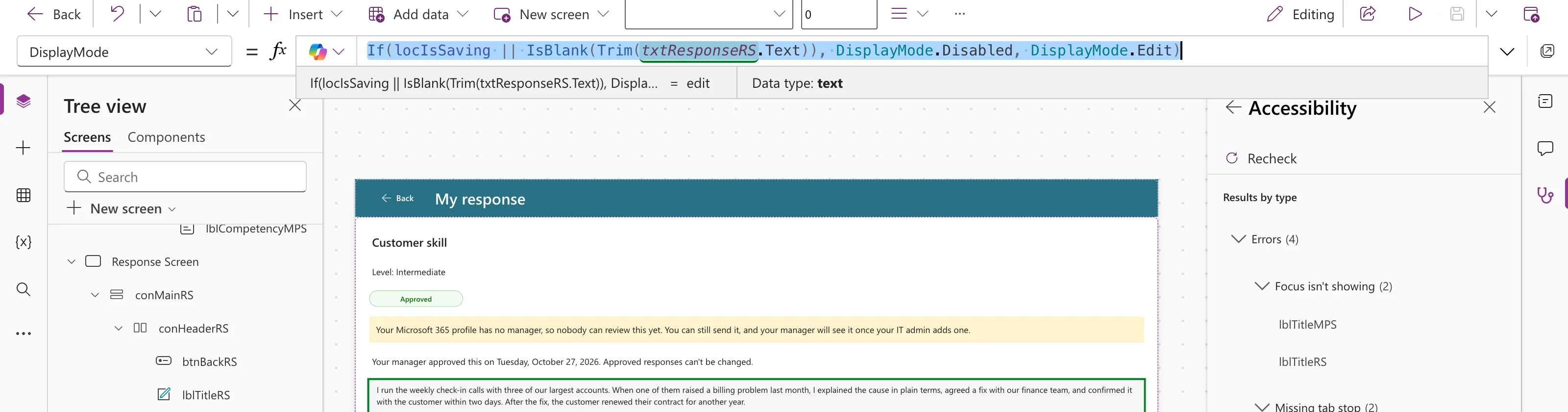
In the Career Development Plan app, the Send button on the Response screen uses:
If(locIsSaving || IsBlank(Trim(txtResponseRS.Text)), DisplayMode.Disabled, DisplayMode.Edit)
Trim(txtResponseRS.Text)removes spaces at the start and end, so a box with only spaces counts as empty (How to Remove Extra Spaces in Power Apps with Trim).IsBlank(…)is true for empty text (IsBlank vs IsEmpty).locIsSavingis true while the save runs; the Send formula sets it at the start and clears it at the end.||means "or" (How to Combine Conditions with And and Or).
With text in the box, the preview strip shows the result, edit:
The Result
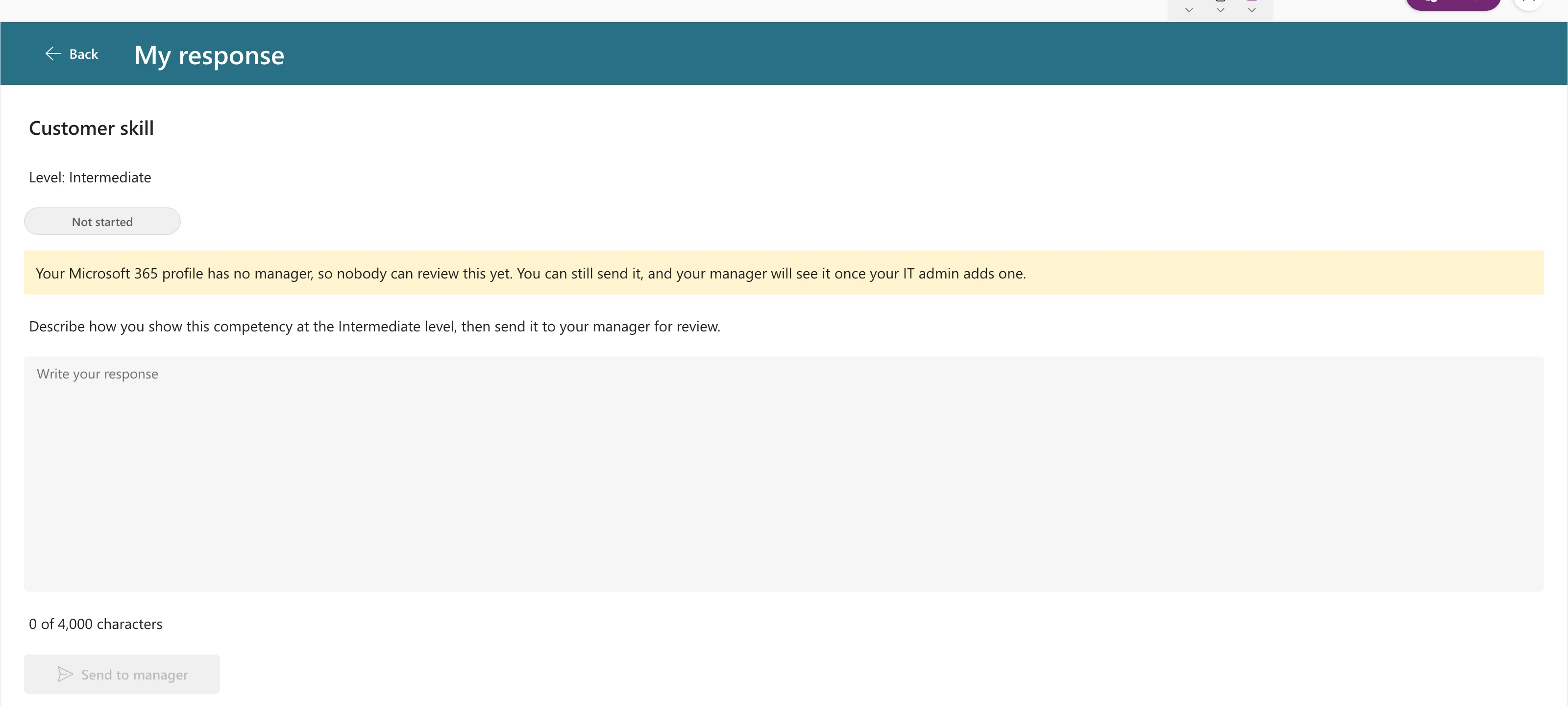
With the box empty, the button is greyed out and can't be selected:
As soon as there's text, it's enabled:
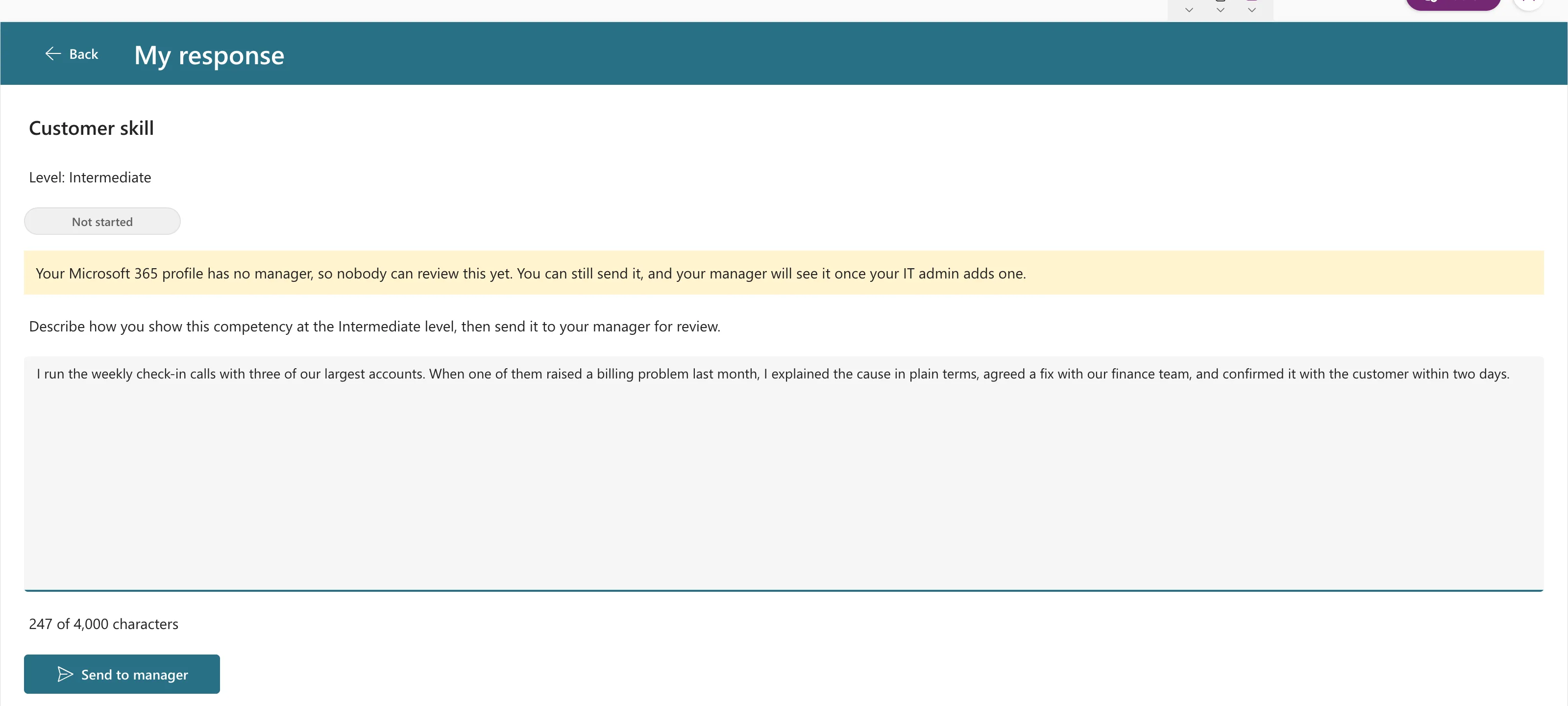
The text box's TriggerOutput is Keypress by default, so the button turns on with the first character.
Common Mistakes
| Mistake | What happens | Do this instead |
|---|---|---|
IsBlank(txtX.Text) without Trim | A box of spaces enables the button | Wrap the text in Trim(…) |
| Hiding the button instead | People don't know what's missing | Disable it, and keep it visible |
| No saving flag | A double press can save twice | Disable while locIsSaving is true |
Troubleshooting
| Symptom | Likely cause | Fix |
|---|---|---|
| The button stays disabled after a failed save | The saving flag wasn't cleared | Set it back to false in the error branch too |
| It enables only after leaving the box | TriggerOutput isn't Keypress | Set it to TriggerOutput.Keypress |
FAQ
What's the difference between Disabled and View?
Disabled greys a control out; View shows it read-only (How to Make a Control Read-Only in Power Apps with DisplayMode).
Should the button also explain why it's disabled?
A visible hint helps. In the example, the instruction above the box says what to write.
Conclusion
Set the button's DisplayMode to If(locIsSaving || IsBlank(Trim(txtX.Text)), DisplayMode.Disabled, DisplayMode.Edit). Empty boxes and running saves both keep it off.
