How to Delete Rows from a MySQL Table Safely

DELETE removes rows, and outside a transaction there's no undo. Forgetting the WHERE empties the table. This guide shows the habits that keep it safe on MySQL 9.7: check the rows first, confirm how many went, try it in a transaction, and let the database's own guards stop mistakes.
Prerequisites
- MySQL, and a way to run SQL. The examples use MySQL 9.7.4 in Docker, and the
mysqlclient from How to Connect to MySQL in a Docker Container. - A table with rows. The examples use
categories, whichproductspoints at with a foreign key.
Step 1: See What You're About to Delete
SELECT Id, Name FROM categories WHERE Name IN ('Docks', 'Hubs');
+----+-------+
| Id | Name  |
+----+-------+
|  8 | Docks |
|  9 | Hubs  |
+----+-------+
2 rows in set (0.000 sec)
Step 2: Delete, and Confirm the Count
Use the same WHERE:
DELETE FROM categories WHERE Name = 'Hubs';
Query OK, 1 row affected (0.003 sec)
ROW_COUNT() gives you the same number for use in a script:
SELECT ROW_COUNT();
+-------------+
| ROW_COUNT() |
+-------------+
|           1 |
+-------------+
1 row in set (0.000 sec)
MySQL's DELETE page is plain about the risk: "With no WHERE clause, all rows are deleted."
Deleting a row that isn't there isn't an error. It's 0 rows affected:
Query OK, 0 rows affected (0.000 sec)
Step 3: Try It Inside a Transaction
A transaction lets you look at the result before you decide:
SELECT COUNT(*) FROM categories WHERE Name = 'Docking stations';
START TRANSACTION;
DELETE FROM categories WHERE Name = 'Docking stations';
SELECT COUNT(*) FROM categories WHERE Name = 'Docking stations';
ROLLBACK;
SELECT COUNT(*) FROM categories WHERE Name = 'Docking stations';
The three counts, in order, are 1, 0 and 1:
+----------+
| COUNT(*) |
+----------+
|        1 |
+----------+
1 row in set (0.000 sec)
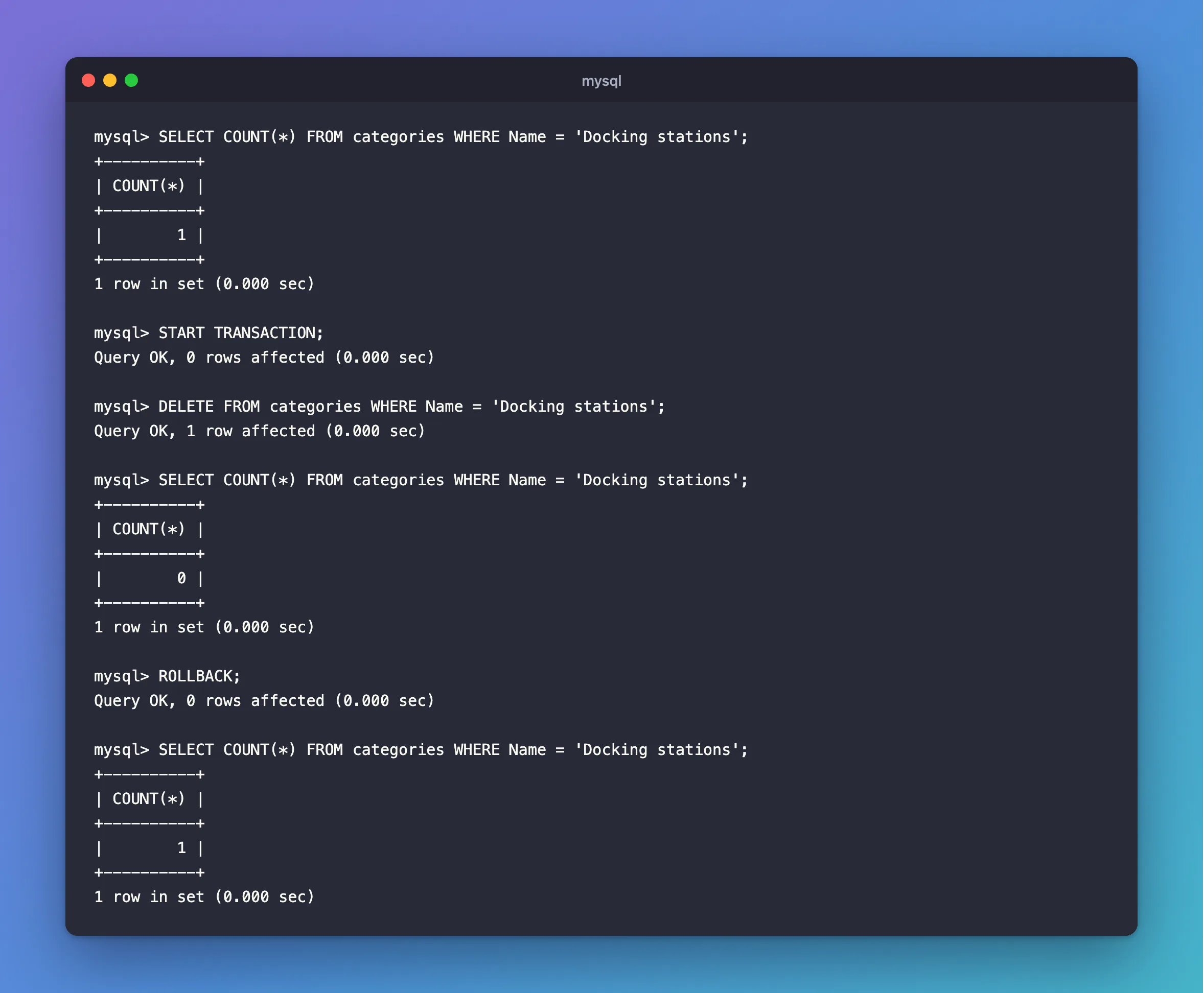
Use COMMIT instead of ROLLBACK to keep it.
Step 4: Let Foreign Keys Protect You
A row that others depend on can't go, if the foreign key says RESTRICT:
DELETE FROM categories WHERE Name = 'Cables';
ERROR 1451 (23000): Cannot delete or update a parent row: a foreign key constraint fails (`inventory`.`products`, CONSTRAINT `FK_products_categories_CategoryId` FOREIGN KEY (`CategoryId`) REFERENCES `categories` (`Id`) ON DELETE RESTRICT)
That's the database doing its job. This post goes through the options.
Step 5: Turn On Safe-Updates Mode
SQL_SAFE_UPDATES refuses a DELETE with no WHERE on a key:
SET SQL_SAFE_UPDATES = 1;
DELETE FROM categories;
ERROR 1175 (HY000): You are using safe update mode and you tried to update a table without a WHERE that uses a KEY column.
This post explains what it allows.
Common Mistakes
| Mistake | What happens | Do this instead |
|---|---|---|
An editor selection that misses the line with the WHERE | The WHERE gets left out | Run the whole statement |
Trusting a WHERE you didn't test | The wrong rows go | Run it as a SELECT first |
Setting ON DELETE CASCADE to avoid an error | Deleting one row silently removes others | Choose it on purpose |
| Deleting rows that history needs | Orders lose their products | Add an IsArchived column instead |
FAQ
Can I get deleted rows back?
Before a COMMIT, yes, with ROLLBACK. After that, only from a backup.
Does DELETE reuse the IDs?
No. They stay gone, which is one reason AUTO_INCREMENT IDs have gaps.
Conclusion
Check the rows with a SELECT, delete with the same WHERE, and confirm the count. Use a transaction when you want a way back. Foreign keys and SQL_SAFE_UPDATES catch the mistakes that get past you.
Additional Resources
- DELETE Statement — the full syntax.
