How to Delete an Item by ID in Azure Cosmos DB with C#

To delete an Azure Cosmos DB item from C#, call DeleteItemAsync with the item's ID and its partition key. It answers 204 No Content, or throws a CosmosException with 404 Not Found when that partition has no item with that ID. Catch that one status, and a delete method can simply return false for "nothing to delete". Here it is in a small app, including what happens with the right ID and the wrong partition key.
In Cosmos DB for NoSQL an item is found by two values together: its id and its partition key value. A delete needs both. Microsoft's troubleshooting guide treats a missing item as normal: there are many valid scenarios where an application expects a code 404 and correctly handles the scenario. A forget-me button, a cleanup job or an API that deletes on request all have one.
Syntax
try
{
    ItemResponse<<Type>> <response> = await <container>.DeleteItemAsync<<Type>>("<id>", new PartitionKey("<value>"));
    // <response>.StatusCode is 204 NoContent: the item is gone
}
catch (CosmosException <exception>) when (<exception>.StatusCode == HttpStatusCode.NotFound)
{
    // no item with that id in that partition: nothing was deleted
}
| Part | What it is |
|---|---|
<Type> | The C# type of the items in the container |
<container> | The Container from CosmosClient.GetContainer |
DeleteItemAsync | Delete a item from the Azure Cosmos service as an asynchronous operation |
<id> | The item's ID |
<value> | The item's partition key value. The ID with another partition's value finds nothing |
HttpStatusCode.NotFound | 404, from System.Net: no item with that ID in that partition |
The Example
A small to-do app keeps its items in a container howto-todos, whose partition key path is /listId: each list is one partition. The console app TodoDelete adds the item bread to the groceries list, deletes it, deletes it again, adds it back, and then tries the right ID with the wrong list before deleting it for real. It signs in with my Azure CLI account.
Prerequisites
- The .NET 10 SDK.
dotnet --versionprints a version that starts with10.0. - The Azure CLI, signed in with
az login. The app uses that sign-in. - A Cosmos DB for NoSQL container whose partition key path is
/listId, and a Cosmos DB data role for your account on it, such as Cosmos DB Built-in Data Contributor: Connect using role-based access control and Microsoft Entra ID.
Step 1: Create a Console App and Add the Packages
dotnet new console -n TodoDelete
cd TodoDelete
dotnet add package Microsoft.Azure.Cosmos --version 3.64.0
dotnet add package Newtonsoft.Json --version 13.0.4
dotnet add package Azure.Identity --version 1.21.0
The three packages are the Cosmos DB SDK, Newtonsoft.Json, which the SDK requires you to reference yourself, and the Microsoft Entra ID credentials. How to Connect to Azure Cosmos DB with Microsoft Entra ID in C# explains each one and the client.
Step 2: Connect and Add an Item
Replace Program.cs, starting with the client and an item to delete:
using System.Net;
using System.Text.Json;
using Azure.Identity;
using Microsoft.Azure.Cosmos;

// The account's URI, from its Overview page in the Azure portal.
const string AccountEndpoint = "https://cosmos-maf-servicedesk-4224.documents.azure.com:443/";

using CosmosClient client = new(AccountEndpoint, new AzureCliCredential(), new CosmosClientOptions
{
    UseSystemTextJsonSerializerWithOptions = JsonSerializerOptions.Web,
});
Container todos = client.GetContainer("servicedesk", "howto-todos");

// An item to delete.
TodoItem bread = new("bread", "groceries", "Bread");
await todos.UpsertItemAsync(bread, new PartitionKey(bread.ListId));
AccountEndpoint is your account's URI, from its Overview page in the Azure portal. UpsertItemAsync makes sure the item exists, whether or not an earlier run left it there.
Step 3: Write a Delete That Returns True or False
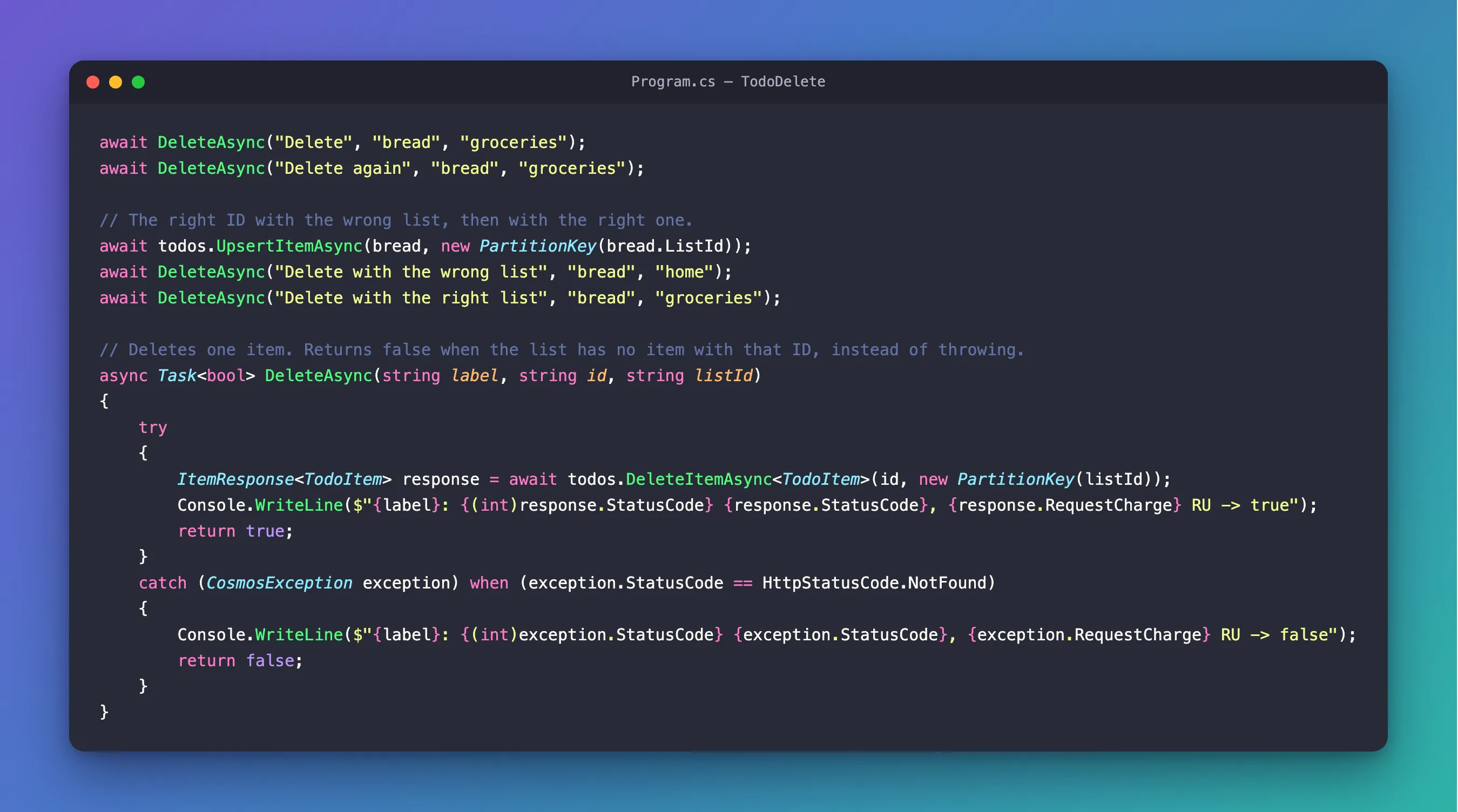
// Deletes one item. Returns false when the list has no item with that ID, instead of throwing.
async Task<bool> DeleteAsync(string label, string id, string listId)
{
    try
    {
        ItemResponse<TodoItem> response = await todos.DeleteItemAsync<TodoItem>(id, new PartitionKey(listId));
        Console.WriteLine($"{label}: {(int)response.StatusCode} {response.StatusCode}, {response.RequestCharge} RU -> true");
        return true;
    }
    catch (CosmosException exception) when (exception.StatusCode == HttpStatusCode.NotFound)
    {
        Console.WriteLine($"{label}: {(int)exception.StatusCode} {exception.StatusCode}, {exception.RequestCharge} RU -> false");
        return false;
    }
}
DeleteItemAsync<TodoItem>needs the ID and the partition key. The type argument is the item's type; a delete returns no item.when (exception.StatusCode == HttpStatusCode.NotFound)catches the missing item and nothing else. A missing data role,403, still throws.- The
returnvalues make the outcome easy to use:truemeans deleted,falsemeans there was nothing to delete.
The app prints each status code and request charge, so you can see what happened.
Step 4: Delete, Delete Again, and Try the Wrong List
await DeleteAsync("Delete", "bread", "groceries");
await DeleteAsync("Delete again", "bread", "groceries");

// The right ID with the wrong list, then with the right one.
await todos.UpsertItemAsync(bread, new PartitionKey(bread.ListId));
await DeleteAsync("Delete with the wrong list", "bread", "home");
await DeleteAsync("Delete with the right list", "bread", "groceries");
Step 5: Run It
dotnet run
Delete: 204 NoContent, 6.29 RU -> true
Delete again: 404 NotFound, 1.24 RU -> false
Delete with the wrong list: 404 NotFound, 1.24 RU -> false
Delete with the right list: 204 NoContent, 6.29 RU -> true
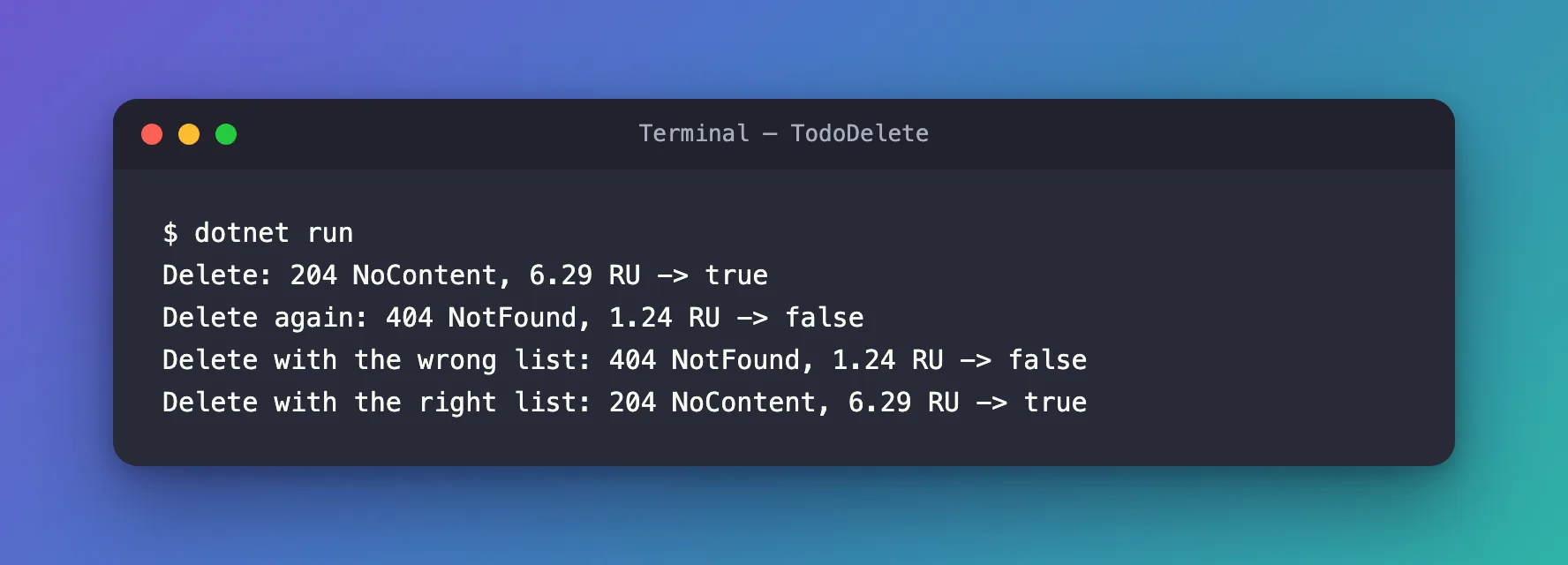
- Delete:
204 No Content, for 6.29 request units. The item is gone. - Delete again:
404 Not Found, for 1.24 request units, and the method returnsfalse. - Delete with the wrong list: also
404. The item still exists, ingroceries, butbreadisn't inhome. Microsoft's guide lists it among the causes of a 404: the partition key and ID combination aren't valid. - Delete with the right list:
204again.
Because the partition key is part of the address, a delete can be confined to one partition: an app that always passes the signed-in user's own partition key can't delete another user's item, whatever ID it's given.
The Complete File
using System.Net;
using System.Text.Json;
using Azure.Identity;
using Microsoft.Azure.Cosmos;

// The account's URI, from its Overview page in the Azure portal.
const string AccountEndpoint = "https://cosmos-maf-servicedesk-4224.documents.azure.com:443/";

using CosmosClient client = new(AccountEndpoint, new AzureCliCredential(), new CosmosClientOptions
{
    UseSystemTextJsonSerializerWithOptions = JsonSerializerOptions.Web,
});
Container todos = client.GetContainer("servicedesk", "howto-todos");

// An item to delete.
TodoItem bread = new("bread", "groceries", "Bread");
await todos.UpsertItemAsync(bread, new PartitionKey(bread.ListId));

await DeleteAsync("Delete", "bread", "groceries");
await DeleteAsync("Delete again", "bread", "groceries");

// The right ID with the wrong list, then with the right one.
await todos.UpsertItemAsync(bread, new PartitionKey(bread.ListId));
await DeleteAsync("Delete with the wrong list", "bread", "home");
await DeleteAsync("Delete with the right list", "bread", "groceries");

// Deletes one item. Returns false when the list has no item with that ID, instead of throwing.
async Task<bool> DeleteAsync(string label, string id, string listId)
{
    try
    {
        ItemResponse<TodoItem> response = await todos.DeleteItemAsync<TodoItem>(id, new PartitionKey(listId));
        Console.WriteLine($"{label}: {(int)response.StatusCode} {response.StatusCode}, {response.RequestCharge} RU -> true");
        return true;
    }
    catch (CosmosException exception) when (exception.StatusCode == HttpStatusCode.NotFound)
    {
        Console.WriteLine($"{label}: {(int)exception.StatusCode} {exception.StatusCode}, {exception.RequestCharge} RU -> false");
        return false;
    }
}

record TodoItem(string Id, string ListId, string Title);
Common Mistakes
| Mistake | What happens | Do this instead |
|---|---|---|
Catching every CosmosException as "not found" | A missing data role or another error looks like a missing item | Add when (exception.StatusCode == HttpStatusCode.NotFound) |
| Passing the wrong partition key value | 404 for an item that exists | Pass the item's own partition key value |
| Reading the item first to see whether it exists | Two requests instead of one | Delete, and treat 404 as "nothing to delete" |
Troubleshooting
| Symptom | Likely cause | Fix |
|---|---|---|
CosmosException with NotFound (404) for an item you can see in Data Explorer | The partition key value you pass differs from the item's | Check the item's partition key property |
Forbidden (403); Substatus: 5301 | Your account has no data role on the container | Give it a Cosmos DB data role |
FAQ
Can I delete without catching an exception?
Yes: DeleteItemStreamAsync returns a ResponseMessage, and you check its StatusCode. Microsoft's reference: the Stream operation only throws on client side exceptions. This is to increase performance and prevent the overhead of throwing exceptions. The typed DeleteItemAsync is easier to read; the stream version suits code that deletes a lot of items that may be missing.
Can I delete all the items of one partition?
Not with DeleteItemAsync, which deletes one item. The SDK also has DeleteAllItemsByPartitionKeyStreamAsync, which starts an asynchronous Cosmos DB background operation which deletes all items in the Container with the specified value, but Microsoft lists that feature as in public preview, and it has to be enabled on the account first. Without it, query the partition for its IDs and delete each item, as How to Query the Items of One Partition in Azure Cosmos DB with C# shows for the query part.
Conclusion
DeleteItemAsync deletes an item by its ID and partition key, answering 204. Catch CosmosException when its StatusCode is NotFound, and return false: a missing item, or the right ID with the wrong partition key, means there's nothing to delete. Other errors still throw.
Additional Resources
- Diagnose and troubleshoot Azure Cosmos DB not found exceptions — the causes of
404. - Container.DeleteItemStreamAsync — deleting without exceptions.
- Partitioning and horizontal scaling in Azure Cosmos DB — how the ID and the partition key identify an item.
- Delete items by partition key value — the preview feature that deletes a whole partition.
