How to Delete a User in Microsoft 365

Deleting a user in Microsoft 365 removes their account from your organization's active users. It isn't final straight away: for 30 days the account sits under Deleted users, where you can restore it.
The example is Sam Reed, a test account I created for this guide. I had already removed his license (How to Remove a License from a User in Microsoft 365), which changes the panel you'll see, as Step 2 explains.
Prerequisites
- The right role. Microsoft's article Delete a user from your organization says you need to be a user administrator.
Before You Delete
From the same article:
- You have 30 days to restore the account before the user's data is permanently deleted.
- If you want to keep the user's email, BEFORE you delete the account, move the email to a different location.
- If you want to keep the user's OneDrive data, move it to a different location. SharePoint files stay where they are.
- If the account has email forwarding set up, or was converted to a shared mailbox, don't delete it: Those functions still need the account.
For someone leaving, Microsoft's former employee steps put the deletion last, after blocking sign-in and saving their data.
Step 1: Select Delete User
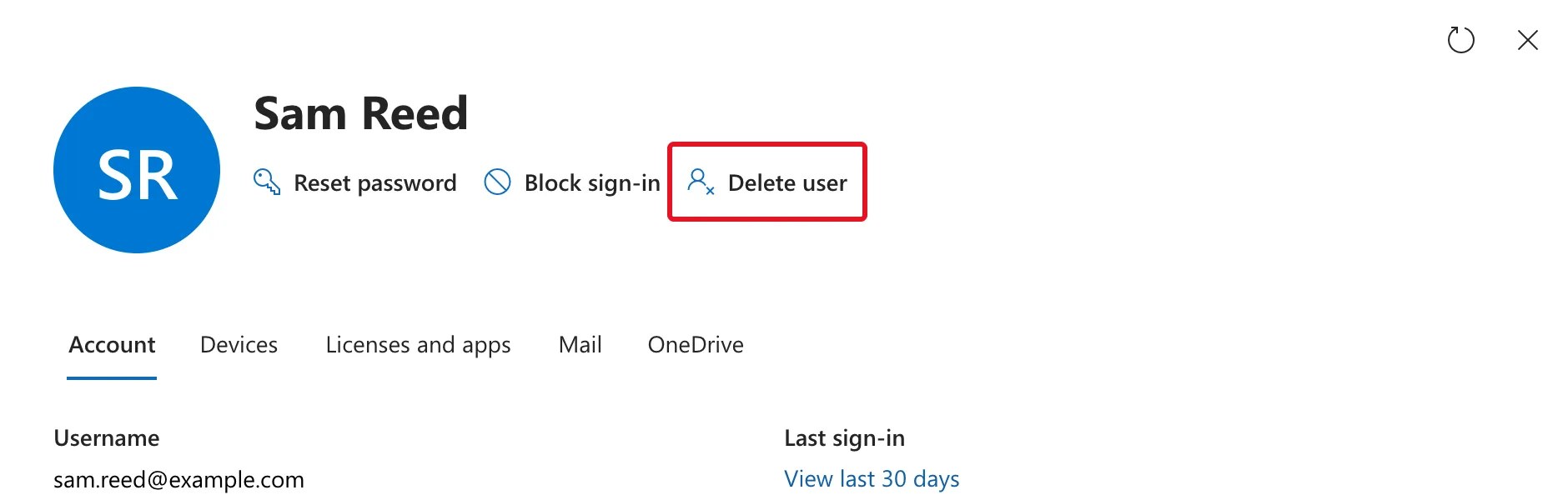
In the Microsoft 365 admin center, go to Users → Active users and select the person's name. Their details open with Reset password, Block sign-in and Delete user under the name. Select Delete user:
Step 2: Confirm
The panel asks Delete this user? and reminds you: You can restore deleted users, and recover their data except for calendar items and aliases, for up to 30 days. Select Delete user at the bottom of the panel:
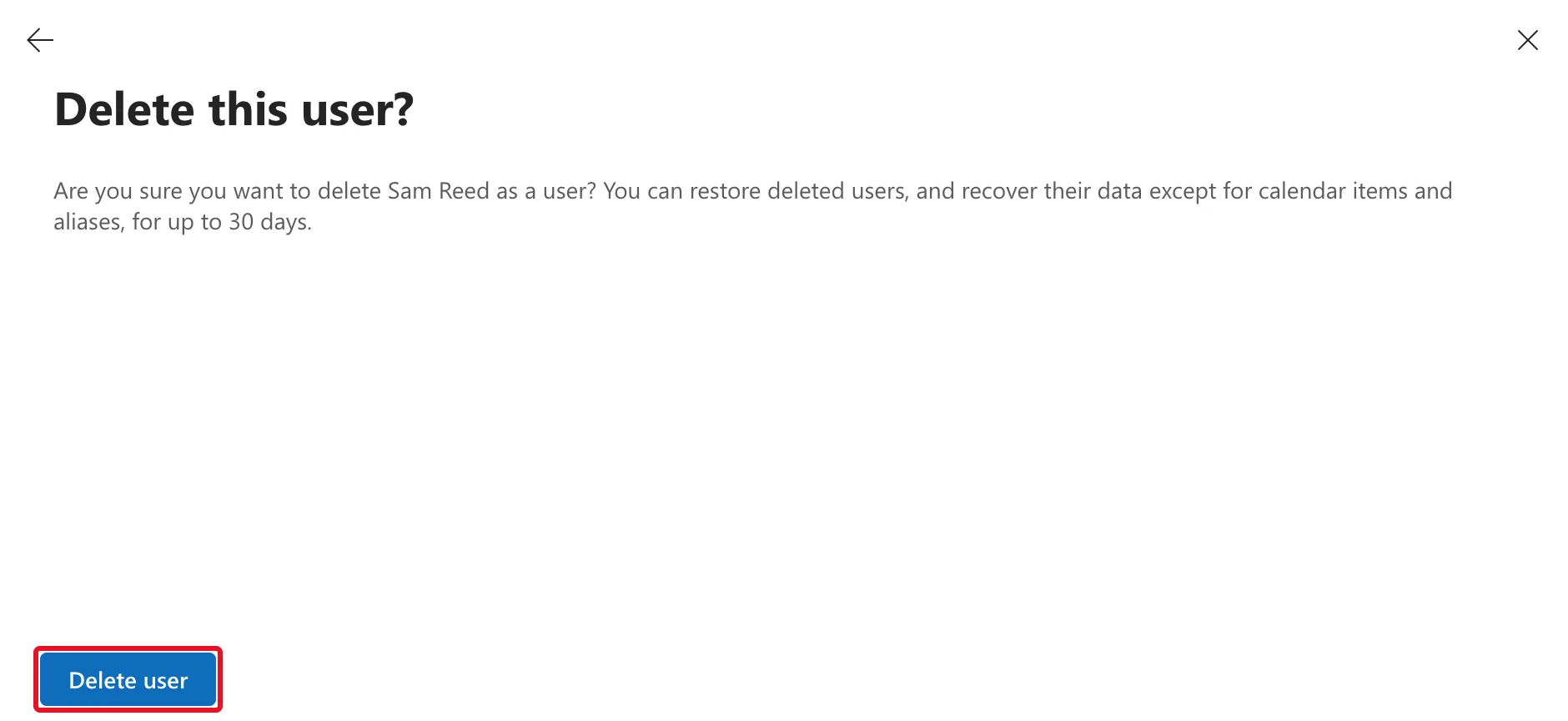
Sam had no license left, so the panel had nothing else to ask. For a person who still has a license, Microsoft's article shows the same panel offering choices first: what to do with their license, and with their email and OneDrive, such as giving someone else access.
Step 3: Check the Result
Sam Reed has been deleted, with the 30-day reminder again and a link to the deleted users list:

Select Close. Under Users → Deleted users, the account is listed with the date and time it was deleted:
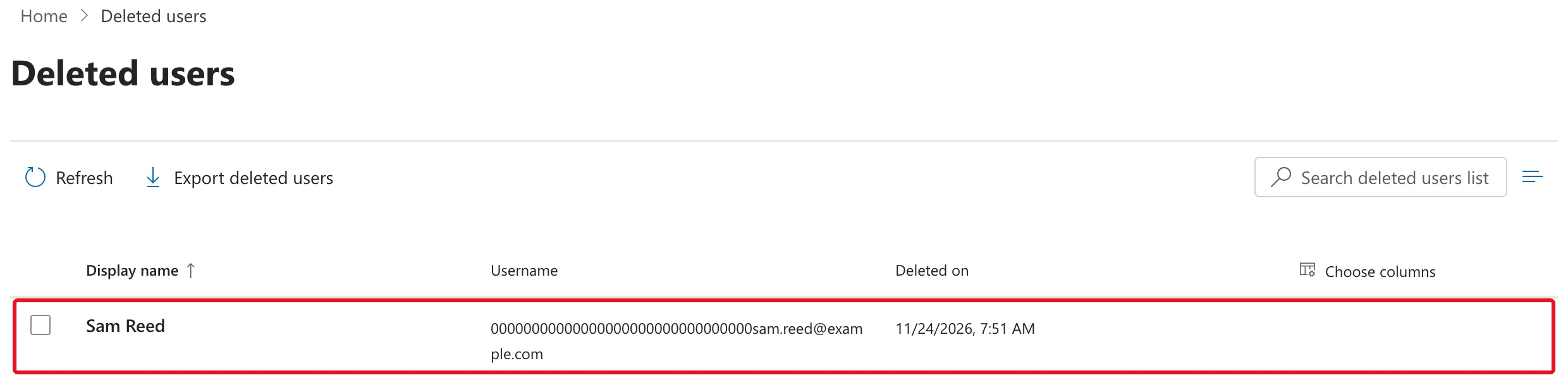
In this list, the username has a long code of letters and numbers in front of it, zeros in the picture. Microsoft's article doesn't describe it, but the Microsoft Entra admin center's own Deleted users list shows the username as it was, in an Original user principal name column. Selecting the account here offers to restore it, as Microsoft's article Restore a user in Microsoft 365 explains.
Common Mistakes
| Mistake | What happens | Do this instead |
|---|---|---|
| Deleting before saving the person's email | Their email is lost after 30 days | Move it first, as Microsoft's article says |
| Deleting an account that forwards email | Forwarding stops | Keep the account |
| Expecting the bill to go down | You still pay for the license | Reduce the subscription's quantity, or reuse the license |
| Deleting someone who is only on leave | They lose their account | Block sign-in instead (How to Block Sign-In for a User in Microsoft 365) |
Troubleshooting
| Symptom | Likely cause | Fix |
|---|---|---|
| User cannot be deleted. Please try again later. | Microsoft's article: email forwarding, or a shared mailbox | Don't delete it |
| The person still appears in the global address book | Microsoft's article: your accounts sync from Active Directory | Delete them in Active Directory |
FAQ
What happens to their license?
It goes back to your pool for someone else, but you keep paying for it until you reduce the subscription's quantity, as Microsoft's article explains.
Can I restore the account?
Yes, for 30 days, from Deleted users. After that, it's deleted for good.
Does deleting the user remove their overtime, tickets or other records in apps?
Not by itself. Records that other apps keep, such as items in a SharePoint list, stay where they are.
Can I do this with PowerShell?
Yes. Microsoft points to the Remove-MgUser cmdlet for deleting many users at the same time.
Conclusion
Users → Active users → the person → Delete user, then Delete user again in the panel. The account moves to Deleted users, where you can restore it for 30 days.
Additional Resources
- Delete a user from your organization
- Restore a user in Microsoft 365
- Overview: Remove a former employee and secure data
